-
APP使用相机CameraX
APP使用相机
Sample Description CameraXBasic Demonstrates how to use CameraX APIs. CameraXAdvanced Demonstrates how to use CameraX APIs with TFLite and others CameraXVideo Demonstrates how to use CameraX VideoCapture API. Camera2Basic Demonstrates capturing JPEG, RAW and DEPTH images, e.g. unprocessed pixel data directly from the camera sensor. Camera2SlowMotion Demonstrates capturing high-speed video in a constrained camera capture session. Camera2Video Demonstrates recording video using the Camera2 API and MediaRecorder. Camera2Extensions Demonstrates Camera2 extension live preview and still capture. HdrViewfinder Demonstrates use of RenderScript to display a live HDR feed from camera frames using Camera2 API.
0. CameraX 概览 | Android Jetpack 的一部分
1. CameraX获取Context.CAMERA_SERVICE服务
CameraXBasic 的
setUpCamera()方法第一次调用 ProcessCameraProvider.getInstance() 期间,初始化 CameraX 会cameraFactory.getAvailableCameraIds()枚举和查询设备上可用摄像头的特性。
其中cameraFactory在com/android/example/cameraxbasic/MainApplication.kt中调用CameraXConfig.Builder.fromConfig(Camera2Config.defaultConfig())初始化对象Camera2CameraFactory、CameraXConfig1.1 获取Context.CAMERA_SERVICE服务
下面获取Context.CAMERA_SERVICE服务,实际获取 SystemServiceRegistry.java中注册的CameraManager.java。通过CameraManagerGlobal连接CameraService
androidx/camera/camera2/internal/Camera2CameraFactory.java
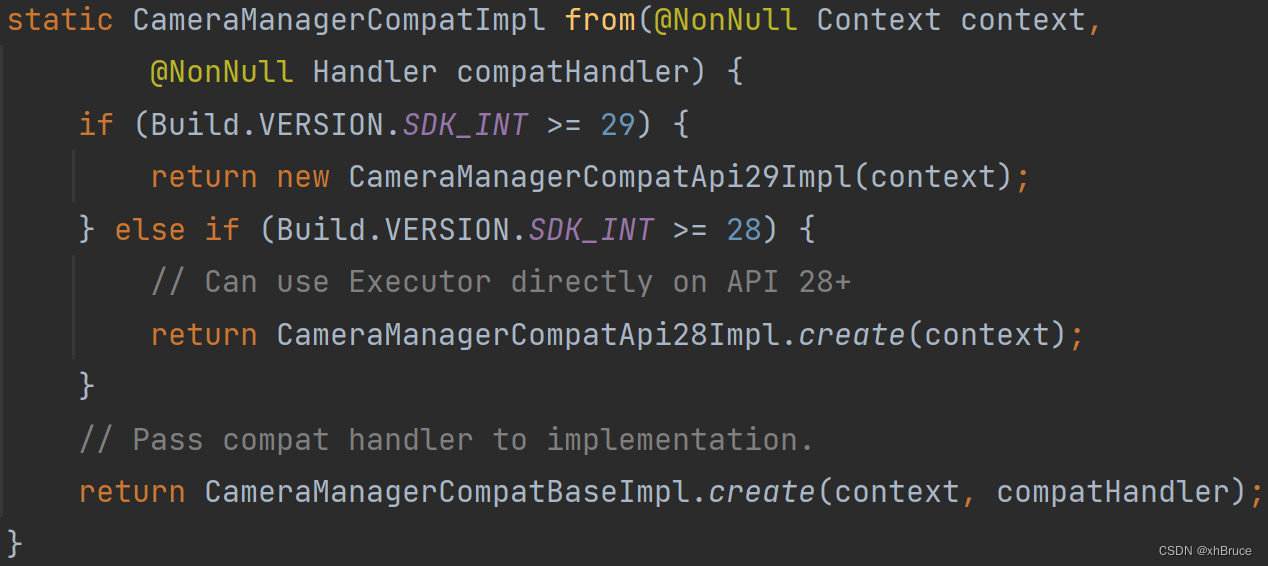
androidx/camera/camera2/internal/compat/CameraManagerCompat.java
androidx/camera/camera2/internal/compat/CameraManagerCompatApi29Impl.java
androidx/camera/camera2/internal/compat/CameraManagerCompatApi28Impl.java
androidx/camera/camera2/internal/compat/CameraManagerCompatBaseImpl.java

frameworks/base/core/java/android/app/SystemServiceRegistry.java

frameworks/base/core/java/android/hardware/camera2/CameraManager.javapublic ICameraService getCameraService() { synchronized(mLock) { connectCameraServiceLocked(); if (mCameraService == null && !sCameraServiceDisabled) { Log.e(TAG, "Camera service is unavailable"); } return mCameraService; } } private void connectCameraServiceLocked() { // Only reconnect if necessary if (mCameraService != null || sCameraServiceDisabled) return; Log.i(TAG, "Connecting to camera service"); IBinder cameraServiceBinder = ServiceManager.getService(CAMERA_SERVICE_BINDER_NAME); if (cameraServiceBinder == null) { // Camera service is now down, leave mCameraService as null return; } try { cameraServiceBinder.linkToDeath(this, /*flags*/ 0); } catch (RemoteException e) { // Camera service is now down, leave mCameraService as null return; } ICameraService cameraService = ICameraService.Stub.asInterface(cameraServiceBinder); try { CameraMetadataNative.setupGlobalVendorTagDescriptor(); } catch (ServiceSpecificException e) { handleRecoverableSetupErrors(e); } try { CameraStatus[] cameraStatuses = cameraService.addListener(this); for (CameraStatus c : cameraStatuses) { onStatusChangedLocked(c.status, c.cameraId); if (c.unavailablePhysicalCameras != null) { for (String unavailPhysicalCamera : c.unavailablePhysicalCameras) { onPhysicalCameraStatusChangedLocked( ICameraServiceListener.STATUS_NOT_PRESENT, c.cameraId, unavailPhysicalCamera); } } } mCameraService = cameraService; } catch(ServiceSpecificException e) { // Unexpected failure throw new IllegalStateException("Failed to register a camera service listener", e); } catch (RemoteException e) { // Camera service is now down, leave mCameraService as null } try { ConcurrentCameraIdCombination[] cameraIdCombinations = cameraService.getConcurrentCameraIds(); for (ConcurrentCameraIdCombination comb : cameraIdCombinations) { mConcurrentCameraIdCombinations.add(comb.getConcurrentCameraIdCombination()); } } catch (ServiceSpecificException e) { // Unexpected failure throw new IllegalStateException("Failed to get concurrent camera id combinations", e); } catch (RemoteException e) { // Camera service died in all probability } }- 1
- 2
- 3
- 4
- 5
- 6
- 7
- 8
- 9
- 10
- 11
- 12
- 13
- 14
- 15
- 16
- 17
- 18
- 19
- 20
- 21
- 22
- 23
- 24
- 25
- 26
- 27
- 28
- 29
- 30
- 31
- 32
- 33
- 34
- 35
- 36
- 37
- 38
- 39
- 40
- 41
- 42
- 43
- 44
- 45
- 46
- 47
- 48
- 49
- 50
- 51
- 52
- 53
- 54
- 55
- 56
- 57
- 58
- 59
- 60
- 61
- 62
- 63
- 64
- 65
- 66
- 67
- 68
- 69
- 70
- 71
1.2 枚举和查询设备上可用摄像头
CameraX 初始化时
cameraFactory.getAvailableCameraIds()枚举和查询设备上可用摄像头的特性。最终调用CameraSelectionOptimizer.getSelectedAvailableCameraIds(this, availableCamerasSelector)通过cameraFactory.getCameraManager().getCameraIdList()获取。
FWK层中CameraManager.java中CameraManagerGlobal的getCameraIdList():connectCameraServiceLocked()连接CameraService服务CAMERA_SERVICE_BINDER_NAME = "media.camera"

摄像头限制器 如果传递给 CameraXConfig.Builder.setAvailableCamerasLimiter() 的 CameraSelector 过滤掉了某个摄像头,则 CameraX 在运行时会假定该摄像头不存在。CameraSelector.DEFAULT_BACK_CAMERA后置摄像头LENS_FACING_BACK = 1;CameraSelector.DEFAULT_FRONT_CAMERA前置摄像头LENS_FACING_FRONT = 0。

com/android/example/cameraxbasic/fragments/CameraFragment.kt
androidx/camera/core/CameraX.java
androidx/camera/core/impl/CameraRepository.javapublic void init(@NonNull CameraFactory cameraFactory) throws InitializationException { synchronized (mCamerasLock) { try { Set<String> camerasList = cameraFactory.getAvailableCameraIds(); for (String id : camerasList) { Logger.d(TAG, "Added camera: " + id); mCameras.put(id, cameraFactory.getCamera(id)); } } catch (CameraUnavailableException e) { throw new InitializationException(e); } } }- 1
- 2
- 3
- 4
- 5
- 6
- 7
- 8
- 9
- 10
- 11
- 12
- 13
androidx/camera/camera2/internal/Camera2CameraFactory.java
public Camera2CameraFactory(@NonNull Context context, @NonNull CameraThreadConfig threadConfig, @Nullable CameraSelector availableCamerasSelector) throws InitializationException { mThreadConfig = threadConfig; mCameraStateRegistry = new CameraStateRegistry(DEFAULT_ALLOWED_CONCURRENT_OPEN_CAMERAS); mCameraManager = CameraManagerCompat.from(context, mThreadConfig.getSchedulerHandler()); List<String> optimizedCameraIds = CameraSelectionOptimizer.getSelectedAvailableCameraIds( this, availableCamerasSelector); mAvailableCameraIds = getBackwardCompatibleCameraIds(optimizedCameraIds); } public Set<String> getAvailableCameraIds() { // Use a LinkedHashSet to preserve order return new LinkedHashSet<>(mAvailableCameraIds); }- 1
- 2
- 3
- 4
- 5
- 6
- 7
- 8
- 9
- 10
- 11
- 12
- 13
- 14
- 15
- 16
androidx/camera/camera2/internal/CameraSelectionOptimizer.java
static List<String> getSelectedAvailableCameraIds( @NonNull Camera2CameraFactory cameraFactory, @Nullable CameraSelector availableCamerasSelector) throws InitializationException { try { List<String> availableCameraIds = new ArrayList<>(); List<String> cameraIdList = Arrays.asList(cameraFactory.getCameraManager().getCameraIdList()); if (availableCamerasSelector == null) { for (String id : cameraIdList) { availableCameraIds.add(id); } return availableCameraIds; } // Skip camera ID by heuristic: 0 is back lens facing, 1 is front lens facing. String skippedCameraId; try { Integer lensFacingInteger = availableCamerasSelector.getLensFacing(); skippedCameraId = decideSkippedCameraIdByHeuristic( cameraFactory.getCameraManager(), lensFacingInteger, cameraIdList); } catch (IllegalStateException e) { // Don't skip camera if there is any conflict in camera lens facing. skippedCameraId = null; } List<CameraInfo> cameraInfos = new ArrayList<>(); for (String id : cameraIdList) { if (id.equals(skippedCameraId)) { continue; } Camera2CameraInfoImpl cameraInfo = cameraFactory.getCameraInfo(id); cameraInfos.add(cameraInfo); } List<CameraInfo> filteredCameraInfos = availableCamerasSelector.filter(cameraInfos); for (CameraInfo cameraInfo : filteredCameraInfos) { String cameraId = ((CameraInfoInternal) cameraInfo).getCameraId(); availableCameraIds.add(cameraId); } return availableCameraIds; } catch (CameraAccessExceptionCompat e) { throw new InitializationException(CameraUnavailableExceptionHelper.createFrom(e)); } catch (CameraUnavailableException e) { throw new InitializationException(e); } }- 1
- 2
- 3
- 4
- 5
- 6
- 7
- 8
- 9
- 10
- 11
- 12
- 13
- 14
- 15
- 16
- 17
- 18
- 19
- 20
- 21
- 22
- 23
- 24
- 25
- 26
- 27
- 28
- 29
- 30
- 31
- 32
- 33
- 34
- 35
- 36
- 37
- 38
- 39
- 40
- 41
- 42
- 43
- 44
- 45
- 46
- 47
- 48
- 49
- 50
- 51
2. 拍照按钮执行
除了
setUpCamera()初始化CameraX,其中重要查看updateCameraUi()布局更新;camera_capture_button按钮cameraUiContainerBinding?.cameraCaptureButton?.setOnClickListener设置
com/android/example/cameraxbasic/fragments/CameraFragment.kt// Listener for button used to capture photo cameraUiContainerBinding?.cameraCaptureButton?.setOnClickListener { // Get a stable reference of the modifiable image capture use case imageCapture?.let { imageCapture -> // Create output file to hold the image val photoFile = createFile(outputDirectory, FILENAME, PHOTO_EXTENSION) // Setup image capture metadata val metadata = Metadata().apply { // Mirror image when using the front camera isReversedHorizontal = lensFacing == CameraSelector.LENS_FACING_FRONT } // Create output options object which contains file + metadata val outputOptions = ImageCapture.OutputFileOptions.Builder(photoFile) .setMetadata(metadata) .build() // Setup image capture listener which is triggered after photo has been taken imageCapture.takePicture( outputOptions, cameraExecutor, object : ImageCapture.OnImageSavedCallback { override fun onError(exc: ImageCaptureException) { Log.e(TAG, "Photo capture failed: ${exc.message}", exc) } override fun onImageSaved(output: ImageCapture.OutputFileResults) { val savedUri = output.savedUri ?: Uri.fromFile(photoFile) Log.d(TAG, "Photo capture succeeded: $savedUri") // We can only change the foreground Drawable using API level 23+ API if (Build.VERSION.SDK_INT >= Build.VERSION_CODES.M) { // Update the gallery thumbnail with latest picture taken setGalleryThumbnail(savedUri) } // Implicit broadcasts will be ignored for devices running API level >= 24 // so if you only target API level 24+ you can remove this statement if (Build.VERSION.SDK_INT < Build.VERSION_CODES.N) { requireActivity().sendBroadcast( Intent(android.hardware.Camera.ACTION_NEW_PICTURE, savedUri) ) } // If the folder selected is an external media directory, this is // unnecessary but otherwise other apps will not be able to access our // images unless we scan them using [MediaScannerConnection] val mimeType = MimeTypeMap.getSingleton() .getMimeTypeFromExtension(savedUri.toFile().extension) MediaScannerConnection.scanFile( context, arrayOf(savedUri.toFile().absolutePath), arrayOf(mimeType) ) { _, uri -> Log.d(TAG, "Image capture scanned into media store: $uri") } } }) // We can only change the foreground Drawable using API level 23+ API if (Build.VERSION.SDK_INT >= Build.VERSION_CODES.M) { // Display flash animation to indicate that photo was captured fragmentCameraBinding.root.postDelayed({ fragmentCameraBinding.root.foreground = ColorDrawable(Color.WHITE) fragmentCameraBinding.root.postDelayed( { fragmentCameraBinding.root.foreground = null }, ANIMATION_FAST_MILLIS) }, ANIMATION_SLOW_MILLIS) } } }- 1
- 2
- 3
- 4
- 5
- 6
- 7
- 8
- 9
- 10
- 11
- 12
- 13
- 14
- 15
- 16
- 17
- 18
- 19
- 20
- 21
- 22
- 23
- 24
- 25
- 26
- 27
- 28
- 29
- 30
- 31
- 32
- 33
- 34
- 35
- 36
- 37
- 38
- 39
- 40
- 41
- 42
- 43
- 44
- 45
- 46
- 47
- 48
- 49
- 50
- 51
- 52
- 53
- 54
- 55
- 56
- 57
- 58
- 59
- 60
- 61
- 62
- 63
- 64
- 65
- 66
- 67
- 68
- 69
- 70
- 71
- 72
- 73
3. 前置/后置 摄像头切换
查看
updateCameraUi()布局更新;camera_switch_button按钮cameraUiContainerBinding?.cameraSwitchButton?.let设置,CameraSelector.LENS_FACING_BACK、CameraSelector.LENS_FACING_FRONT前后置属性,bindCameraUseCases()更新预览preview、捕获imageCapture和分析imageAnalyzer用例;observeCameraState(camera?.cameraInfo!!)监听Camera状态
com/android/example/cameraxbasic/fragments/CameraFragment.kt// Setup for button used to switch cameras cameraUiContainerBinding?.cameraSwitchButton?.let { // Disable the button until the camera is set up it.isEnabled = false // Listener for button used to switch cameras. Only called if the button is enabled it.setOnClickListener { lensFacing = if (CameraSelector.LENS_FACING_FRONT == lensFacing) { CameraSelector.LENS_FACING_BACK } else { CameraSelector.LENS_FACING_FRONT } // Re-bind use cases to update selected camera bindCameraUseCases() } } /** Declare and bind preview, capture and analysis use cases */ private fun bindCameraUseCases() { // Get screen metrics used to setup camera for full screen resolution val metrics = windowManager.getCurrentWindowMetrics().bounds Log.d(TAG, "Screen metrics: ${metrics.width()} x ${metrics.height()}") val screenAspectRatio = aspectRatio(metrics.width(), metrics.height()) Log.d(TAG, "Preview aspect ratio: $screenAspectRatio") val rotation = fragmentCameraBinding.viewFinder.display.rotation // CameraProvider val cameraProvider = cameraProvider ?: throw IllegalStateException("Camera initialization failed.") // CameraSelector val cameraSelector = CameraSelector.Builder().requireLensFacing(lensFacing).build() // Preview preview = Preview.Builder() // We request aspect ratio but no resolution .setTargetAspectRatio(screenAspectRatio) // Set initial target rotation .setTargetRotation(rotation) .build() // ImageCapture imageCapture = ImageCapture.Builder() .setCaptureMode(ImageCapture.CAPTURE_MODE_MINIMIZE_LATENCY) // We request aspect ratio but no resolution to match preview config, but letting // CameraX optimize for whatever specific resolution best fits our use cases .setTargetAspectRatio(screenAspectRatio) // Set initial target rotation, we will have to call this again if rotation changes // during the lifecycle of this use case .setTargetRotation(rotation) .build() // ImageAnalysis imageAnalyzer = ImageAnalysis.Builder() // We request aspect ratio but no resolution .setTargetAspectRatio(screenAspectRatio) // Set initial target rotation, we will have to call this again if rotation changes // during the lifecycle of this use case .setTargetRotation(rotation) .build() // The analyzer can then be assigned to the instance .also { it.setAnalyzer(cameraExecutor, LuminosityAnalyzer { luma -> // Values returned from our analyzer are passed to the attached listener // We log image analysis results here - you should do something useful // instead! Log.d(TAG, "Average luminosity: $luma") }) } // Must unbind the use-cases before rebinding them cameraProvider.unbindAll() try { // A variable number of use-cases can be passed here - // camera provides access to CameraControl & CameraInfo camera = cameraProvider.bindToLifecycle( this, cameraSelector, preview, imageCapture, imageAnalyzer) // Attach the viewfinder's surface provider to preview use case preview?.setSurfaceProvider(fragmentCameraBinding.viewFinder.surfaceProvider) observeCameraState(camera?.cameraInfo!!) } catch (exc: Exception) { Log.e(TAG, "Use case binding failed", exc) } }- 1
- 2
- 3
- 4
- 5
- 6
- 7
- 8
- 9
- 10
- 11
- 12
- 13
- 14
- 15
- 16
- 17
- 18
- 19
- 20
- 21
- 22
- 23
- 24
- 25
- 26
- 27
- 28
- 29
- 30
- 31
- 32
- 33
- 34
- 35
- 36
- 37
- 38
- 39
- 40
- 41
- 42
- 43
- 44
- 45
- 46
- 47
- 48
- 49
- 50
- 51
- 52
- 53
- 54
- 55
- 56
- 57
- 58
- 59
- 60
- 61
- 62
- 63
- 64
- 65
- 66
- 67
- 68
- 69
- 70
- 71
- 72
- 73
- 74
- 75
- 76
- 77
- 78
- 79
- 80
- 81
- 82
- 83
- 84
- 85
- 86
- 87
- 88
- 89
- 90
-
相关阅读:
云计算 2月20号 (认识操作系统)
《算法通关村第二关——指定区间反转问题解析》
vue项目npm run build报错Error: Cannot find module ‘@vue/cli-plugin-babel‘的解决方法
数据结构与算法C语言版学习笔记(6)-树、二叉树、赫夫曼树
【迁移学习】
STM32 定时器介绍
java版linux文件上传
接口测试及常用接口测试工具
找单身狗。一个数组中只有两个数字出现一次,其他数字出现了两次,编写一个函数找出这两个只出现一次的数字
MyCat实战
- 原文地址:https://blog.csdn.net/qq_23452385/article/details/126314233
