-
JAVA 浏览器下载excel,自定义样式:合并单元格,设置多种背景填充颜色,冻结窗格
添加依赖:
<dependency> <groupId>org.apache.poigroupId> <artifactId>poiartifactId> <version>3.17version> dependency> <dependency> <groupId>org.apache.poigroupId> <artifactId>poi-ooxmlartifactId> <version>3.17version> dependency> <dependency> <groupId>commons-iogroupId> <artifactId>commons-ioartifactId> <version>2.4version> dependency>- 1
- 2
- 3
- 4
- 5
- 6
- 7
- 8
- 9
- 10
- 11
- 12
- 13
- 14
- 15
- 16
- 17
- 18
代码:
package com.zp.demoes.controller; import org.apache.poi.hssf.usermodel.*; import org.apache.poi.ss.usermodel.*; import org.apache.poi.ss.util.CellRangeAddress; import org.springframework.stereotype.Controller; import org.springframework.web.bind.annotation.RequestMapping; import javax.servlet.http.HttpServletResponse; import java.text.SimpleDateFormat; import java.util.*; @Controller @RequestMapping("export") public class ExportController { private SimpleDateFormat sdf = new SimpleDateFormat("yyyy-MM-dd"); @RequestMapping("exportXls") public void export(HttpServletResponse response){ List<Map<String,Object>> mapList = new ArrayList<>(); Map<String,Object> map = new HashMap<>(); map.put("name","张三"); map.put("mobile","13523568974"); map.put("sex","男"); map.put("age",19); map.put("hobby","篮球、羽毛球、兵乓球、足球、滑板、滑旱冰"); mapList.add(map); map = new HashMap<>(); map.put("name","李四"); map.put("mobile","13452635487"); map.put("sex","男"); map.put("age",23); map.put("hobby","跑步、跳绳、举重"); mapList.add(map); map = new HashMap<>(); map.put("name","王五"); map.put("mobile","16674851265"); map.put("sex","男"); map.put("age",18); map.put("hobby","听音乐、看电影、绘画、写小说"); mapList.add(map); map = new HashMap<>(); map.put("name","夏天"); map.put("mobile","15574123548"); map.put("sex","女"); map.put("age",22); map.put("hobby","阅读:读书、读报、看小说"); mapList.add(map); exportDataList(mapList,response); } public void exportDataList(List<Map<String,Object>> mapList, HttpServletResponse response){ HSSFWorkbook workbook = new HSSFWorkbook(); //样式1 HSSFCellStyle style = workbook.createCellStyle(); style.setAlignment(HorizontalAlignment.CENTER_SELECTION);//左右居中 style.setVerticalAlignment(VerticalAlignment.CENTER);//上下居中 style.setWrapText(true);//居中 HSSFFont font = workbook.createFont(); font.setFontName("宋体");//字体 font.setFontHeightInPoints((short) 10);//文字大小 style.setFont(font); style.setBorderBottom(BorderStyle.THIN); //下边框加框线 style.setBorderLeft(BorderStyle.THIN);//左边框加框线 style.setBorderTop(BorderStyle.THIN);//上边框加框线 style.setBorderRight(BorderStyle.THIN);//右边框加框线 //样式2 HSSFCellStyle style2 = workbook.createCellStyle(); style2.setAlignment(HorizontalAlignment.CENTER_SELECTION);//左右居中 style2.setVerticalAlignment(VerticalAlignment.CENTER);//上下居中 style2.setWrapText(true);//居中 HSSFFont font2 = workbook.createFont(); font2.setFontName("宋体");//字体 font2.setFontHeightInPoints((short) 10);//文字大小 font2.setColor(IndexedColors.RED.getIndex());//文字颜色 style2.setFont(font2); style2.setBorderBottom(BorderStyle.THIN); //下边框加框线 style2.setBorderLeft(BorderStyle.THIN);//左边框加框线 style2.setBorderTop(BorderStyle.THIN);//上边框加框线 style2.setBorderRight(BorderStyle.THIN);//右边框加框线 //创建工作簿 HSSFSheet sheet = workbook.createSheet("总表"); sheet.createFreezePane(2, 3);// 冻结 列,行 //创建表头 createTitle(workbook,sheet); int rowNum = 2; HSSFCell cell; for(Map a:mapList){ HSSFRow row = sheet.createRow(rowNum+1); row.setHeight((short)(24*20));//行高 cell = row.createCell(0); cell.setCellValue(rowNum-1); cell.setCellStyle(style); cell = row.createCell(1); cell.setCellValue(a.get("name").toString()); cell.setCellStyle(style); cell = row.createCell(2); cell.setCellValue(a.get("mobile").toString()); cell.setCellStyle(style); cell = row.createCell(3); cell.setCellValue(a.get("sex").toString()); cell.setCellStyle(style2); cell = row.createCell(4); cell.setCellValue(a.get("age").toString()); cell.setCellStyle(style); cell = row.createCell(5); cell.setCellValue(a.get("hobby").toString()); cell.setCellStyle(style); rowNum++; } String fileName = "人员信息表.xls"; //浏览器下载excel ExportUtils.excelDocument(fileName,workbook,response); } //创建表头 public void createTitle(HSSFWorkbook workbook, HSSFSheet sheet){ //单元格从0开始 HSSFRow row0 = sheet.createRow(0); //合并单元格 sheet.addMergedRegion(new CellRangeAddress(0, 0,0, 5)); row0.setHeight((short)(42*20));//行高 HSSFCell cell0 = row0.createCell(0); cell0.setCellValue("人员信息表"); HSSFCellStyle style0 = workbook.createCellStyle(); HSSFFont font0 = workbook.createFont(); font0.setBold(true);//加粗 font0.setFontName("宋体");//字体 font0.setFontHeightInPoints((short) 18);//字体大小 style0.setFont(font0); style0.setAlignment(HorizontalAlignment.CENTER);//左右居中 style0.setVerticalAlignment(VerticalAlignment.CENTER);//上下居中 style0.setBorderBottom(BorderStyle.THIN); //下边框加框线 style0.setBorderLeft(BorderStyle.THIN);//左边框加框线 style0.setBorderTop(BorderStyle.THIN);//上边框加框线 style0.setBorderRight(BorderStyle.THIN);//右边框加框线 cell0.setCellStyle(style0); for (int i = 1; i <= 5; i++) {//合并了的单元格也要设置 cell0 = row0.createCell(i); cell0.setCellStyle(style0); } HSSFRow row1 = sheet.createRow(1); //合并单元格 sheet.addMergedRegion(new CellRangeAddress(1,1,0, 5)); row1.setHeight((short)(18*20));//行高 HSSFCell cell1 = row1.createCell(0); cell1.setCellValue("共:4人 导出人:张三 导出时间:"+sdf.format(new Date())+" "); HSSFCellStyle style1 = workbook.createCellStyle(); HSSFFont font1 = workbook.createFont(); font1.setFontName("宋体");//字体 font1.setFontHeightInPoints((short) 10);//字体大小 style1.setFont(font1); style1.setAlignment(HorizontalAlignment.RIGHT);//左右居中 style1.setVerticalAlignment(VerticalAlignment.CENTER);//上下居中 style1.setBorderBottom(BorderStyle.THIN); //下边框加框线 style1.setBorderLeft(BorderStyle.THIN);//左边框加框线 style1.setBorderTop(BorderStyle.THIN);//上边框加框线 style1.setBorderRight(BorderStyle.THIN);//右边框加框线 cell1.setCellStyle(style1); for (int i = 1; i <= 5; i++) {//合并了的单元格也要设置 cell1 = row1.createCell(i); cell1.setCellStyle(style1); } HSSFRow row = sheet.createRow(2); row.setHeight((short)(30*20)); //设置列宽,setColumnWidth的第二个参数要乘以256,这个参数的单位是1/256个字符宽度 sheet.setColumnWidth(0,10*256); sheet.setColumnWidth(1,21*256); sheet.setColumnWidth(2,36*256); sheet.setColumnWidth(3,21*256); sheet.setColumnWidth(4,21*256); sheet.setColumnWidth(5,50*256); //样式1 HSSFCellStyle style = workbook.createCellStyle(); //填充方案 填满 style.setFillPattern(FillPatternType.SOLID_FOREGROUND); //随便设置一个颜色 style.setFillForegroundColor(IndexedColors.LIGHT_TURQUOISE.getIndex()); //自定义填充颜色 替换刚刚设置的颜色 HSSFPalette customPalette = workbook.getCustomPalette(); customPalette.setColorAtIndex(IndexedColors.LIGHT_TURQUOISE.getIndex(), (byte) 213,(byte) 231, (byte) 245); HSSFFont font = workbook.createFont(); font.setFontName("宋体");//字体 font.setFontHeightInPoints((short) 11);//字体大小 style.setAlignment(HorizontalAlignment.CENTER_SELECTION);//左右居中 style.setVerticalAlignment(VerticalAlignment.CENTER);//上下居中 style.setFont(font); style.setBorderBottom(BorderStyle.THIN); //下边框加框线 style.setBorderLeft(BorderStyle.THIN);//左边框加框线 style.setBorderTop(BorderStyle.THIN);//上边框加框线 style.setBorderRight(BorderStyle.THIN);//右边框加框线 style.setWrapText(true);//自动换行 //样式2 HSSFCellStyle style2 = workbook.createCellStyle(); //填充方案 填满 style2.setFillPattern(FillPatternType.SOLID_FOREGROUND); //随便设置一个颜色,但不能与上一个颜色相同 style2.setFillForegroundColor(IndexedColors.CORAL.getIndex()); //自定义填充颜色 替换刚刚设置的颜色 HSSFPalette customPalette2 = workbook.getCustomPalette(); customPalette2.setColorAtIndex(IndexedColors.CORAL.getIndex(), (byte) 249,(byte) 222, (byte) 222); HSSFFont font2 = workbook.createFont(); font2.setFontName("宋体");//字体 font2.setFontHeightInPoints((short) 11);//字体大小 font2.setColor(IndexedColors.RED.getIndex());//字体颜色 style2.setAlignment(HorizontalAlignment.CENTER_SELECTION);//左右居中 style2.setVerticalAlignment(VerticalAlignment.CENTER);//上下居中 style2.setFont(font2); style2.setBorderBottom(BorderStyle.THIN); //下边框加框线 style2.setBorderLeft(BorderStyle.THIN);//左边框加框线 style2.setBorderTop(BorderStyle.THIN);//上边框加框线 style2.setBorderRight(BorderStyle.THIN);//右边框加框线 style2.setWrapText(true);//自动换行 //样式3 HSSFCellStyle style3 = workbook.createCellStyle(); //填充方案 填满 style3.setFillPattern(FillPatternType.SOLID_FOREGROUND); //随便设置一个颜色,但不能与上两个个颜色相同 style3.setFillForegroundColor(IndexedColors.GREEN.getIndex()); //自定义填充颜色 替换刚刚设置的颜色 HSSFPalette customPalette3 = workbook.getCustomPalette(); customPalette3.setColorAtIndex(IndexedColors.GREEN.getIndex(), (byte) 226,(byte) 239, (byte) 218); HSSFFont font3 = workbook.createFont(); font3.setFontName("宋体");//字体 font3.setFontHeightInPoints((short) 11);//字体大小 style3.setAlignment(HorizontalAlignment.CENTER_SELECTION);//左右居中 style3.setVerticalAlignment(VerticalAlignment.CENTER);//上下居中 style3.setFont(font3); style3.setBorderBottom(BorderStyle.THIN); //下边框加框线 style3.setBorderLeft(BorderStyle.THIN);//左边框加框线 style3.setBorderTop(BorderStyle.THIN);//上边框加框线 style3.setBorderRight(BorderStyle.THIN);//右边框加框线 style3.setWrapText(true);// 自动换行 HSSFCell cell; cell = row.createCell(0); cell.setCellValue("序号"); cell.setCellStyle(style); cell = row.createCell(1); cell.setCellValue("姓名"); cell.setCellStyle(style); cell = row.createCell(2); cell.setCellValue("电话"); cell.setCellStyle(style); cell = row.createCell(3); cell.setCellValue("性别"); cell.setCellStyle(style2); cell = row.createCell(4); cell.setCellValue("年龄"); cell.setCellStyle(style3); cell = row.createCell(5); cell.setCellValue("爱好"); cell.setCellStyle(style); } }- 1
- 2
- 3
- 4
- 5
- 6
- 7
- 8
- 9
- 10
- 11
- 12
- 13
- 14
- 15
- 16
- 17
- 18
- 19
- 20
- 21
- 22
- 23
- 24
- 25
- 26
- 27
- 28
- 29
- 30
- 31
- 32
- 33
- 34
- 35
- 36
- 37
- 38
- 39
- 40
- 41
- 42
- 43
- 44
- 45
- 46
- 47
- 48
- 49
- 50
- 51
- 52
- 53
- 54
- 55
- 56
- 57
- 58
- 59
- 60
- 61
- 62
- 63
- 64
- 65
- 66
- 67
- 68
- 69
- 70
- 71
- 72
- 73
- 74
- 75
- 76
- 77
- 78
- 79
- 80
- 81
- 82
- 83
- 84
- 85
- 86
- 87
- 88
- 89
- 90
- 91
- 92
- 93
- 94
- 95
- 96
- 97
- 98
- 99
- 100
- 101
- 102
- 103
- 104
- 105
- 106
- 107
- 108
- 109
- 110
- 111
- 112
- 113
- 114
- 115
- 116
- 117
- 118
- 119
- 120
- 121
- 122
- 123
- 124
- 125
- 126
- 127
- 128
- 129
- 130
- 131
- 132
- 133
- 134
- 135
- 136
- 137
- 138
- 139
- 140
- 141
- 142
- 143
- 144
- 145
- 146
- 147
- 148
- 149
- 150
- 151
- 152
- 153
- 154
- 155
- 156
- 157
- 158
- 159
- 160
- 161
- 162
- 163
- 164
- 165
- 166
- 167
- 168
- 169
- 170
- 171
- 172
- 173
- 174
- 175
- 176
- 177
- 178
- 179
- 180
- 181
- 182
- 183
- 184
- 185
- 186
- 187
- 188
- 189
- 190
- 191
- 192
- 193
- 194
- 195
- 196
- 197
- 198
- 199
- 200
- 201
- 202
- 203
- 204
- 205
- 206
- 207
- 208
- 209
- 210
- 211
- 212
- 213
- 214
- 215
- 216
- 217
- 218
- 219
- 220
- 221
- 222
- 223
- 224
- 225
- 226
- 227
- 228
- 229
- 230
- 231
- 232
- 233
- 234
- 235
- 236
- 237
- 238
- 239
- 240
- 241
- 242
- 243
- 244
- 245
- 246
- 247
- 248
- 249
- 250
- 251
- 252
- 253
- 254
- 255
- 256
- 257
- 258
- 259
- 260
- 261
- 262
- 263
- 264
- 265
- 266
- 267
- 268
- 269
- 270
- 271
- 272
- 273
- 274
- 275
- 276
- 277
- 278
- 279
- 280
- 281
- 282
- 283
- 284
- 285
- 286
- 287
- 288
- 289
ExportUtils工具类:
package com.zp.demoes.controller; import org.apache.commons.io.FileUtils; import org.apache.poi.hssf.usermodel.HSSFWorkbook; import javax.servlet.http.HttpServletResponse; import java.io.File; import java.io.FileOutputStream; import java.io.OutputStream; import java.net.URLEncoder; public class ExportUtils { public static void excelDocument(String fileName, HSSFWorkbook workbook, HttpServletResponse response){ try { //生成excel文件 buildExcelFile(fileName, workbook); //浏览器下载excel buildExcelDocument(fileName,workbook,response); }catch (Exception ex){ ex.printStackTrace(); }finally { //清除文件 String dir=System.getProperty("user.dir"); File file = new File(dir+ File.separator+fileName); FileUtils.deleteQuietly(file); } } //生成excel文件 public static void buildExcelFile(String filename, HSSFWorkbook workbook) throws Exception{ FileOutputStream fos = new FileOutputStream(filename); workbook.write(fos); fos.flush(); fos.close(); } //浏览器下载excel public static void buildExcelDocument(String filename, HSSFWorkbook workbook, HttpServletResponse response) throws Exception{ response.setContentType("application/vnd.ms-excel"); response.setHeader("Content-Disposition", "attachment;filename="+ URLEncoder.encode(filename, "utf-8")); OutputStream outputStream = response.getOutputStream(); workbook.write(outputStream); outputStream.flush(); outputStream.close(); } }- 1
- 2
- 3
- 4
- 5
- 6
- 7
- 8
- 9
- 10
- 11
- 12
- 13
- 14
- 15
- 16
- 17
- 18
- 19
- 20
- 21
- 22
- 23
- 24
- 25
- 26
- 27
- 28
- 29
- 30
- 31
- 32
- 33
- 34
- 35
- 36
- 37
- 38
- 39
- 40
- 41
- 42
- 43
- 44
- 45
- 46
- 47
- 48
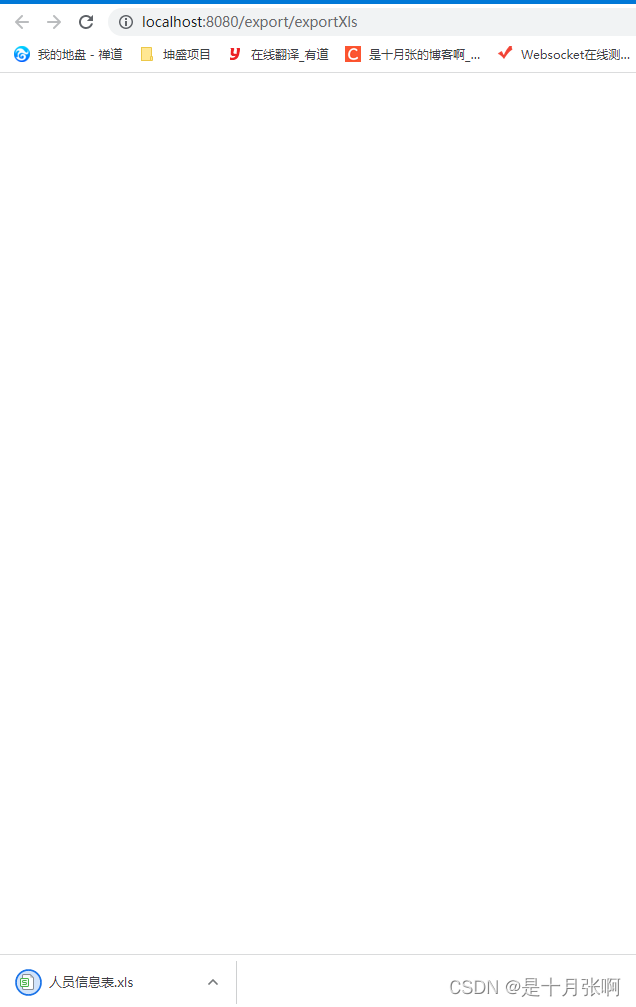
调用接口,查看xls

-
相关阅读:
英语作桥梁文化传世界 学好英语传承中华传统文化
Navicat操作数据库与Mysql常见命令操作实战
Layui + Flask | 弹出层(组件篇)(04)
python常用命令
GBase8s数据库FOR UPDATE 子句
详解字符编码与 Unicode
LeetCode每日一题:1488. 避免洪水泛滥(2023.10.13 C++)
Framework定制系列(十)-----SystemUI定制状态栏statusbar和导航栏navigationbar教程
MyBatis-Plus公共字段自动填充
spring boot过滤器实现项目内接口过滤
- 原文地址:https://blog.csdn.net/October_zhang/article/details/126303912
