-
【移动端网页特效】01-触屏事件和常用对象列表
1.触屏事件
1.1 touch触摸事件
常见touch事件

使用方法示例:
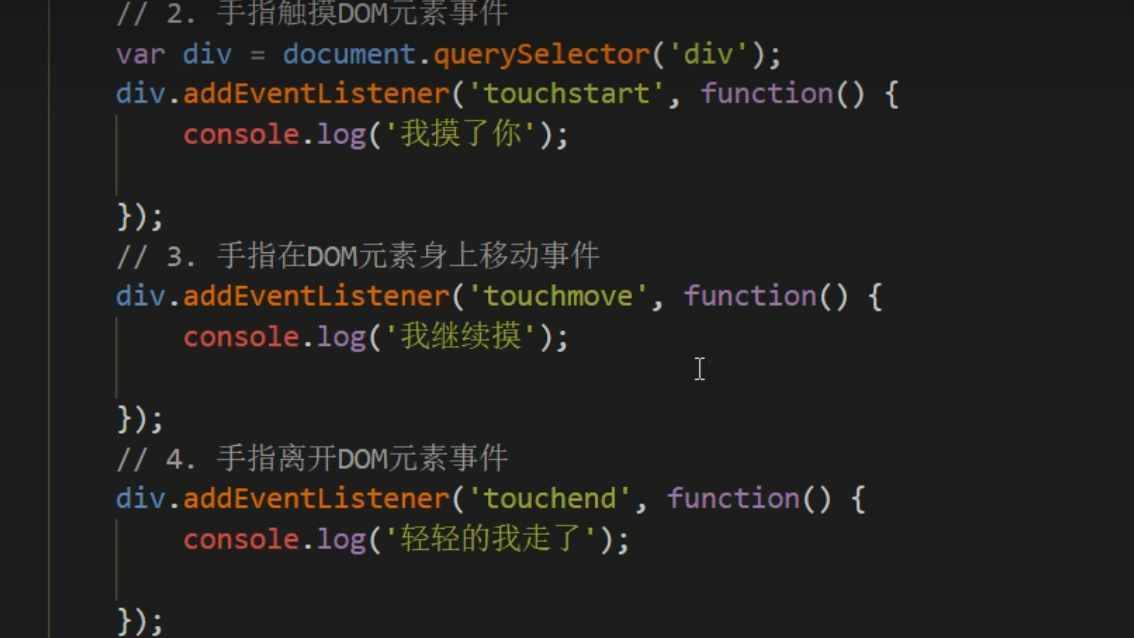
1.2 触摸事件对象(TouchEvent)
- TouchEvent是一类描述手指在触摸平面(触摸屏、触摸板等)的状态变化的事件。这类事件用于描述一个或多个触点,使开发者可以检测触点的移动,触点的增加和减少,等等
- touchstart,touchmove,touchend三个事件都会各自有事件对象。
- 触摸事件对象重点有三个常见
对象列表:

白话解释:
touchues:一 个 TouchList 对象,包含了
所有当前接触触摸平面触点的 Touch 对象;有一个手指触摸屏幕,里面的length就是1,两个手指触摸就是2targetTouches:一个 TouchList 对象;触摸当前dom对象的触点(
触摸某一块的手指数量),而不是触摸屏幕的数量重点:
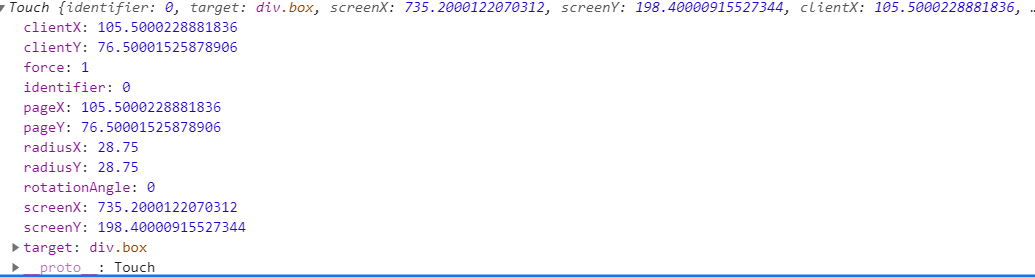
因为平时我们都是给元素注册触摸事件,所以重点记住targetTocuhes用法示例:
<div class="box">div> <script> var box = document.querySelector('.box') box.addEventListener('touchstart', function(e){ //我们一般都是触摸元素,所以经常使用targetTouches console.log(e.targetTouches[0]); //targetTouches[0],就可以得到正在触摸dom元素的第一个手指相关信息(比如坐标) }) script>- 1
- 2
- 3
- 4
- 5
- 6
- 7
- 8
- 9
触摸(点击)后打印台结果:
1.3 移动端拖动元素
- 实现思路:
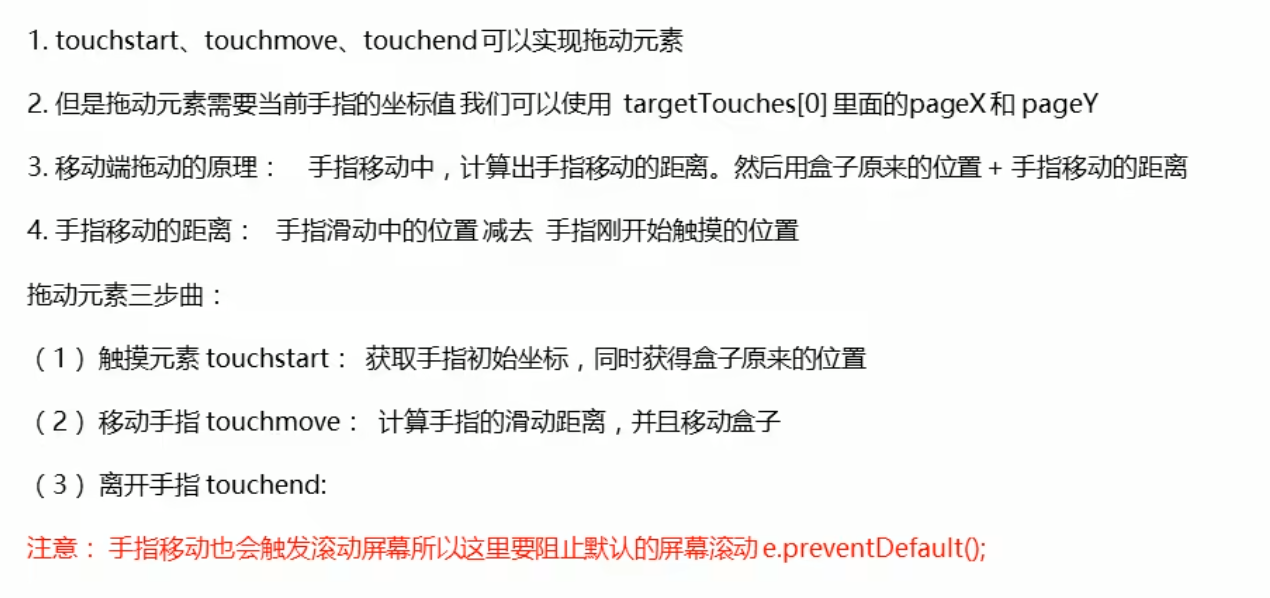
HTML代码:<style> .box{ position: absolute; top: 0; left: 0; width: 200px; height: 200px; background-color: pink; } style> head> <body> <div class="box">div> <script> var box = document.querySelector('.box') var X = 0;//获得盒子原来的位置 var Y = 0; box.addEventListener('touchstart', function(e){ //获得手指的初始坐标 startX = e.targetTouches[0].pageX; startY = e.targetTouches[0].pageY; X = this.offsetLeft; Y = this.offsetTop; }) box.addEventListener('touchmove', function(e){ //计算移动的距离 var moveX = e.targetTouches[0].pageX -startX; var moveY = e.targetTouches[0].pageY -startY; this.style.left = X + moveX + 'px'; this.style.top =Y + moveY + 'px'; e.preventDefault(); }) script> body>- 1
- 2
- 3
- 4
- 5
- 6
- 7
- 8
- 9
- 10
- 11
- 12
- 13
- 14
- 15
- 16
- 17
- 18
- 19
- 20
- 21
- 22
- 23
- 24
- 25
- 26
- 27
- 28
- 29
- 30
- 31
- 32
- 33
- 34
- 35
-
相关阅读:
基于C语言实现的足球信息查询系统 课程报告+项目源码+演示PPT+项目截图
Mathorcup数学建模竞赛第四届-【妈妈杯】C题:家庭暑假旅游套餐的设计(附MATLAB代码)
归并排序和直接插入排序结合的排序算法
MySQL数据库增删改查进阶(联合查询聚合查询)
葡聚糖-NHS|葡聚糖活性脂|N-羟基琥珀酰亚胺,叶酸,半琥珀酸胆固醇,苯基,磷酸功能化葡聚糖
使用 Redis 实现分布式锁案例
FITC-PSA豌豆凝集素,PSA-FITC,豌豆凝集素修饰绿色荧光素
RabbitMQ 消息队列中间件详解
BCryptPasswordEncoder的使用及原理
Spring Boot Admin在线查看spring boot后台日志
- 原文地址:https://blog.csdn.net/SevgiliD/article/details/126210180
