-
ModuleNotFoundError: No module named ‘xxx‘
打开解释器
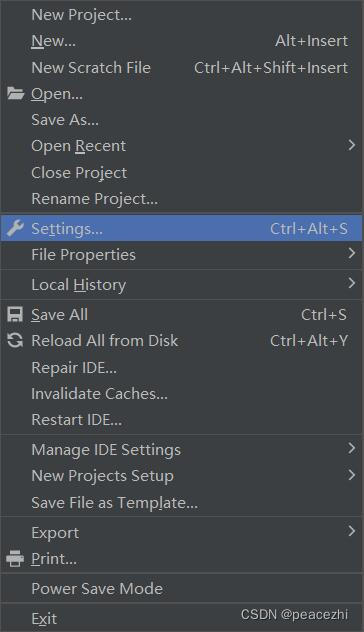
选择该项目的解释器环境
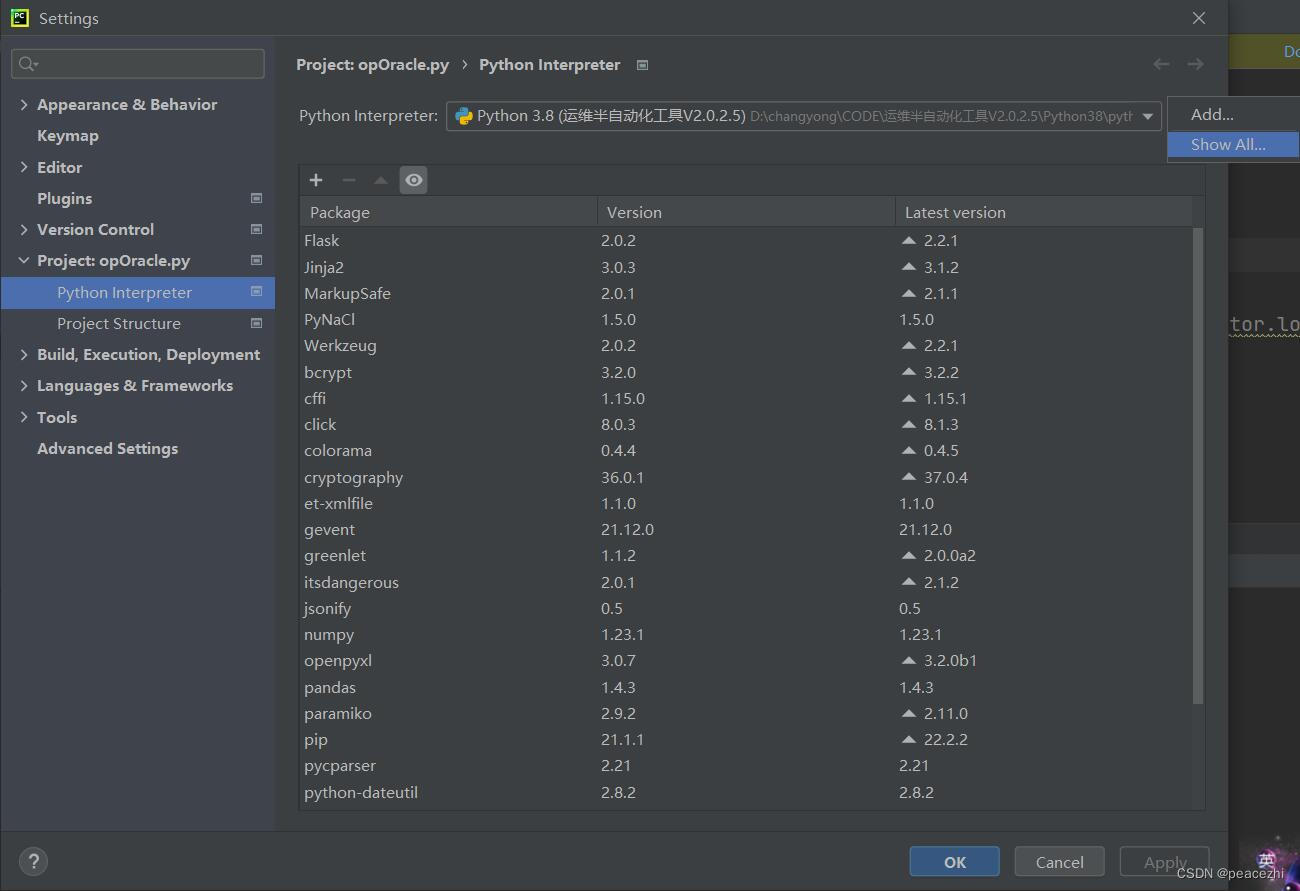
查看该解释器环境的设置(其中包括了两条module所在的路径)
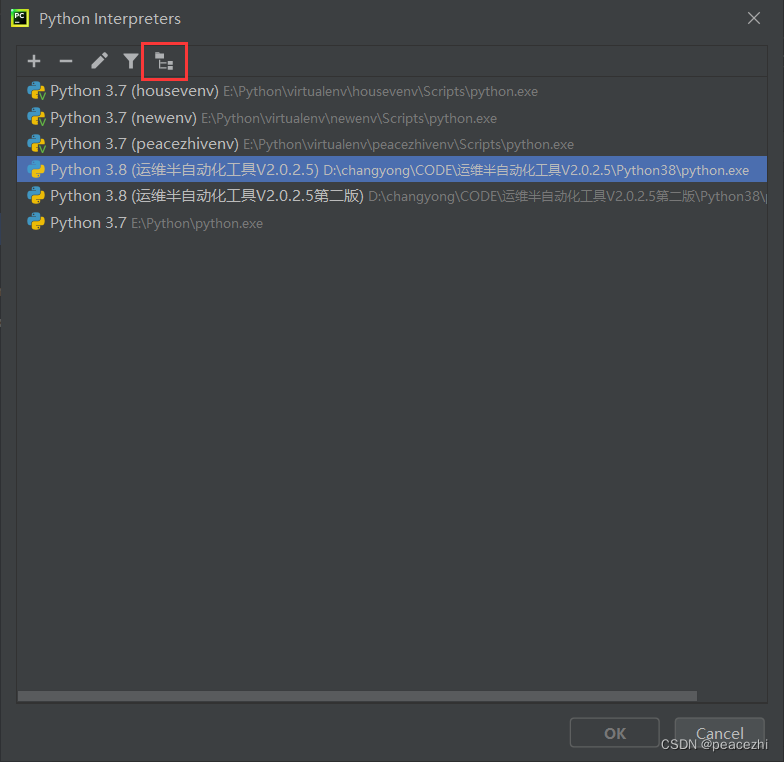
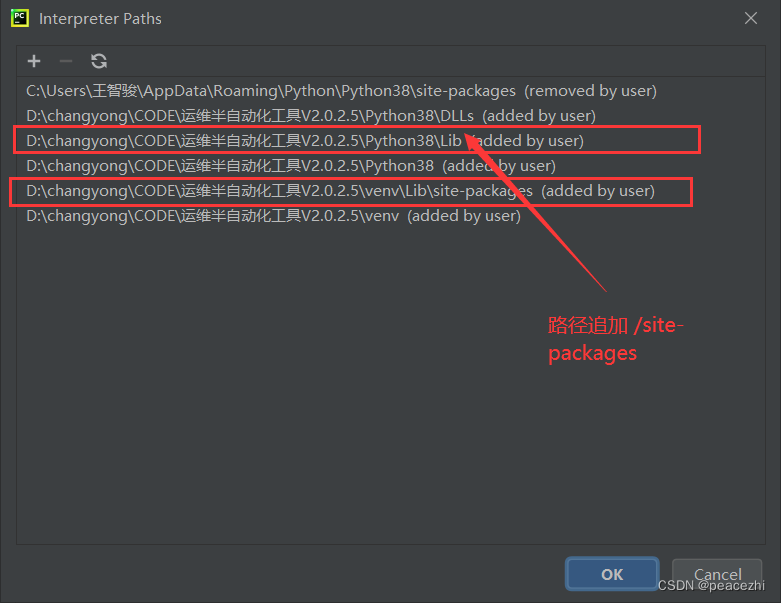
module的解释器都在这两个文件夹里面,缺什么补什么,比如 module pandas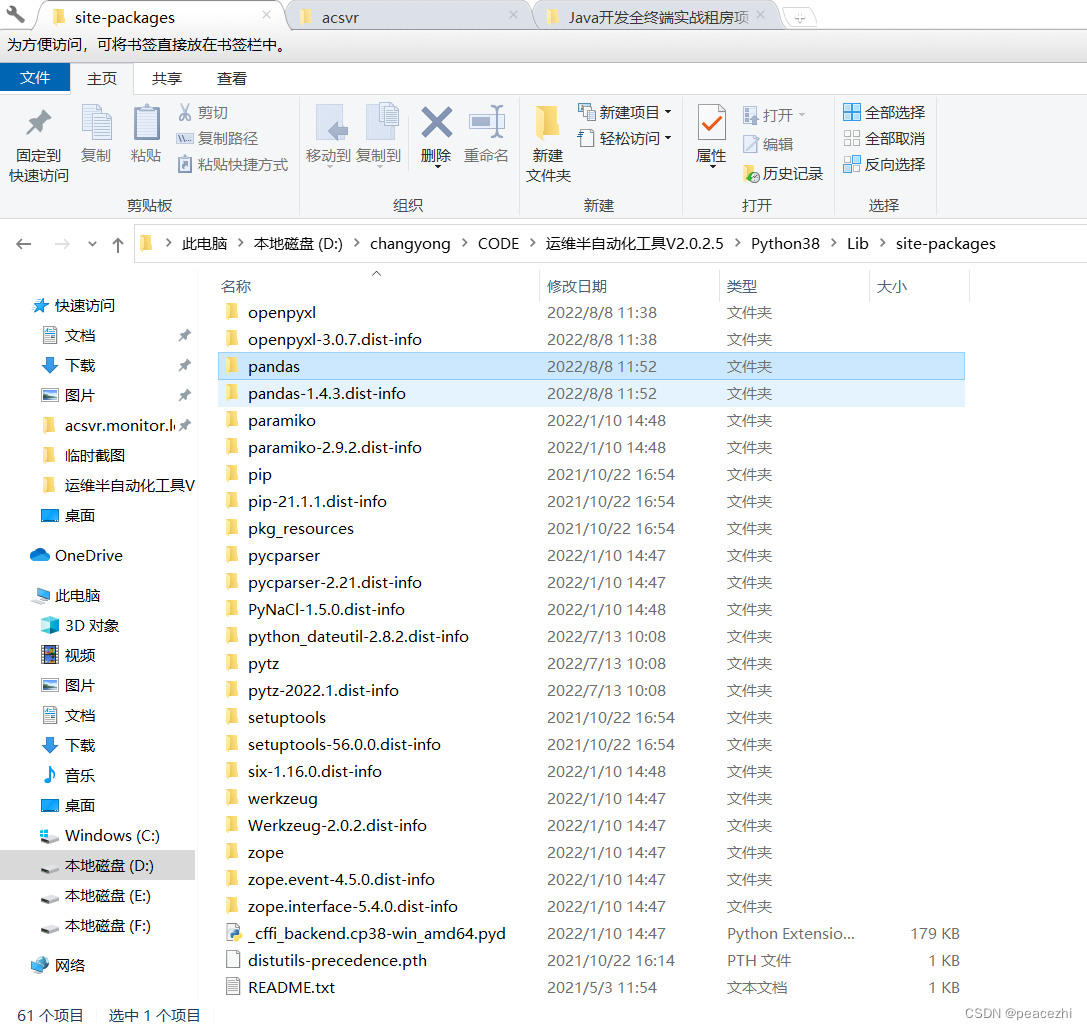
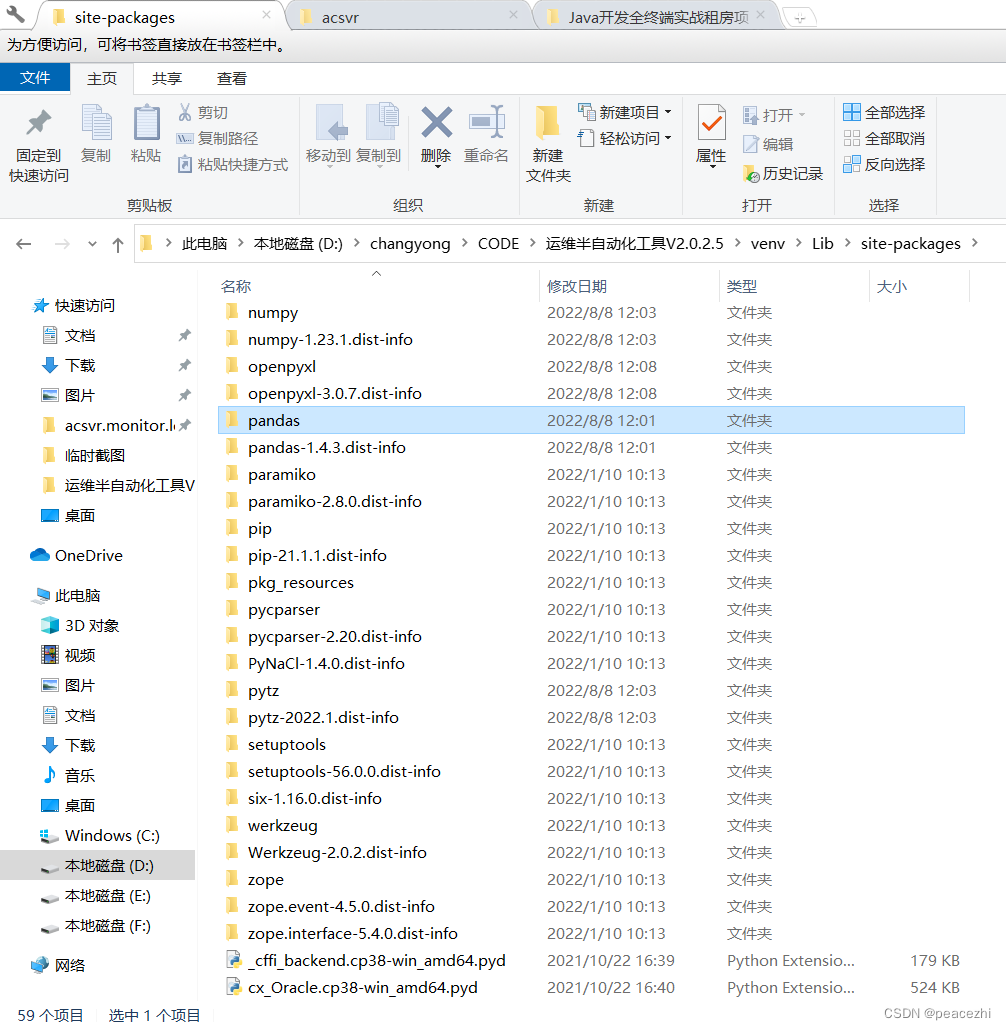
对于D:\changyong\CODE\运维半自动化工具V2.0.2.5\Python38\Lib\site-packages路径,pycharm有相应的module管理器
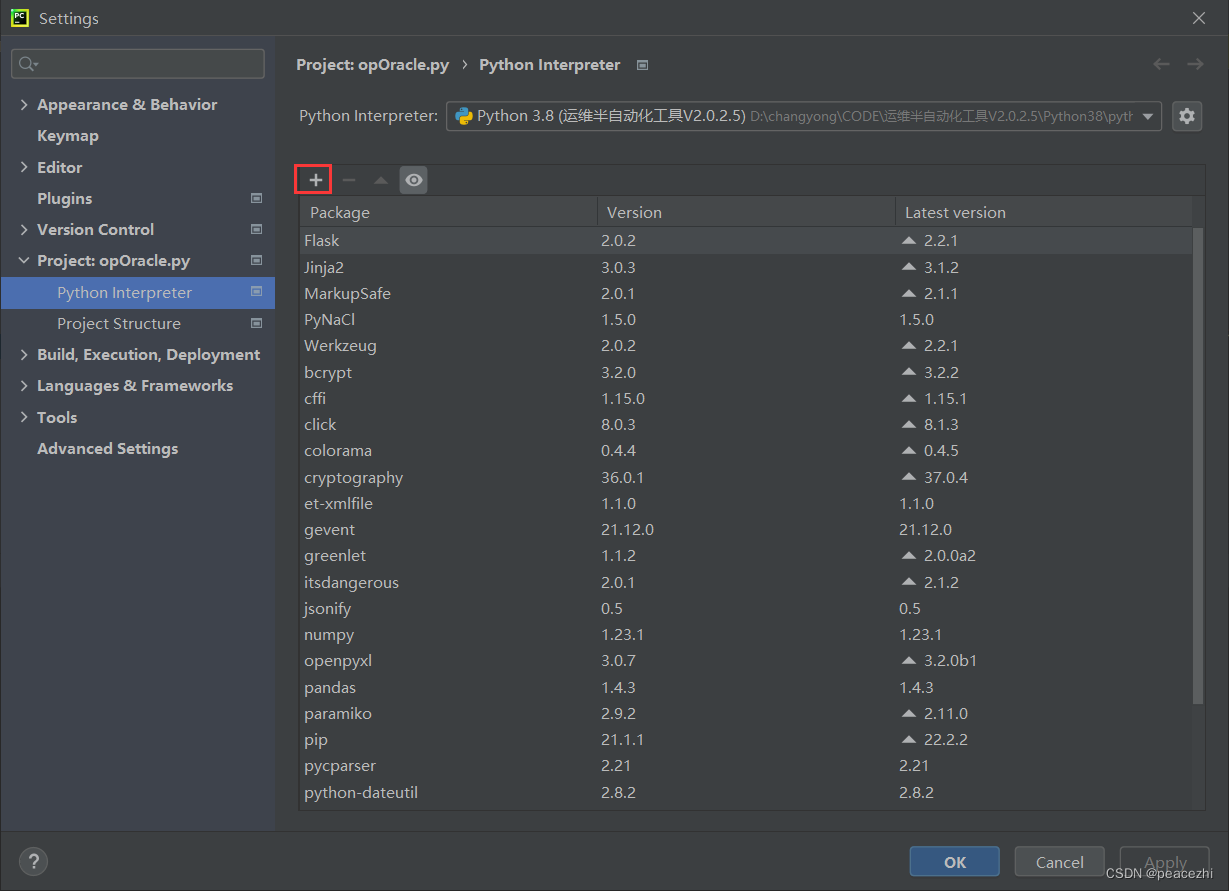
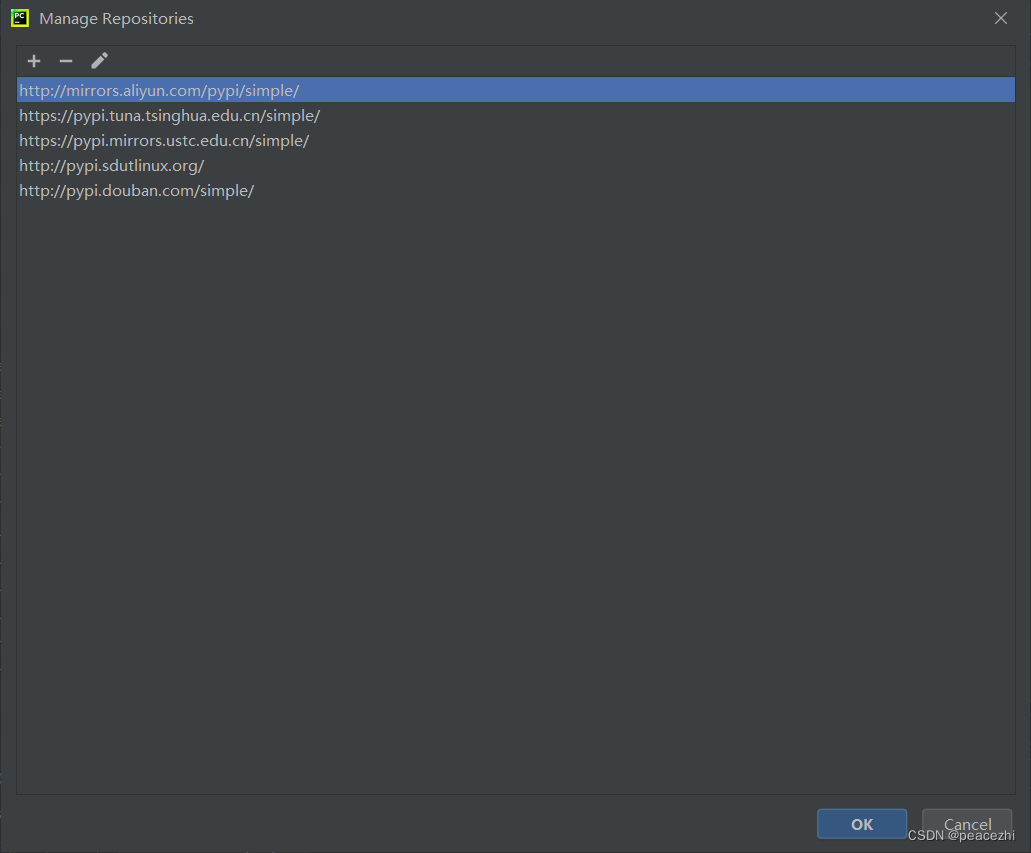
如果没有pip仓库,那就添加镜像仓库
http://mirrors.aliyun.com/pypi/simple/
https://pypi.tuna.tsinghua.edu.cn/simple/
https://pypi.mirrors.ustc.edu.cn/simple/
http://pypi.sdutlinux.org/
http://pypi.douban.com/simple/
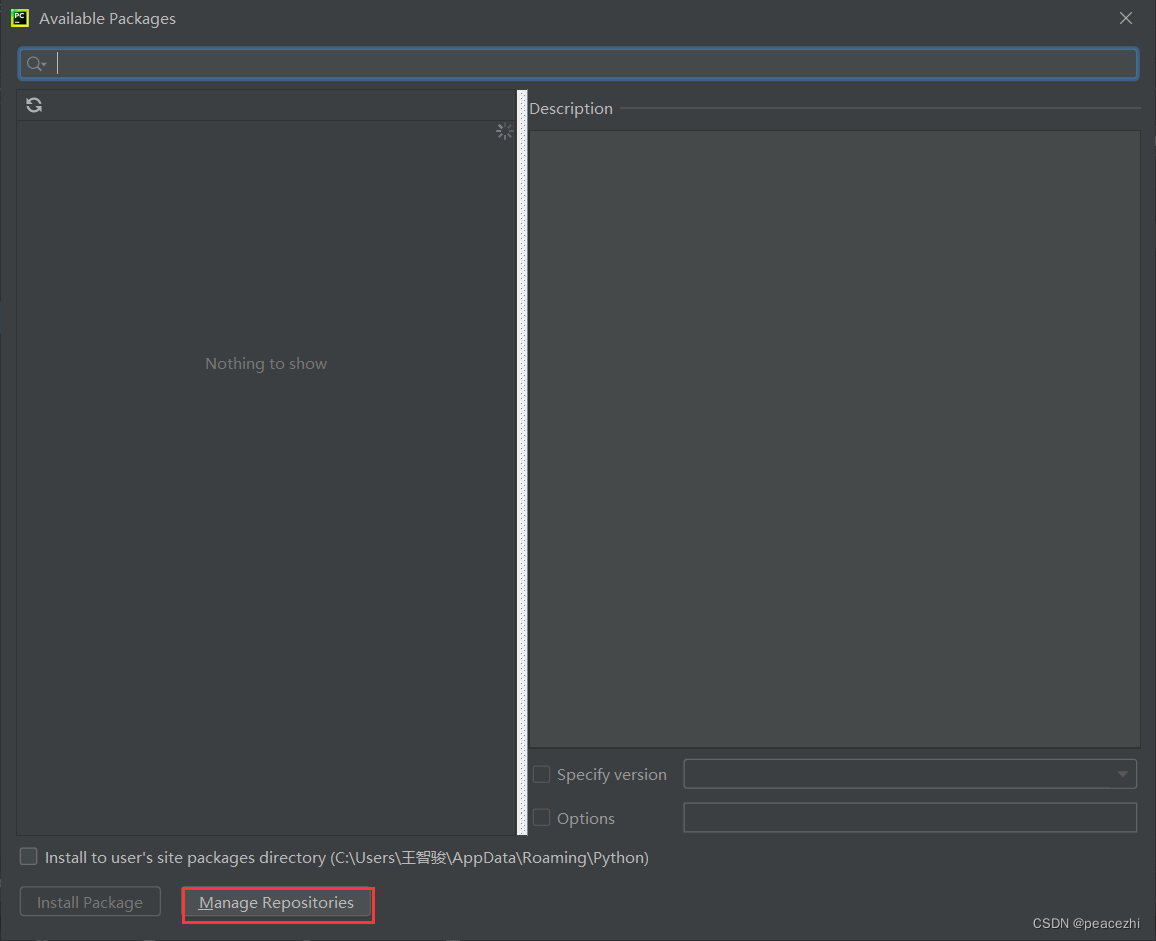
注意下面那个复选框不要选择,要把module安装在解释器环境设定好的路径,比如这个项目的D:\changyong\CODE\运维半自动化工具V2.0.2.5\Python38\Lib\site-packages
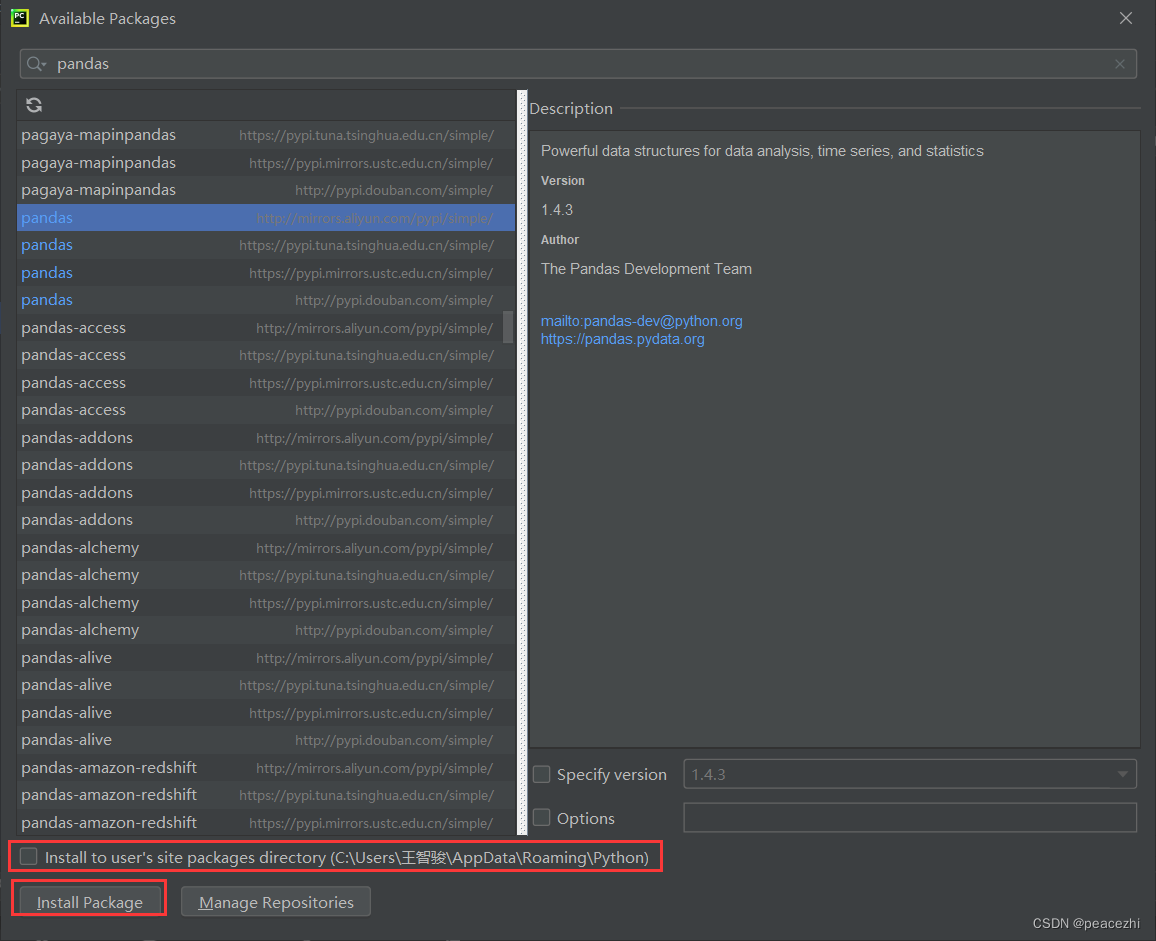
如果安装提示错误的话,选择该module的特定版本 -
相关阅读:
C# OpenCvSharp 矩阵计算-solveCubic、solvePoly、SVDecomp、max、min
[二进制学习笔记]LibcSearcher报错no matched libc
38 深度学习(二):tensorflow基础介绍
动态内存管理
SpringBoot入门篇3 - 整合junit、整合mybatis、基于SpringBoot实现ssm整合
解决Springboot使用Junit测试时对数据库的修改无效
【Linux】Linux编译器-gcc/g++使用
javaEE -4(11000字详解多线程)
Python 编程基础 | 第五章-类 | 5.8、运算符重载
Java安全--篇2-类的动态加载
- 原文地址:https://blog.csdn.net/peacezhi/article/details/126225201