1. 事件起因
事情是这样的,我之前在做一个仿网易云的项目,想实现一个功能,就是点击歌曲列表组件(MusicList)中每一个item时,底部播放栏(FooterMusic)就能够获取我所点击的这首歌曲的所有信息(如图1到图2),但是底部播放栏是直接放在外壳组件App.vue中固定定位的,歌曲列表组件是作为页面级组件HomeView.vue的子组件,因此他们二者至多只能算是兄弟组件(可能还差了一个辈分?),这就涉及到了兄弟组件之间的通信问题。

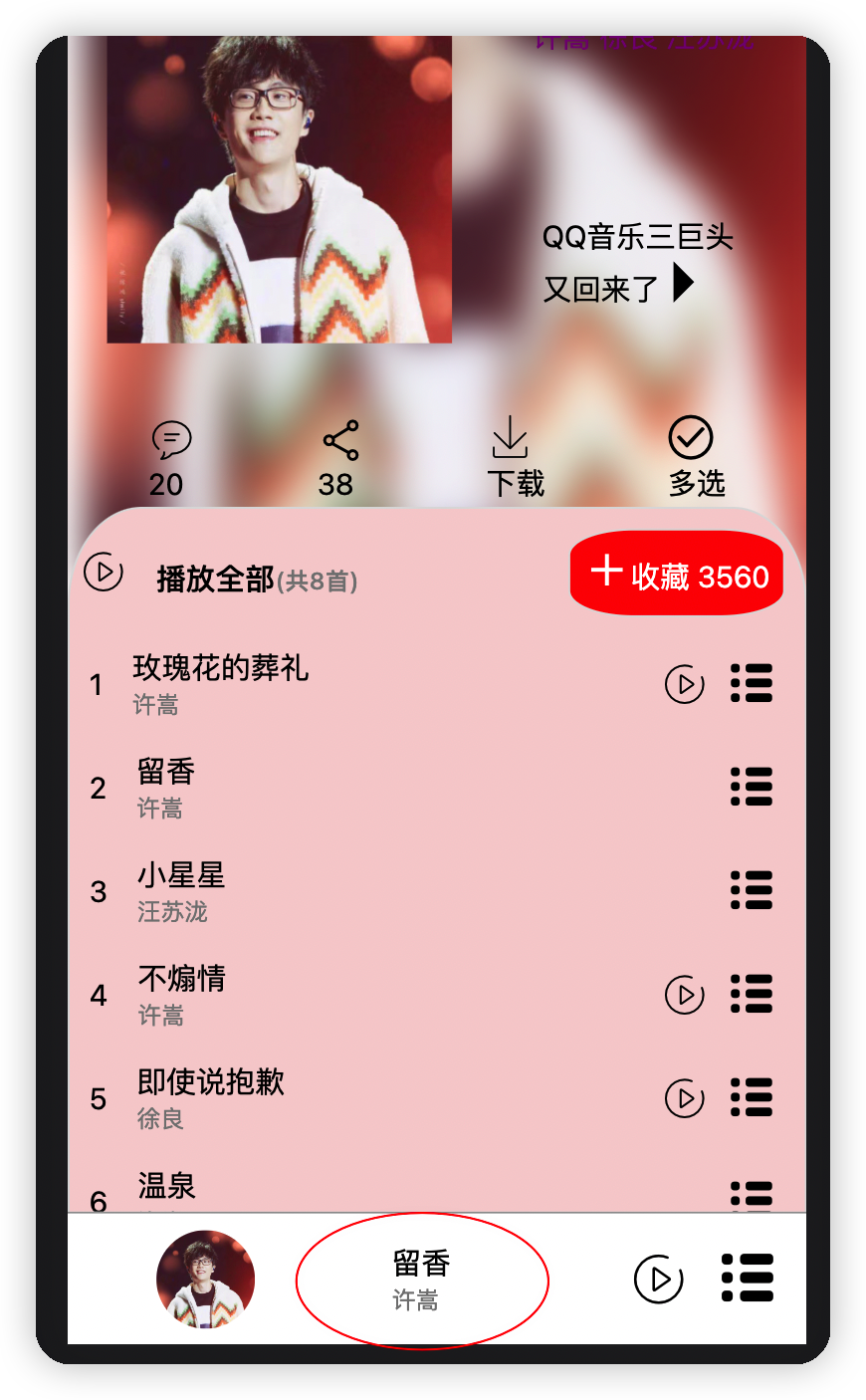
图1 图2
Vue2中实现兄弟组件的通信一般是安装EventBus插件,或者实例化一个Vue,它上面有关于事件的发布和订阅方法,Vue3的话好像是使用mitt插件吧,但我不想用mitt,也不想装插件,因此决定手写一个EventBus。
2. 解决方案
利用「中介者」设计模式。
实现思路: 手写一个EventBus,让其作为中介者进行事件的发布与订阅(或取消订阅),在组件中调用EventBus实例进行事件的发布或订阅即可。
代码如下:
src/EventBus/index.ts:
class EventBus { static instance: object; eventQueue: any constructor() { this.eventQueue = {} } // 用单例模式设计一下,使全局只能有一个EventBus实例,这样调度中心eventQueue就唯一了,所有事件与其对应的订阅者都在里面 static getInstance() { if(!EventBus.instance) { Object.defineProperty(EventBus, 'instance', { value: new EventBus() }); } return EventBus.instance; } // 事件发布 $emit(type: string, ...args: any[]) { if(this.eventQueue.hasOwnProperty(type)) { // 如果调度中心中已包含此事件, 则直接将其所有的订阅者函数触发 this.eventQueue[type].forEach((fn: Function) => { fn.apply(this, args); }); } } // 事件订阅 $on(type: string, fn: Function) { if(!this.eventQueue.hasOwnProperty(type)) { this.eventQueue[type] = []; } if(this.eventQueue[type].indexOf(fn) !== -1) { // 说明该订阅者已经订阅过了 return; } this.eventQueue[type].push(fn); } // 取消事件订阅, 将相应的回调函数fn所在的位置置为null即可 $off(type: string, fn: Function) { if(this.eventQueue.hasOwnProperty(type)) { this.eventQueue[type].forEach((item: Function, index: number) => { if(item == fn) { this.eventQueue[type][index] = null; } }); } } } // 最后导出单例的时候记得给单例断言成any哈, 要不然在组件内调用eventBus.$on('xxx', () => {...})会报错对象上没有$on这个方法 export default EventBus.getInstance() as any;
写好了中介者之后,我们在组件中使用一下
在歌曲列表组件中点击事件后触发
eventBus.$emit('CUR_SONG', curSongMsg); 进行事件的发布,并带上歌曲信息
在底部播放栏组件中订阅这个事件
eventBus.$on('CUR_SONG', (curSongMsg: IMusic) => { console.log('订阅事件: CUR_SONG'); console.log('curSongMsg: ', curSongMsg); // reactive定义的引用类型必须逐个属性进行赋值才能实现页面的响应式更新 songMsg.name = curSongMsg.name; songMsg.author = curSongMsg.author; songMsg.mv = curSongMsg.mv; });
以上就完成了利用中介者EventBus进行事件的发布与订阅,实现无关组件之间的通信问题。
参考书籍 《JavaScript设计模式》 张容铭 著