-
元素的层级与绝对定位布局
目录
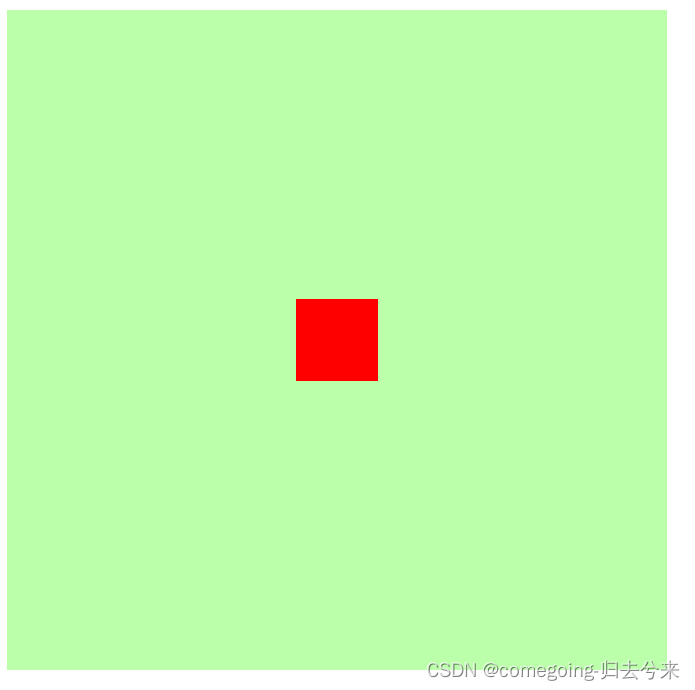
一、效果展示
二、元素层级
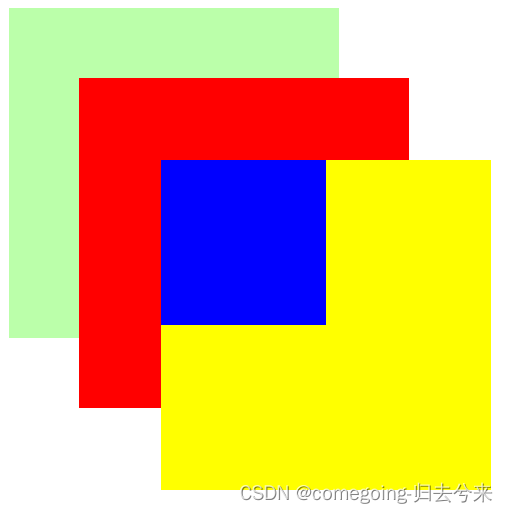
1、效果
层级高的元素会覆盖层级低的元素
2、特点
(1)父元素层级永远不会超过子元素大小
(2)同层级优先显示标签靠后的元素
3、修改
(1)通过z-index修改层级优先级大小
(2)z-size需要数字参数,愈大层级越高
三、绝对定位布局
1、水平垂直布局公式(在绝对定位下必须满足)
(1)水平
left + margin-left\right + padding-left\right + content + right = width
(2)垂直
top + margin-top\bottom + padding-top\bottom + bottom = height
2、要求
(1)left、right、top、bottom具有最高优先级
(2)在过度约束条件下,若不对此四个值限定,则默认为auto,优先修改此四类值
四、代码
1、元素层级
- html>
- <html lang="en">
- <head>
- <meta charset="UTF-8">
- <meta http-equiv="X-UA-Compatible" content="IE=edge">
- <meta name="viewport" content="width=device-width, initial-scale=1.0">
- <title>元素的层级title>
- <style>
- .box1{
- width: 200px;
- height: 200px;
- background-color: #bfa;
- position: relative;
- z-index: 1;
- }
- .box2{
- width: 200px;
- height: 200px;
- background-color: red;
- position: absolute;
- left: 50px;
- top: 50px;
- z-index: 2;
- }
- .box3{
- width: 200px;
- height: 200px;
- background-color: yellow;
- position: absolute;
- left: 100px;
- top: 100px;
- z-index: 3;
- }
- .box4{
- width: 100px;
- height: 100px;
- background-color: blue;
- position: absolute;
- }
- style>
- head>
- <body>
- <div class="box1">div>
- <div class="box2">div>
- <div class="box3">
- <div class="box4">div>
- div>
- body>
- html>
2、绝对定位布局
- html>
- <html lang="en">
- <head>
- <meta charset="UTF-8" />
- <meta http-equiv="X-UA-Compatible" content="IE=edge" />
- <meta name="viewport" content="width=device-width, initial-scale=1.0" />
- <title>绝对定位布局title>
- <style>
- .box1 {
- background-color: #bfa;
- width: 400px;
- height: 400px;
- position: relative;
- }
- .box2 {
- background-color: red;
- width: 50px;
- height: 50px;
- margin: auto;
- position: absolute;
- left: 0px;
- right: 0px;
- top: 0px;
- bottom: 0px;
- }
- style>
- head>
- <body>
- <div class="box1">
- <div class="box2">div>
- div>
- body>
- html>
-
相关阅读:
不知道如何将文字转语音?不如跟着我一起来操作
对话ChatGPT:AIGC时代下,分布式存储的应用与前景
顺利通过论文查重检测的小技巧
ThingsBoard教程(五二):规则节点解析 AWS SNS Node, AWS SQS Node
基于Bagging集成学习方法的情绪分类预测模型研究(文末送书)
刷爆力扣之至少是其它数字两倍的最大数
msyql锁分类
旅游门户/旅行社网站-pc+移动端+可小程序+app强大功能-适合运营周边游/国内游/出境游
Python的基础语法
基于SSM的学生宿舍管理系统
- 原文地址:https://blog.csdn.net/comegoing_xin_lv/article/details/126166846
