-
Spring Security-基于表达式的访问控制和基于注解的访问控制
一、基于表达式的访问控制
1.access()方法使用
之前学习的登录用户权限判断实际上底层实现都是调用access(表达式)
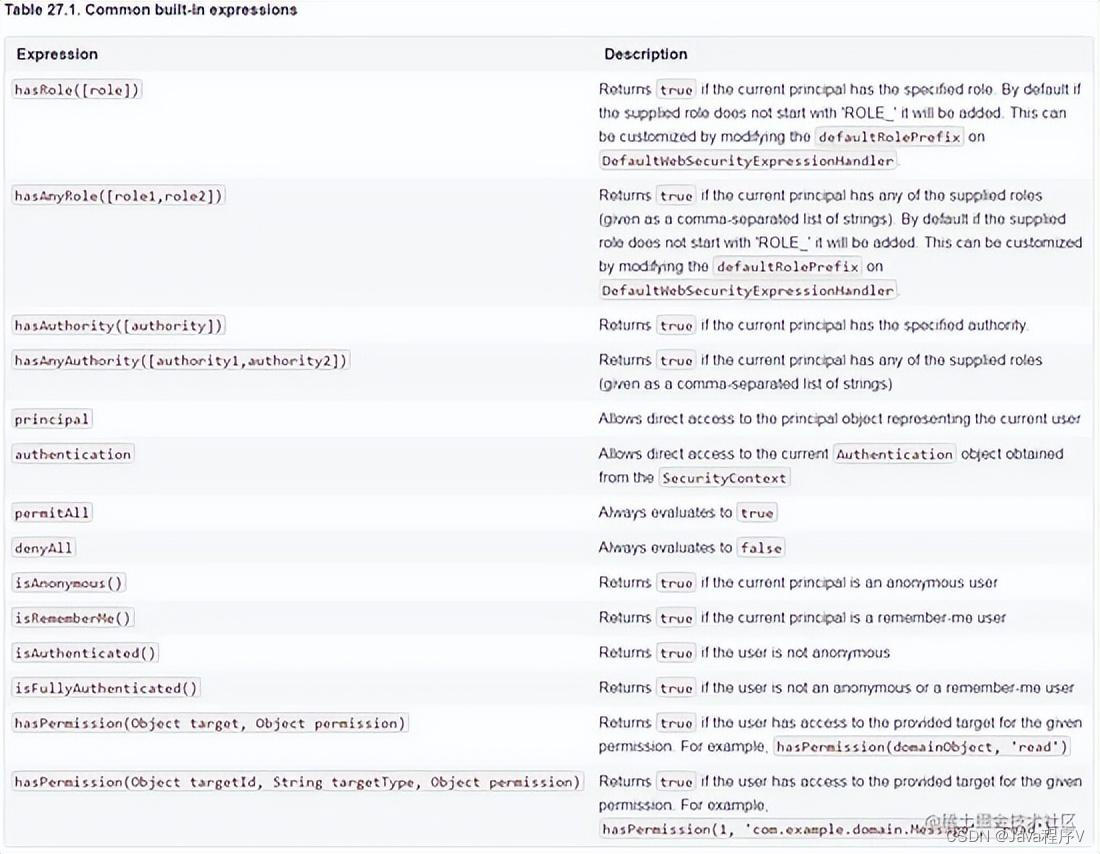
可以通过access()实现和之前学习的权限控制完成相同的功能。
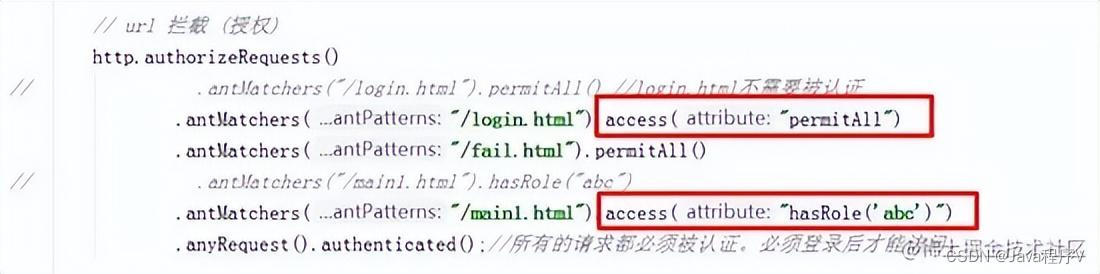
1.1以hasRole和permitAll举例
下面代码和直接使用permitAll()和hasRole()是等效的。
2.使用自定义方法
虽然这里面已经包含了很多的表达式(方法)但是在实际项目中很有可能出现需要自己自定义逻辑的情况。
判断登录用户是否具有访问当前URL权限。
2.1新建接口及实现类
新建接口com.msb.service.MyService后新建实现类。
public interface MyService { boolean hasPermission(HttpServletRequest request, Authentication authentication);}@Componentpublic class MyServiceImpl implements MyService { @Override public boolean hasPermission(HttpServletRequest request, Authentication authentication) { Object obj = authentication.getPrincipal(); if(obj instanceof UserDetails){ UserDetails user = (UserDetails) obj; Collectionextends GrantedAuthority> authorities = user.getAuthorities(); return authorities.contains(new SimpleGrantedAuthority(request.getRequestURI())); } return false; }}2.2修改配置类
在access中通过@bean的id名.方法(参数)的形式进行调用
配置类中修改如下:
// url 拦截 (授权)http.authorizeRequests() .antMatchers("/login.html").access("permitAll") .antMatchers("/fail.html").permitAll() .anyRequest().access("@myServiceImpl.hasPermission(request,authentication)");二、基于注解的访问控制
在Spring Security中提供了一些访问控制的注解。这些注解都是默认是都不可用的,需要通过@
EnableGlobalMethodSecurity进行开启后使用。如果设置的条件允许,程序正常执行。如果不允许会报500

这些注解可以写到Service接口或方法上上也可以写到Controller或Controller的方法上。通常情况下都是写在控制器方法上的,控制接口URL是否允许被访问。
1.@Secured
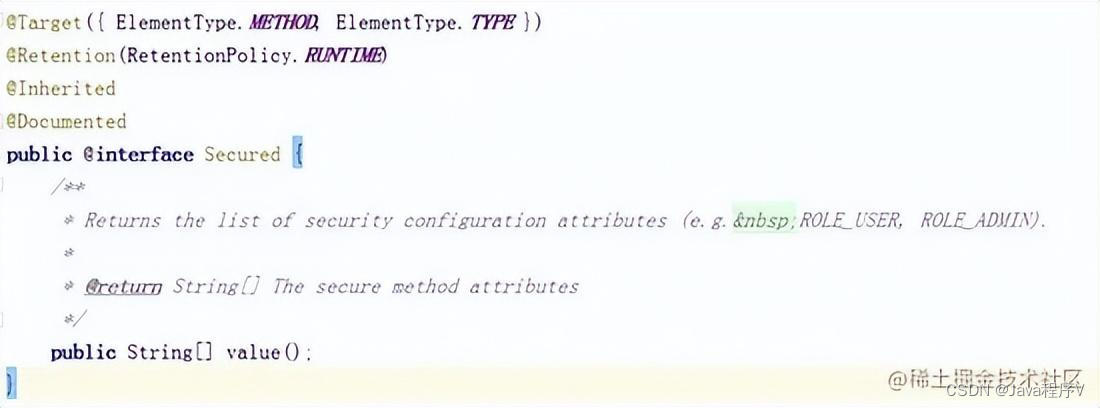
@Secured是专门用于判断是否具有角色的。能写在方法或类上。参数要以ROLE_开头。
1.1实现步骤
1.1.1 开启注解
在启动类(也可以在配置类等能够扫描的类上)上添加@
EnableGlobalMethodSecurity(securedEnabled = true)@SpringBootApplication@EnableGlobalMethodSecurity(securedEnabled = true)public class MyApp { public static void main(String [] args){ SpringApplication.run(MyApp.class,args); }}1.1.2在控制器方法上添加@Secured注解
在LoginController中方法上添加注解
@Secured("abc")@RequestMapping("/toMain")public String toMain(){ return "redirect:/main.html";}1.1.3配置类
配置类中方法配置保留最基本的配置即可。
protected void configure(HttpSecurity http) throws Exception { // 表单认证 http.formLogin() .loginProcessingUrl("/login") //当发现/login时认为是登录,需要执行UserDetailsServiceImpl .successForwardUrl("/toMain") //此处是post请求 .loginPage("/login.html"); // url 拦截 http.authorizeRequests() .antMatchers("/login.html").permitAll() //login.html不需要被认证 .anyRequest().authenticated();//所有的请求都必须被认证。必须登录后才能访问。 //关闭csrf防护 http.csrf().disable();}2.@PreAuthorize/@PostAuthorize
@PreAuthorize和@PostAuthorize都是方法或类级别注解。
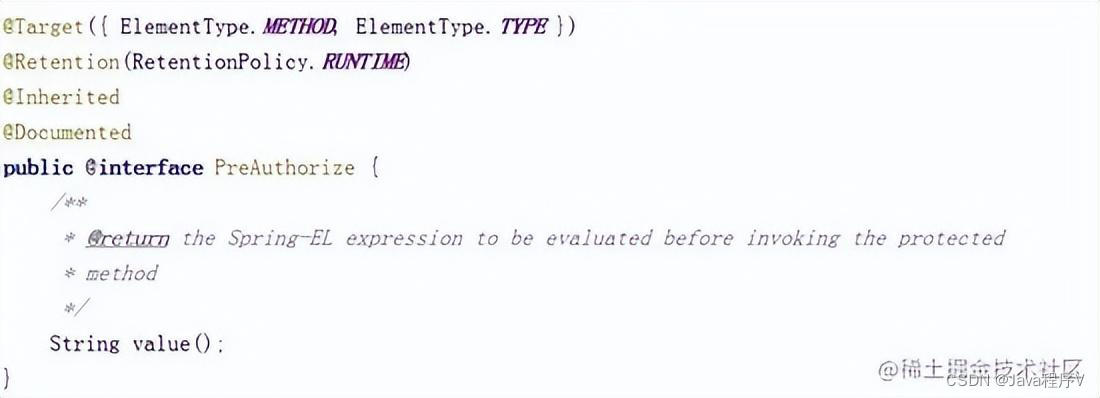
@PreAuthorize表示访问方法或类在执行之前先判断权限,大多情况下都是使用这个注解,注解的参数和access()方法参数取值相同,都是权限表达式。
@PostAuthorize表示方法或类执行结束后判断权限,此注解很少被使用到。
2.1实现步骤
2.1.1开启注解
在启动类中开启@PreAuthorize注解。
@SpringBootApplication@EnableGlobalMethodSecurity(prePostEnabled = true)public class MyApp { public static void main(String [] args){ SpringApplication.run(MyApp.class,args); }}2.1.2添加@PreAuthorize
在控制器方法上添加@PreAuthorize,参数可以是任何access()支持的表达式
@PreAuthorize("hasRole('abc')")@RequestMapping("/toMain")public String toMain(){ return "redirect:/main.html";} -
相关阅读:
阿里云短信服务接入流程
一文速学-让神经网络不再神秘,一天速学神经网络基础-输出层(四)
如何将C/C++代码转成webassembly(Linux环境)
基于Echarts实现可视化数据大屏机械大数据大屏页面模板
Notepad++的全局环境变量
Python和labview先学哪个
11.30 - 每日一题 - 408
java计算机毕业设计课程在线反馈系统源码+数据库+lw文档+系统
航空航天与国防行业乘客体验—了解如何交付个性化并实现盈利 | 达索系统百世慧®
境外服务器停机:原因、影响以及如何预防
- 原文地址:https://blog.csdn.net/Q54665642ljf/article/details/126156471