-
FileInputStream(文件输入流)
目录
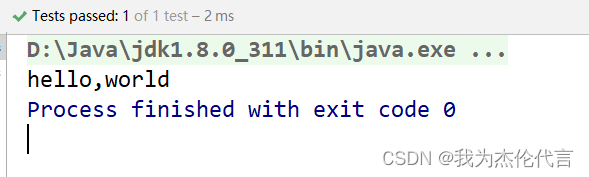
2.3 应用实例:请使用FileInputStream读取 hello.txt 文件,并将文件内容显示到控制台
FileInputStream(文件字节输入流)
1. InputStream 常用的子类
- FileInputStream:文件字节输入流
- BufferedInputStream:缓冲字节输入流
- ObjectInputStream:对象字节输入流

2. FileInputStream介绍
2.1 构造方法摘要
- FileInputStream(File file):通过打开与实际文件的连接创建一个
FileInputStream,该文件由文件系统中的File对象file命名。 - FileInputStream(FileDescriptor fdObj):创建
FileInputStream通过使用文件描述符fdObj,其表示在文件系统中的现有连接到一个实际的文件。 - FileInputStream(String name):通过打开与实际文件的连接来创建一个
FileInputStream,该文件由文件系统中的路径名name命名。
2.2 方法摘要

2.3 应用实例:请使用FileInputStream读取 hello.txt 文件,并将文件内容显示到控制台
在D盘新建一个 hello.txt 文件


2.3.1 使用read()方法读取

- public class FileInputStream01 {
- public static void main(String[] args) {
- }
- @Test
- public void readFile01(){
- String filePath = "D:\\hello.txt";
- int readData = 0;
- FileInputStream fileInputStream = null;
- try {
- //创建 FileInputStream 对象,用于读取文件
- fileInputStream = new FileInputStream(filePath);
- //如果返回-1,表示读取完毕
- while ((readData = fileInputStream.read()) != -1){
- //转成char显示
- System.out.print((char)readData);
- }
- } catch (IOException e) {
- e.printStackTrace();
- }finally {
- //关闭文件流,释放资源
- try {
- fileInputStream.close();
- } catch (IOException e) {
- e.printStackTrace();
- }
- }
- }
- }
2.3.2 使用 read(byte[] b) 方法读取

- public class FileInputStream01 {
- public static void main(String[] args) {
- }
- @Test
- public void readFile02(){
- String filePath = "D:\\hello.txt";
- int readlen = 0;
- //字节数组,一次读取8个字节
- byte[] buf = new byte[8];
- FileInputStream fileInputStream = null;
- try {
- //创建 FileInputStream 对象,用于读取文件
- fileInputStream = new FileInputStream(filePath);
- //如果返回-1,表示读取完毕
- //如果读取正常,返回实际读取的字节数
- while ((readlen = fileInputStream.read(buf)) != -1){
- //转成字符串
- System.out.print(new String(buf,0,readlen));
- }
- } catch (IOException e) {
- e.printStackTrace();
- }finally {
- //关闭文件流,释放资源
- try {
- fileInputStream.close();
- } catch (IOException e) {
- e.printStackTrace();
- }
- }
- }
- }

-
相关阅读:
Mysql 45讲学习笔记(十三)表数据删掉一半,表文件大小不变
【推荐系统中的Hash 2】局部敏感哈希(利用冲突)
简单谈下Spring、Spring MVC和Spring Boot
【网工】华为设备命令学习(防火墙)
uniapp把文件中的内复制到另一个文件中
VSCode 配置 Spring Boot 项目开发环境
MOS管米勒效应
iptables目标TPROXY
算力服务网络:一场多元融合的系统革命
【2023校招刷题】番外篇1:度量科技FPGA岗(大致解析版)
- 原文地址:https://blog.csdn.net/weixin_52385232/article/details/126152428
