-
【开发/调试工具】【Linux】嵌入式Linux环境下如何自动化执行操作
- 🐚作者简介:花神庙码农(专注于Linux、WLAN、TCP/IP、Python等技术方向)
- 🐳博客主页:花神庙码农 ,地址:https://blog.csdn.net/qxhgd
- 🌐系列专栏:善假于物
- 📰如觉得博主文章写的不错或对你有所帮助的话,还望大家三连支持一下呀!!! 👉关注✨、点赞👍、收藏📂、评论。
- 如需转载请参考转载须知!!
嵌入式Linux环境下如何自动执行命令
引子
- 在嵌入式Linux的开发调试过程中,有时需要执行一些复杂的操作,诸如shell登陆、重复执行命令等操作,如果全部人工来执行,效率低下且有时不现实。
- 本文将常用的嵌入式Linux环境下自动执行操作的方法做一总结,供各位参考。
编程语言方式
shell脚本
- shell脚本就是为Linux而生的,登陆Linux的shell之后,shell脚本基本上可以完成各种复杂的逻辑,如循环、判断、执行命令等,相关资料很多,这里就不再赘述了。
Python程序
- 例1、利用python向串口发送ifconfig指令
# 导入模块 import serial # 需要发送的串口指令 cmd = 'ifconfig' # 将字符串转换成字节 cmd=bytes.fromhex(cmd) # 生成串口 serial_com = serial.Serial("com1", 115200, timeout=5) # 发送串口指令 serial_com.write(cmd) # 读取串口返回结果 serial_com.read(1024) # 关闭串口 serial_com.close()- 1
- 2
- 3
- 4
- 5
- 6
- 7
- 8
- 9
- 10
- 11
- 12
- 13
- 14
- 15
- 16
- 17
- 18
- 19
- 20
VBS脚本(配合SecureCrt软件)
- 例1、每3s执行一次ifconfig命令
#$language = "VBScript" #$interface = "1.0" Sub main crt.Screen.Synchronous = True While 1 crt.Screen.Send "ifconfig" & VbCr crt.Screen.WaitForString "#" crt.Sleep 1000*3 Wend End Sub- 1
- 2
- 3
- 4
- 5
- 6
- 7
- 8
- 9
- 10
- 11
- 12
- 例2、自动登陆串口并连续读取三次snmp文件
#$language = "VBScript" #$interface = "1.0" Sub main Dim ReadCounter crt.Screen.Send VbCr crt.Screen.WaitForString "login: " crt.Screen.Send "root" & VbCr crt.Screen.WaitForString "Password: " crt.Screen.Send "root" & VbCr crt.Screen.WaitForString "#" for ReadCounter = 1 to 3 crt.Screen.Send "cat /proc/net/snmp" & VbCr crt.Screen.WaitForString "#" crt.Sleep 100 next transmit "reboot^M" End Sub- 1
- 2
- 3
- 4
- 5
- 6
- 7
- 8
- 9
- 10
- 11
- 12
- 13
- 14
- 15
- 16
- 17
- 18
- 19
- 20
- 21
ASPECT脚本(Procomm Plus自带)
例1、自动执行100次ifconfig命令
proc main integer Num ; Integer variable to increment. for Num = 1 upto 100 ; Init variable and define loop. transmit "ifconfig" waitfor "#" endfor endproc- 1
- 2
- 3
- 4
- 5
- 6
- 7
例2、周期查看pci设备并重启设备
proc main integer WaitCounter= 0 while (WaitCounter++) < 1000 transmit "root^M" waitfor "Password:" transmit "root^M" waitfor "#" transmit "ls /proc/bus/pci/devices ^M" waitfor "#" transmit "reboot^M" pause 2400 endwhile endproc- 1
- 2
- 3
- 4
- 5
- 6
- 7
- 8
- 9
- 10
- 11
- 12
- 13
- 14
利用expect
- 例1、自动登陆ssh:
#!/usr/bin/expect -f set timeout 30 spawn ssh -l my_username@192.168.1.1 expect "password:" send "my_password\r" interact- 1
- 2
- 3
- 4
- 5
- 6
- 7
工具方式
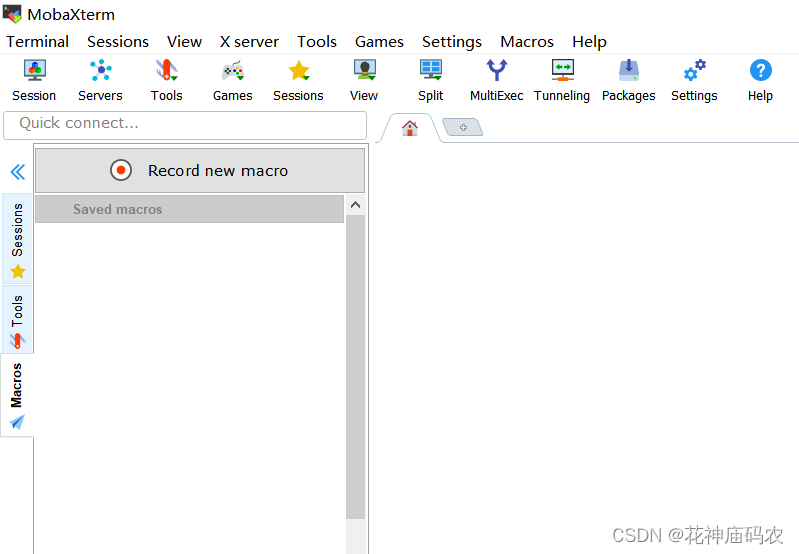
MobaXterm
- 该软件自带Macro功能,可根据需要组合键盘的回车、换行、文字输入、sleep等操作:
IPOP
- 终端工具,这里可按文件或文本方式输入各种命令:

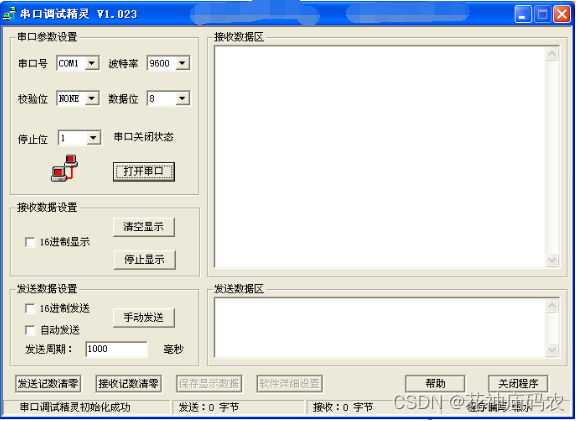
串口精灵
- 发送数据可发送十六进制(HEX)格式和ASCII码,可以设置定时发送的数据以及时间间隔。可以自动显示接收到的数据,串口调试精灵官方版支持HEX或ASCII码显示。是工程技术人员监视、调试串口程序的必备工具。
MicroLab
- 支持串口/网络动态指令编程:

小结
- 本文简单探讨了几种Linux环境下自动执行命令的方式,具体如何选用可根据实际的环境和需要来选取;
- 至于具体的使用的语言或工具本身,网上都有相关资料,需要时可深入了解一下。
-
相关阅读:
三十分钟学会Linux的基本操作
Flink的算子列表状态的使用
1039 Course List for Student
自学数据库-redis
STM32 学习8 USART串口通讯与printf重定向
AutoSar CP学习概要
会计制度设计名词解释大全
【Linux】多线程互斥与同步
电机的基础知识
【Spring-1】源码分析
- 原文地址:https://blog.csdn.net/qxhgd/article/details/126130186