-
Thymeleaf

✈️Thymeleaf介绍
首先,先贴一个官网地址,Thymeleaf官网:https://www.thymeleaf.org/
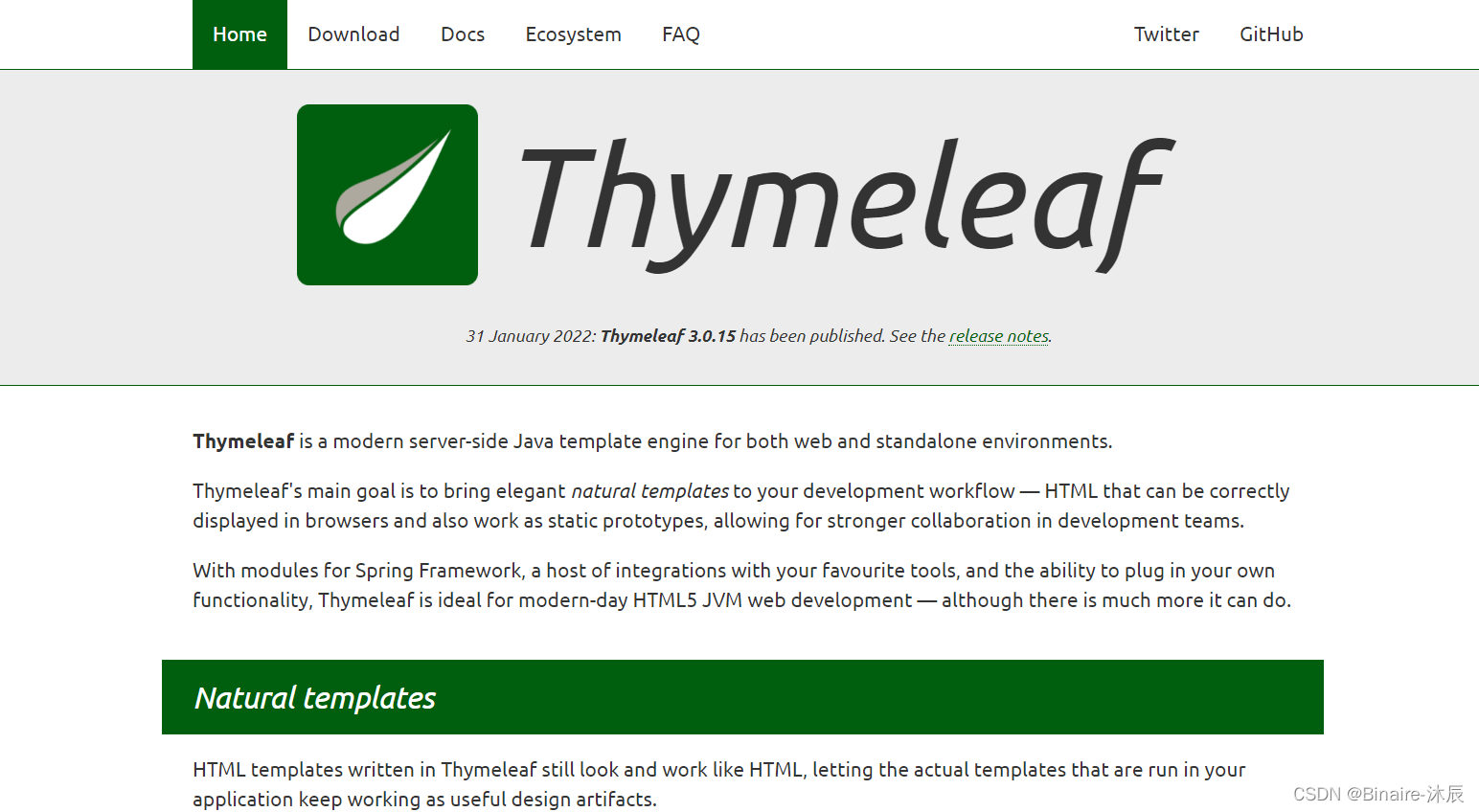
Thymeleaf 是什么?
官网:Thymeleaf is a modern server-side Java template engine for both web and standalone environments.
翻译:Thymeleaf 是一个现代的服务器端Java模板引擎,适用于web和独立环境。HTML templates written in Thymeleaf still look and work like HTML, letting the actual templates that are run in yourapplication keep working as useful design artifacts.
用Thymeleaf编写的HTML模板的外观和工作方式仍然类似HTML,让运行在您的应用程序中的实际模板继续作为有用的设计工件工作。Thymeleaf 是一个 XML/XHTML/HTML5 模板引擎,可用于 Web 与非 Web 环境中的应用开发。它是一个开源的 Java 库,基于 Apache License 2.0 许可,由 Daniel Fernández 创建。
Thymeleaf 提供了一个用于整合 Spring MVC 的可选模块,在应用开发中,你可以使用 Thymeleaf 来完全代替 JSP,或其他模板引擎,如 Velocity、FreeMarker 等。Thymeleaf 的主要目标在于提供一种可被浏览器正确显示的、格式良好的模板创建方式,因此也可以用作静态建模。你可以使用它创建经过验证的 XML 与 HTML 模板。相对于编写逻辑或代码,开发者只需将标签属性添加到模板中即可。
✈️为什么选择thymeleaf
- 静态html嵌入标签属性,浏览器可以直接打开模板文件
- 非常适合前后端的独立开发
- SpringBoot官方推荐的模板
💬举个栗子
th:text="${msg}"是一个动态标签,当传递了msg这个数据,页面就会渲染这个标签,如果没有传递这个参数,就会显示原本的网页结构。DOCTYPE html> <html lang="en" xmlns:th="http://www.thymeleaf.org"> <head> <meta charset="UTF-8"> <title>Titletitle> head> <body> <p th:text="${msg}">p> body> html>- 1
- 2
- 3
- 4
- 5
- 6
- 7
- 8
- 9
- 10
✈️Thymeleaf简单表达式
- 变量表达式::${…}
- 选择变量表达式:*{…}
- 消息表达式:#{…}
- 链接表达式:@{…}
- 片段表达式:~{…}
✈️Thymeleaf的常用属性
属性 作用 th:text文本的显示,其值会替换html中指定标签的值 th:utext支持html的文本显示 th:value给属性赋值 th:object用于设置选定对象 th:if条件判断,可以和 th:unless配合使用th:switch选择判断,需要配合 th:case使用th:each循环迭代 th:href设置链接地址 接下来分别详细介绍一下这几种属性的使用方式;
💬准备
创建一个springboot项目,然后添加依赖文件
pom.xml<dependency> <groupId>org.springframework.bootgroupId> <artifactId>spring-boot-starter-thymeleafartifactId> dependency> <dependency> <groupId>org.springframework.bootgroupId> <artifactId>spring-boot-starter-webartifactId> dependency> <dependency> <groupId>org.projectlombokgroupId> <artifactId>lombokartifactId> <optional>trueoptional> dependency>- 1
- 2
- 3
- 4
- 5
- 6
- 7
- 8
- 9
- 10
- 11
- 12
- 13
- 14
在使用 Thymeleaf 之前,首先要在页面的 html 标签中声明名称空间。
xmlns:th="http://www.thymeleaf.org"- 1
💬th:text、th:utext
th:text
创建一个控制器方法,将信息传输给页面@Controller public class ThymeleafController { @GetMapping("/index") public String index(Model model){ model.addAttribute("msg","Hello Thymeleaf!!!"); return "index"; } }- 1
- 2
- 3
- 4
- 5
- 6
- 7
- 8
- 9
创建一个html页面用来接收显示信息
DOCTYPE html> <html lang="en" xmlns:th="http://www.thymeleaf.org"> <head> <meta charset="UTF-8"> <title>Titletitle> head> <body> <p th:text="${msg}">p> body> html>- 1
- 2
- 3
- 4
- 5
- 6
- 7
- 8
- 9
- 10

当然我们也可以通过右击鼠标或Ctrl+U查看一下网页源码,可以看到这里是把表达式的值直接放在了标签里面!
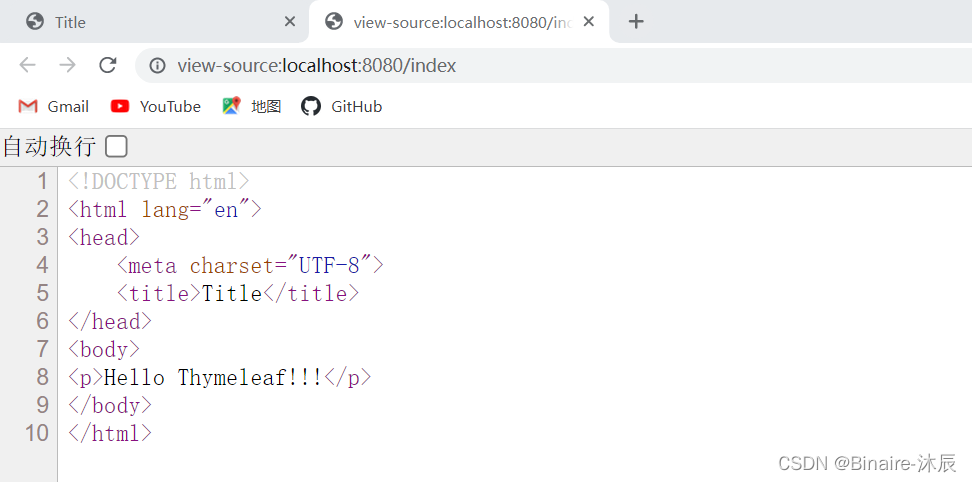
如果你想把传输到页面的数据通过html标签的方式加粗或着其他操作,就需要使用
th:utext来显示文本!!!
格式如下:model.addAttribute("msg","欢迎访问Thymeleaf");- 1
th:utext
<p th:utext="${msg}">p>- 1
扩展:拼接字符串
<p th:text="${msg}+官网">p> <p th:text="|${msg}官网|">p>- 1
- 2
- 3
- 4
💬th:object
创建一个对象
@Data public class People { private String name; private Integer age; private Integer sex; private Boolean isVip; private Date createTime; private List<String> tags; }- 1
- 2
- 3
- 4
- 5
- 6
- 7
- 8
- 9
新建一个方法,将people对象传给页面
@Controller public class ThymeleafController { @GetMapping("/index") public String index(Model model){ People people = new People(); people.setName("Thymeleaf"); people.setAge(20); people.setSex(1); // 1表示男 2表示女 people.setIsVip(true); people.setCreateTime(new Date()); people.setTags(Arrays.asList("Java","Go","Vue")); model.addAttribute("people",people); return "index"; } }- 1
- 2
- 3
- 4
- 5
- 6
- 7
- 8
- 9
- 10
- 11
- 12
- 13
- 14
- 15
- 16
现在,如果让你把people对象的所有信息显示到页面上你会怎么做?
我们刚才学习了th:text,所以你可能会像下面这样的方式来显示!<p th:text="${people.name}">p> <p th:text="${people.age}">p> <p th:text="${people.sex}">p> <p th:text="${people.isVip}">p> <p th:text="${people.createTime}">p> <p th:text="${people.tags}">p>- 1
- 2
- 3
- 4
- 5
- 6
这么写有问题吗?No problem!但这不是最好的方式,下面再来看一种新的方式,它的格式是这样的:
th:object<div th:object="${people}"> <p th:text="*{name}">p> <p th:text="*{age}">p> <p th:text="*{sex}">p> <p th:text="*{isVip}">p> <p th:text="*{createTime}">p> <p th:text="*{tags}">p> div>- 1
- 2
- 3
- 4
- 5
- 6
- 7
- 8
这种方式用到了thymeleaf为我们提供的
th:object属性以及变量表达式*{...}💬th:value
比如设置文本框的内容为people的name
<input type="text" th:value="${people.name}">- 1
💬th:if、th:unless
- th:if:控制标签是否显示,if表达式的值为 true 则显示,否则不显示;
- th:unless:与th:if相反,表达式为fakse时显示,反之,不显示。
th:if
<div th:if="${true}">显示div>- 1
- 2
举个栗子: 判断people是否为会员,是,就在页面显示VIP,不是则不显示。
<div th:if="${people.isVip}">VIPdiv>- 1
我们在这里传参时
people.setIsVip(true);传的参数为true,下面看效果:

th:unless<div th:unless="${true}">不显示div>- 1
💬th:switch、th:case
people的sex为1则显示男,2 则显示女,*则显示保密。使用方式如下:
<div th:switch="${people.sex}"> <p th:case="1">男p> <p th:case="2">女p> <p th:case="*">保密p> div>- 1
- 2
- 3
- 4
- 5
注意:* 要放在最后,切记!切记!切记!💬th:each
th:each
通过循环迭代显示people的tags信息<ul> <li th:each="tag:${people.tags}" th:text="${tag}">li> ul>- 1
- 2
- 3

将当前迭代的最后一个颜色设置为红色DOCTYPE html> <html lang="en" xmlns:th="http://www.thymeleaf.org"> <head> <meta charset="UTF-8"> <title>Titletitle> <style> .active{ color: red; } style> head> <body> <ul> <li th:each="tag,iterStat:${people.tags}" th:text="${tag}" th:classappend="${iterStat.last}?active"> li> ul> body> html>- 1
- 2
- 3
- 4
- 5
- 6
- 7
- 8
- 9
- 10
- 11
- 12
- 13
- 14
- 15
- 16
- 17
- 18
- 19
- 20
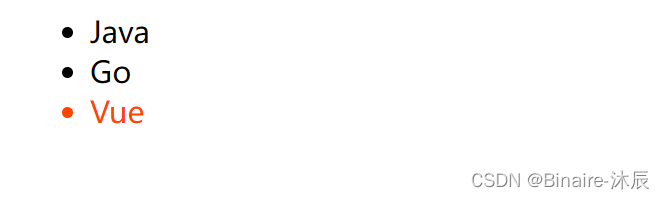
th:each属性状态变量iterStat
状态变量iterStat包含以下数据:
- index属性,当前迭代索引,从0开始
- count属性,当前迭代索引,从1开始
- size属性,迭代变量中的元素总数
- current属性,每次迭代的iter变量。
- even/odd布尔属性,当前迭代是偶数还是奇数
- first属性,当前迭代是否是第一个,布尔值。
- last布尔属性,当前迭代是否是最后一个,布尔值。
💬th:href
index.css.app{ height: 100px; width:100px; background-color: aqua; }- 1
- 2
- 3
- 4
- 5
通过外链的方式连接index.css文件
<link rel="stylesheet" th:href="@{index.css}"> <a th:href="@{https://www.baidu.com/}">百度一下a>- 1
- 2
- 3

✈️内联表达式
[[…]]相当于th:text,即会将HTML代码转义
[(…)]相当于th:utext,不会转义HTML代码<div>[[${people.age}]]div> <div>[(${msg})]div>- 1
- 2
在JavaScript中使用内联表达式
<script th:inline="javascript"> const people= /*[[${people}]]*/{}; console.log(people) script>- 1
- 2
- 3
- 4

✈️基本对象
💬#ctx:上下文对象
${#ctx.request} ${#ctx.response} ${#ctx.session} ${#ctx.servletContext}- 1
- 2
- 3
- 4
💬请求/会话属性
${session.xxx} ${application.xxx} ${#request.getAttribute('xxx')}- 1
- 2
- 3

-
相关阅读:
使用mybatis-plus如何实现分页查询功能
SpringBoot--redis自定义序列化配置不生效
C#WPF数据触发器实例
FreeRTOS的学习(一)——实时操作系统和多任务的介绍
C# OpenCvSharp DNN Image Retouching
在 Excel 内使用 ODBC 消费 SAP ABAP CDS view
文件上传漏洞 解析、验证、伪造(二)
火山引擎 RTC 自研音频编码器 NICO 实践之路
HamsterBear F1C200s Linux v5.17 RTL8188EUS 适配
java+python+vue学习资源共享网站
- 原文地址:https://blog.csdn.net/weixin_52986315/article/details/126090956
