-
ElasticSearch中RESTFUL API(创建索引、增删改查、DSL搜索、高亮显示、聚合)
RESTful API
在Elasticsearch中,提供了功能丰富的RESTful API的操作,包括基本的CRUD、创建索引、删除索引等操作。
创建非结构化索引
在Lucene中,创建索引是需要定义字段名称以及字段的类型的,在Elasticsearch中提供了非结构化的索引,就是不需要创建索引结构,即可写入数据到索引中,实际上在Elasticsearch底层会进行结构化操作,此操作对用户是透明的。
创建空索引:
- put /test
- {
- "settings": {
- "index": {
- "number_of_shards": "2",
- "number_of_replicas": "0"
- }
- }
- }
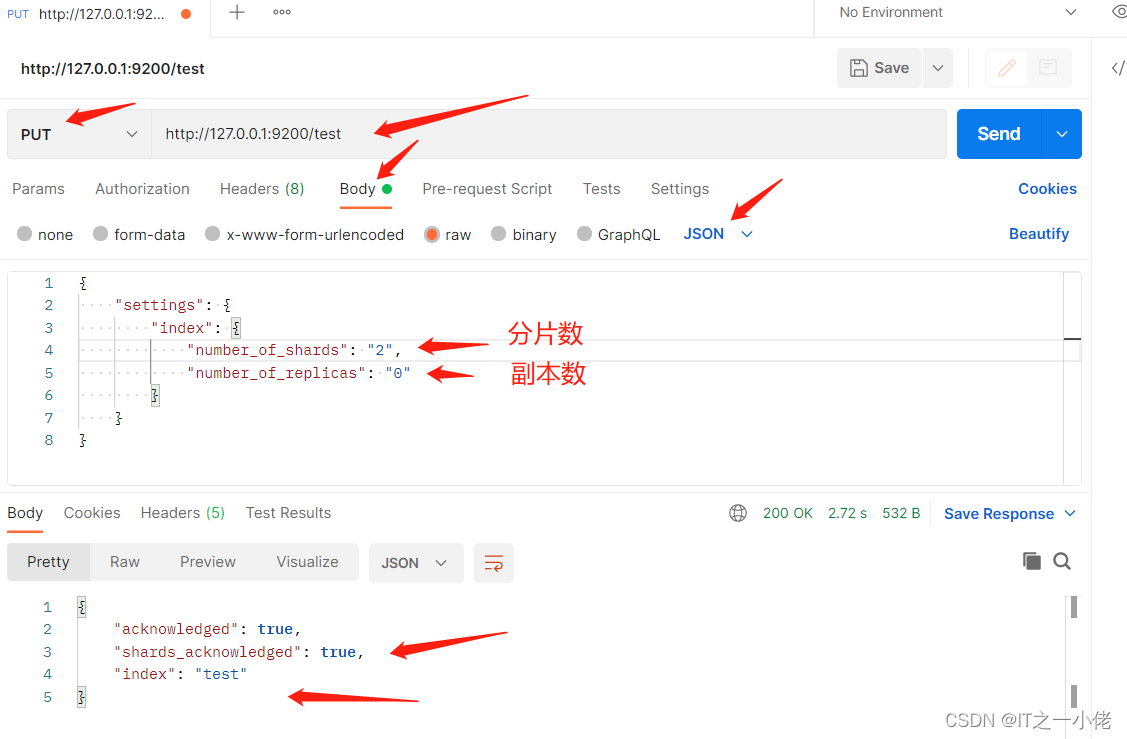
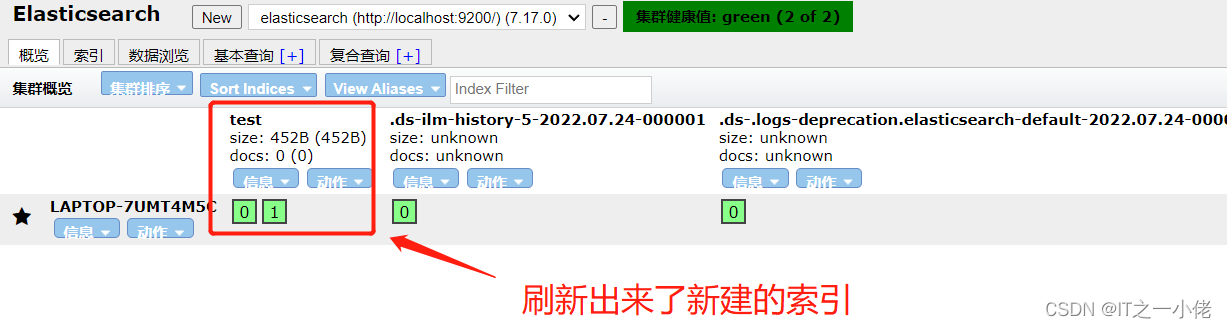
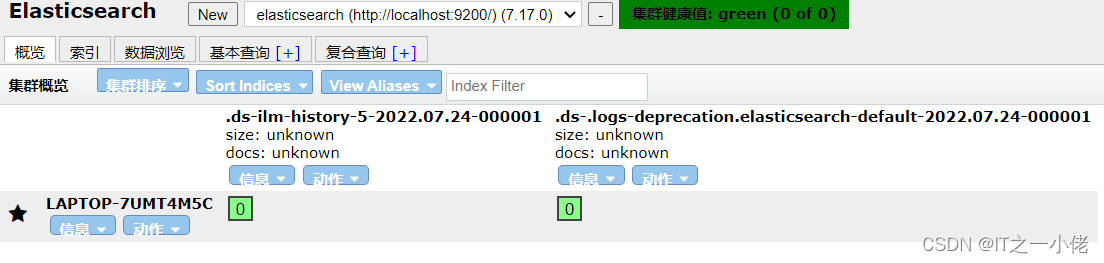
删除索引:
DELETE /test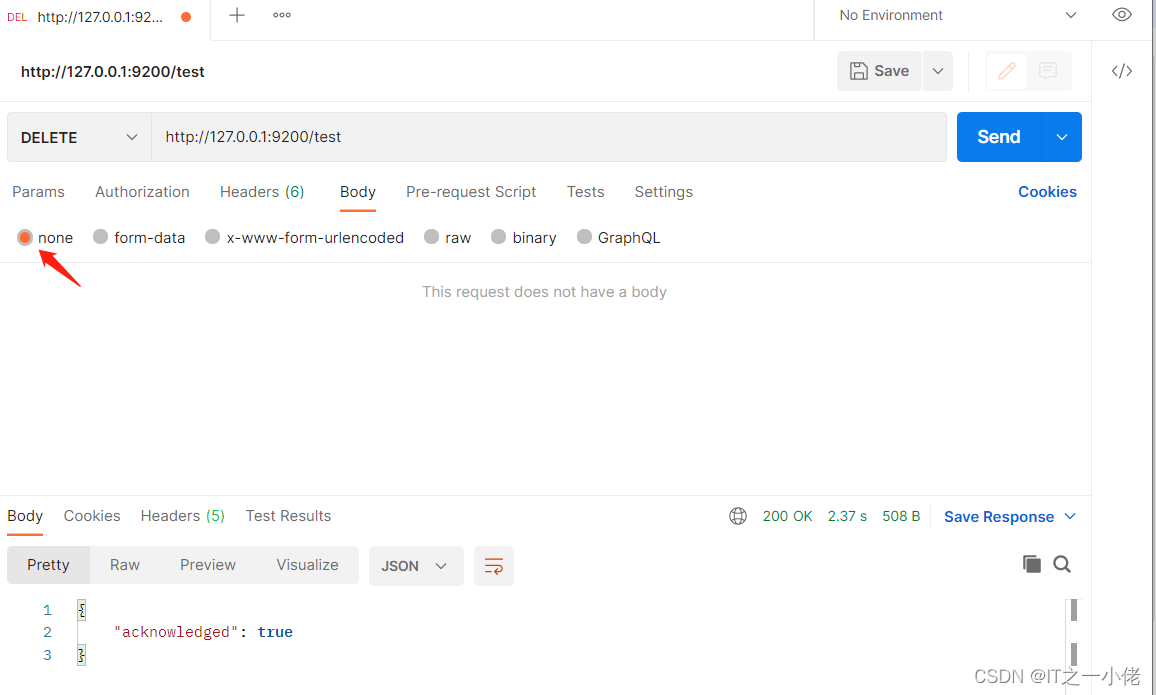
插入数据
URL规则: POST /{索引}/{类型}/{id}
- POST /test/user/1001
- # 数据
- {
- "id": 1001,
- "name": "张三",
- "age": 20,
- "sex": "男"
- }
- # 响应数据
- {
- "_index": "test",
- "_type": "user",
- "_id": "1001",
- "_version": 1,
- "result": "created",
- "_shards": {
- "total": 2,
- "successful": 1,
- "failed": 0
- },
- "_seq_no": 0,
- "_primary_term": 1
- }
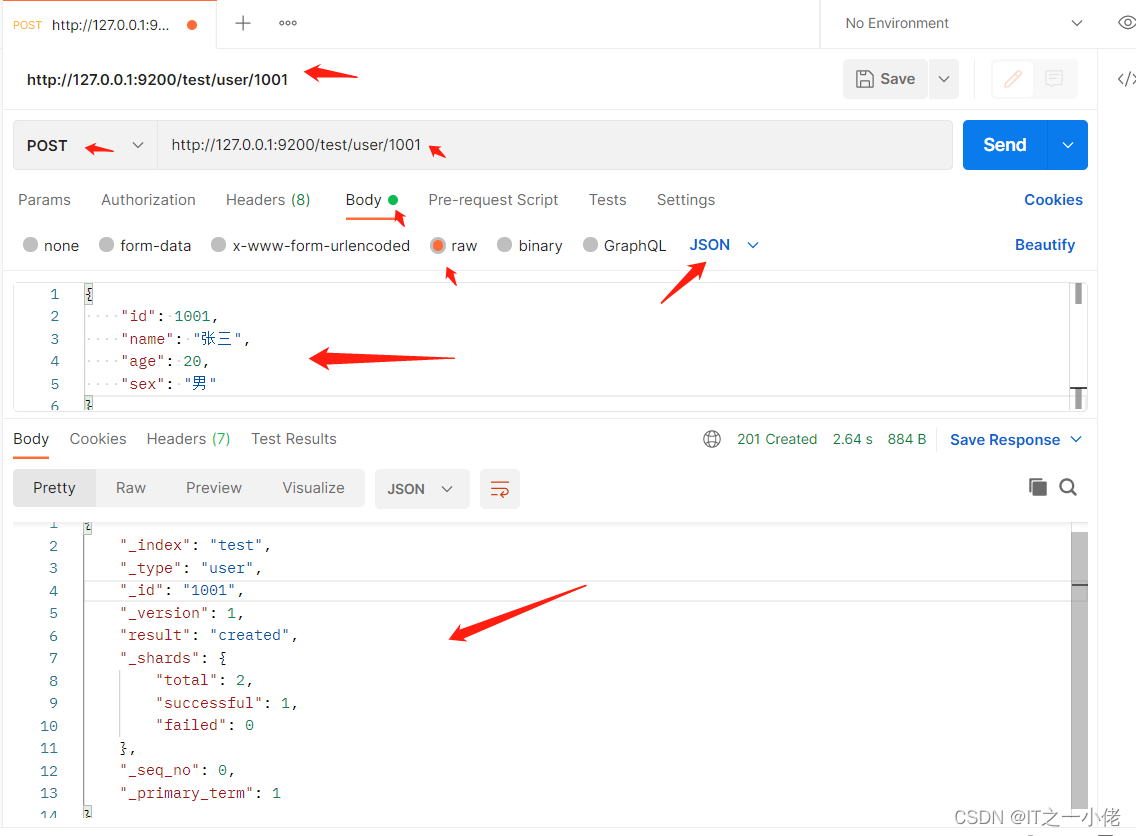
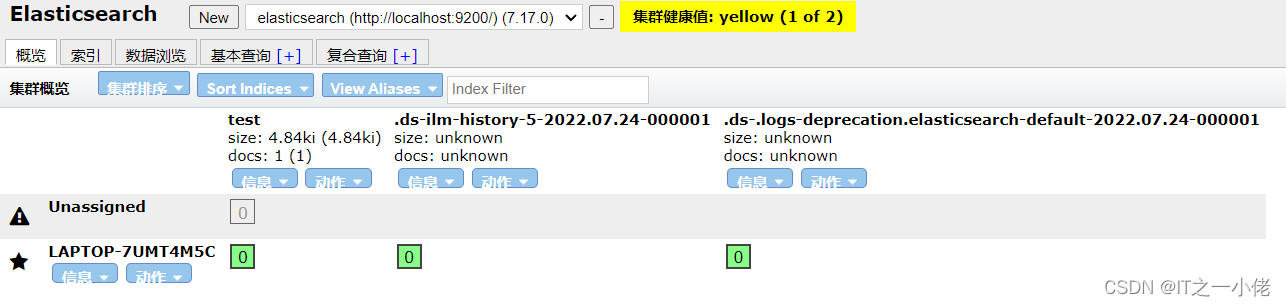
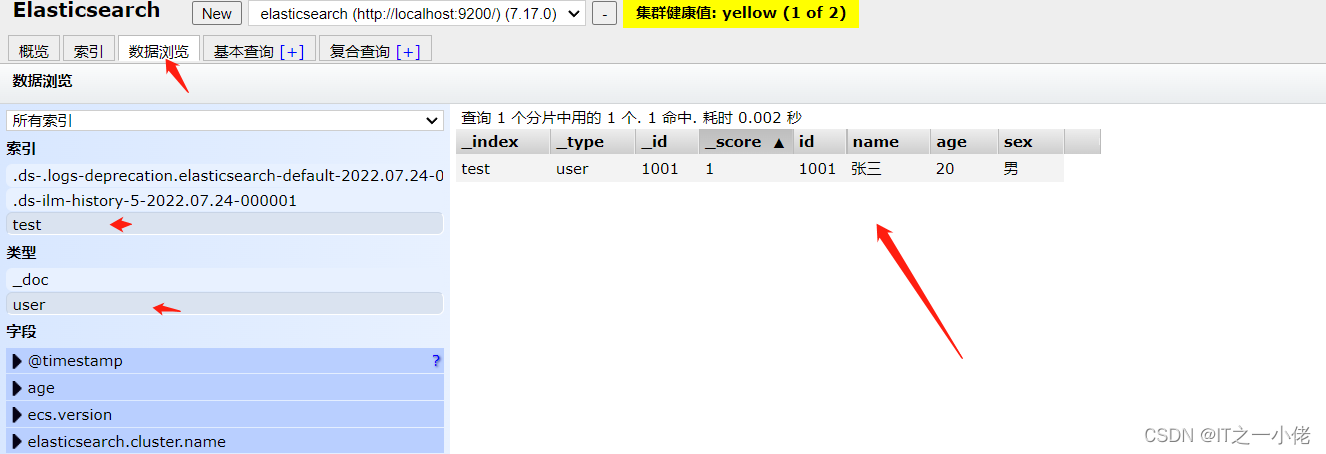
注意:非结构化的索引,不需要事先创建,直接插入数据默认创建索引。
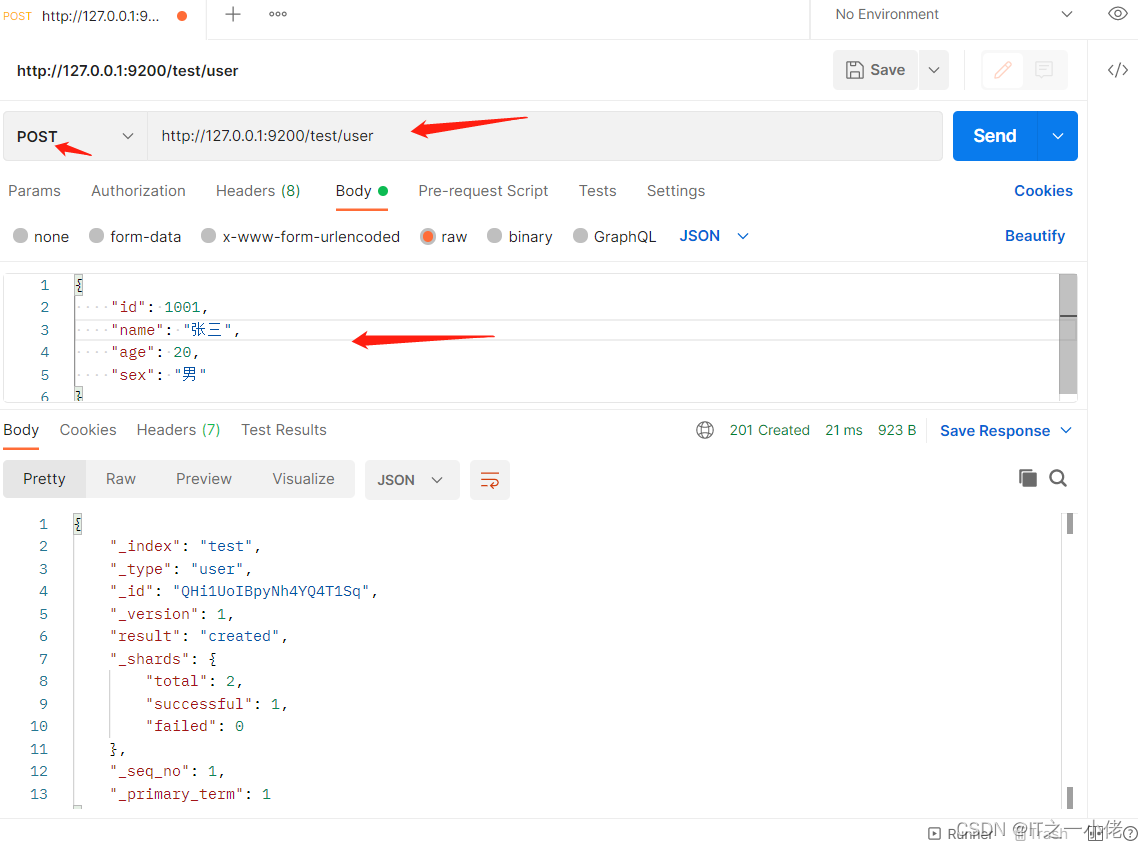
不指定id插入数据:
- POST /test/user
- # 数据
- {
- "id": 1001,
- "name": "张三",
- "age": 20,
- "sex": "男"
- }
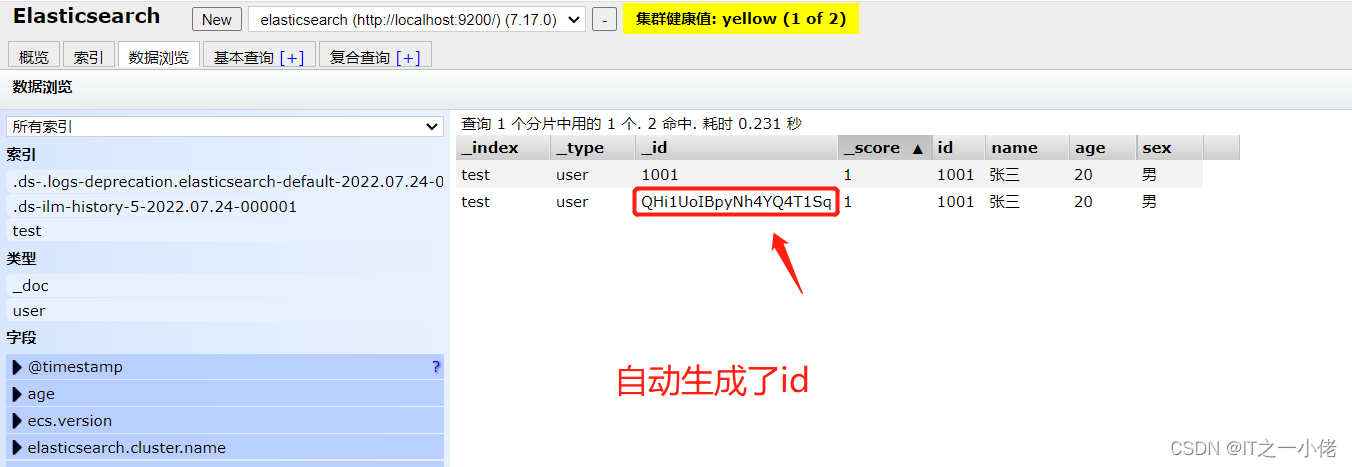
更新数据
在Elasticsearch中,文档数据是不能修改的,但是可以通过覆盖的方式进行更新
- PUT /test/user/1001
- # 数据
- {
- "id": 1001,
- "name": "张三",
- "age": 21,
- "sex": "女"
- }
- # 响应数据
- {
- "_index": "test",
- "_type": "user",
- "_id": "1001",
- "_version": 2,
- "result": "updated",
- "_shards": {
- "total": 2,
- "successful": 1,
- "failed": 0
- },
- "_seq_no": 2,
- "_primary_term": 1
- }
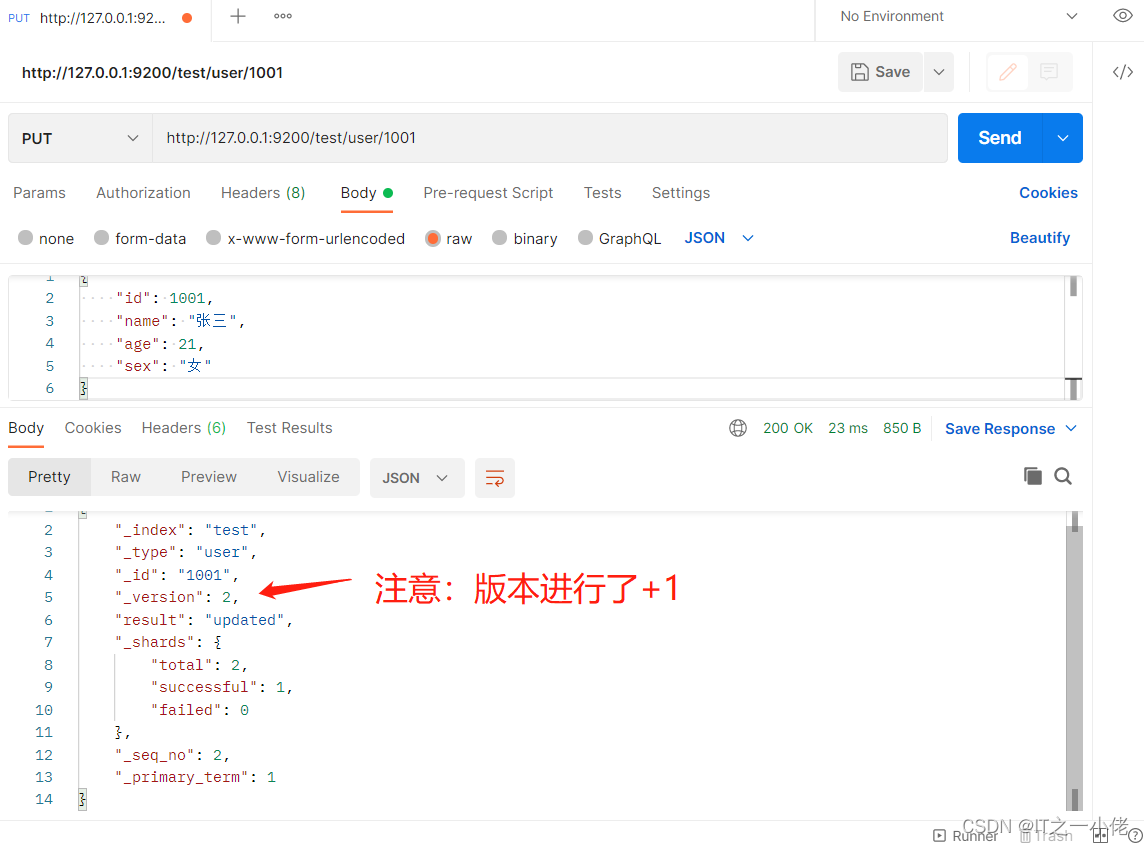
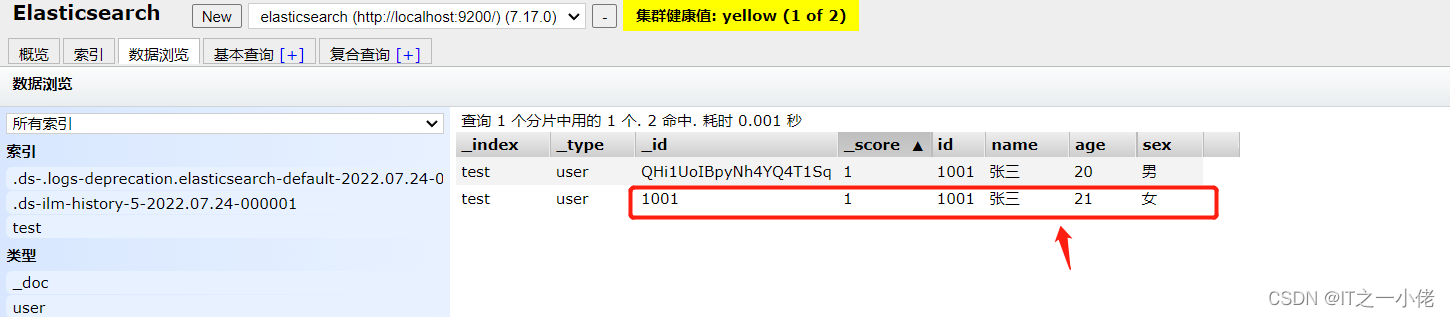
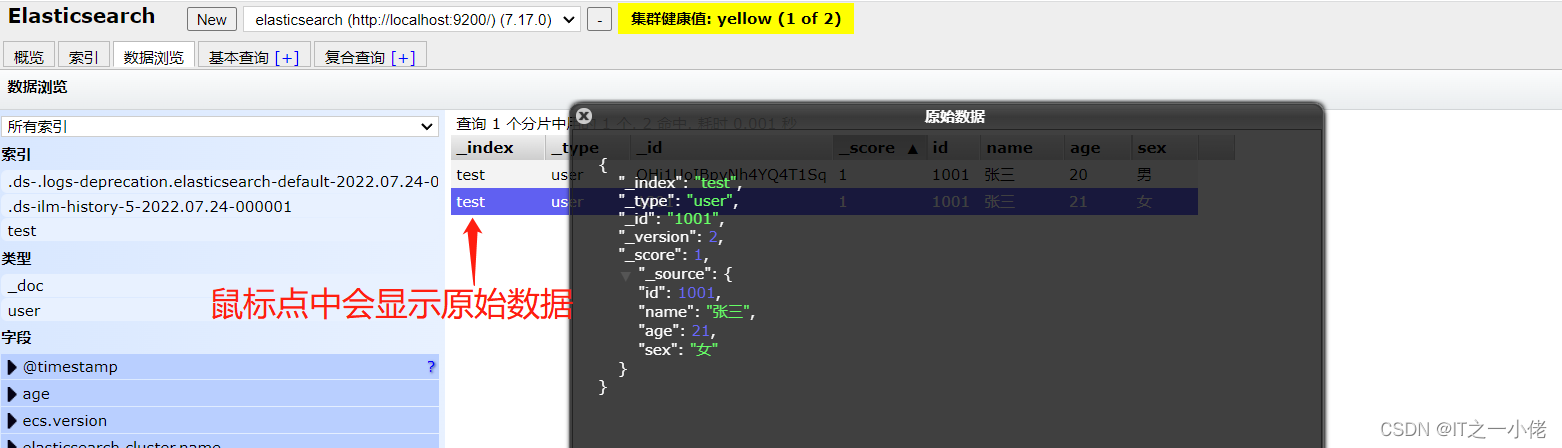
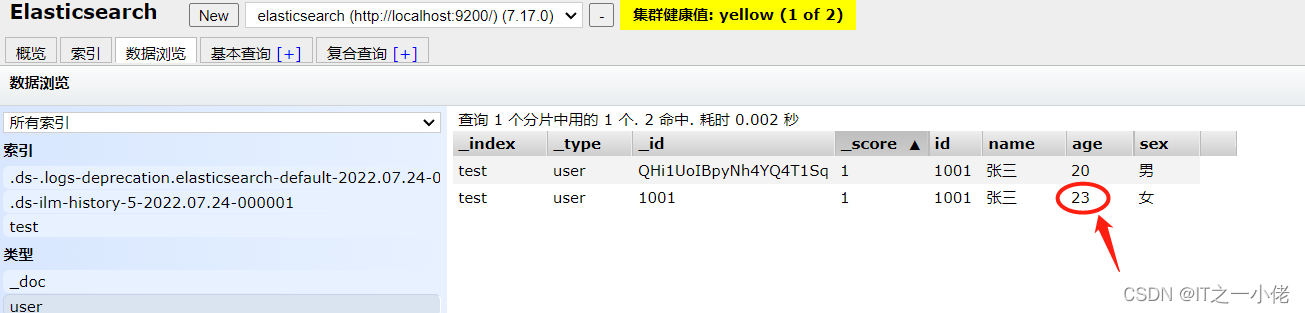
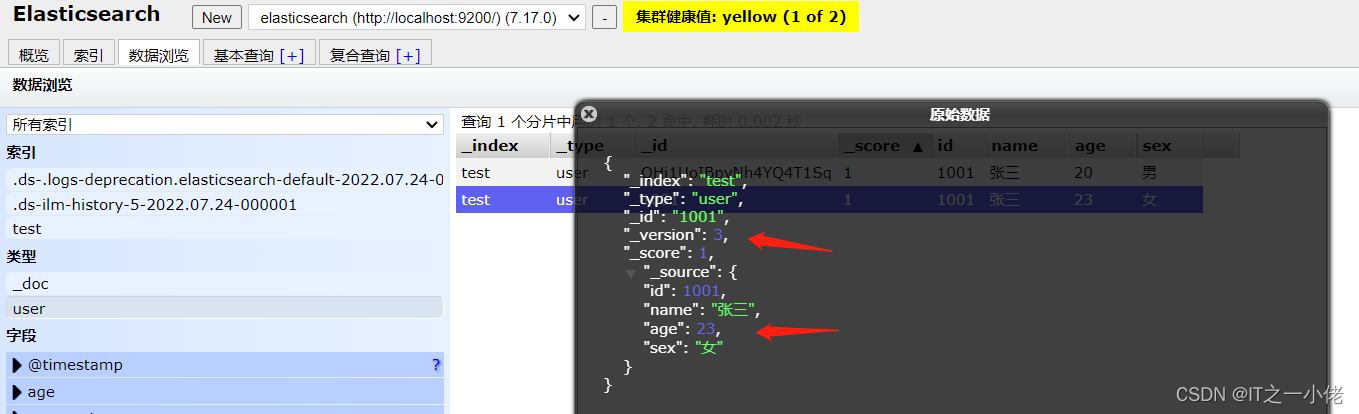
通过上面示例可以看到数据已经被覆盖了。 问题来了,可以局部更新吗? -- 可以的。 前面不是说,文档数据不能更新吗?
事实上,其实是这样的: 在内部,依然会查询到这个文档数据,然后进行覆盖操作,步骤如下: 1. 从旧文档中检索JSON
2. 修改它
3. 删除旧文档
4. 索引新文档
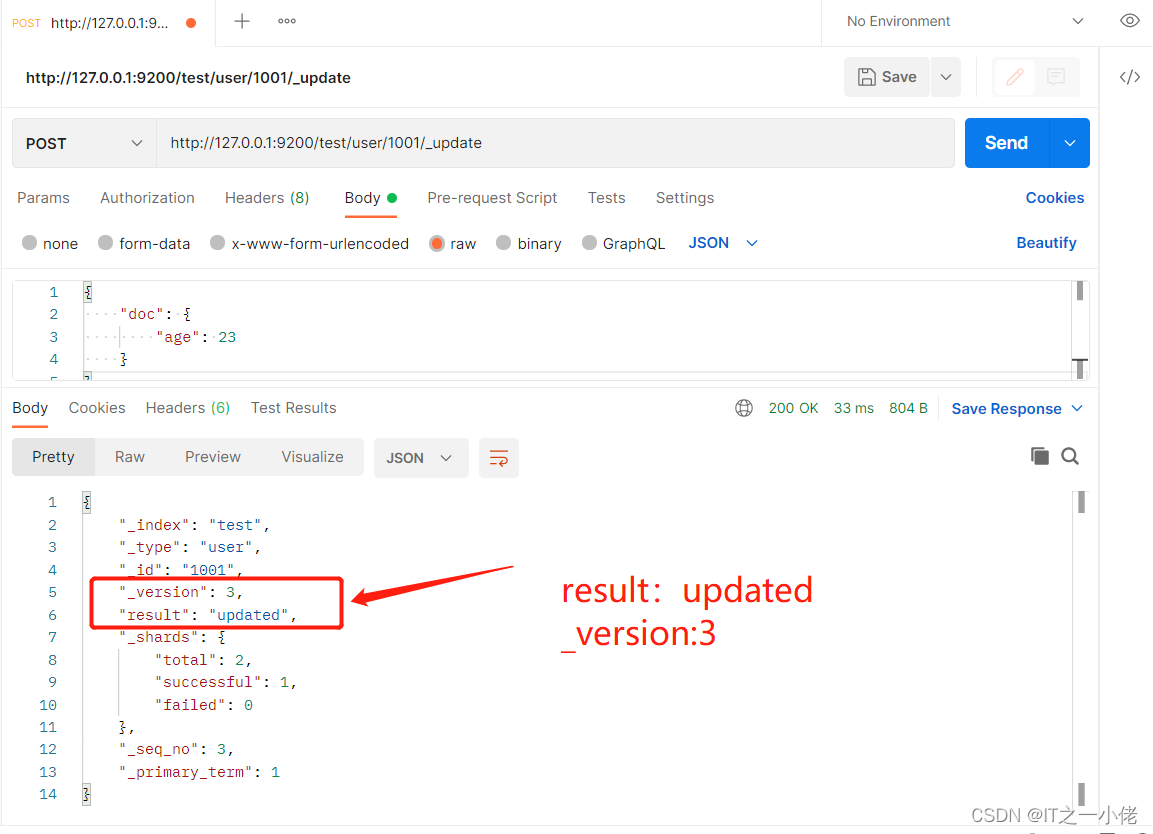
- 注意: 这儿多了_update标识符
- POST /user/1001/_update
- # 数据
- {
- "doc": {
- "age": 23
- }
- }
- # 响应数据
- {
- "_index": "test",
- "_type": "user",
- "_id": "1001",
- "_version": 3,
- "result": "updated",
- "_shards": {
- "total": 2,
- "successful": 1,
- "failed": 0
- },
- "_seq_no": 3,
- "_primary_term": 1
- }
删除数据
在Elasticsearch中,删除文档数据,只需要发起DELETE请求即可。
DETELE /test/user/1001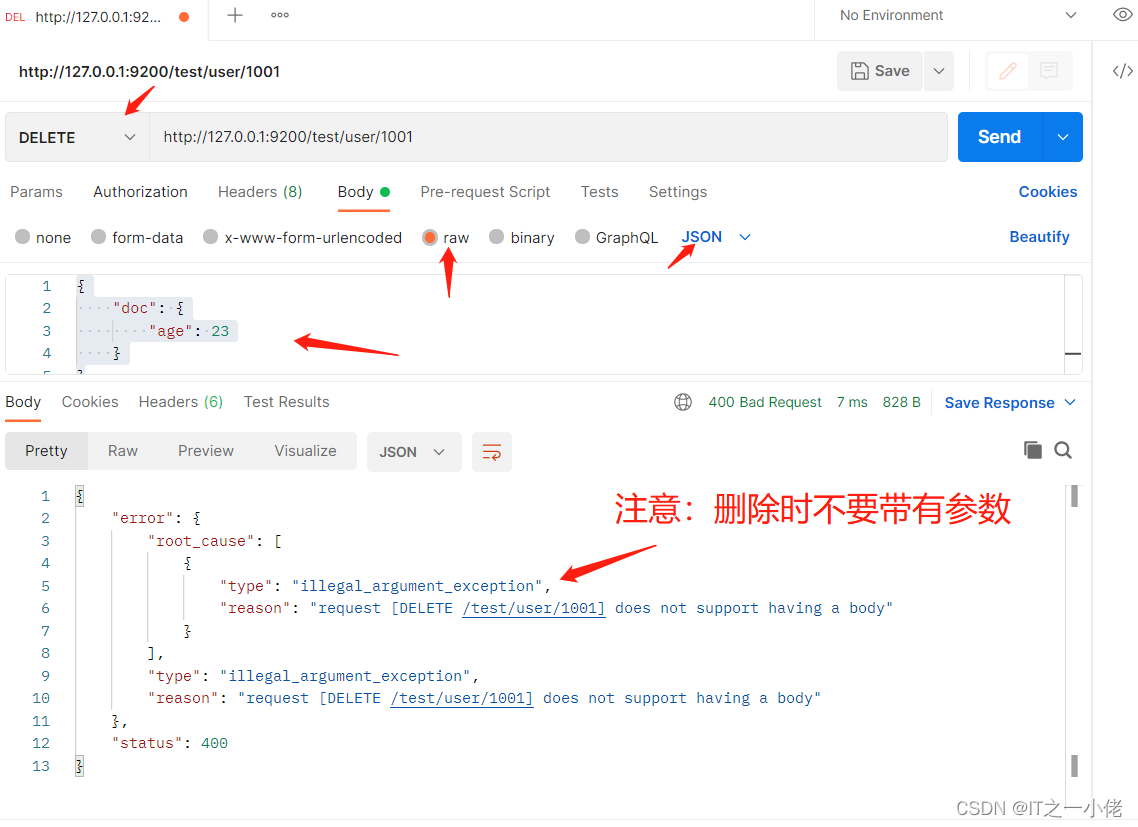
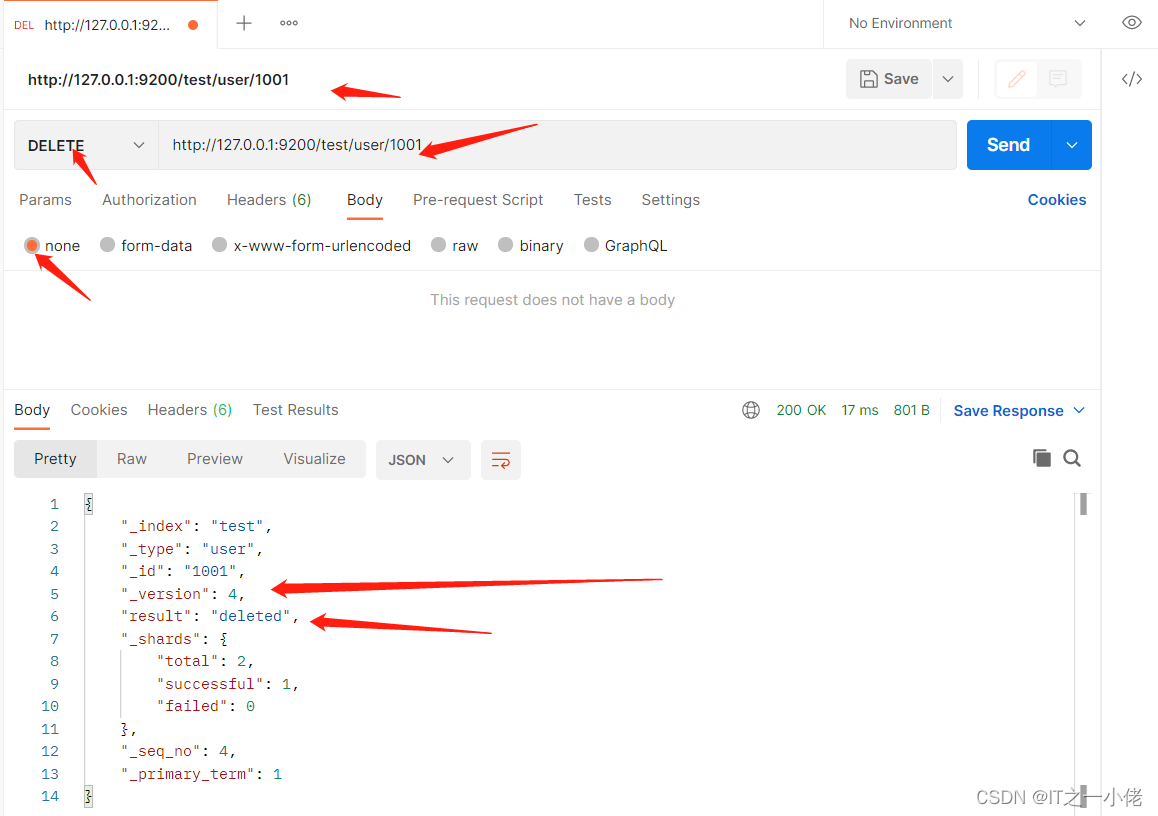
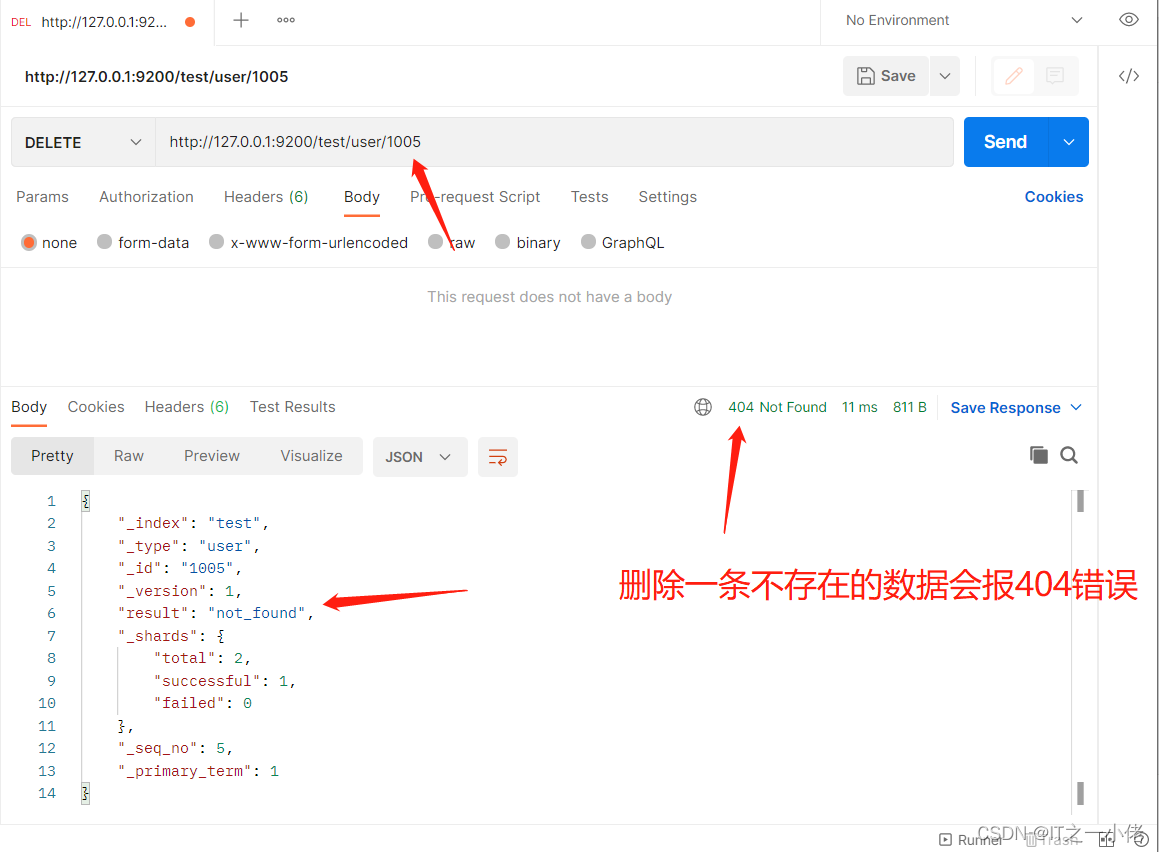
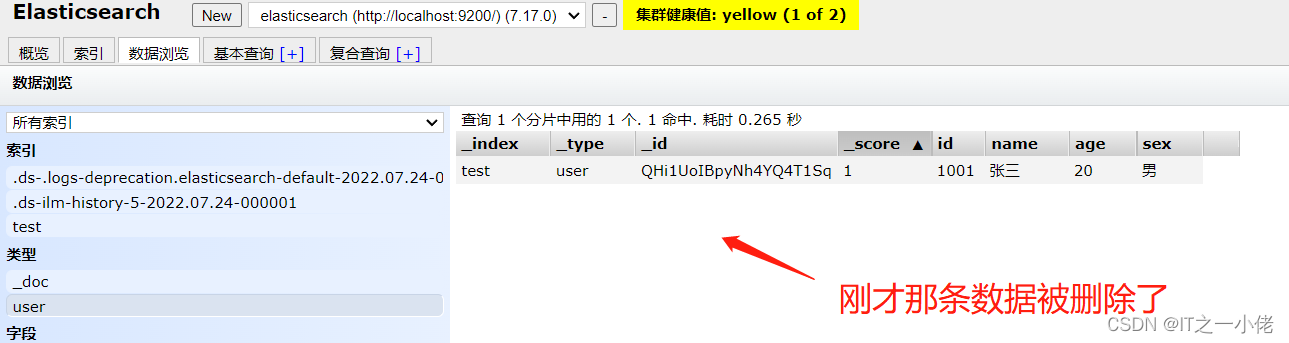
注意:删除一个文档也不会立即从磁盘上移除,它只是被标记成已删除。Elasticsearch将会在你之后添加更多索引的 时候才会在后台进行删除内容的清理。
搜索数据
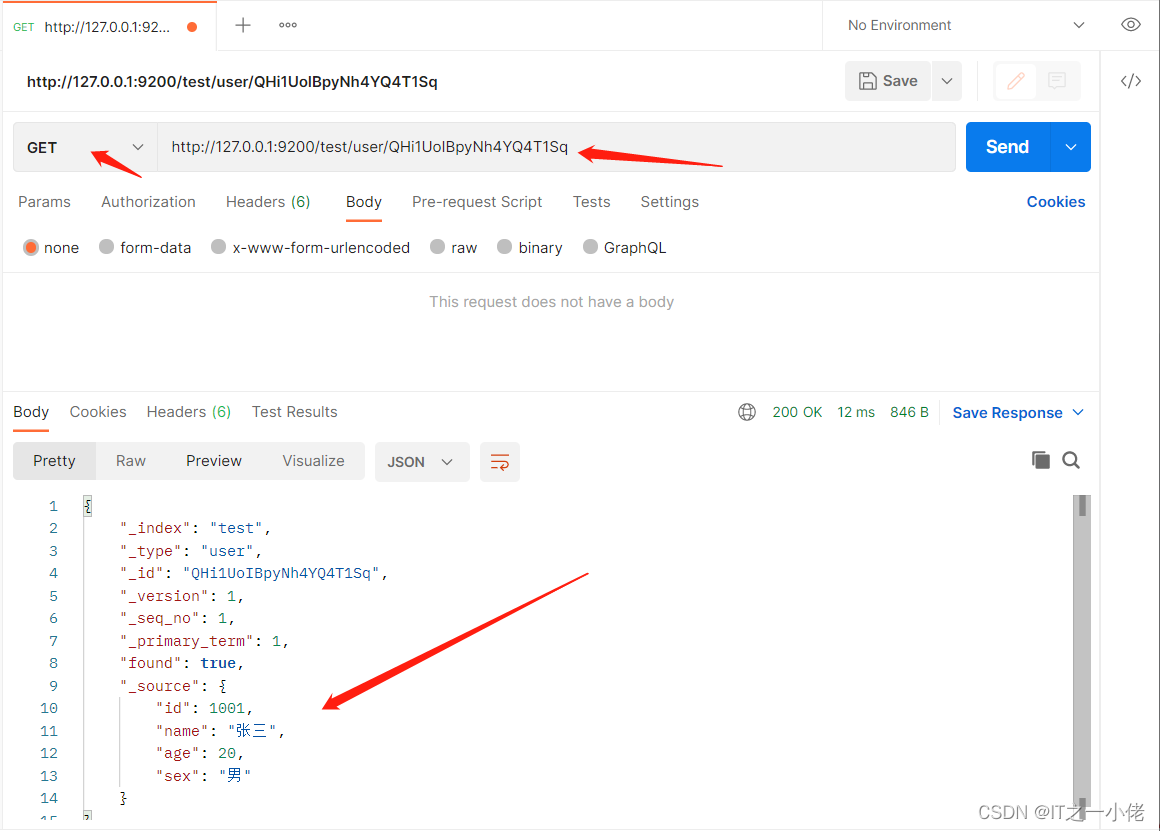
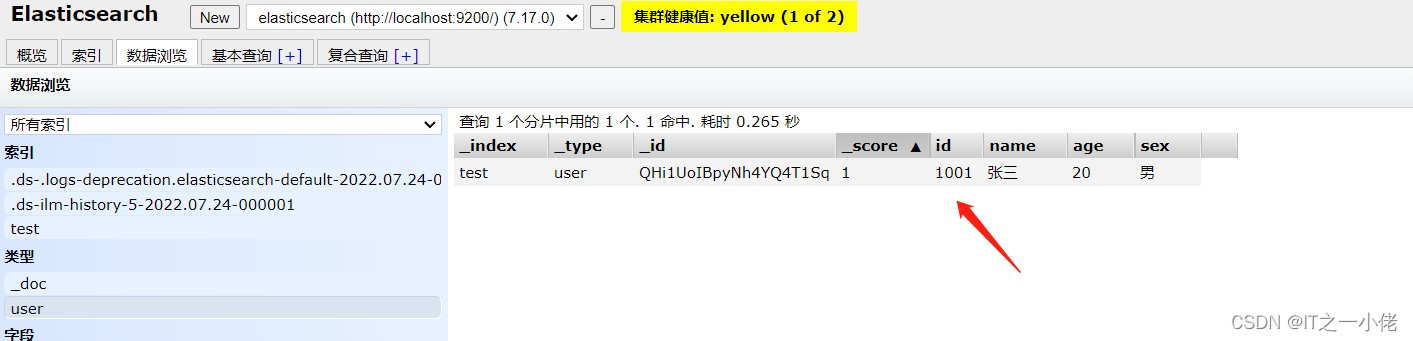
根据id搜索数据
- GET /test/user/QHi1UoIBpyNh4YQ4T1Sq
- # 响应数据如下:
- {
- "_index": "test",
- "_type": "user",
- "_id": "QHi1UoIBpyNh4YQ4T1Sq",
- "_version": 1,
- "_seq_no": 1,
- "_primary_term": 1,
- "found": true,
- "_source": {
- "id": 1001,
- "name": "张三",
- "age": 20,
- "sex": "男"
- }
- }
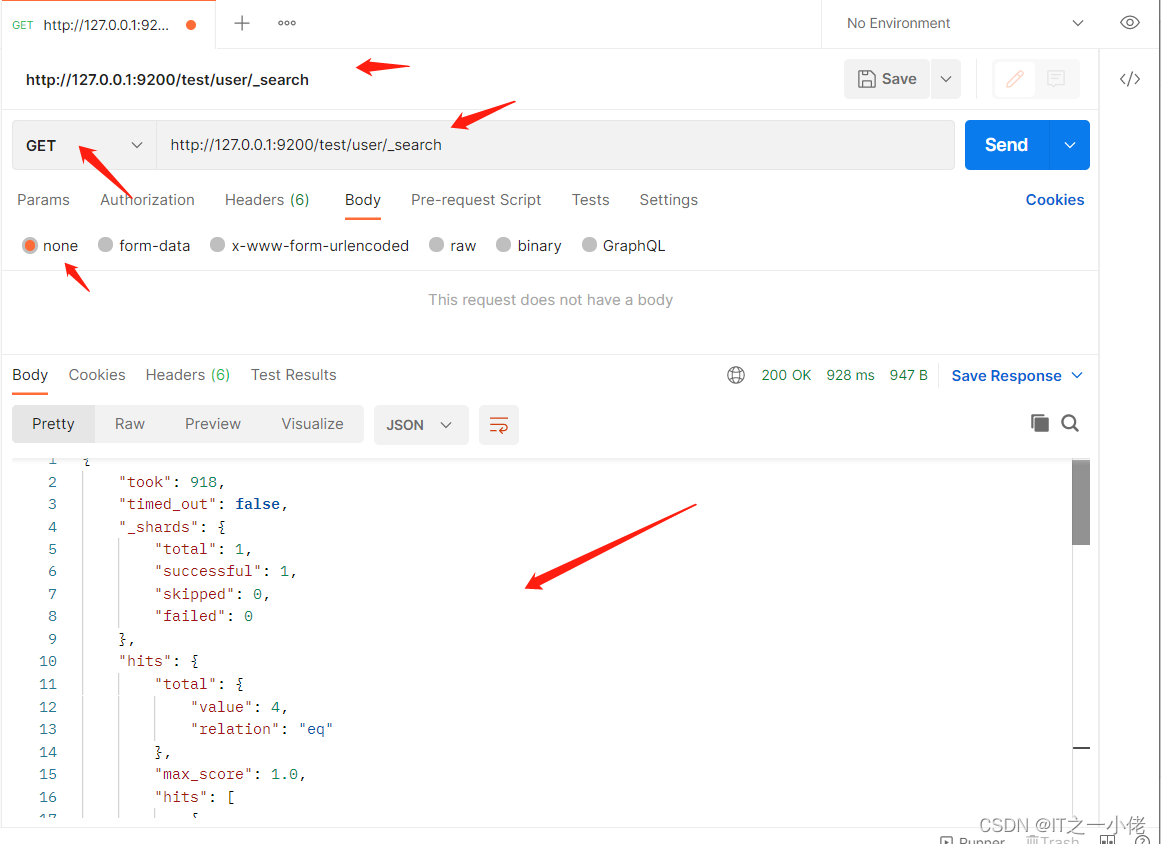
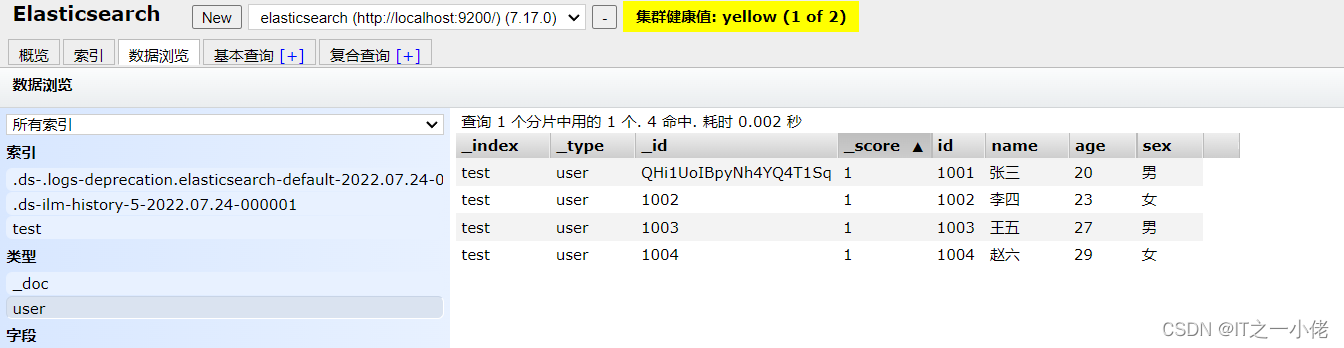
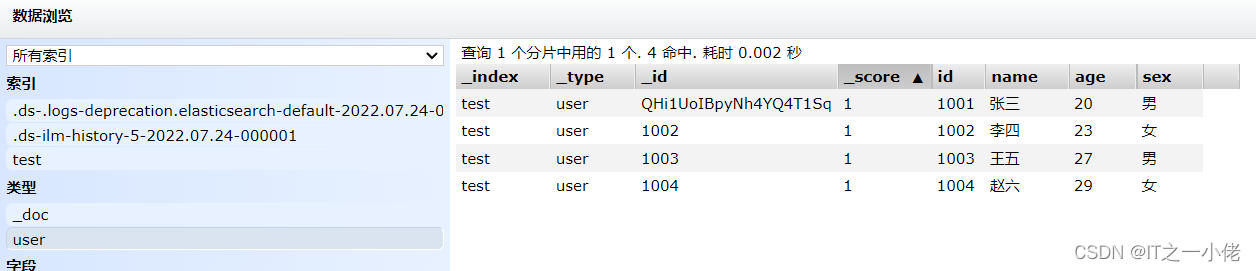
搜索全部数据 【为了更好展示全部数据效果,先插入一些数据】
- GET /test/user/_search
- # 响应数据(默认返回10条数据)
- {
- "took": 918,
- "timed_out": false,
- "_shards": {
- "total": 1,
- "successful": 1,
- "skipped": 0,
- "failed": 0
- },
- "hits": {
- "total": {
- "value": 4,
- "relation": "eq"
- },
- "max_score": 1.0,
- "hits": [
- {
- "_index": "test",
- "_type": "user",
- "_id": "QHi1UoIBpyNh4YQ4T1Sq",
- "_score": 1.0,
- "_source": {
- "id": 1001,
- "name": "张三",
- "age": 20,
- "sex": "男"
- }
- },
- {
- "_index": "test",
- "_type": "user",
- "_id": "1002",
- "_score": 1.0,
- "_source": {
- "id": 1002,
- "name": "李四",
- "age": 23,
- "sex": "女"
- }
- },
- {
- "_index": "test",
- "_type": "user",
- "_id": "1003",
- "_score": 1.0,
- "_source": {
- "id": 1003,
- "name": "王五",
- "age": 27,
- "sex": "男"
- }
- },
- {
- "_index": "test",
- "_type": "user",
- "_id": "1004",
- "_score": 1.0,
- "_source": {
- "id": 1004,
- "name": "赵六",
- "age": 29,
- "sex": "女"
- }
- }
- ]
- }
- }
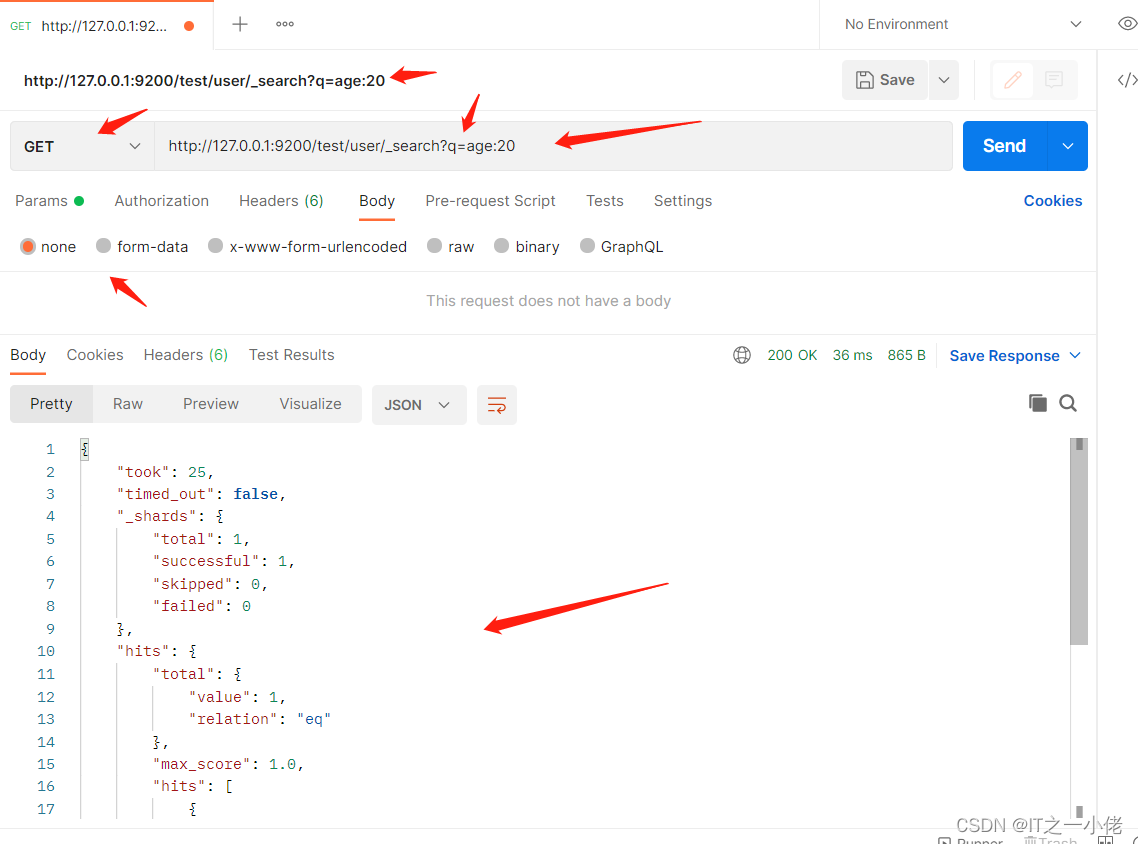
关键字搜素数据:
- # 查询年龄等于20的用户
- GET /test/user/_search?q=age:20
- # 响应数据
- {
- "took": 1,
- "timed_out": false,
- "_shards": {
- "total": 1,
- "successful": 1,
- "skipped": 0,
- "failed": 0
- },
- "hits": {
- "total": {
- "value": 1,
- "relation": "eq"
- },
- "max_score": 1.0,
- "hits": [
- {
- "_index": "test",
- "_type": "user",
- "_id": "QHi1UoIBpyNh4YQ4T1Sq",
- "_score": 1.0,
- "_source": {
- "id": 1001,
- "name": "张三",
- "age": 20,
- "sex": "男"
- }
- }
- ]
- }
- }
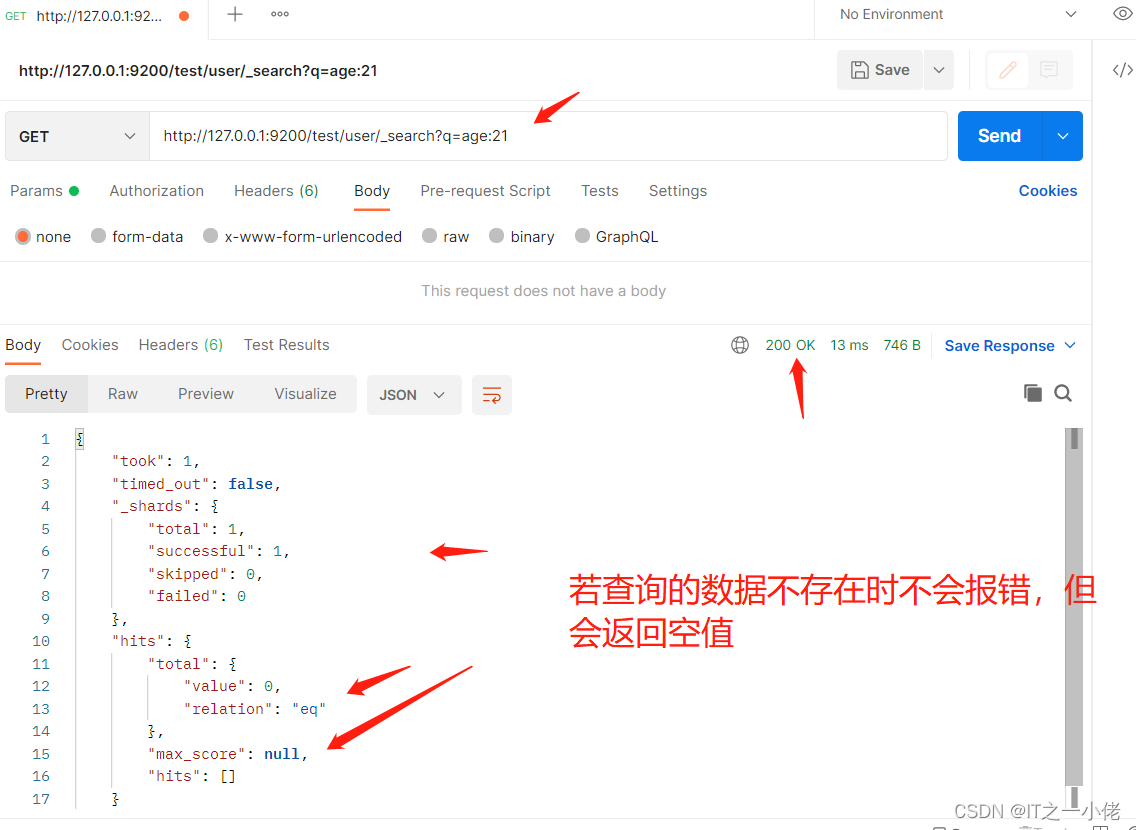
DSL搜索
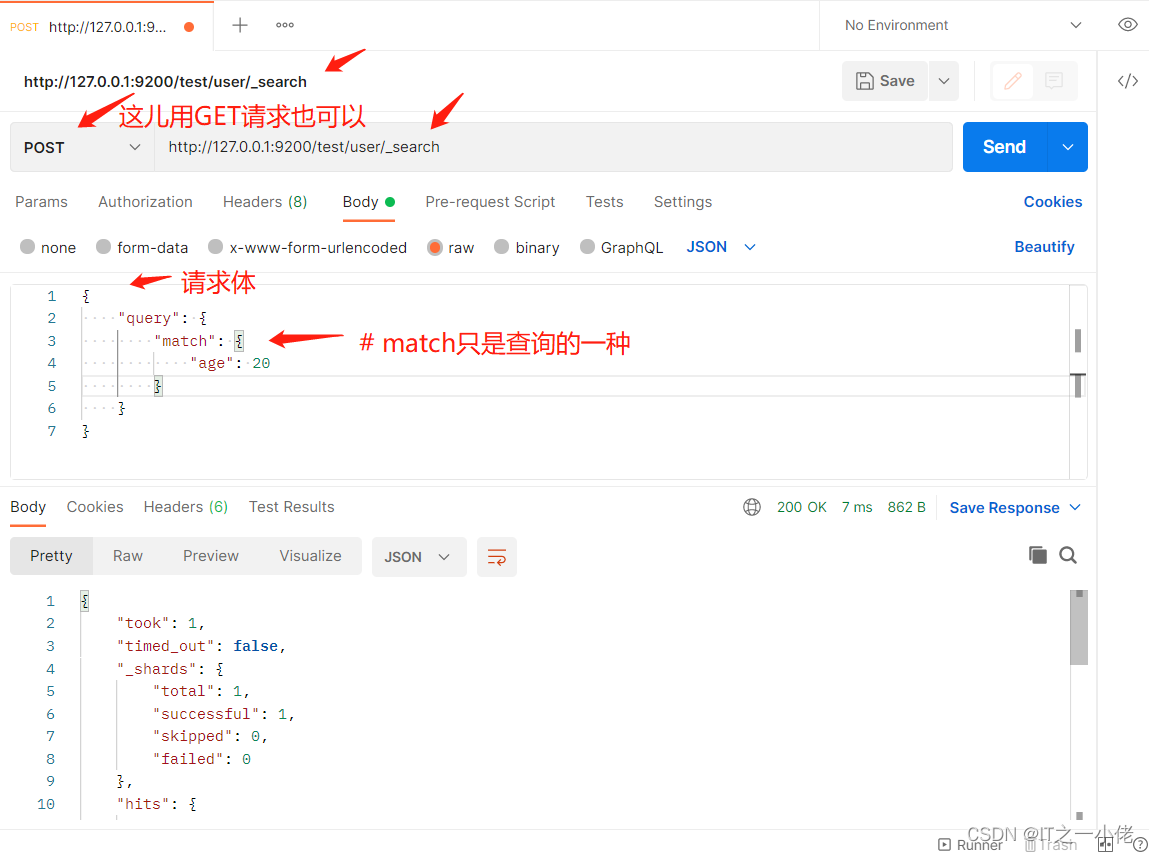
Elasticsearch提供丰富且灵活的查询语言叫做DSL查询(Query DSL),它允许你构建更加复杂、强大的查询。 DSL(Domain Specific Language特定领域语言)以JSON请求体的形式出现。
示例:查询年龄等于20的用户
- POST /test/user/_search
- # 请求体
- {
- "query": {
- "match": {
- "age": 20
- }
- }
- }
- # 响应数据
- {
- "took": 1,
- "timed_out": false,
- "_shards": {
- "total": 1,
- "successful": 1,
- "skipped": 0,
- "failed": 0
- },
- "hits": {
- "total": {
- "value": 1,
- "relation": "eq"
- },
- "max_score": 1.0,
- "hits": [
- {
- "_index": "test",
- "_type": "user",
- "_id": "QHi1UoIBpyNh4YQ4T1Sq",
- "_score": 1.0,
- "_source": {
- "id": 1001,
- "name": "张三",
- "age": 20,
- "sex": "男"
- }
- }
- ]
- }
- }
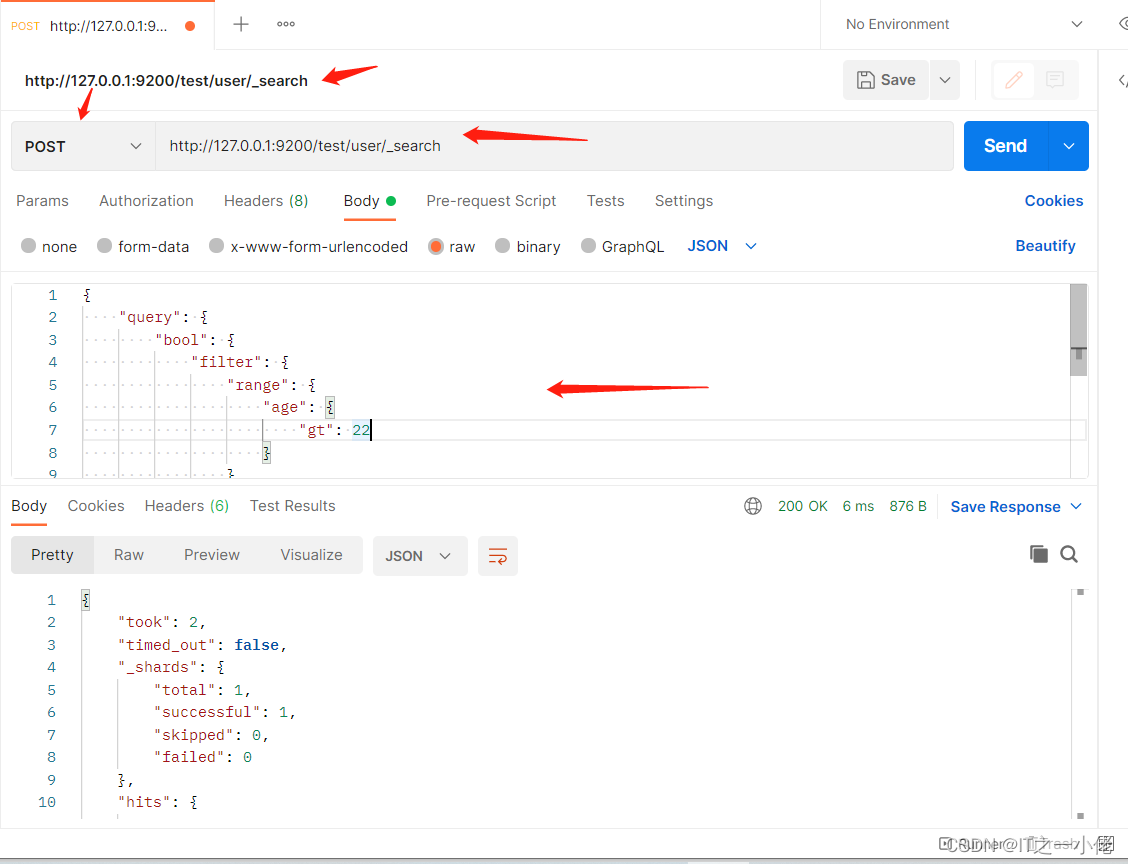
示例:查询年龄大于22岁的女性用户:
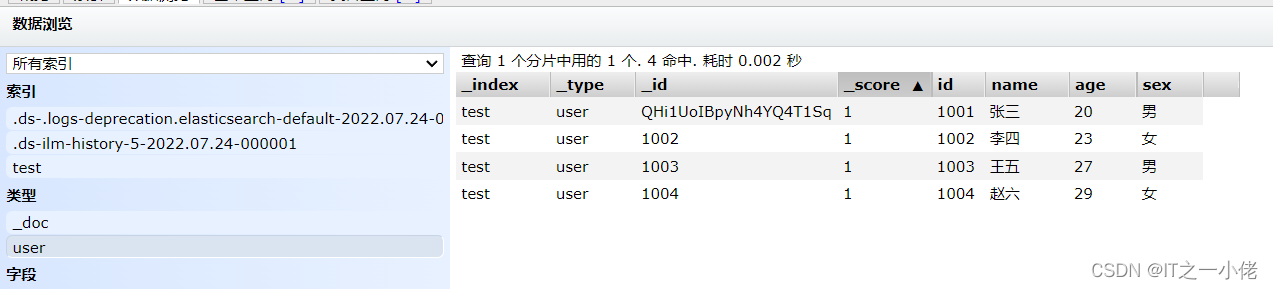
目前数据库中的数据:

- POST /test/user/_search
- # 请求数据
- {
- "query": {
- "bool": {
- "filter": {
- "range": {
- "age": {
- "gt": 22
- }
- }
- },
- "must": {
- "match": {
- "sex": "女"
- }
- }
- }
- }
- }
- # 响应数据
- {
- "took": 2,
- "timed_out": false,
- "_shards": {
- "total": 1,
- "successful": 1,
- "skipped": 0,
- "failed": 0
- },
- "hits": {
- "total": {
- "value": 2,
- "relation": "eq"
- },
- "max_score": 0.6931471,
- "hits": [
- {
- "_index": "test",
- "_type": "user",
- "_id": "1002",
- "_score": 0.6931471,
- "_source": {
- "id": 1002,
- "name": "李四",
- "age": 23,
- "sex": "女"
- }
- },
- {
- "_index": "test",
- "_type": "user",
- "_id": "1004",
- "_score": 0.6931471,
- "_source": {
- "id": 1004,
- "name": "赵六",
- "age": 29,
- "sex": "女"
- }
- }
- ]
- }
- }
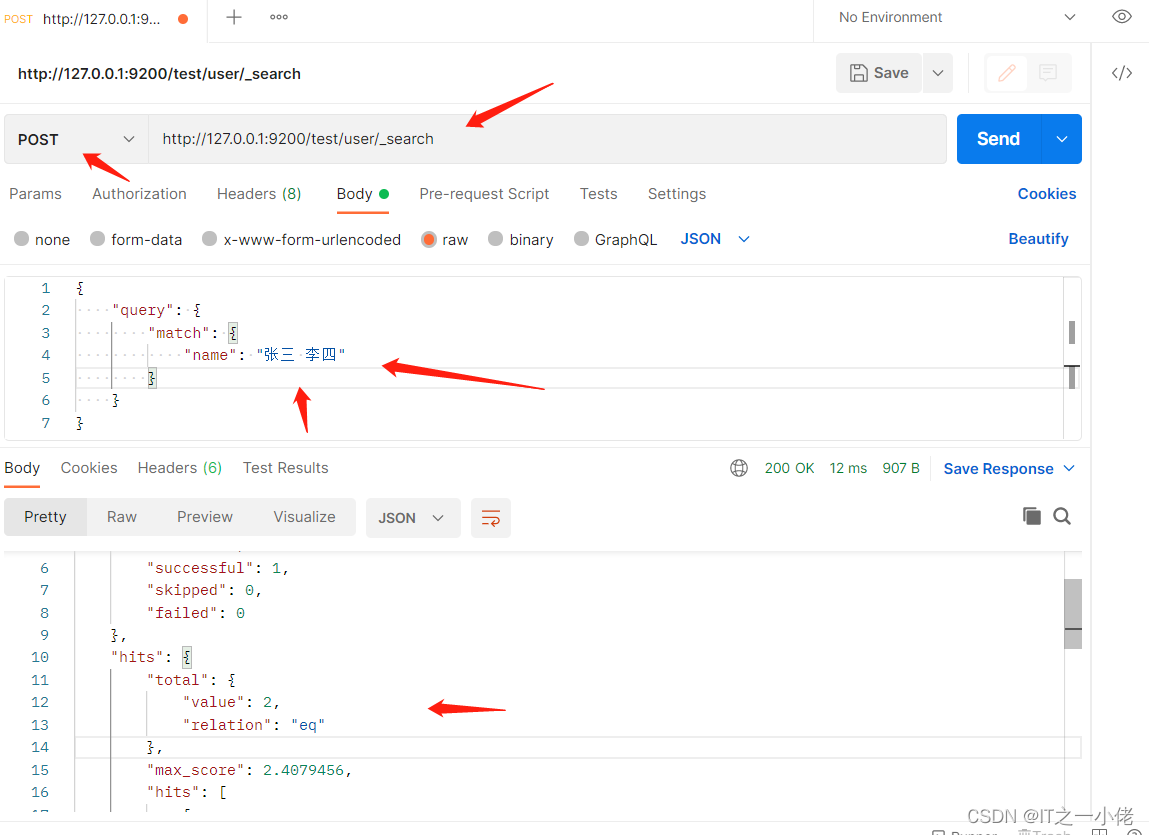
全文搜索
- POST /test/user/_search
- # 请求数据
- {
- "query": {
- "match": {
- "name": "张三 李四"
- }
- }
- }
- # 响应数据
- {
- "took": 7,
- "timed_out": false,
- "_shards": {
- "total": 1,
- "successful": 1,
- "skipped": 0,
- "failed": 0
- },
- "hits": {
- "total": {
- "value": 2,
- "relation": "eq"
- },
- "max_score": 2.4079456,
- "hits": [
- {
- "_index": "test",
- "_type": "user",
- "_id": "QHi1UoIBpyNh4YQ4T1Sq",
- "_score": 2.4079456,
- "_source": {
- "id": 1001,
- "name": "张三",
- "age": 20,
- "sex": "男"
- }
- },
- {
- "_index": "test",
- "_type": "user",
- "_id": "1002",
- "_score": 2.4079456,
- "_source": {
- "id": 1002,
- "name": "李四",
- "age": 23,
- "sex": "女"
- }
- }
- ]
- }
- }
高亮显示
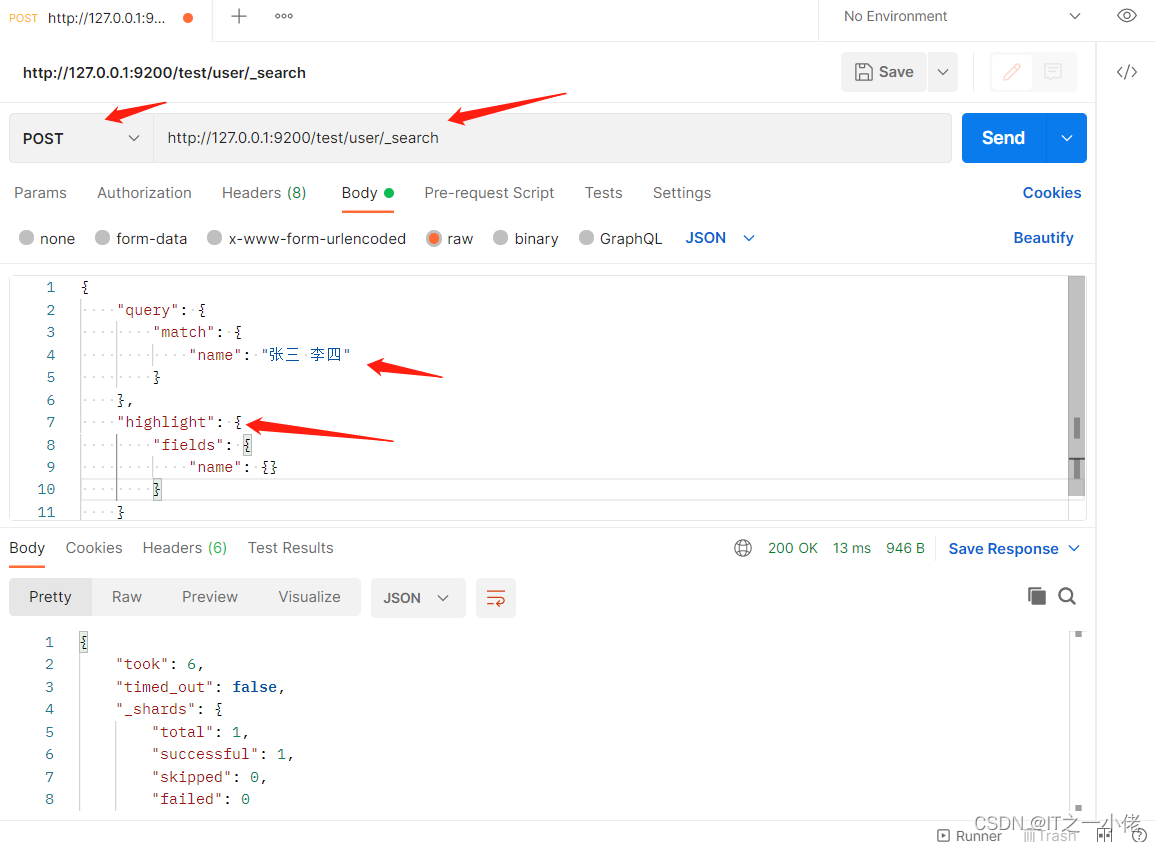
- POST /test/user/_search
- # 请求数据
- {
- "query": {
- "match": {
- "name": "张三 李四"
- }
- },
- "highlight": {
- "fields": {
- "name": {}
- }
- }
- }
- # 响应数据
- {
- "took": 6,
- "timed_out": false,
- "_shards": {
- "total": 1,
- "successful": 1,
- "skipped": 0,
- "failed": 0
- },
- "hits": {
- "total": {
- "value": 2,
- "relation": "eq"
- },
- "max_score": 2.4079456,
- "hits": [
- {
- "_index": "test",
- "_type": "user",
- "_id": "QHi1UoIBpyNh4YQ4T1Sq",
- "_score": 2.4079456,
- "_source": {
- "id": 1001,
- "name": "张三",
- "age": 20,
- "sex": "男"
- },
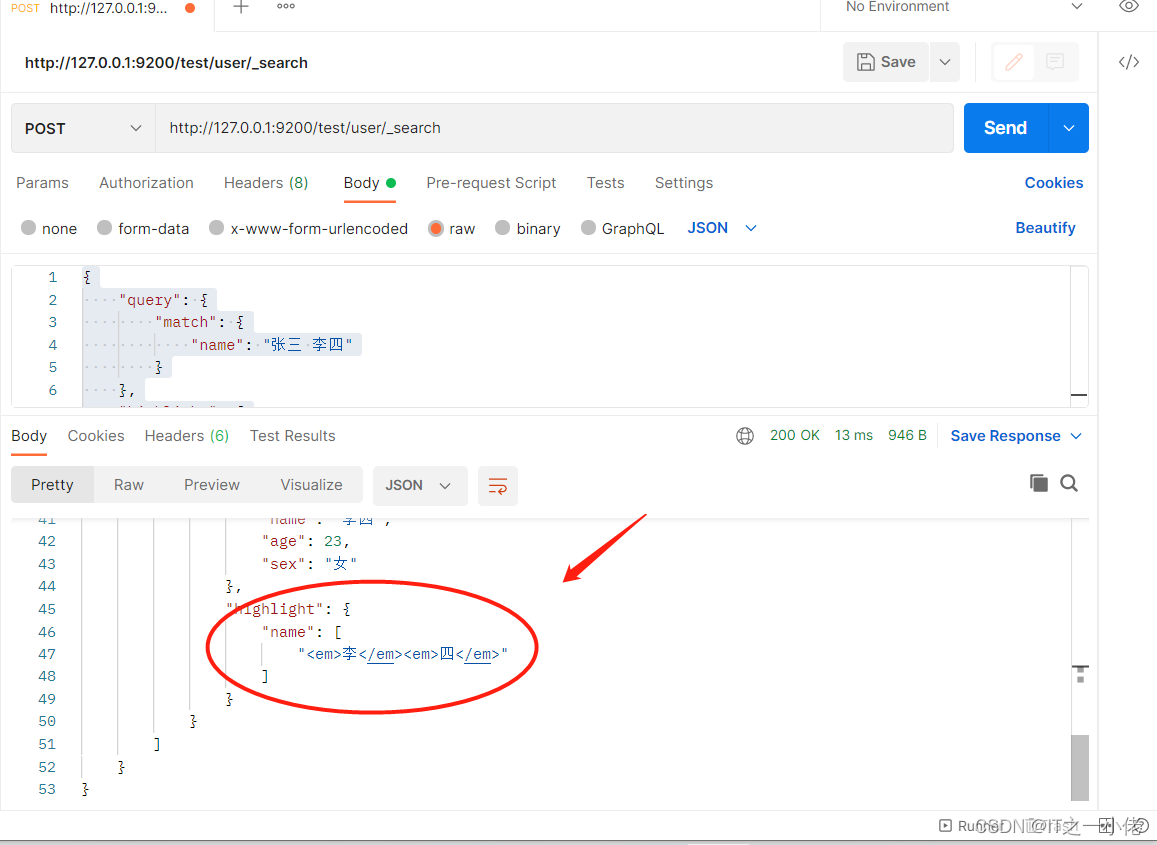
- "highlight": {
- "name": [
- "张三"
- ]
- }
- },
- {
- "_index": "test",
- "_type": "user",
- "_id": "1002",
- "_score": 2.4079456,
- "_source": {
- "id": 1002,
- "name": "李四",
- "age": 23,
- "sex": "女"
- },
- "highlight": {
- "name": [
- "李四"
- ]
- }
- }
- ]
- }
- }
聚合
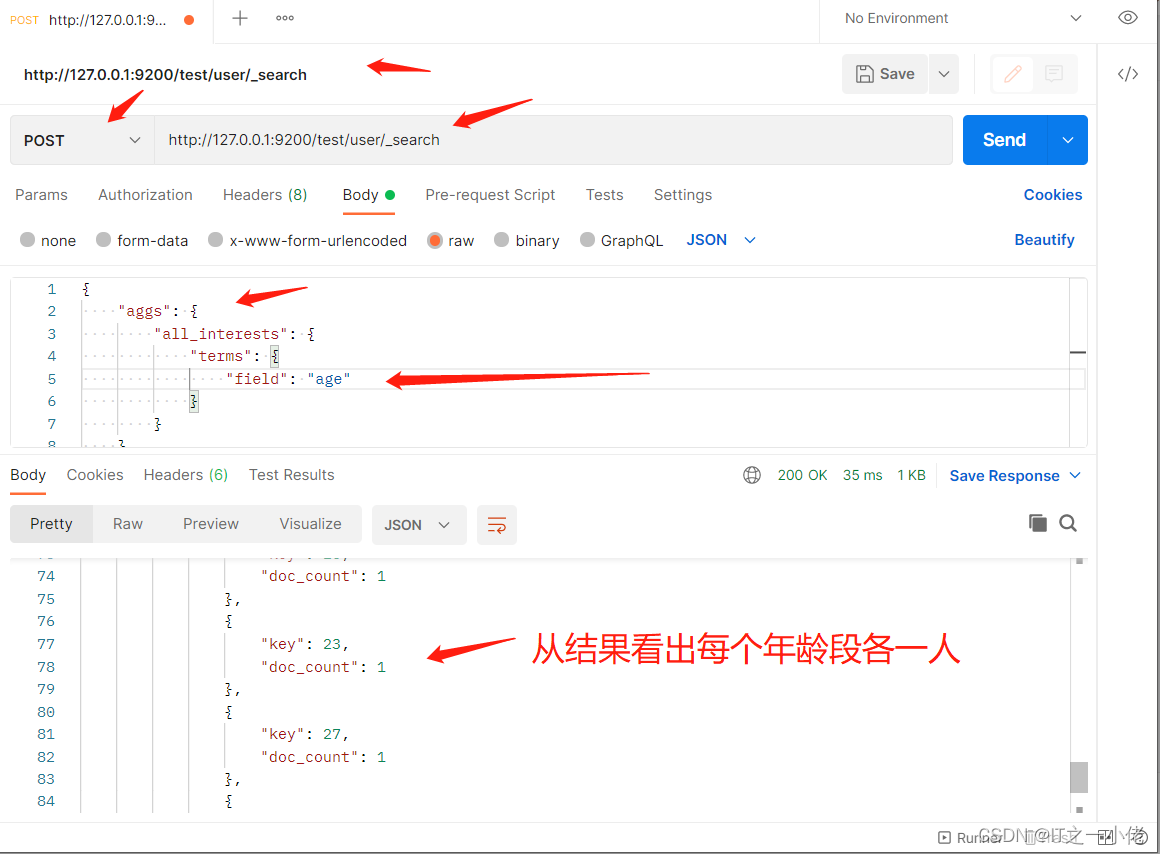
在Elasticsearch中,支持聚合操作,类似SQL中的group by操作。
- POST /test/user/_search
- # 请求数据
- {
- "aggs": {
- "all_interests": {
- "terms": {
- "field": "age"
- }
- }
- }
- }
- # 响应结果
- {
- "took": 25,
- "timed_out": false,
- "_shards": {
- "total": 1,
- "successful": 1,
- "skipped": 0,
- "failed": 0
- },
- "hits": {
- "total": {
- "value": 4,
- "relation": "eq"
- },
- "max_score": 1.0,
- "hits": [
- {
- "_index": "test",
- "_type": "user",
- "_id": "QHi1UoIBpyNh4YQ4T1Sq",
- "_score": 1.0,
- "_source": {
- "id": 1001,
- "name": "张三",
- "age": 20,
- "sex": "男"
- }
- },
- {
- "_index": "test",
- "_type": "user",
- "_id": "1002",
- "_score": 1.0,
- "_source": {
- "id": 1002,
- "name": "李四",
- "age": 23,
- "sex": "女"
- }
- },
- {
- "_index": "test",
- "_type": "user",
- "_id": "1003",
- "_score": 1.0,
- "_source": {
- "id": 1003,
- "name": "王五",
- "age": 27,
- "sex": "男"
- }
- },
- {
- "_index": "test",
- "_type": "user",
- "_id": "1004",
- "_score": 1.0,
- "_source": {
- "id": 1004,
- "name": "赵六",
- "age": 29,
- "sex": "女"
- }
- }
- ]
- },
- "aggregations": {
- "all_interests": {
- "doc_count_error_upper_bound": 0,
- "sum_other_doc_count": 0,
- "buckets": [
- {
- "key": 20,
- "doc_count": 1
- },
- {
- "key": 23,
- "doc_count": 1
- },
- {
- "key": 27,
- "doc_count": 1
- },
- {
- "key": 29,
- "doc_count": 1
- }
- ]
- }
- }
- }
-
相关阅读:
backurl: heytapbrowser://main/iflow?sub_target=only_enter_iflow
FISCO BCOS | 构建第一个区块链应用程序
记录如何用php将敏感文字内容替换为星号的方法
7-4 USB接口的定义 (10分)
Go语言学习笔记—golang包管理
求生之路2服务器搭建插件安装及详细的游戏参数配置教程windows
Kubernetes 系统化学习之 资源清单篇(三)
2024第十五届蓝桥杯 C/C++ B组 参赛经历分享(以及部分题解)
Unity物体查找方式
vue2.x引入threejs
- 原文地址:https://blog.csdn.net/weixin_44799217/article/details/126073773
