-
Linux之DNS解析和主从配置及selinux使用超详解
目录
2.DNS主从配置: 需要两台机器: 一台为主dns服务器,一台为从DNS服务器
3.使用httpd服务演示安全上下文值的设定(selinux)
2.打开防火墙允许给http添加服务,查看selinux状态
4.使用web服务端口的改变来演示端口的设定(selinux)
1.DNS的解析流程

2.DNS主从配置: 需要两台机器: 一台为主dns服务器,一台为从DNS服务器主服务器为192.168.40.129/从服务器为192.168.40.131
1.在主服务器的主配置文件中添加从服务器
[root@rhcsa ~]# vim /etc/named.conf添加allow-transfer

2.从服务器中下载bind软件
- [root@rhce ~]# yum install bind -y
- Updating Subscription Management repositories.
- Unable to read consumer identity
- This system is not registered with an entitlement server. You can use subscription-manager to register.
- Repository AppStream is listed more than once in the configuration
- Last metadata expiration check: 1:41:17 ago on Sat 30 Jul 2022 12:30:24 PM CST.
- Dependencies resolved.
- ================================================================================
- Package Architecture Version Repository Size
- ================================================================================
- Installing:
- bind x86_64 32:9.11.26-6.el8 AppStream 2.1 M
- Transaction Summary
- ================================================================================
- Install 1 Package
- Total download size: 2.1 M
- Installed size: 4.5 M
- Downloading Packages:
- bind-9.11.26-6.el8.x86_64.rpm 237 kB/s | 2.1 MB 00:09
- --------------------------------------------------------------------------------
- Total 237 kB/s | 2.1 MB 00:09
- Running transaction check
- Transaction check succeeded.
- Running transaction test
- Transaction test succeeded.
- Running transaction
- Preparing : 1/1
- Running scriptlet: bind-32:9.11.26-6.el8.x86_64 1/1
- Installing : bind-32:9.11.26-6.el8.x86_64 1/1
- Running scriptlet: bind-32:9.11.26-6.el8.x86_64 1/1
- [/usr/lib/tmpfiles.d/pesign.conf:1] Line references path below legacy directory /var/run/, updating /var/run/pesign → /run/pesign; please update the tmpfiles.d/ drop-in file accordingly.
- Verifying : bind-32:9.11.26-6.el8.x86_64 1/1
- Installed products updated.
- Installed:
- bind-32:9.11.26-6.el8.x86_64
- Complete!
3.从服务器进入主配置文件配置
[root@rhce ~]# vim /etc/named.conf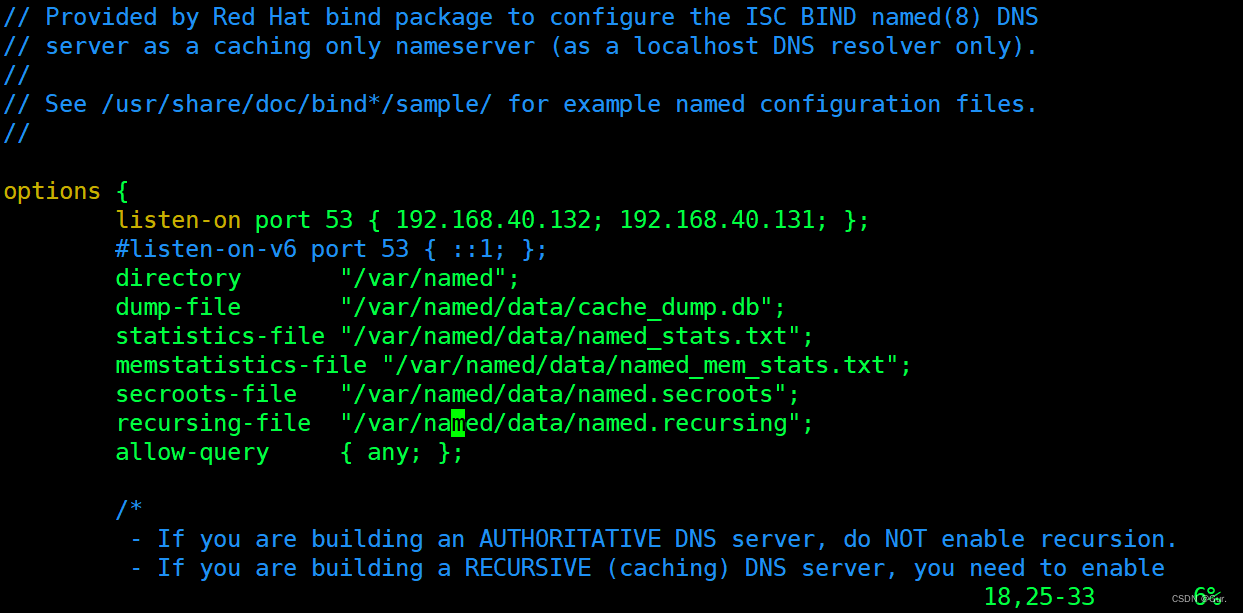
4.在下面添加dns配置文件zone,最后两个为已知文件
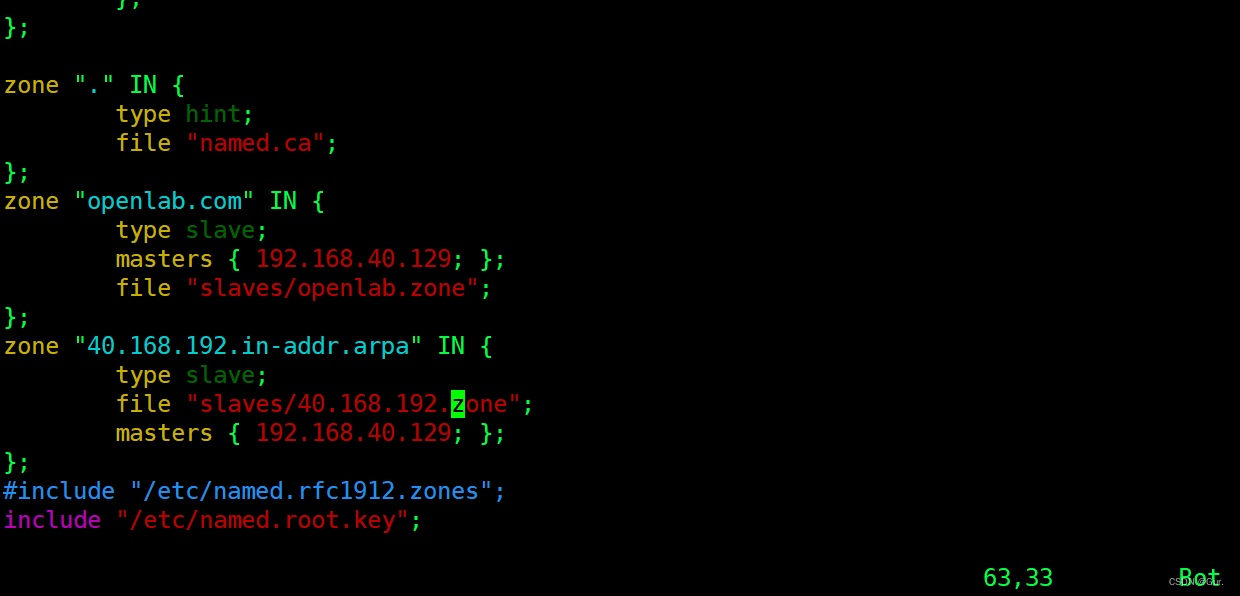
5. 在辅助配置文件中添加
[root@rhcsa ~]# vim /var/named/40.168.192.zone
[root@rhcsa ~]# vim /var/named/openlab.zone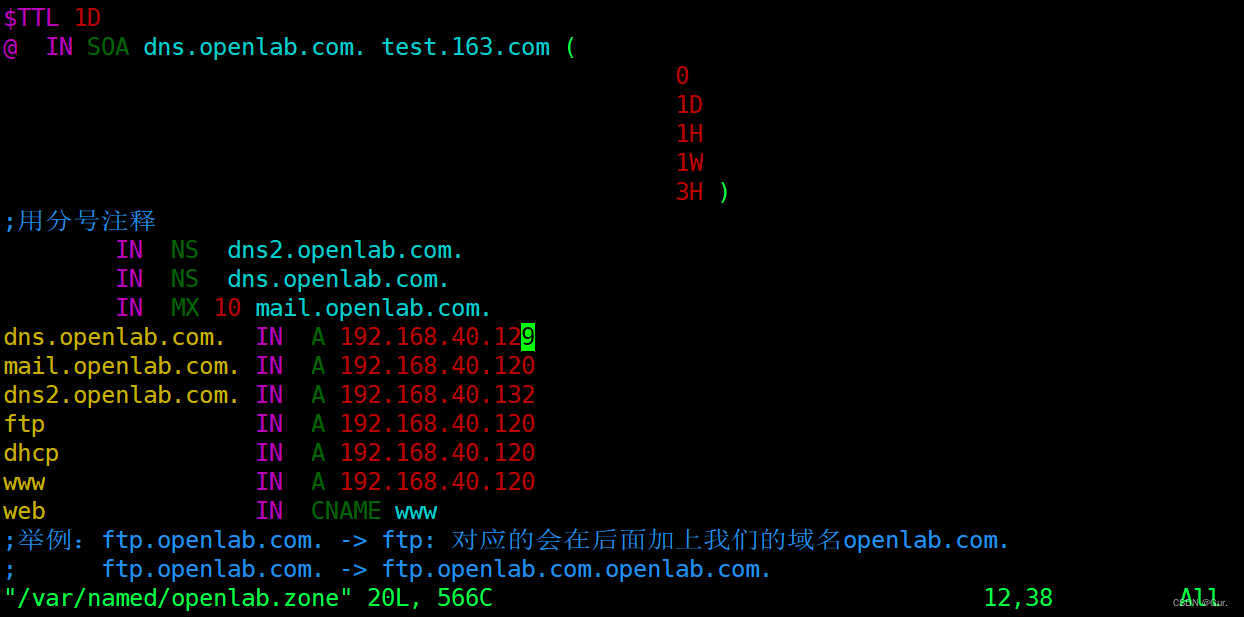
6.主服务器和从服务器重启服务
- [root@rhcsa ~]# systemctl restart named
- [root@rhce slaves]# systemctl restart named
3.使用httpd服务演示安全上下文值的设定(selinux)
1.下载selinux使用环境所需的软件
- [root@rhce ~]# yum install setools-console -y
- Updating Subscription Management repositories.
- Unable to read consumer identity
- This system is not registered with an entitlement server. You can use subscription-manager to register.
- Repository AppStream is listed more than once in the configuration
- Last metadata expiration check: 3:18:22 ago on Sat 30 Jul 2022 12:30:24 PM CST.
- Dependencies resolved.
- ================================================================================
- Package Architecture Version Repository Size
- ================================================================================
- Installing:
- setools-console x86_64 4.3.0-2.el8 base 42 k
- Transaction Summary
- ================================================================================
- Install 1 Package
- Total download size: 42 k
- Installed size: 122 k
- Downloading Packages:
- setools-console-4.3.0-2.el8.x86_64.rpm 6.7 kB/s | 42 kB 00:06
- --------------------------------------------------------------------------------
- Total 6.7 kB/s | 42 kB 00:06
- Running transaction check
- Transaction check succeeded.
- Running transaction test
- Transaction test succeeded.
- Running transaction
- Preparing : 1/1
- Installing : setools-console-4.3.0-2.el8.x86_64 1/1
- Running scriptlet: setools-console-4.3.0-2.el8.x86_64 1/1
- Verifying : setools-console-4.3.0-2.el8.x86_64 1/1
- Installed products updated.
- Installed:
- setools-console-4.3.0-2.el8.x86_64
- Complete!
2.打开防火墙允许给http添加服务,查看selinux状态
- [root@rhcsa ~]# systemctl restart firewalld
- [root@rhcsa ~]# firewall-cmd --permanent --add-service=http
- success
- [root@rhcsa ~]# firewall-cmd --reload
- success
- [root@rhcsa ~]# setenforce 1
- [root@rhcsa ~]# getenforce
- Enforcing
- [root@rhcsa ~]# vim /etc/httpd/conf.d/myhosts.conf
- [root@rhcsa ~]# mkdir -pv /www/80
- mkdir: created directory '/www/80'
- [root@rhcsa ~]# echo this is 80 > /www/80/index.html
- [root@rhcsa ~]# systemctl restart httpd

3.访问网站发现是服务器的测试界面
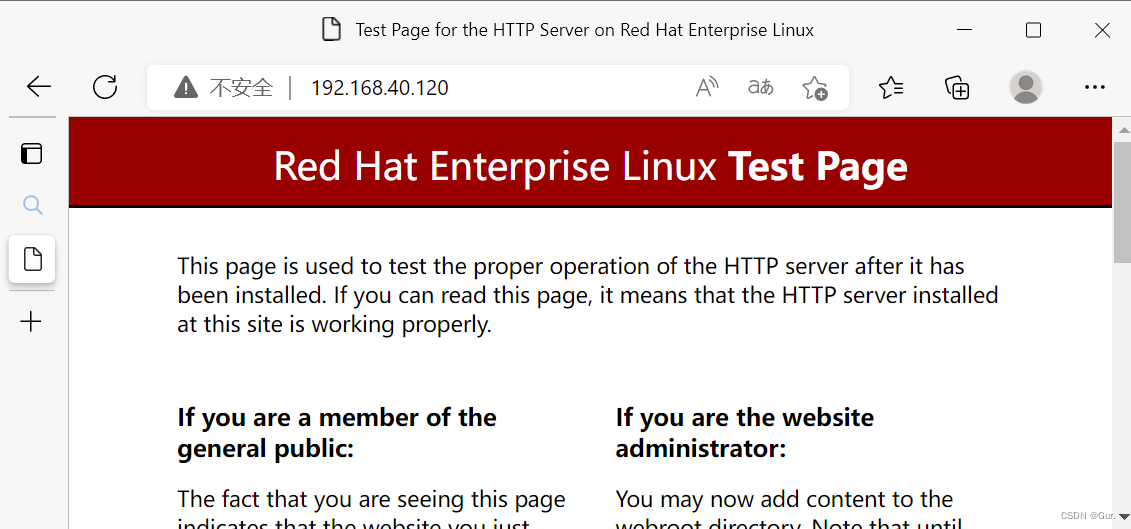
4.修改自定义目录的安全上下文的值:
- [root@rhcsa 80]# chcon -t httpd_sys_content_t /www/ -R
- [root@rhcsa 80]# ls -Z
- system_u:object_r:httpd_sys_content_t:s0 index.html
5.然后访问网站
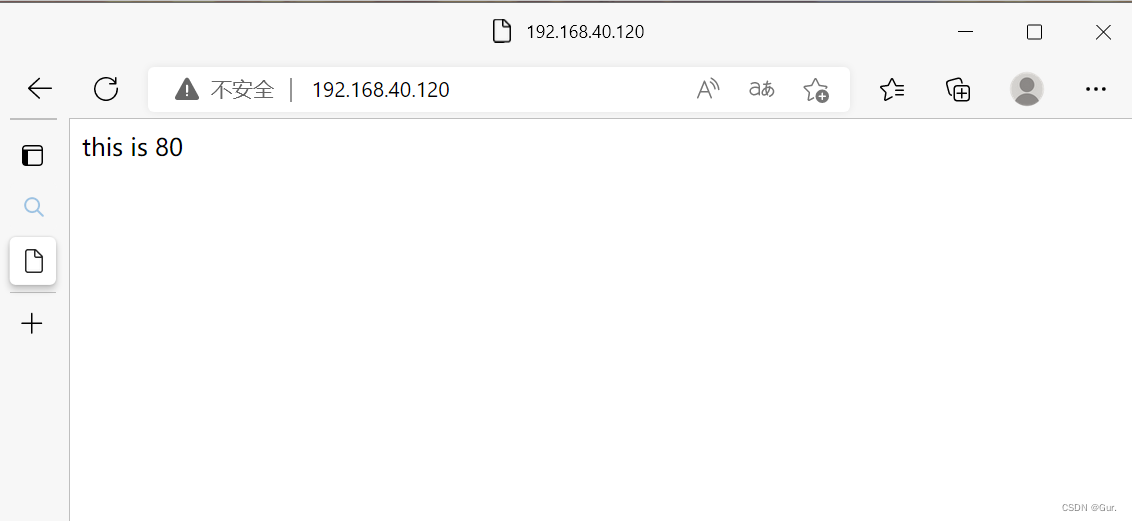
4.使用web服务端口的改变来演示端口的设定(selinux)1.创建目录
- [root@rhcsa ~]# mkdir /www/8888
- [root@rhcsa ~]# echo this is 8888 > /www/8888/index.html
2.编辑主配置文件
[root@rhcsa ~]# vim /etc/httpd/conf.d/myhosts.conf
3.重启httpd服务报错

4.查看网页显示文件的安全上下文

5.在防火墙添加8888端口并修改安全上下文
- [root@rhcsa 8888]# firewall-cmd --permanent --add-port=8888/tcp
- success
- [root@rhcsa 8888]# firewall-cmd --reload
- success
- [root@rhcsa 8888]# semanage port -a -t http_port_t -p tcp 8888
- [root@rhcsa 8888]# systemctl restart httpd

-
相关阅读:
数据结构与算法课后题-第二章(顺序表)
【C++】C/C++内存管理
泵站物联网实现远程监控,为泵站管理带来哪些好处?
background-repeat
直接卖断货了!百元价位现象级蓝牙耳机西圣AVA2究竟有什么亮点
浮点数通信
如何理解低位交叉编址的公式T+(m-1)r
有向图计数优化版原理及C++实现
英特尔OneAPI介绍
7.网络原理之TCP_IP(下)
- 原文地址:https://blog.csdn.net/weixin_64051859/article/details/126074599
