-
maven使用时候出现,jdk1.5的情况的解决办法
目录
出现错误
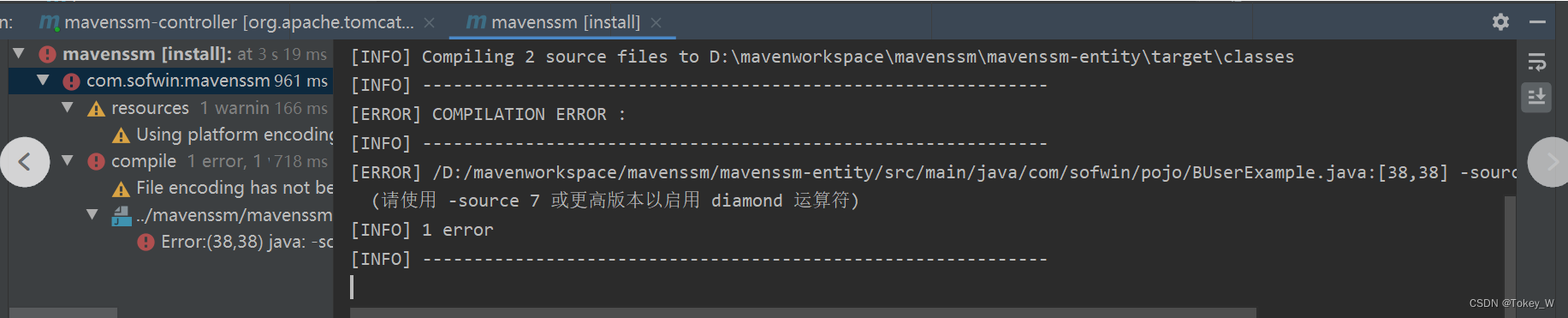

形式
- <properties>
- <maven.compiler.source>8maven.compiler.source>
- <maven.compiler.target>8maven.compiler.target>
- properties>
作用
pom.xml中的maven.compiler.source和maven.compiler.是用来编译源码和打包的,通常它们的版本等于系统JDK的大版本,如11,9,8...;
如果不能控制客户机的jdk,而想让包的适用性更广的话,可以手动降低版本号,比如如从11降到8;
如此做了后,在别的机器上运行自己的jar,就不会爆jdk版本低的错误。
举例来说,我之前使用11打了个jar包,放到jdk=9的虚拟机上没法用,于是手动降低到8,因为代码中也确实没用到8后继版本的特性,于是再次打包后,虚拟机上再运行就可以了。
步骤
1.修改在pom.xml中即可
xmlns:xsi="http://www.w3.org/2001/XMLSchema-instance"
xsi:schemaLocation="http://maven.apache.org/POM/4.0.0 http://maven.apache.org/xsd/maven-4.0.0.xsd">
4.0.0 org.example
JsonPretty
1.00
8
8
org.springframework.boot
spring-boot-starter
2.6.4
org.springframework
spring-webmvc
5.3.16
commons-lang
commons-lang
2.6
org.springframework.boot
spring-boot-maven-plugin
repackage
2.改成对应的版本
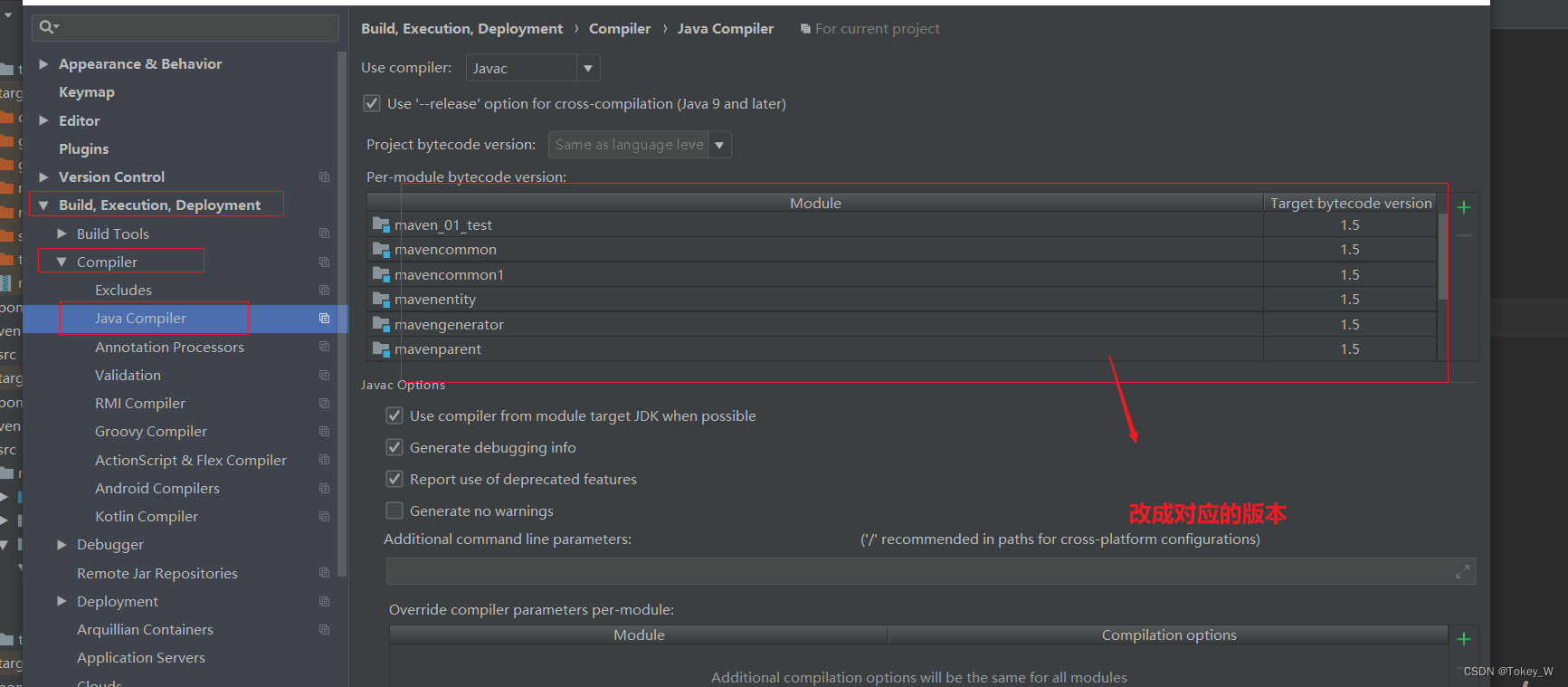
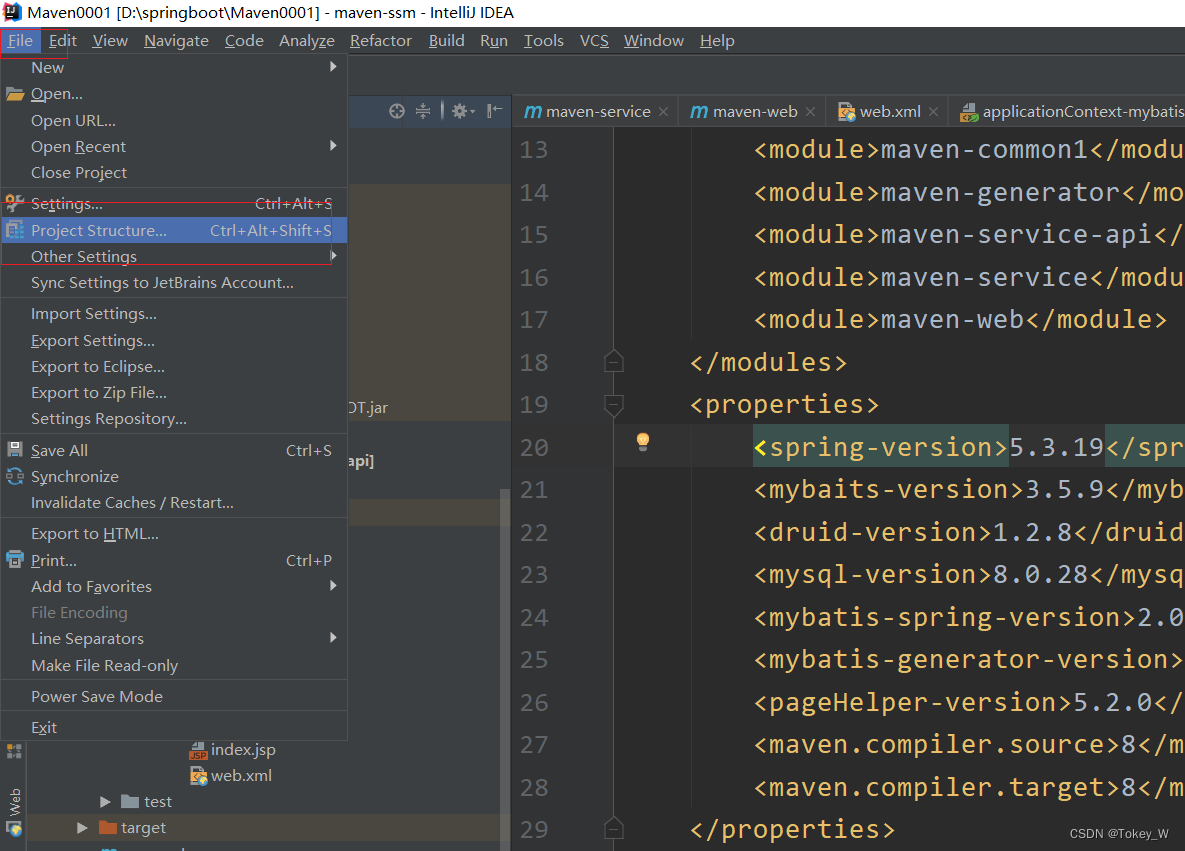
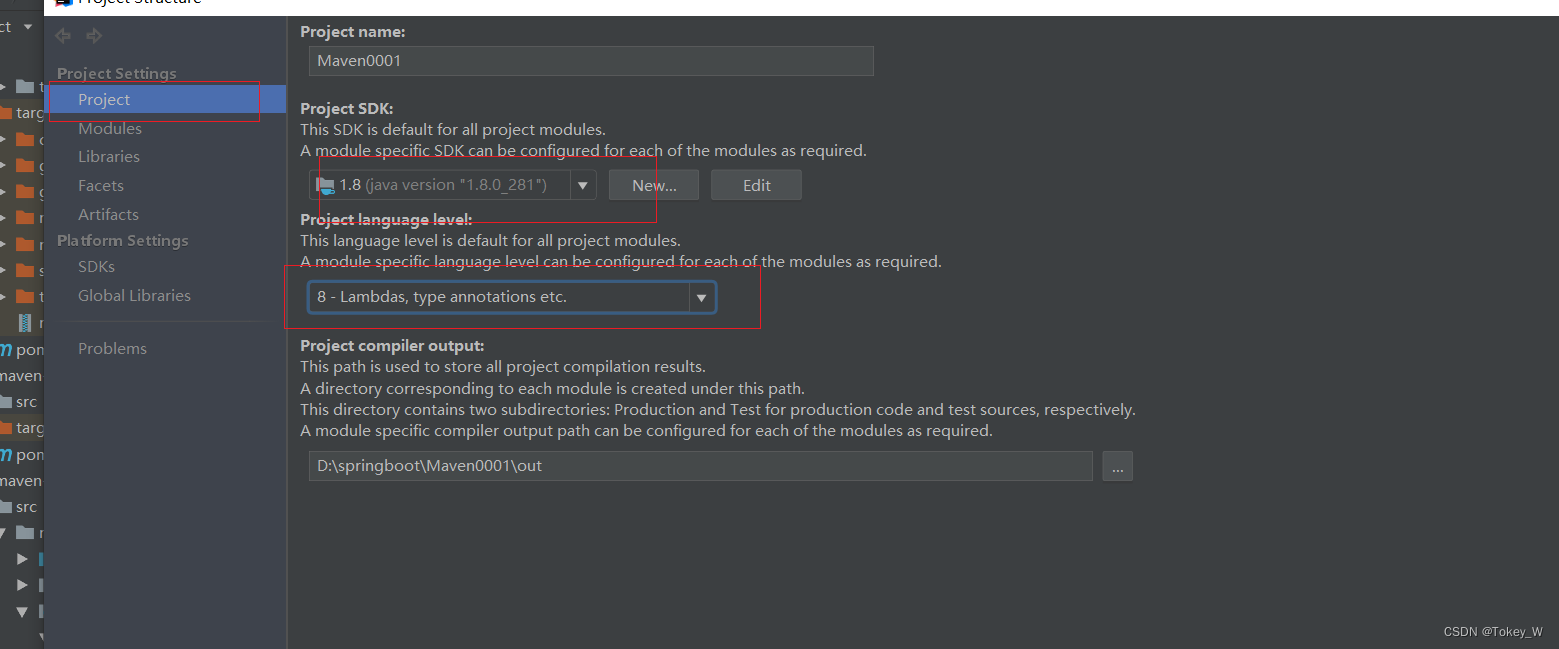
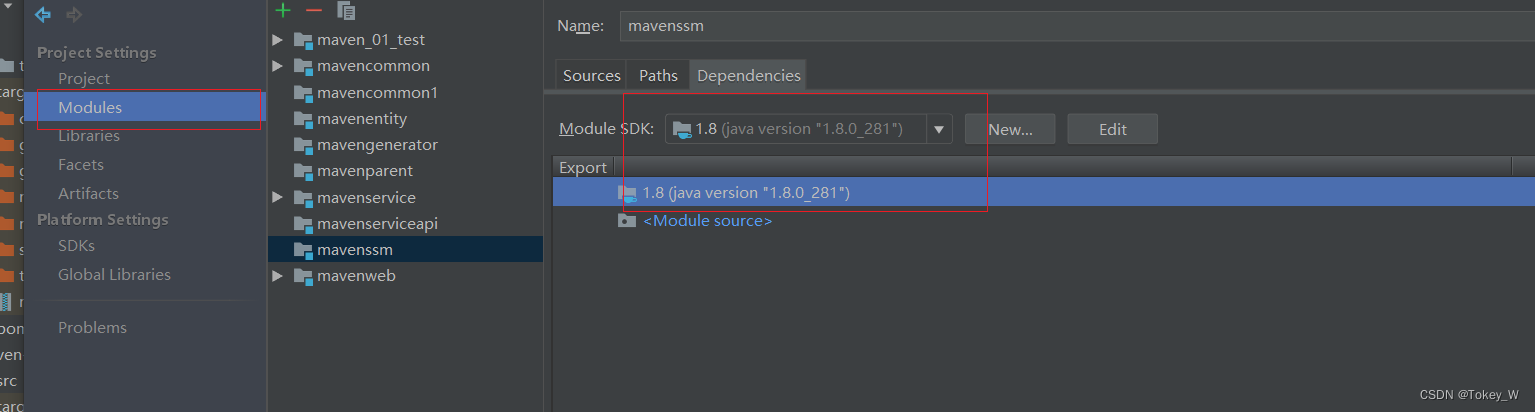
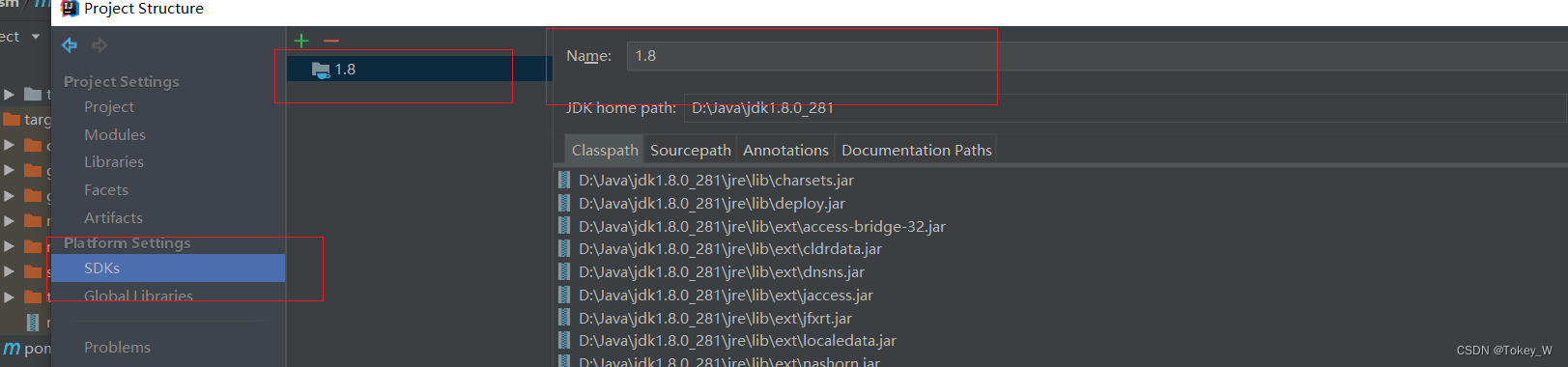
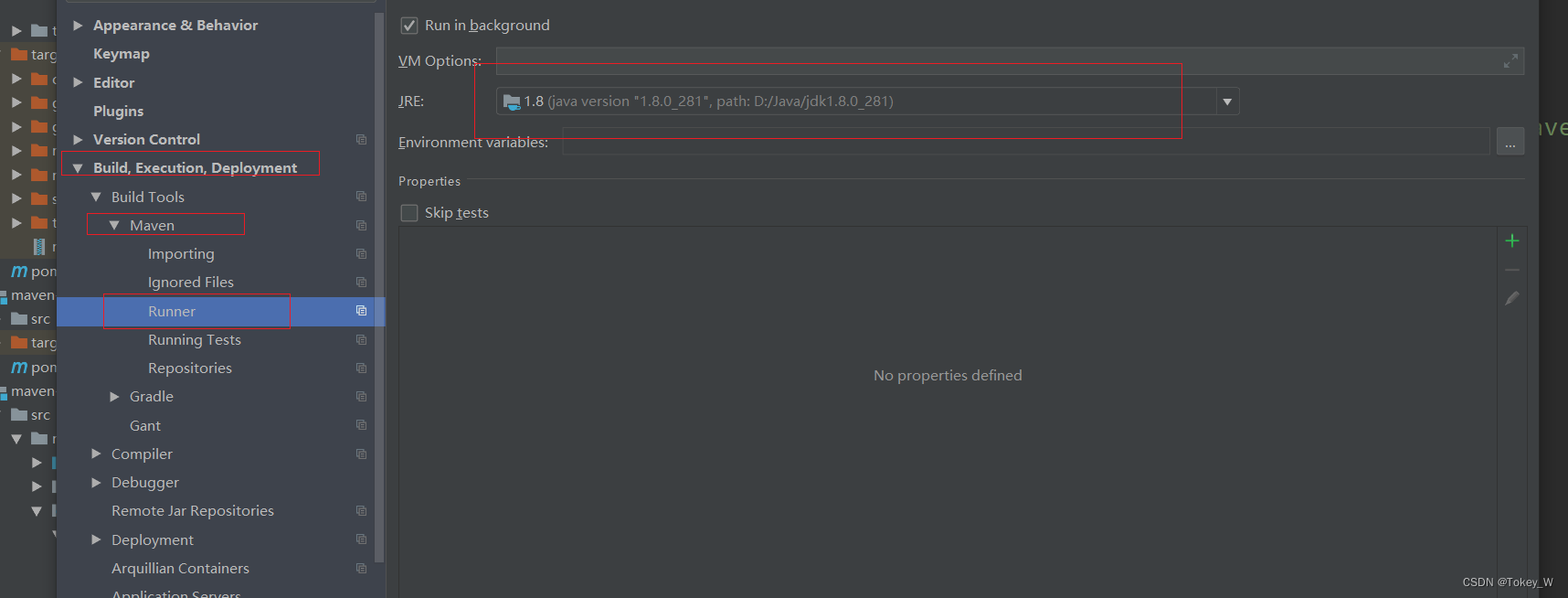
将版本都改成对应的就可以运行了,一般jdk出现1.5错误,无法install,只需要在模块的pom.xml中加入
8
8
然后修改各个版本对应即可
即可install
-
相关阅读:
简单实用的模糊照片修复方法,小白也能轻松上手
docker常见问题
how to find gcc openbug
KafkaConsumer 消费逻辑
ElasticSearch-全文检索快速入门
flask使用token机制
c# 反射专题—————— 介绍一下是什么是反射[ 一]
正则表达式
学习JAVA的第二天(基础)
Mygin之错误恢复Recover中间件
- 原文地址:https://blog.csdn.net/weixin_52574640/article/details/126027612