-
Docker 常用命令整理
1. 常用命令
命令 含义 attach Attach local standard input, output, and error streams to a running container build Build an image from a Dockerfile commit Create a new image from a container’s changes cp Copy files/folders between a container and the local filesystem create Create a new container diff Inspect changes to files or directories on a container’s filesystem events Get real time events from the server exec Run a command in a running container export Export a container’s filesystem as a tar archive history Show the history of an image images List images import Import the contents from a tarball to create a filesystem image info Display system-wide information inspect Return low-level information on Docker objects kill Kill one or more running containers load Load an image from a tar archive or STDIN login Log in to a Docker registry logout Log out from a Docker registry logs Fetch the logs of a container pause Pause all processes within one or more containers port List port mappings or a specific mapping for the container ps List containers pull Pull an image or a repository from a registry push Push an image or a repository to a registry rename Rename a container restart Restart one or more containers rm Remove one or more containers rmi Remove one or more images run Run a command in a new container save Save one or more images to a tar archive (streamed to STDOUT by default) search Search the Docker Hub for images start Start one or more stopped containers stats Display a live stream of container(s) resource usage statistics stop Stop one or more running containers tag Create a tag TARGET_IMAGE that refers to SOURCE_IMAGE top Display the running processes of a container unpause Unpause all processes within one or more containers update Update configuration of one or more containers version Show the Docker version information wait Block until one or more containers stop, then print their exit codes 2. 容器相关命令
2.1 docker attach
所有终端共用一个界面
一旦退出了容器就结束了2.2 docker cp
将容器内文件复制到本地
docker cp 066adb168f0c:/etc/nginx/nginx.conf ./- 1
将本地文件复制到容器中
docker cp nginx.conf 066adb168f0c:/etc/nginx/- 1
2.3 docker diff
查看容器和镜像之间的差异
docker diff 066adb168f0c- 1
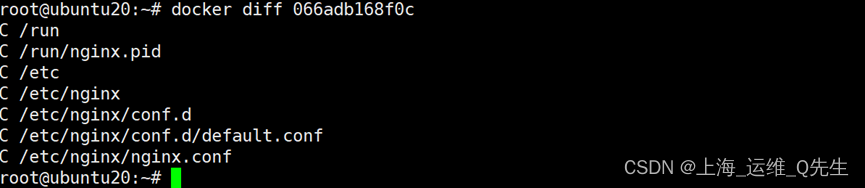
文件前字符 含义 A 添加的文件或目录 D 删除的文件或目录 C 修改的文件或目录 2.4 docker history
查看镜像的构建历史

2.5 docker inspect
查看容器或者容器的详细内容
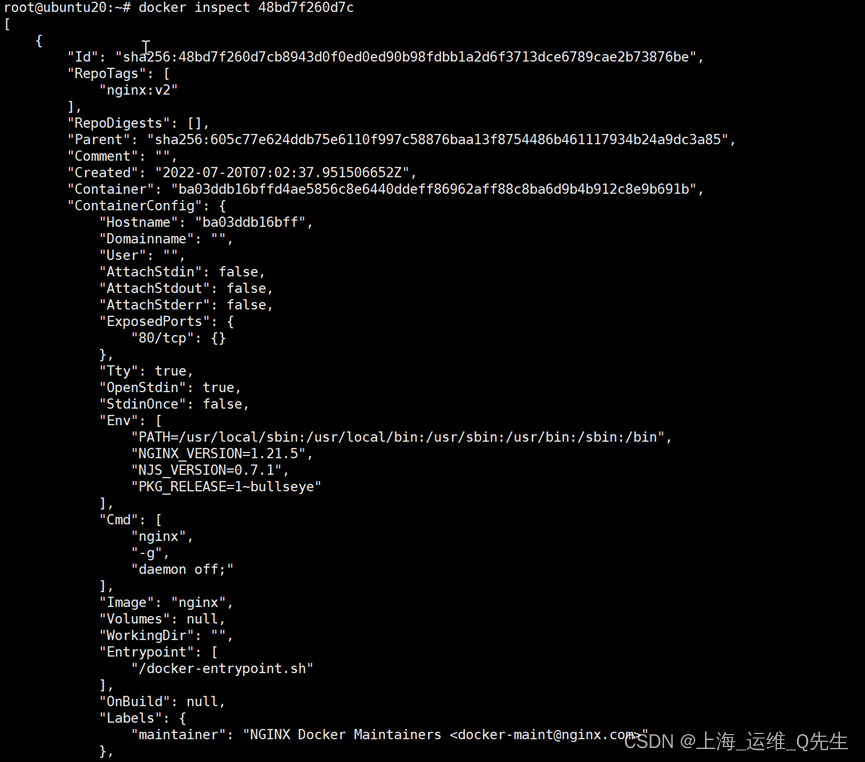
分层 含义 LowerDir 底层目录 MergedDir 合并目录 UpperDir 上传目录 WorkDir 工作目录 2.6 docker network
查看docker 网络信息

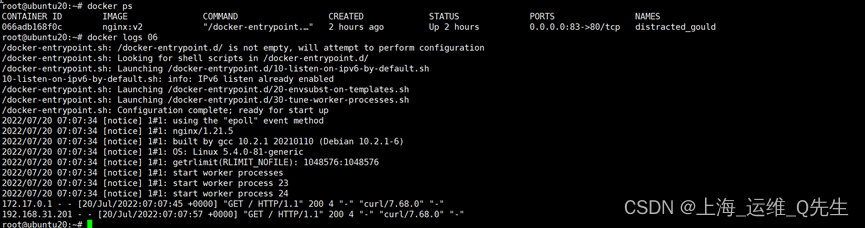
2.7 docker logs
查看日志
2.8 docker pause
暂停时容器无法被访问,恢复暂停后访问正常
2.8.1 暂停容器

2.8.2 恢复暂停
docker unpause 06- 1
2.9 docker ps
查看容器
2.9.1 查看运行中的容器
docker ps- 1
2.9.2 查看所有容器(包括未运行和停止的容器)
docker ps -a- 1
2.9.3 查看退出的容器id
docker ps -aq -f status=exited- 1
2.10 docker stats
查看所有容器CPU 内存使用百分比

2.11 docker top
查看容器进程情况

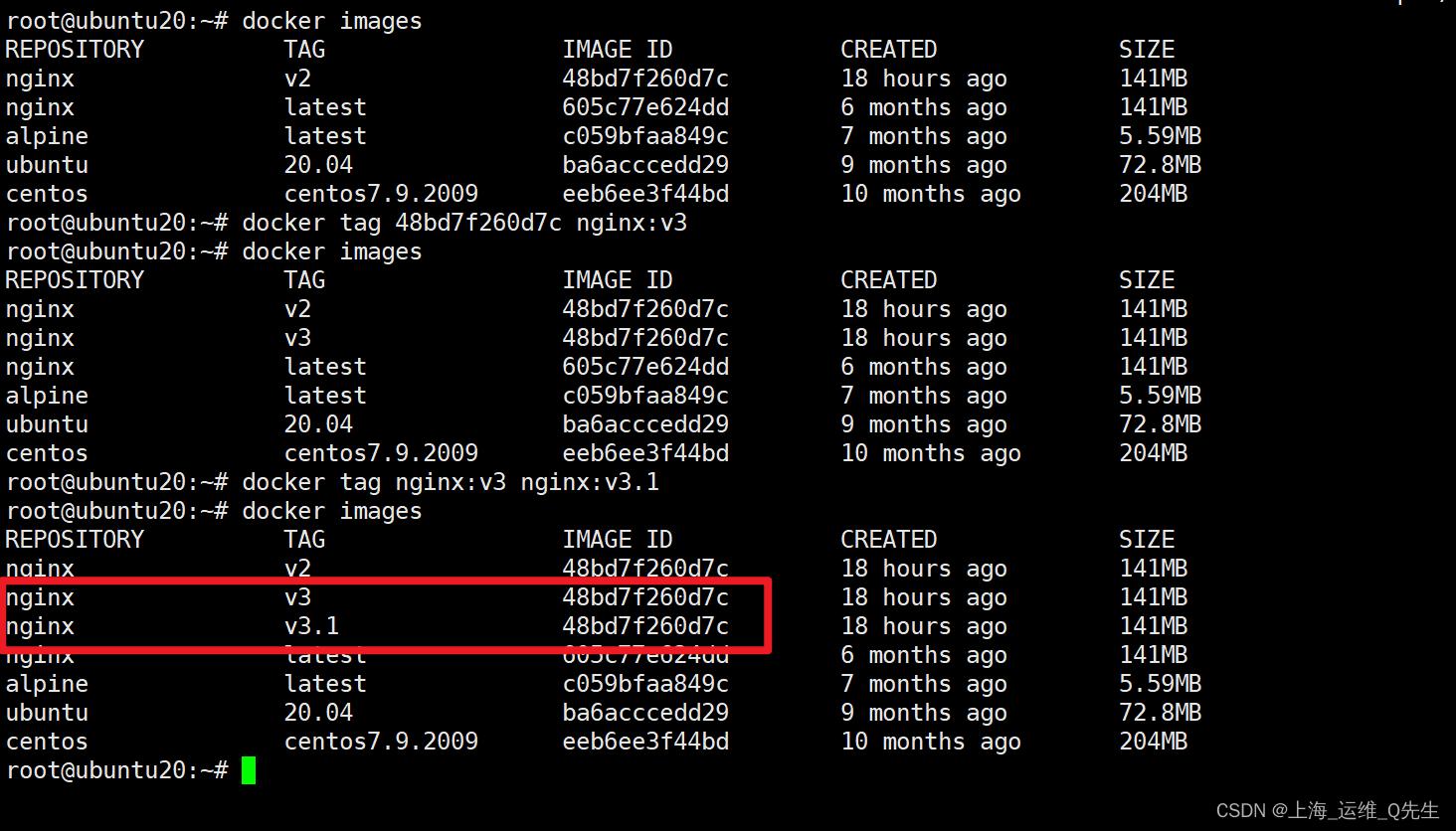
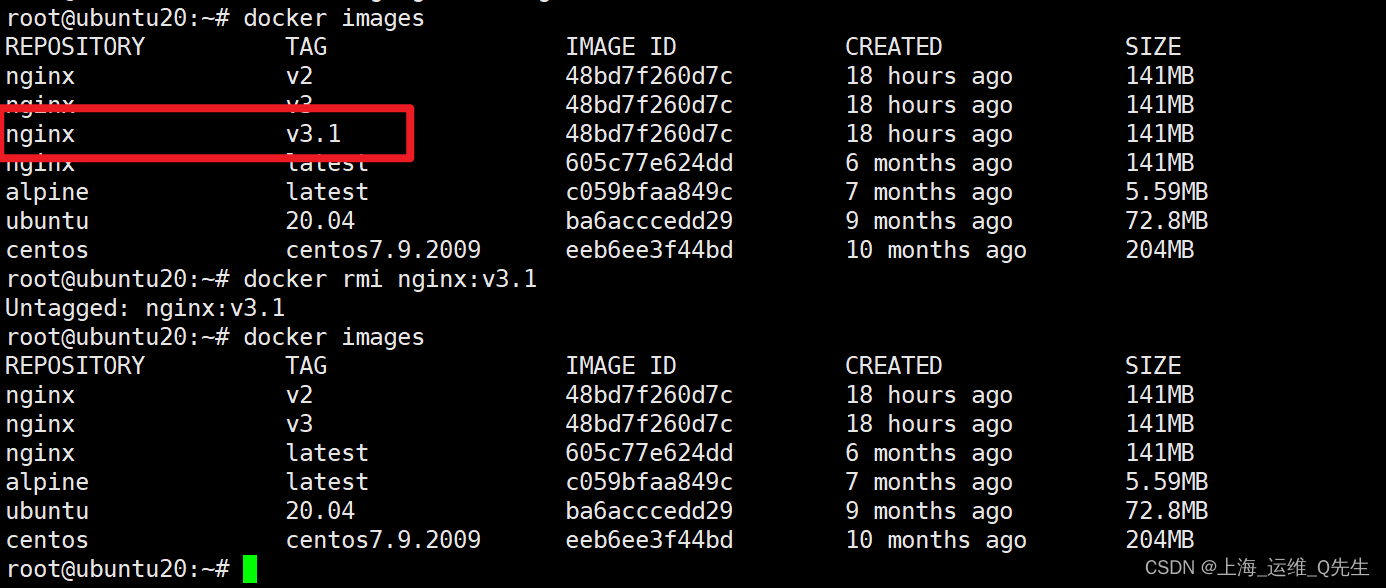
2.12 docker tag
镜像打标签
docker tag 48bd7f260d7c nginx:v3 docker tag nginx:v3 nginx:v3.1- 1
- 2
2.13 docker rm
删除这些已经退出的容器
docker rm -fv `docker ps -aq -f status=exited`- 1
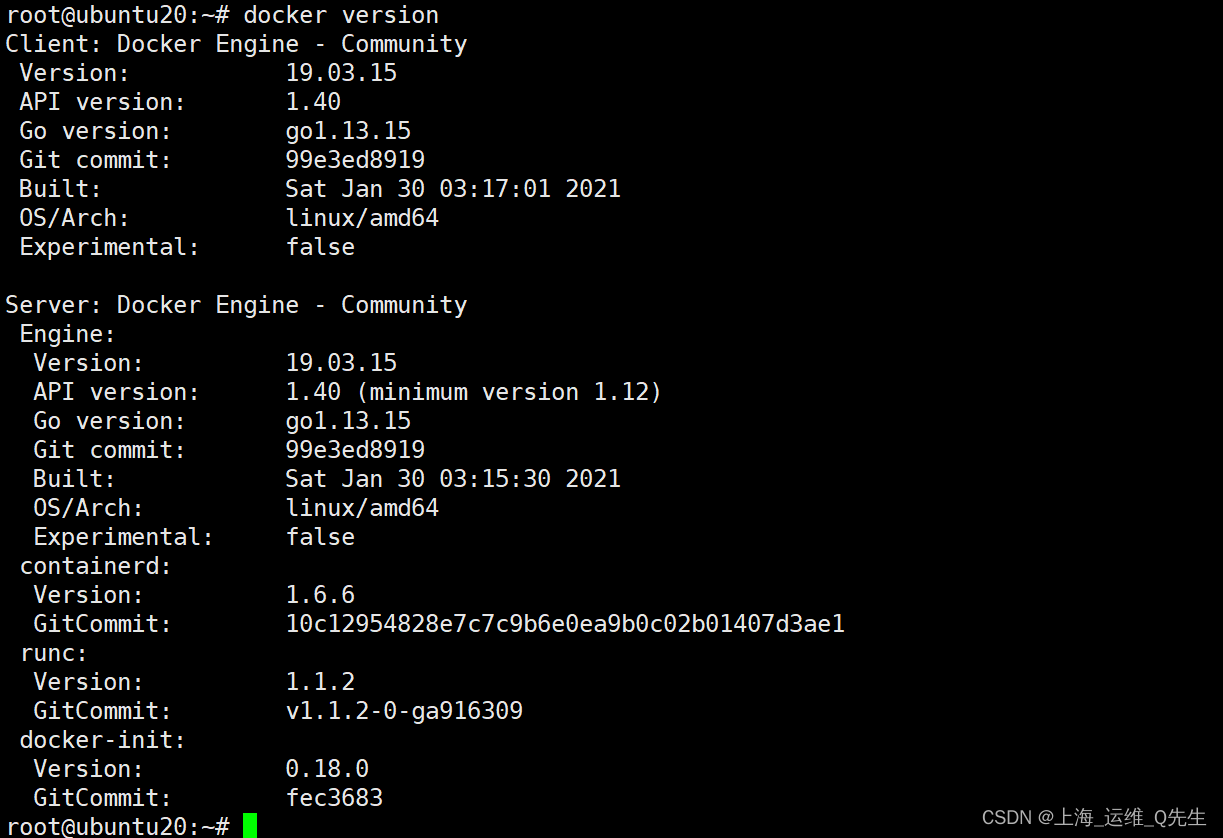
2.14 docker version
查看docker版本
2.15 docker info
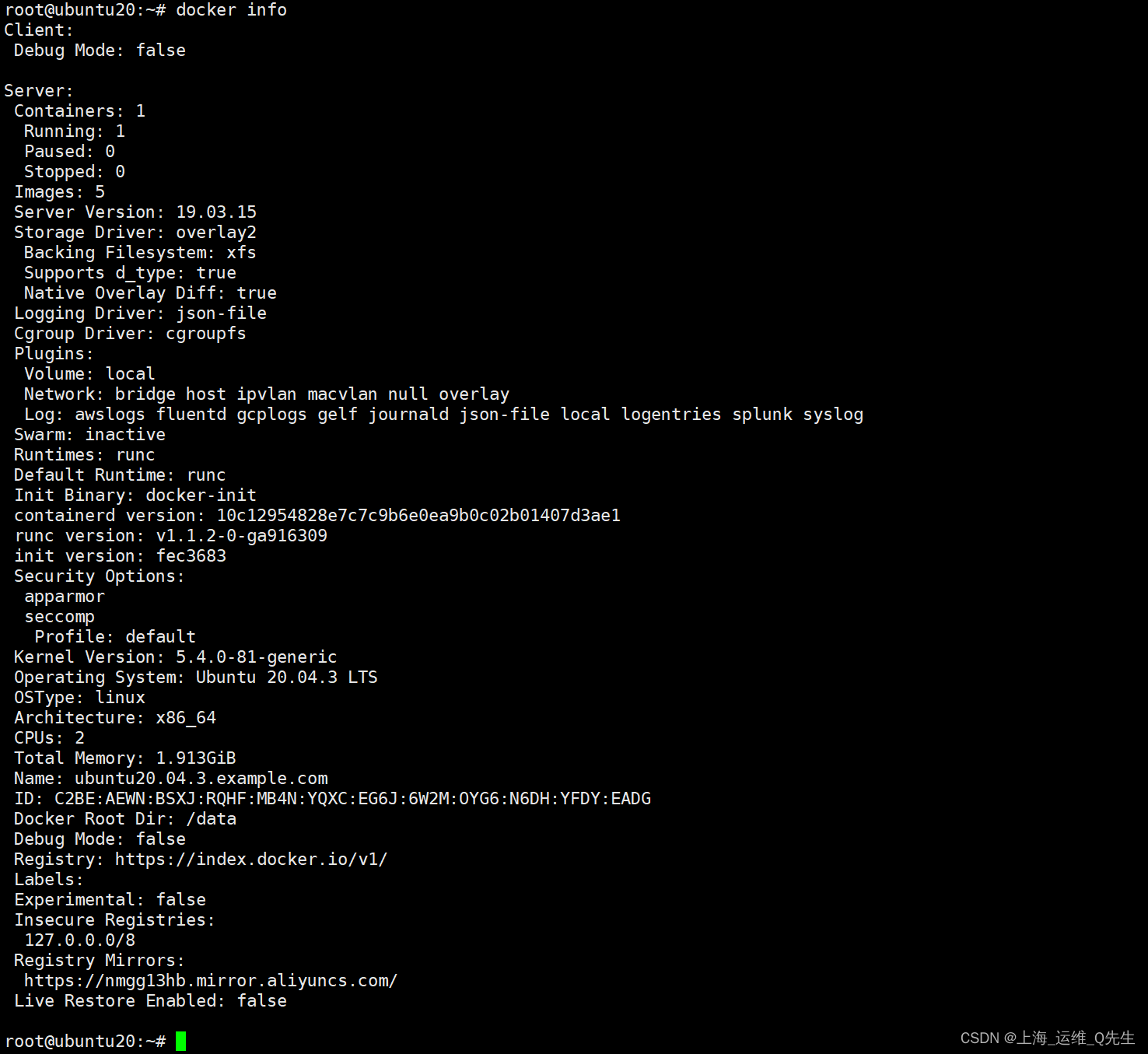
查看docker的基本信息
2.16 docker update
更新容器配置
docker update --cpus 1 066adb168f0c- 1

3. 镜像相关命令
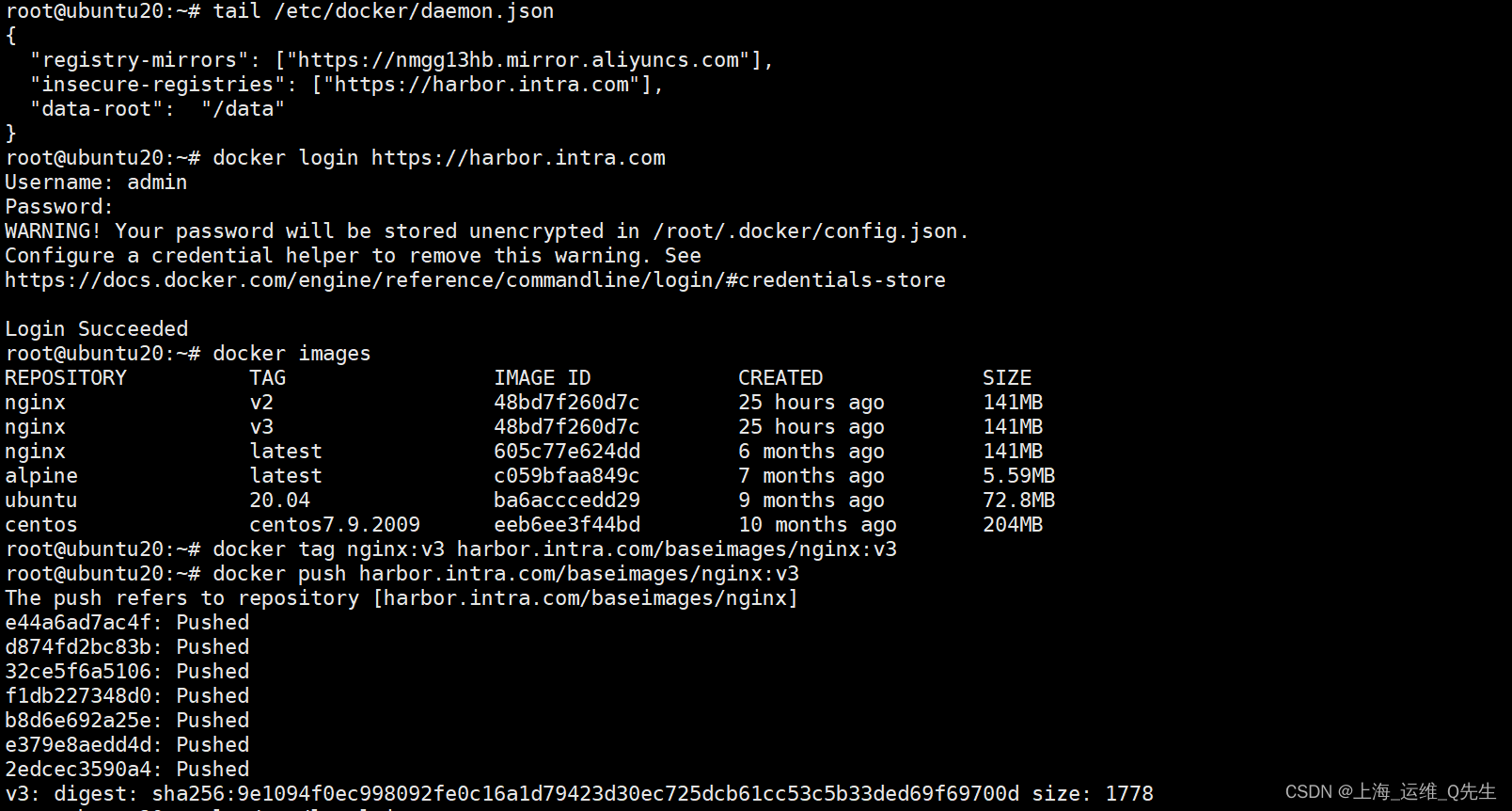
3.1 docker login
登录harbor仓库
docker login https://harbor.intra.com- 1
3.2 docker logout
退出登录
docker logout https://harbor.intra.com- 1
3.3 docker pull
拉取镜像
docker pull nginx- 1
3.4 docker push
上传镜像
docker tag nginx:v3 harbor.intra.com/baseimages/nginx:v3 docker push harbor.intra.com/baseimages/nginx:v3- 1
- 2
docker push nginx:v2 harbor:5000/nginx/nginx:v2- 1
3.5 docker rmi
删除镜像
docker rmi nginx:v3.1- 1
3.6 docker commit
将正在运行的docker保存为image
docker commit ba03ddb16bff nginx:v2- 1
3.7 docker save
将image保存为文件
docker save -o nginx.v2.tar.gz nginx:v2- 1
3.8 docker load
将文件导入为镜像
docker load -i nginx.v2.tar.gz- 1
-
相关阅读:
【Python】一行代码打印八皇后问题所有解
LAMP框架的架构与环境配置
[附源码]计算机毕业设计JAVA超市订单管理系统
CH559L单片机ADC多通道采样数据串口打印案例
java计算机毕业设计广西科技大学第一附属医院陪护椅管理源码+mysql数据库+系统+lw文档+部署
【ubuntu中的docker记录】—— 使用docker的常用的指令记录,持续更新中
Nacos
创业者对融资有哪些要求
操作系统:进程与线程大解析
爬虫,用scrapy的xpath来解析链家
- 原文地址:https://blog.csdn.net/qq_29974229/article/details/125904777