-
2. IDEA配置antlr4(on mac)
1. 为mac配置antlr4环境
-
本人的JDK版本为1.8,需要生成的为了避免出现出现如下问题,自己选择的是
antlr-4.8-complete.jar,而非最新的antlr-4.10.1-complete.jarExecute has been compiled by a more recent version of the Java Runtime (class file version 55.0), this version of the Java Runtime only recognizes class file versions up to 52.0- 1
- 2
-
antlr4历史版本下载地址:website-antlr4/download/
-
将下载好的
antlr-4.8-complete.jar放到指定目录,自己是/Users/xxx/antlr目录 -
由于没有root权限,只能修改当前用户的
~/.bash_profile文件,添加如下内容:# config antlr4 export CLASSPATH=".:/Users/xxx/antlr/antlr-4.8-complete.jar:$CLASSPATH" alias antlr4='java -jar /Users/xxx/antlr/antlr-4.8-complete.jar' alias grun='java org.antlr.v4.gui.TestRig'- 1
- 2
- 3
- 4
- 5
- 6
-
使用
source ~/.bash_profile使其生效 -
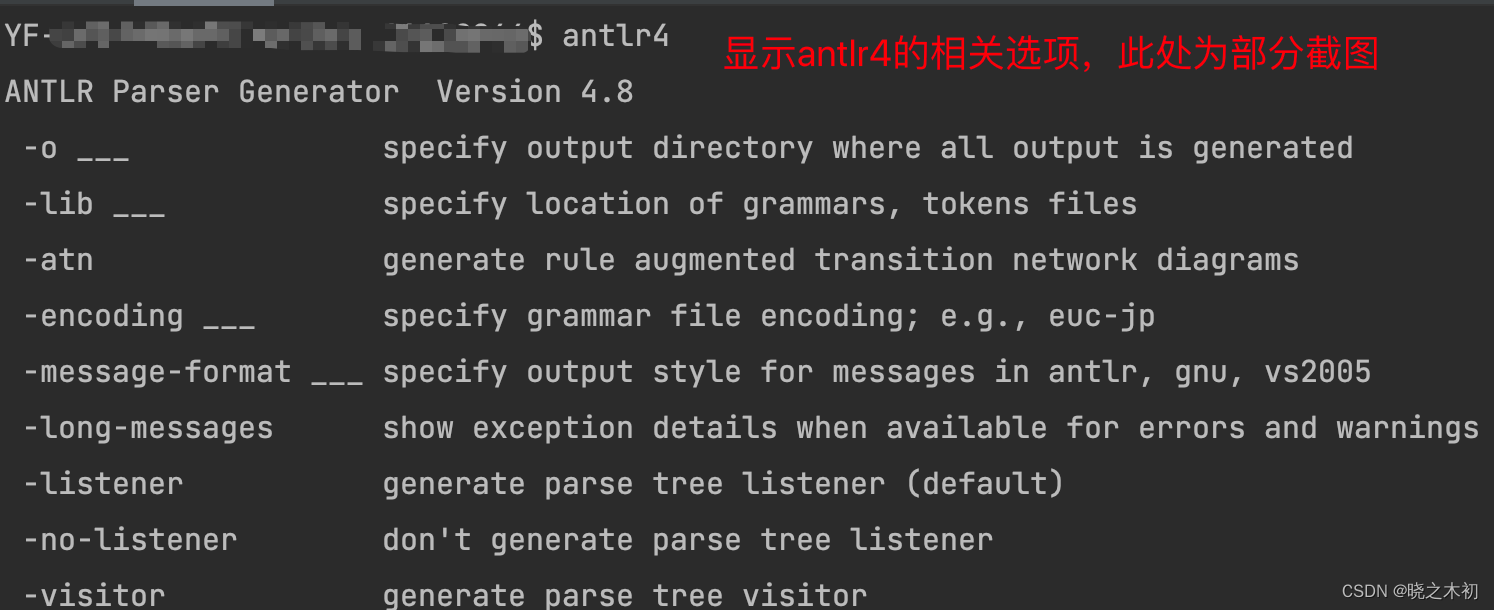
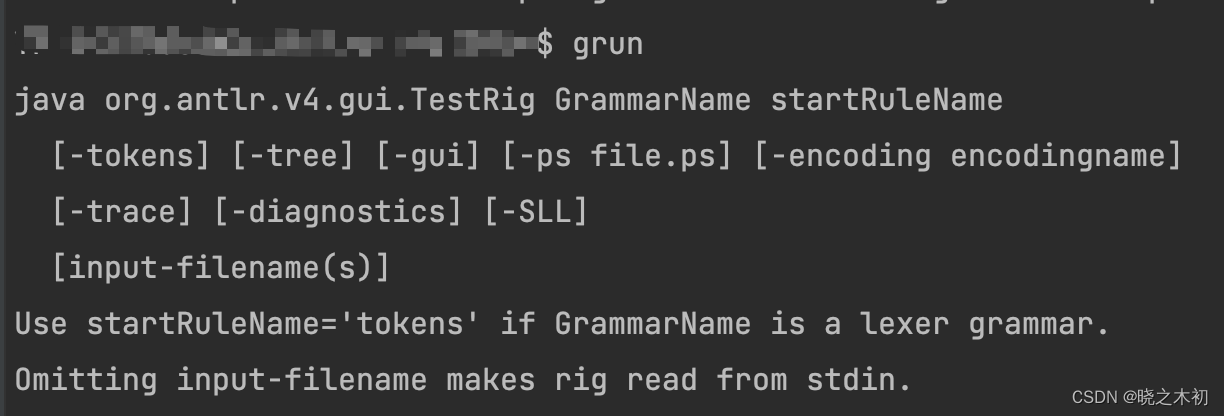
执行
antlr4和grun命令,验证配置是否生效
2. IDEA安装antlr4插件
- 在IDEA中选择
Preferences ...→ \rightarrow →Plugins→ \rightarrow →Marketplace中,输入antlr4,安装出现的ANTLR v4插件
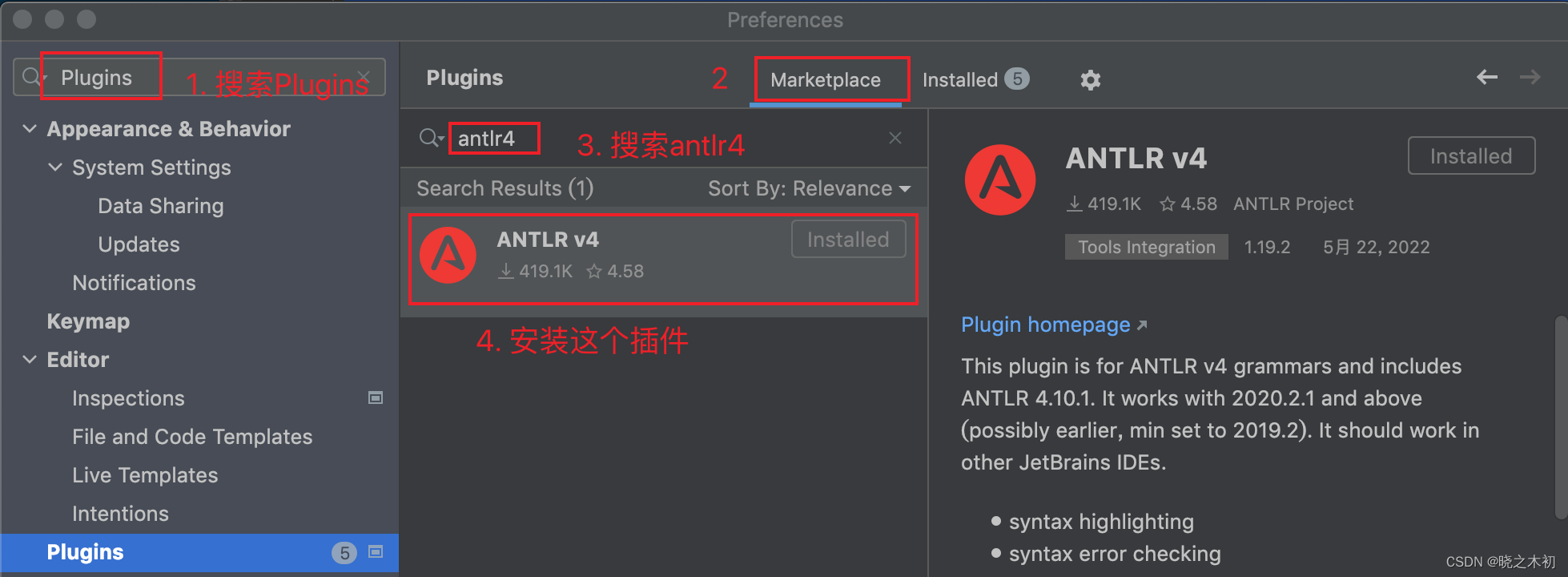
- 安装完成后,按照提示重启IDEA
3.
ANTLR Preview的使用-
新建maven项目,在resources中,创建
Hello.g4文件,内容如下:grammar Hello; r: 'hello' NAME; NAME: [a-zA-Z]+; WS: [ \t\r\n]+ -> skip;- 1
- 2
- 3
- 4
- 5
-
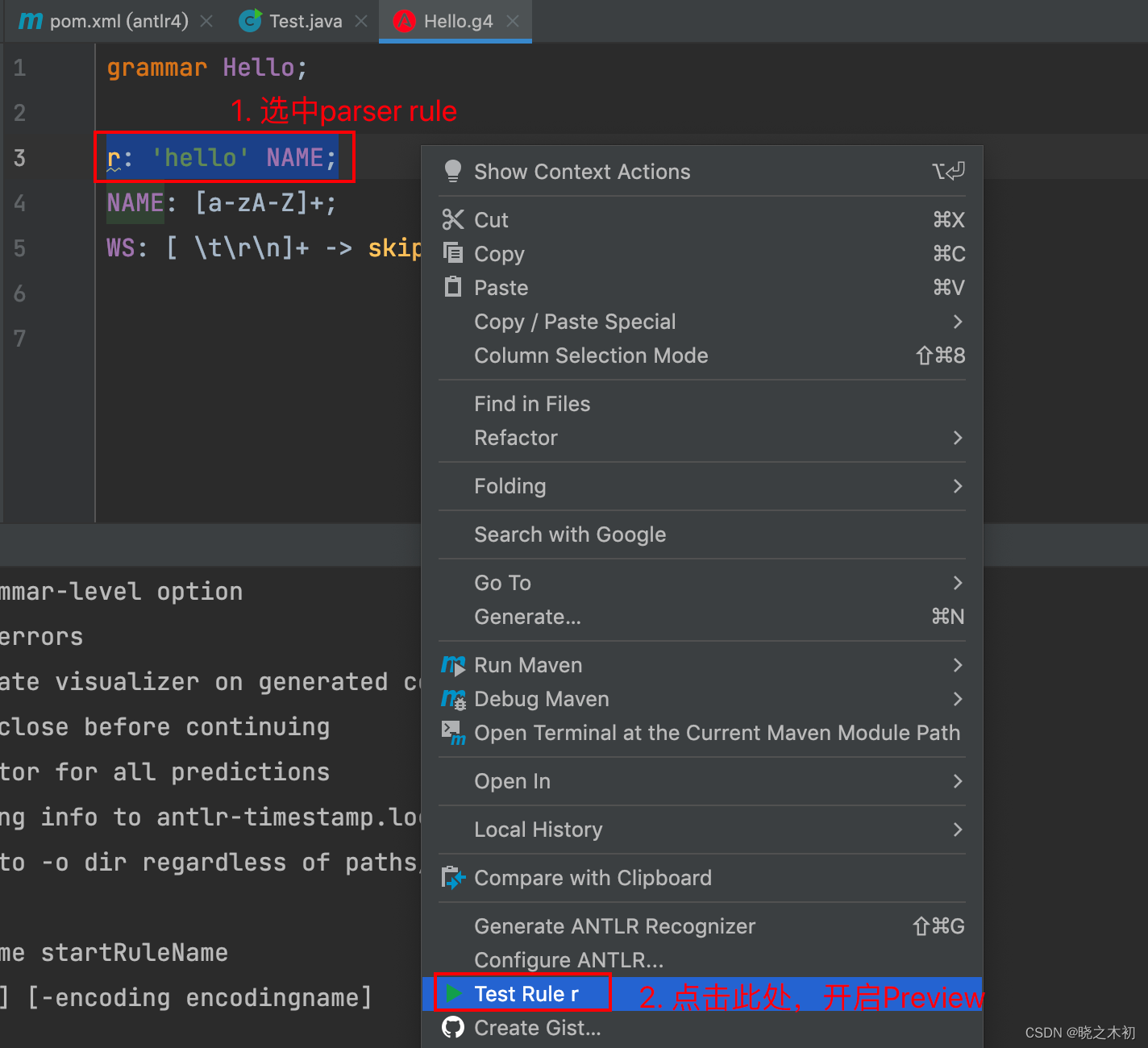
这时,可以选中
r这条parser rule,开启ANTLR Preview已验证规则的正确性
-
本人做了如下验证,从parse tree来看,该rule书写正确

4. 生成Java代码
4.1 通过plugin生成Java代码
-
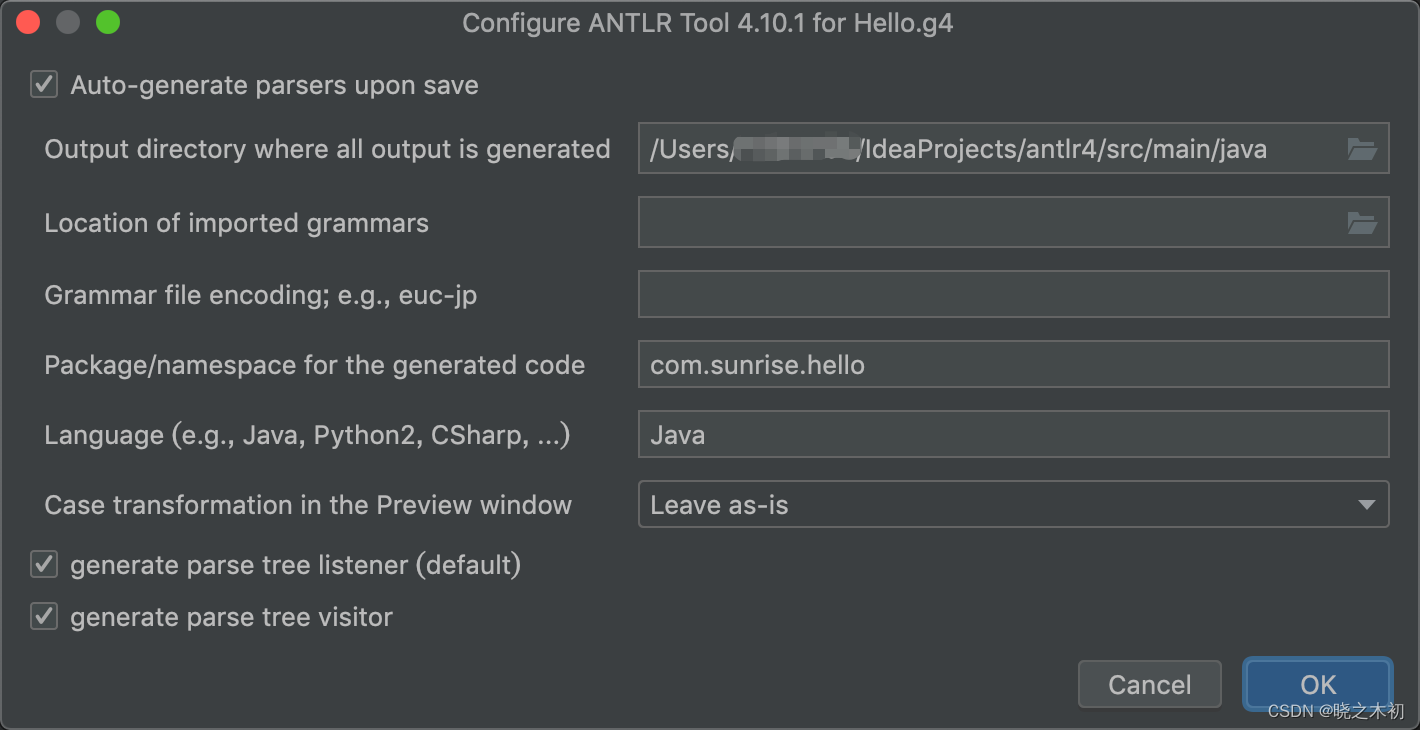
选中
Hello.g4文件,右键 → \rightarrow →Configure ANTLR ...,进行相关配置
-
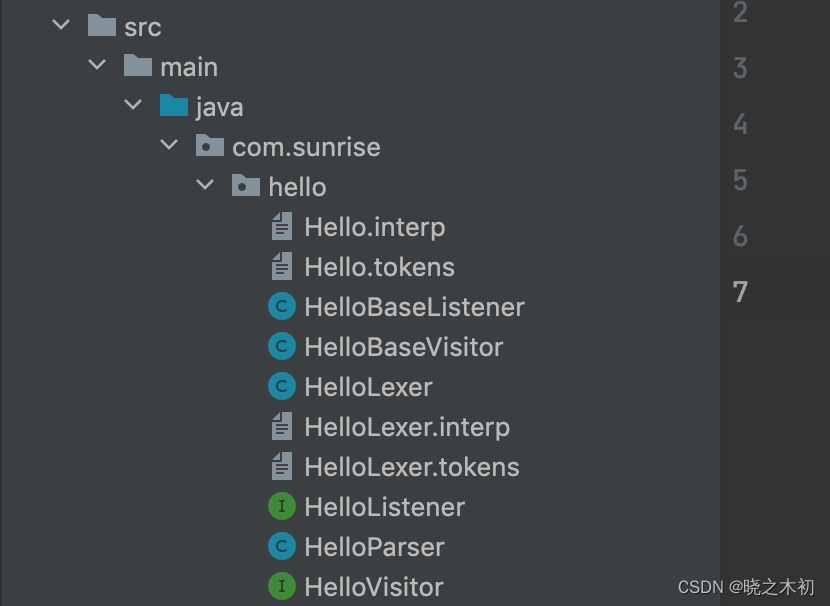
完成配置后,再次选中
Hello.g4文件,右键 → \rightarrow →Generate ANTLR Recognizer,会在指定目录生成指定包名的Java代码
-
随便打开一个antlr4生成的Java文件,发现import处报错
-
缺少相关的依赖
antlr4-runtime,在pom文件中加上即可<dependency> <groupId>org.antlrgroupId> <artifactId>antlr4-runtimeartifactId> <version>4.7.2version> dependency>- 1
- 2
- 3
- 4
- 5
4.2 使用antlr4-maven-plugin
-
除了使用IDEA的插件,还可以使用maven插件
antlr4-maven-plugin -
配置如下:
<plugin> <groupId>org.antlrgroupId> <artifactId>antlr4-maven-pluginartifactId> <version>4.8version> <executions> <execution> <id>antlrid> <goals> <goal>antlr4goal> goals> <phase>generate-sourcesphase> execution> executions> <configuration> <sourceDirectory>${basedir}/src/main/resourcessourceDirectory> <outputDirectory>${basedir}/src/main/javaoutputDirectory> <listener>truelistener> <visitor>truevisitor> <treatWarningsAsErrors>truetreatWarningsAsErrors> configuration> plugin>- 1
- 2
- 3
- 4
- 5
- 6
- 7
- 8
- 9
- 10
- 11
- 12
- 13
- 14
- 15
- 16
- 17
- 18
- 19
- 20
- 21
- 22
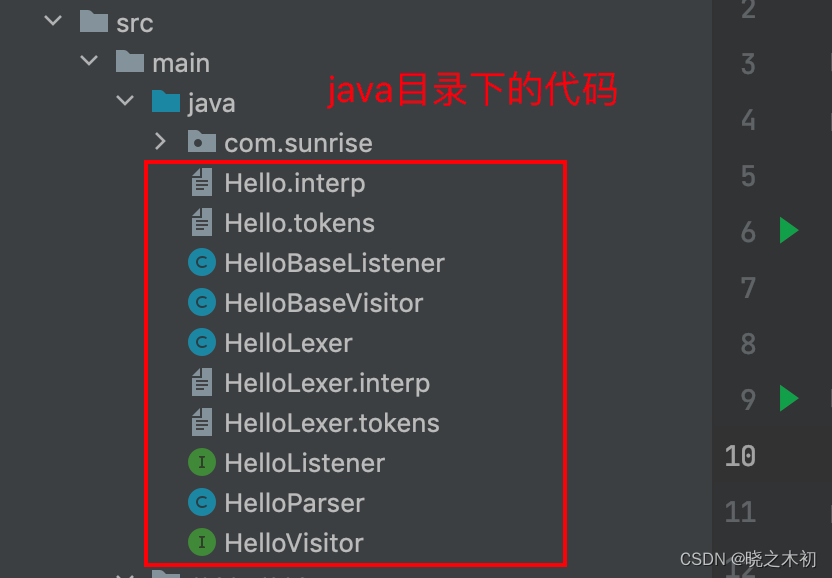
-
最终在指定目录生成对应的Java文件
-
如果想生成指定package文件,改动如下:
- 在
Hello.g4中,添加通过@header指定package@header{ package com.sunrise.hello; }- 1
- 2
- 3
- 修改
antlr4-maven-plugin的配置,将outputDirectory改为包路径<outputDirectory>${basedir}/src/main/java/com/sunrise/hellooutputDirectory>- 1
- 在
4.3 通过antlr4命令生成Java代码
-
之前配置了antlr4命令,可以通过antlr4命令生成Java代码
antlr4 Hello.g4 -package com.sunrise.hello -visitor -o ../java/com/sunrise/hello -Dlanguage=Java- 1
-
-package,指定包名;-visitor,表示生成visitor代码,默认是不生成的;-o,指定Java代码的输出目录;-Dlanguage,指定代码语言,具体有哪些option可以查看官网
5. 后记
5.1 参考文档
antlr4-maven-plugin的完美配置:Antlr4简明使用教程- IDEA的antlr4插件:1.ANTLR4 helloworld基础开发与IDEA插件使用
- ANTLR Preview的使用: Idea 安装 antlr 插件后 ANTLR Preview 怎么用的
5.2 后续计划
- 通过antlr4,实现一个简单的计算器
-
-
相关阅读:
Hbase架构与存储组件结构与功能
web前端期末大作业网页设计与制作 ——汉口我的家乡旅游景点 5页HTML+CSS+JavaScript
【T+】删除/取消畅捷通T+软件登录账套后的“查看认证”按钮
asp access国际夏令营动态主题网页制作
我为何从测试转测试开发,并坚持了10年?
FFplay文档解读-35-视频过滤器十
Qt ListItem添加右键菜单
陇剑杯线上——机密内存取证
如何在CentOS 7中卸载Python 2.7,并安装3.X
2022年珠海市第三届半导体行业集成电路测试工竞赛成功举办
- 原文地址:https://blog.csdn.net/u014454538/article/details/125879636
