-
06-预约管理-套餐管理的增删改查和定时任务删除图片
1.准备工作
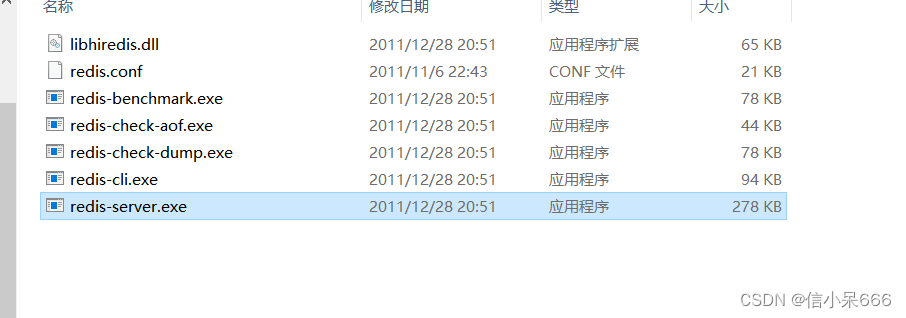
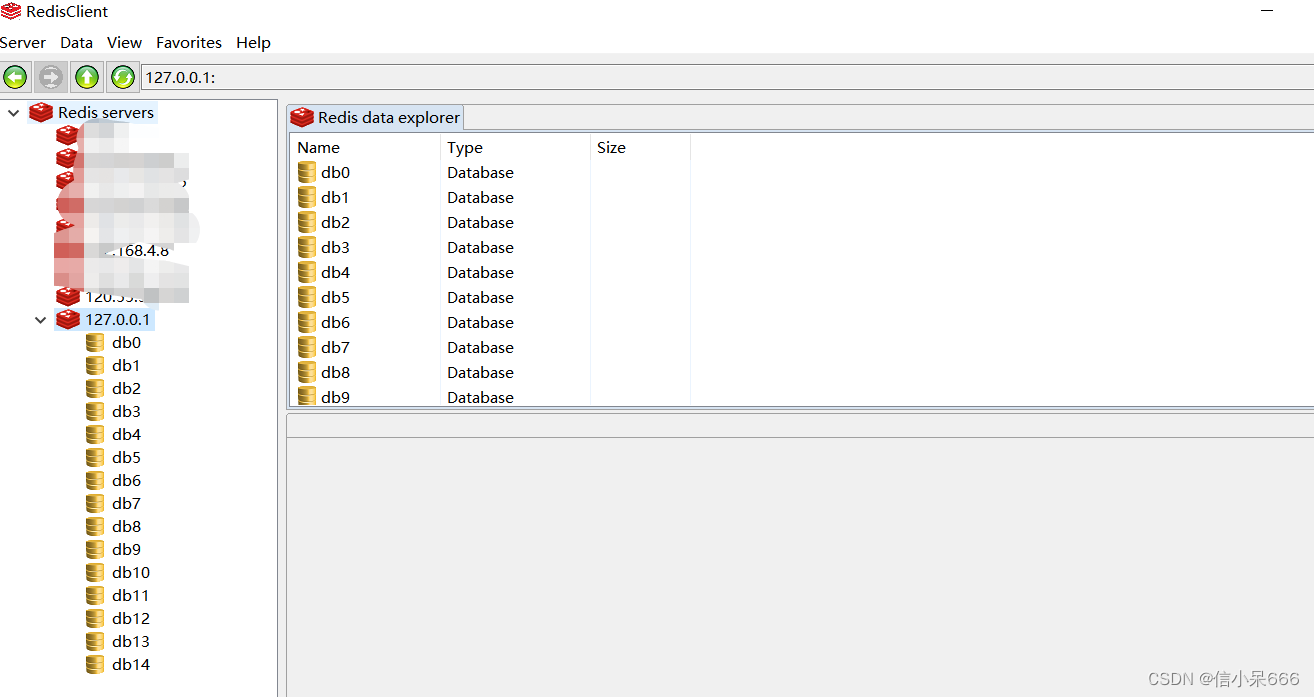
因为我们要用到redis ,就先下载个redis的windows版本
redis
前端代码直接复制即可DOCTYPE html> <html> <head> <meta charset="utf-8"> <meta http-equiv="X-UA-Compatible" content="IE=edge"> <title>传智健康title> <meta name="description" content="传智健康"> <meta name="keywords" content="传智健康"> <meta content="width=device-width,initial-scale=1,maximum-scale=1,user-scalable=no" name="viewport"> <link rel="stylesheet" href="../plugins/elementui/index.css"> <link rel="stylesheet" href="../plugins/font-awesome/css/font-awesome.min.css"> <link rel="stylesheet" href="../css/style.css"> <script type="text/javascript" src="../js/jquery.min.js">script> <script src="../js/vue.js">script> <script src="../plugins/elementui/index.js">script> <script src="../js/axios-0.18.0.js">script> <style> .avatar-uploader .el-upload { border: 1px dashed #d9d9d9; border-radius: 6px; cursor: pointer; position: relative; overflow: hidden; } .avatar-uploader .el-upload:hover { border-color: #409EFF; } .avatar-uploader-icon { font-size: 28px; color: #8c939d; width: 178px; height: 178px; line-height: 178px; text-align: center; } .avatar { width: 178px; height: 178px; display: block; } .datatable { position: relative; box-sizing: border-box; -webkit-box-flex: 1; width: 100%; max-width: 100%; font-size: 14px; color: rgb(96, 98, 102); overflow: hidden; flex: 1 1 0%; } .datatable td, .datatable th { padding: 12px 0; min-width: 0; -webkit-box-sizing: border-box; box-sizing: border-box; text-overflow: ellipsis; vertical-align: middle; position: relative; text-align: left; } style> head> <body class="hold-transition"> <div id="app"> <div class="content-header"> <h1>预约管理<small>套餐管理small>h1> <el-breadcrumb separator-class="el-icon-arrow-right" class="breadcrumb"> <el-breadcrumb-item :to="{ path: '/' }">首页el-breadcrumb-item> <el-breadcrumb-item>预约管理el-breadcrumb-item> <el-breadcrumb-item>套餐管理el-breadcrumb-item> el-breadcrumb> div> <div class="app-container"> <div class="box"> <div class="filter-container"> <el-input placeholder="编码/名称/助记码" v-model="pagination.queryString" style="width: 200px;" class="filter-item" @keyup.enter.native="handleFilter">el-input> <el-button @click="findPage()" class="dalfBut">查询el-button> <el-button type="primary" class="butT" @click="handleCreate()">新建el-button> div> <el-table size="small" current-row-key="id" :data="dataList" stripe highlight-current-row> <el-table-column type="index" align="center" label="序号">el-table-column> <el-table-column prop="code" label="套餐编码" align="center">el-table-column> <el-table-column prop="name" label="套餐名称" align="center">el-table-column> <el-table-column label="适用性别" align="center"> <template slot-scope="scope"> <span>{{ scope.row.sex == '0' ? '不限' : scope.row.sex == '1' ? '男' : '女'}}span> template> el-table-column> <el-table-column prop="age" label="适用年龄" align="center">el-table-column> <el-table-column prop="helpCode" label="助记码" align="center">el-table-column> <el-table-column prop="remark" label="说明" align="center">el-table-column> <el-table-column label="操作" align="center"> <template slot-scope="scope"> <el-button type="primary" size="mini">编辑el-button> <el-button size="mini" type="danger">删除el-button> template> el-table-column> el-table> <div class="pagination-container"> <el-pagination class="pagiantion" @current-change="handleCurrentChange" :current-page="pagination.currentPage" :page-size="pagination.pageSize" layout="total, prev, pager, next, jumper" :total="pagination.total"> el-pagination> div> <div class="add-form"> <el-dialog title="新增套餐" :visible.sync="dialogFormVisible"> <template> <el-tabs v-model="activeName" type="card"> <el-tab-pane label="基本信息" name="first"> <el-form label-position="right" label-width="100px"> <el-row> <el-col :span="12"> <el-form-item label="编码"> <el-input v-model="formData.code"/> el-form-item> el-col> <el-col :span="12"> <el-form-item label="名称"> <el-input v-model="formData.name"/> el-form-item> el-col> el-row> <el-row> <el-col :span="12"> <el-form-item label="适用性别"> <el-select v-model="formData.sex"> <el-option label="不限" value="0">el-option> <el-option label="男" value="1">el-option> <el-option label="女" value="2">el-option> el-select> el-form-item> el-col> <el-col :span="12"> <el-form-item label="助记码"> <el-input v-model="formData.helpCode"/> el-form-item> el-col> el-row> <el-row> <el-col :span="12"> <el-form-item label="套餐价格"> <el-input v-model="formData.price"/> el-form-item> el-col> <el-col :span="12"> <el-form-item label="适用年龄"> <el-input v-model="formData.age"/> el-form-item> el-col> el-row> <el-row> <el-col :span="24"> <el-form-item label="上传图片"> <el-upload class="avatar-uploader" action="/setmeal/upload.do" :auto-upload="autoUpload" name="imgFile" :show-file-list="false" :on-success="handleAvatarSuccess" :before-upload="beforeAvatarUpload"> <img v-if="imageUrl" :src="imageUrl" class="avatar"> <i v-else class="el-icon-plus avatar-uploader-icon">i> el-upload> el-form-item> el-col> el-row> <el-row> <el-col :span="24"> <el-form-item label="说明"> <el-input v-model="formData.remark" type="textarea">el-input> el-form-item> el-col> el-row> <el-row> <el-col :span="24"> <el-form-item label="注意事项"> <el-input v-model="formData.attention" type="textarea">el-input> el-form-item> el-col> el-row> el-form> el-tab-pane> <el-tab-pane label="检查组信息" name="second"> <div class="checkScrol"> <table class="datatable"> <thead> <tr> <th>选择th> <th>项目编码th> <th>项目名称th> <th>项目说明th> tr> thead> <tbody> <tr v-for="c in tableData"> <td> <input :id="c.id" v-model="checkgroupIds" type="checkbox" :value="c.id"> td> <td><label :for="c.id">{{c.code}}label>td> <td><label :for="c.id">{{c.name}}label>td> <td><label :for="c.id">{{c.remark}}label>td> tr> tbody> table> div> el-tab-pane> el-tabs> template> <div slot="footer" class="dialog-footer"> <el-button @click="dialogFormVisible = false">取消el-button> <el-button type="primary" @click="handleAdd()">确定el-button> div> el-dialog> div> div> div> div> body> <script> var vue = new Vue({ el: '#app', data:{ autoUpload:true,//自动上传 imageUrl:null,//模型数据,用于上传图片完成后图片预览 activeName:'first',//添加/编辑窗口Tab标签名称 pagination: {//分页相关属性 currentPage: 1, pageSize:10, total:100, queryString:null, }, dataList: [],//列表数据 formData: {},//表单数据 tableData:[],//添加表单窗口中检查组列表数据 checkgroupIds:[],//添加表单窗口中检查组复选框对应id dialogFormVisible: false//控制添加窗口显示/隐藏 }, created() { this.findPage(); }, methods: { //文件上传成功后的钩子,response为服务端返回的值,file为当前上传的文件封装成的js对象 handleAvatarSuccess(response, file) { //为模型数据imageUrl赋值,用于页面图片预览 this.imageUrl = 'http://psyrcmf27.bkt.clouddn.com/' + response.data; this.$message({ type:response.flag ? 'success':'error', message:response.message }); //设置模型数据(图片名称),后续提交ajax请求时会提交到后台最终保存到数据库 this.formData.img = response.data; }, //上传图片之前执行 beforeAvatarUpload(file) { const isJPG = file.type === 'image/jpeg'; const isLt2M = file.size / 1024 / 1024 < 2; if (!isJPG) { this.$message.error('上传套餐图片只能是 JPG 格式!'); } if (!isLt2M) { this.$message.error('上传套餐图片大小不能超过 2MB!'); } return isJPG && isLt2M; }, //添加 handleAdd () { //发送ajax请求,将表单数据(套餐基本信息、检查组ID)提交到后台进行处理 axios.post("/setmeal/add.do?checkgroupIds=" + this.checkgroupIds,this.formData).then((res) => { //关闭新增窗口 this.dialogFormVisible = false; if(res.data.flag){ //执行成功 this.$message({ type:'success', message:res.data.message }); }else{ //执行失败 this.$message.error(res.data.message); } }).finally(() => { this.findPage(); }); }, //分页查询 findPage() { //分页参数 var param = { currentPage:this.pagination.currentPage,//页码 pageSize:this.pagination.pageSize,//每页显示的记录数 queryString:this.pagination.queryString//查询条件 }; //请求后台 axios.post("/setmeal/findPage.do",param).then((response)=> { //为模型数据赋值,基于VUE的双向绑定展示到页面 this.dataList = response.data.rows; this.pagination.total = response.data.total; }); }, // 重置表单 resetForm() { this.formData = {}; this.activeName = 'first'; this.imageUrl = null; this.checkgroupIds = []; }, // 弹出添加窗口 handleCreate() { this.resetForm(); this.dialogFormVisible = true; //发送ajax请,查询所有的检查组数据,转为json展示到当前新增窗口中 axios.get("/checkgroup/findAll.do").then((res) => { if(res.data.flag){ //查询成功 this.tableData = res.data.data; }else{ //查询失败 this.$message.error(res.data.message); } }); }, //切换页码 handleCurrentChange(currentPage) { this.pagination.currentPage = currentPage; this.findPage(); } } }) script> html>- 1
- 2
- 3
- 4
- 5
- 6
- 7
- 8
- 9
- 10
- 11
- 12
- 13
- 14
- 15
- 16
- 17
- 18
- 19
- 20
- 21
- 22
- 23
- 24
- 25
- 26
- 27
- 28
- 29
- 30
- 31
- 32
- 33
- 34
- 35
- 36
- 37
- 38
- 39
- 40
- 41
- 42
- 43
- 44
- 45
- 46
- 47
- 48
- 49
- 50
- 51
- 52
- 53
- 54
- 55
- 56
- 57
- 58
- 59
- 60
- 61
- 62
- 63
- 64
- 65
- 66
- 67
- 68
- 69
- 70
- 71
- 72
- 73
- 74
- 75
- 76
- 77
- 78
- 79
- 80
- 81
- 82
- 83
- 84
- 85
- 86
- 87
- 88
- 89
- 90
- 91
- 92
- 93
- 94
- 95
- 96
- 97
- 98
- 99
- 100
- 101
- 102
- 103
- 104
- 105
- 106
- 107
- 108
- 109
- 110
- 111
- 112
- 113
- 114
- 115
- 116
- 117
- 118
- 119
- 120
- 121
- 122
- 123
- 124
- 125
- 126
- 127
- 128
- 129
- 130
- 131
- 132
- 133
- 134
- 135
- 136
- 137
- 138
- 139
- 140
- 141
- 142
- 143
- 144
- 145
- 146
- 147
- 148
- 149
- 150
- 151
- 152
- 153
- 154
- 155
- 156
- 157
- 158
- 159
- 160
- 161
- 162
- 163
- 164
- 165
- 166
- 167
- 168
- 169
- 170
- 171
- 172
- 173
- 174
- 175
- 176
- 177
- 178
- 179
- 180
- 181
- 182
- 183
- 184
- 185
- 186
- 187
- 188
- 189
- 190
- 191
- 192
- 193
- 194
- 195
- 196
- 197
- 198
- 199
- 200
- 201
- 202
- 203
- 204
- 205
- 206
- 207
- 208
- 209
- 210
- 211
- 212
- 213
- 214
- 215
- 216
- 217
- 218
- 219
- 220
- 221
- 222
- 223
- 224
- 225
- 226
- 227
- 228
- 229
- 230
- 231
- 232
- 233
- 234
- 235
- 236
- 237
- 238
- 239
- 240
- 241
- 242
- 243
- 244
- 245
- 246
- 247
- 248
- 249
- 250
- 251
- 252
- 253
- 254
- 255
- 256
- 257
- 258
- 259
- 260
- 261
- 262
- 263
- 264
- 265
- 266
- 267
- 268
- 269
- 270
- 271
- 272
- 273
- 274
- 275
- 276
- 277
- 278
- 279
- 280
- 281
- 282
- 283
- 284
- 285
- 286
- 287
- 288
- 289
- 290
- 291
- 292
- 293
- 294
- 295
- 296
- 297
- 298
- 299
- 300
- 301
- 302
- 303
- 304
- 305
- 306
- 307
- 308
- 309
- 310
- 311
- 312
- 313
- 314
- 315
- 316
- 317
- 318
- 319
- 320
- 321
- 322
- 323
- 324
- 325
- 326
- 327
- 328
- 329
- 330
- 331
- 332
- 333
- 334
- 335
- 336
- 337
- 338
- 339
- 340
- 341
- 342
2.新增套餐
2.1 新增页面检查项管理回显
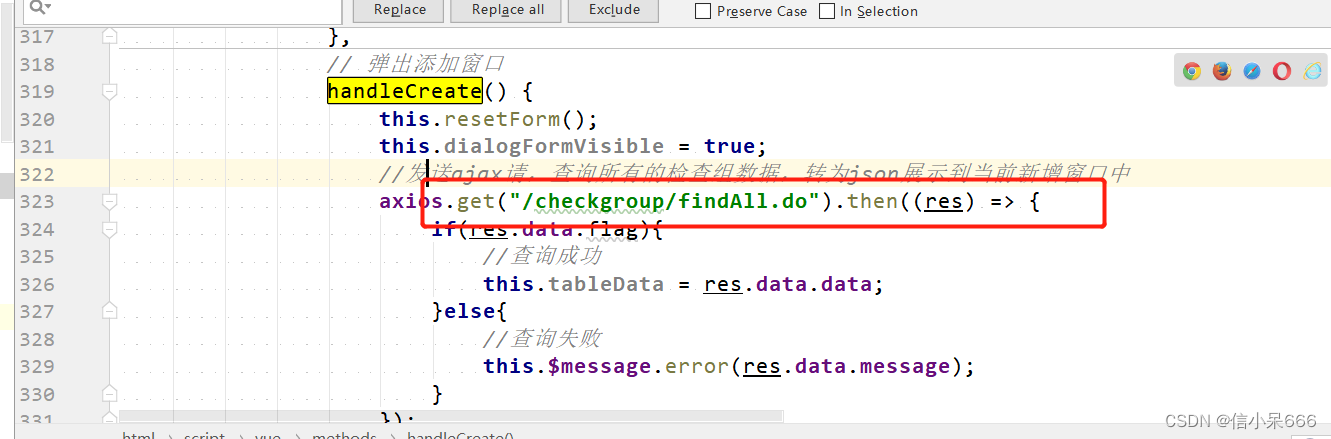
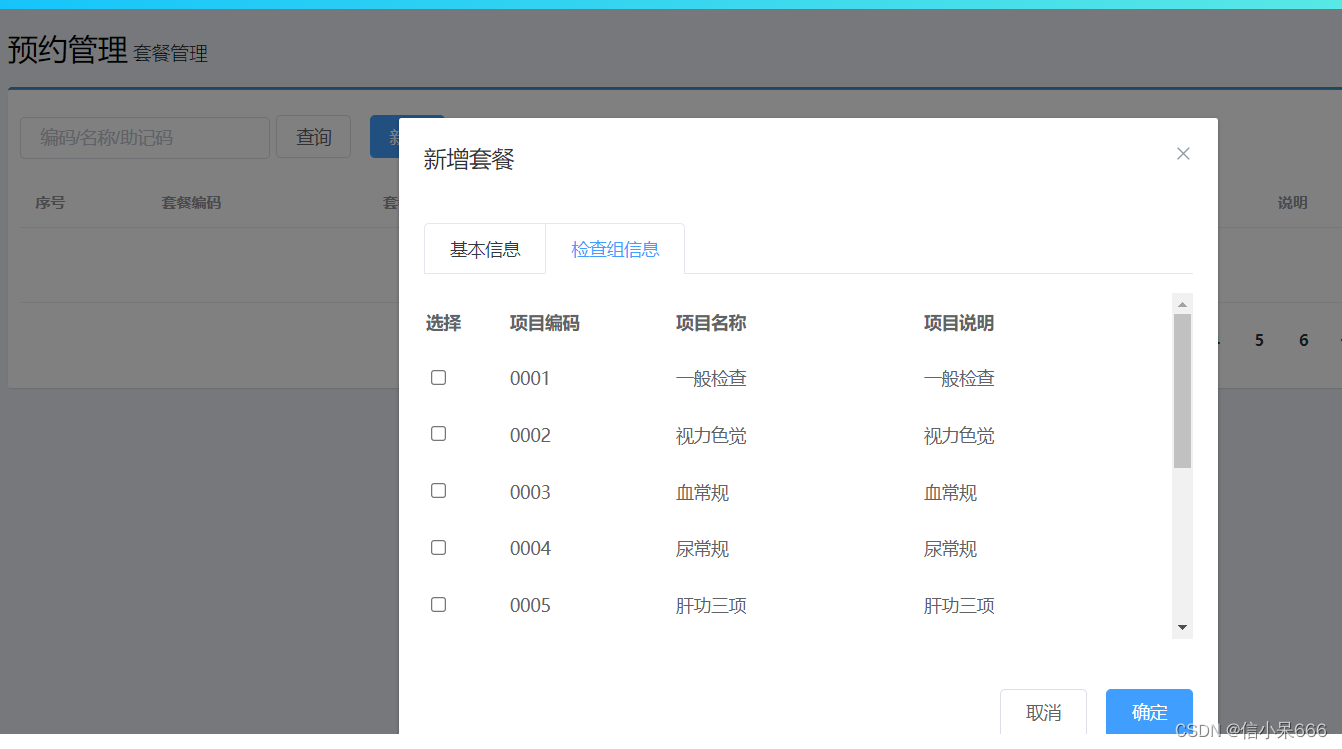
前端页面已经写好,我们需要在原来的检查项模块新增findAll.do2.1.1 Controller
在CheckGroupController新增findAll
//查询所有 @RequestMapping("/findAll") public Result findAll(){ List<CheckGroup> checkGroupList = checkGroupService.findAll(); if(checkGroupList != null && checkGroupList.size() > 0){ Result result = new Result(true, MessageConstant.QUERY_CHECKGROUP_SUCCESS); result.setData(checkGroupList); return result; } return new Result(false,MessageConstant.QUERY_CHECKGROUP_FAIL); }- 1
- 2
- 3
- 4
- 5
- 6
- 7
- 8
- 9
- 10
- 11
2.1.2 接口和实现类
public List<CheckGroup> findAll();- 1
- 2
实现类
@Override public List<CheckGroup> findAll() { return checkGroupDao.findAll(); }- 1
- 2
- 3
- 4
2.1.3 Dao
List<CheckGroup> findAll();- 1
<select id="findAll" resultType="com.liu.pojo.CheckGroup"> select * from t_checkgroup select>- 1
- 2
- 3
2.1.4 测试
2.2 新增页面图片回显

el-upload:上传组件
action:上传的提交地址
auto-upload:选中文件后是否自动上传
name:上传文件的名称,服务端可以根据名称获得上传的文件对象
show-file-list:是否显示已上传文件列表
on-success:文件上传成功时的钩子
before-upload:上传文件之前的钩子我们点击上传,运行upload.do后台方法
上传成功后,运行handleAvatarSuccess方法2.1 上传图片到青牛云
之前先把之前的青牛云工具类放进去,导入pom之前环境搭建已经引入了
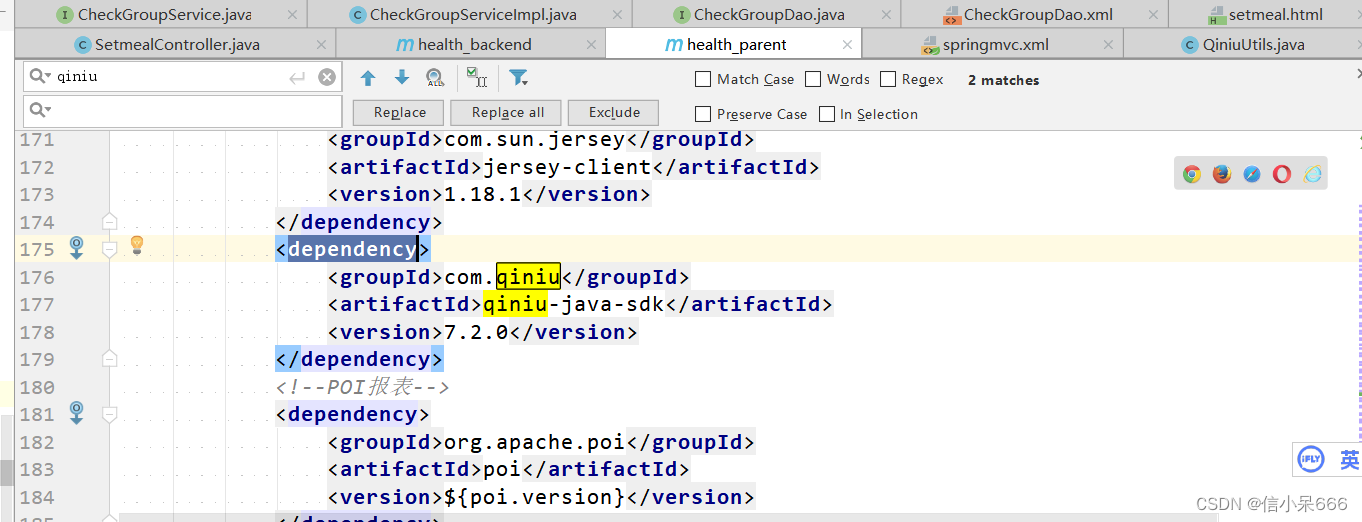
青牛云存储的简单入门
新增SetmealControllerpackage com.liu.controller; import com.alibaba.dubbo.config.annotation.Reference; import com.liu.constant.MessageConstant; import com.liu.core.QiniuUtils; import com.liu.entity.Result; import org.springframework.web.bind.annotation.RequestMapping; import org.springframework.web.bind.annotation.RequestParam; import org.springframework.web.bind.annotation.RestController; import org.springframework.web.multipart.MultipartFile; import java.util.UUID; /** * @author liu * @create 2022-07-19 16:40 */ @RestController @RequestMapping("/setmeal") public class SetmealController { //图片上传 @RequestMapping("/upload") public Result upload(@RequestParam("imgFile")MultipartFile imgFile){ try{ //获取原始文件名 String originalFilename = imgFile.getOriginalFilename(); int lastIndexOf = originalFilename.lastIndexOf("."); //获取文件后缀 String suffix = originalFilename.substring(lastIndexOf - 1); //使用UUID随机产生文件名称,防止同名文件覆盖 String fileName = UUID.randomUUID().toString() + suffix; QiniuUtils.upload2Qiniu(imgFile.getBytes(),fileName); //图片上传成功 Result result = new Result(true, MessageConstant.PIC_UPLOAD_SUCCESS); result.setData(fileName); return result; }catch (Exception e){ e.printStackTrace(); //图片上传失败 return new Result(false,MessageConstant.PIC_UPLOAD_FAIL); } } }- 1
- 2
- 3
- 4
- 5
- 6
- 7
- 8
- 9
- 10
- 11
- 12
- 13
- 14
- 15
- 16
- 17
- 18
- 19
- 20
- 21
- 22
- 23
- 24
- 25
- 26
- 27
- 28
- 29
- 30
- 31
- 32
- 33
- 34
- 35
- 36
- 37
- 38
- 39
- 40
- 41
- 42
- 43
- 44
- 45
- 46
注意:别忘了在spring配置文件中配置文件上传组件
<bean id="multipartResolver" class="org.springframework.web.multipart.commons.CommonsMultipartResolver"> <property name="maxUploadSize" value="104857600" /> <property name="maxInMemorySize" value="4096" /> <property name="defaultEncoding" value="UTF-8"/> bean>- 1
- 2
- 3
- 4
- 5
- 6
- 7
测试,上传完去青牛云能看到图片。
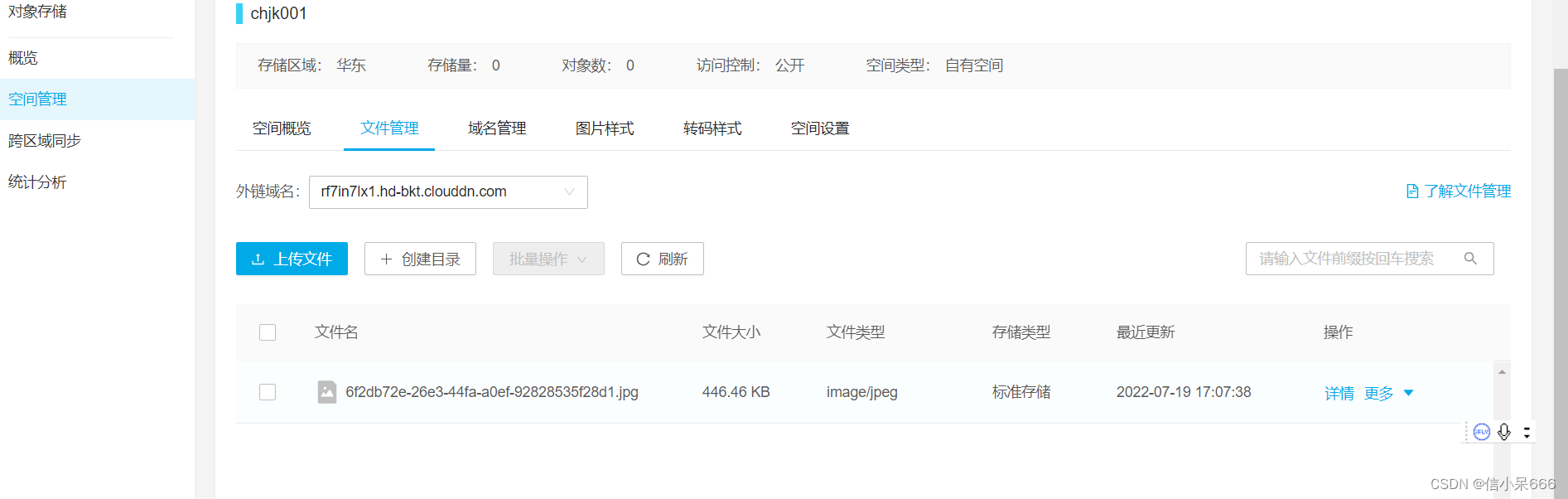
2.2.2 上传完图片页面回显
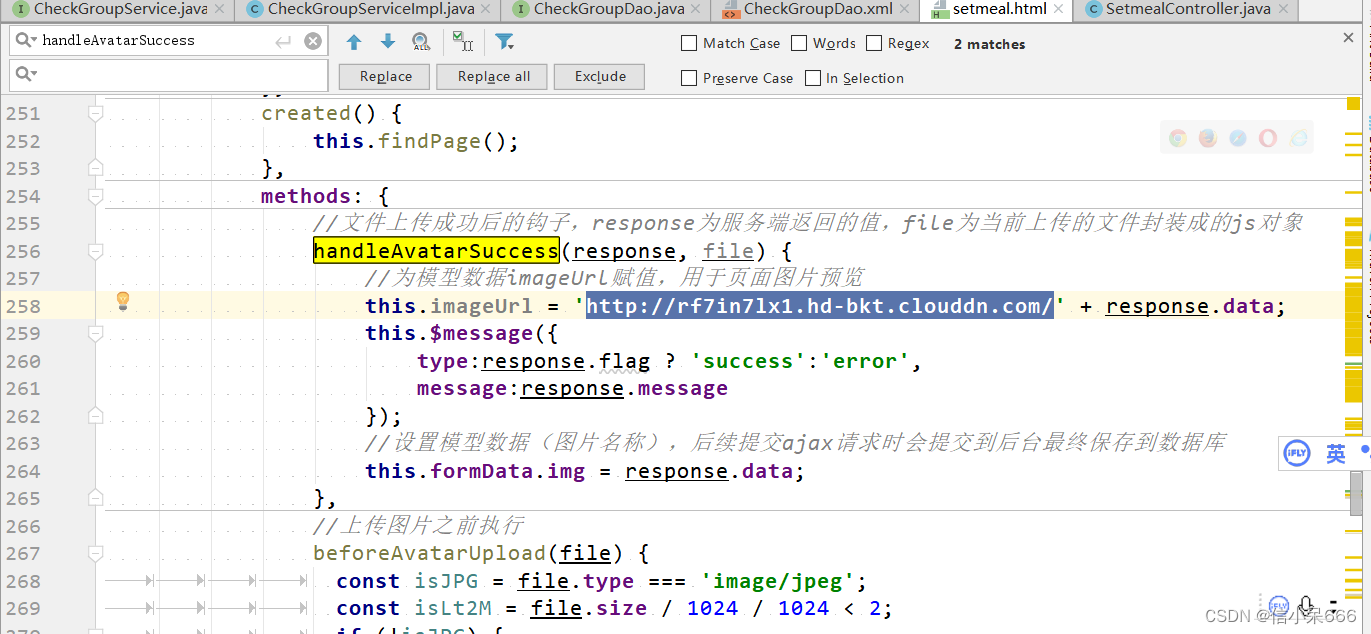
上传完成后,前端辉县,url前面是青牛云的域名,后面是回掉的图片名。2.3 套餐新增
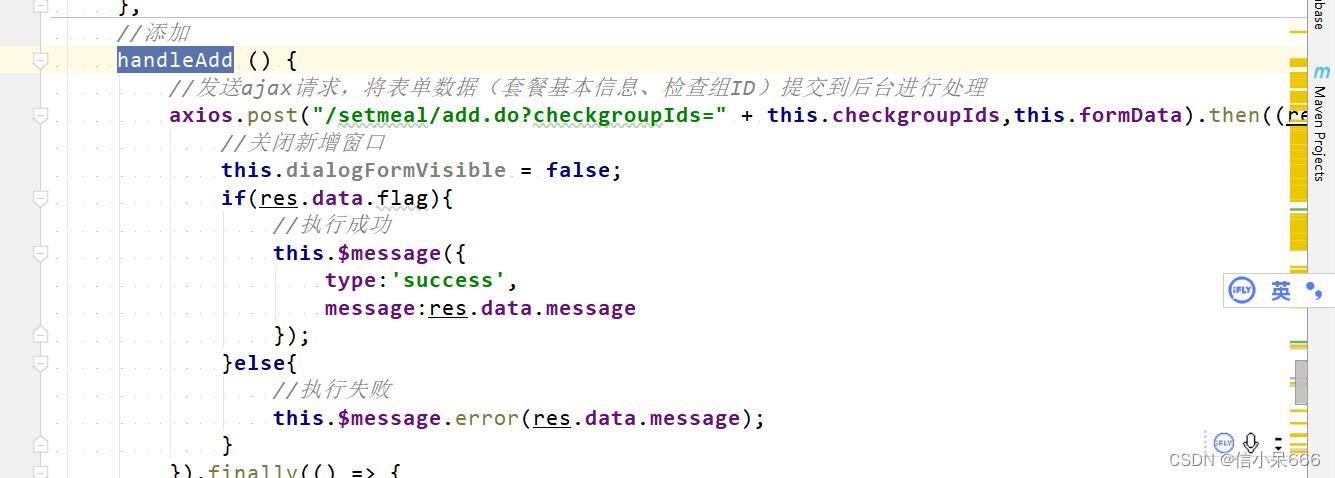
这里就和新增检查组相同了,传递两个参数,一个是套餐基本信息,一个是中间关系表存储的检查组信息。2.3.1 Controller
@Reference private SetmealService setmealService;- 1
- 2
//新增 @RequestMapping("/add") public Result add(@RequestBody Setmeal setmeal, Integer[] checkgroupIds){ try { setmealService.add(setmeal,checkgroupIds); }catch (Exception e){ //新增套餐失败 return new Result(false,MessageConstant.ADD_SETMEAL_FAIL); } //新增套餐成功 return new Result(true,MessageConstant.ADD_SETMEAL_SUCCESS); }- 1
- 2
- 3
- 4
- 5
- 6
- 7
- 8
- 9
- 10
- 11
- 12
2.3.2 接口和实现类
创建SetmealService接口并提供新增方法
package com.liu.service; import com.liu.pojo.Setmeal; /** * @author liu * @create 2022-07-20 9:40 */ public interface SetmealService { public void add(Setmeal setmeal, Integer[] checkgroupIds); }- 1
- 2
- 3
- 4
- 5
- 6
- 7
- 8
- 9
- 10
- 11
- 12
- 13
- 14
实现类
package com.liu.service; /** * @author liu * @create 2022-07-20 9:42 * 体检套餐服务实现类 */ import com.alibaba.dubbo.config.annotation.Service; import com.liu.dao.SetmealDao; import com.liu.pojo.Setmeal; import org.springframework.beans.factory.annotation.Autowired; import org.springframework.transaction.annotation.Transactional; import java.util.HashMap; import java.util.Map; @Service(interfaceClass = SetmealService.class) @Transactional public class SetmealServiceImpl implements SetmealService { @Autowired private SetmealDao setmealDao; @Override public void add(Setmeal setmeal, Integer[] checkgroupIds) { setmealDao.add(setmeal); if(checkgroupIds != null && checkgroupIds.length > 0){ //绑定套餐和检查组的多对多关系 setSetmealAndCheckGroup(setmeal.getId(),checkgroupIds); } } //绑定套餐和检查组的多对多关系 private void setSetmealAndCheckGroup(Integer id, Integer[] checkgroupIds) { for (Integer checkgroupId : checkgroupIds) { Map<String,Integer> map = new HashMap<>(); map.put("setmeal_id",id); map.put("checkgroup_id",checkgroupId); setmealDao.setSetmealAndCheckGroup(map); } } }- 1
- 2
- 3
- 4
- 5
- 6
- 7
- 8
- 9
- 10
- 11
- 12
- 13
- 14
- 15
- 16
- 17
- 18
- 19
- 20
- 21
- 22
- 23
- 24
- 25
- 26
- 27
- 28
- 29
- 30
- 31
- 32
- 33
- 34
- 35
- 36
- 37
- 38
- 39
- 40
- 41
- 42
- 43
- 44
- 45
2.3.3 Dao层
创建SetmealDao接口并提供相关方法
package com.liu.dao; import com.liu.pojo.Setmeal; import org.apache.ibatis.annotations.Mapper; import org.springframework.stereotype.Repository; import java.util.Map; /** * @author liu * @create 2022-07-20 10:01 */ @Repository @Mapper public interface SetmealDao { void add(Setmeal setmeal); void setSetmealAndCheckGroup(Map<String,Integer> map); }- 1
- 2
- 3
- 4
- 5
- 6
- 7
- 8
- 9
- 10
- 11
- 12
- 13
- 14
- 15
- 16
- 17
- 18
- 19
- 20
创建SetmealDao.xml文件并定义相关SQL语句
DOCTYPE mapper PUBLIC "-//mybatis.org//DTD Mapper 3.0//EN" "http://mybatis.org/dtd/mybatis-3-mapper.dtd" > <mapper namespace="com.liu.dao.SetmealDao" > <insert id="add" parameterType="com.liu.pojo.Setmeal"> <selectKey resultType="java.lang.Integer" order="AFTER" keyProperty="id"> SELECT LAST_INSERT_ID() selectKey> insert into t_setmeal (code,name,sex,age,helpCode,price,remark,attention,img) values (#{code},#{name},#{sex},#{age},#{helpCode},#{price},#{remark},#{attention},#{img}) insert> <insert id="setSetmealAndCheckGroup" parameterType="hashmap"> insert into t_setmeal_checkgroup (setmeal_id,checkgroup_id) values (#{setmeal_id},#{checkgroup_id}) insert> mapper>- 1
- 2
- 3
- 4
- 5
- 6
- 7
- 8
- 9
- 10
- 11
- 12
- 13
- 14
- 15
- 16
- 17
- 18
- 19
- 20
- 21
- 22
2.3.4 测试
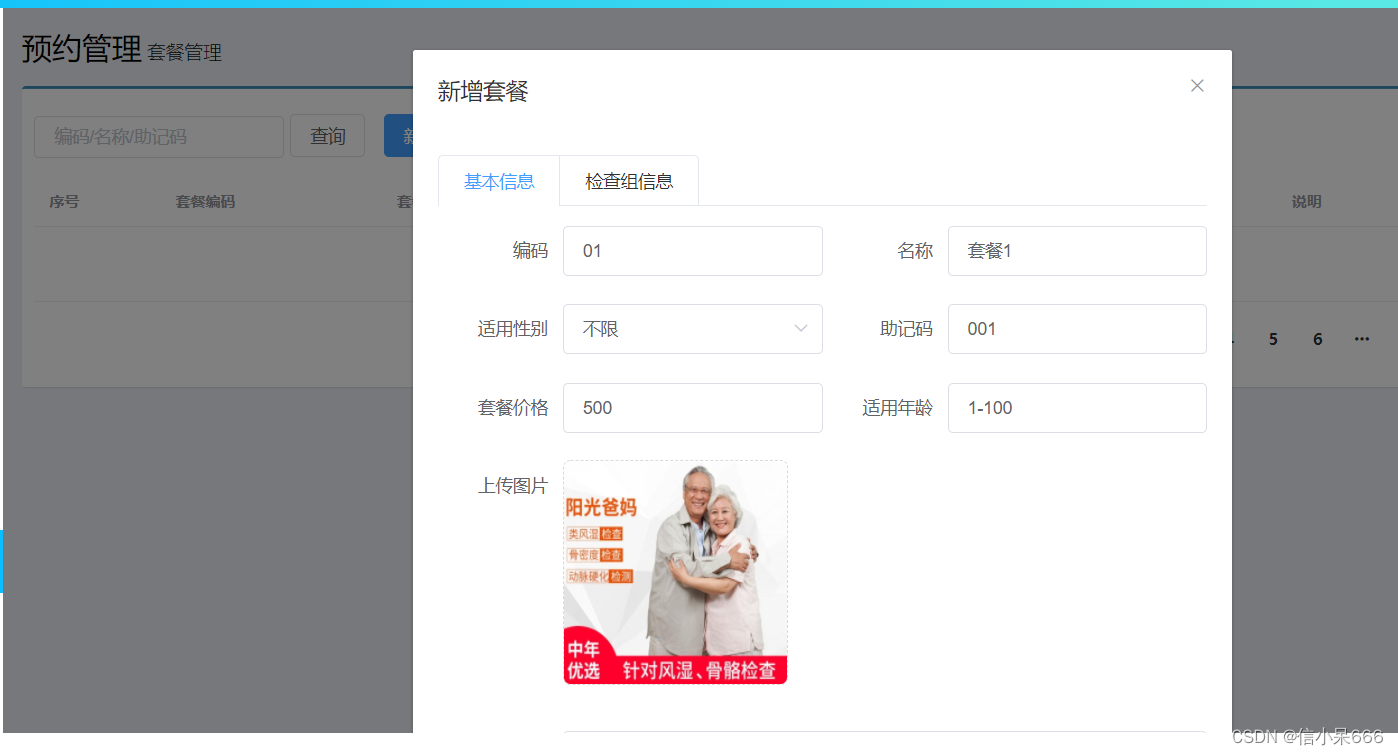
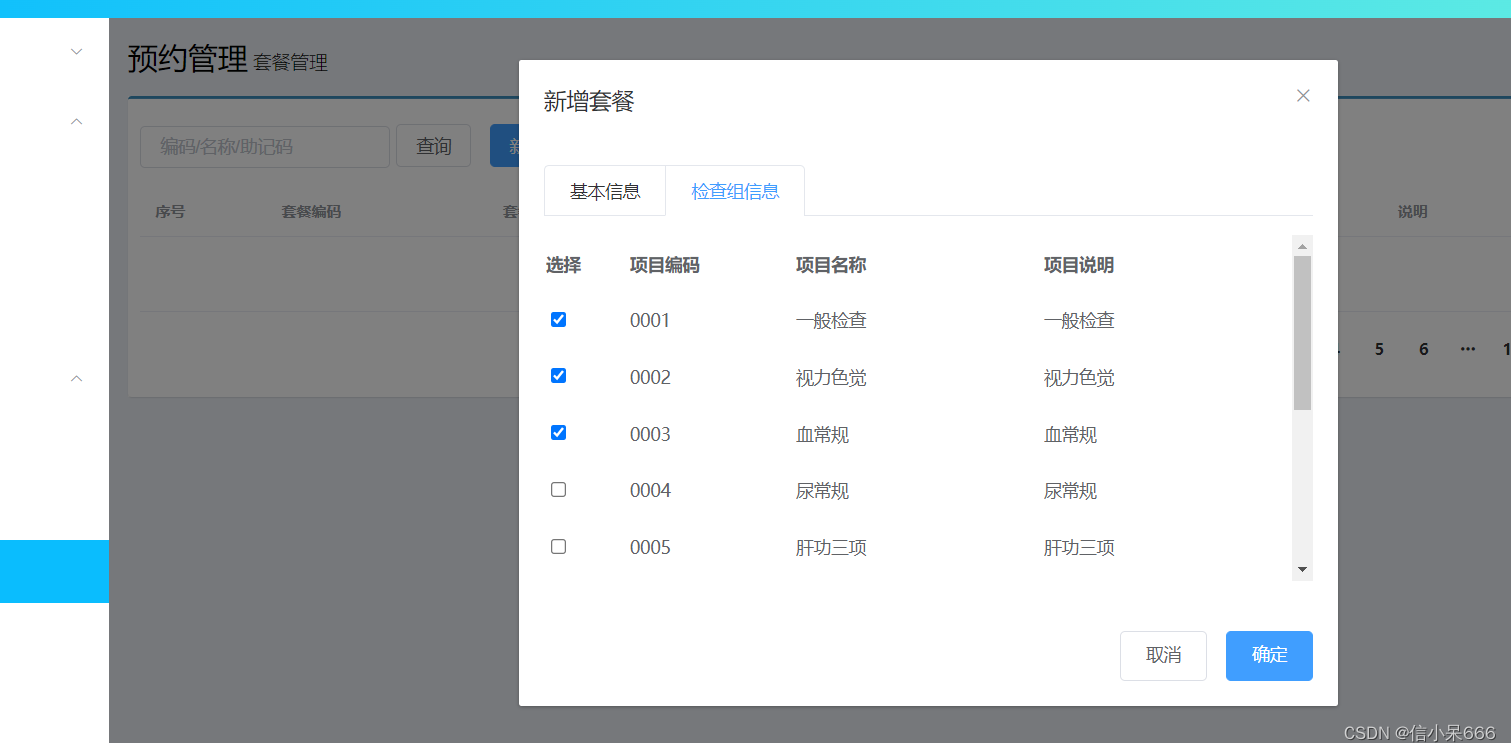
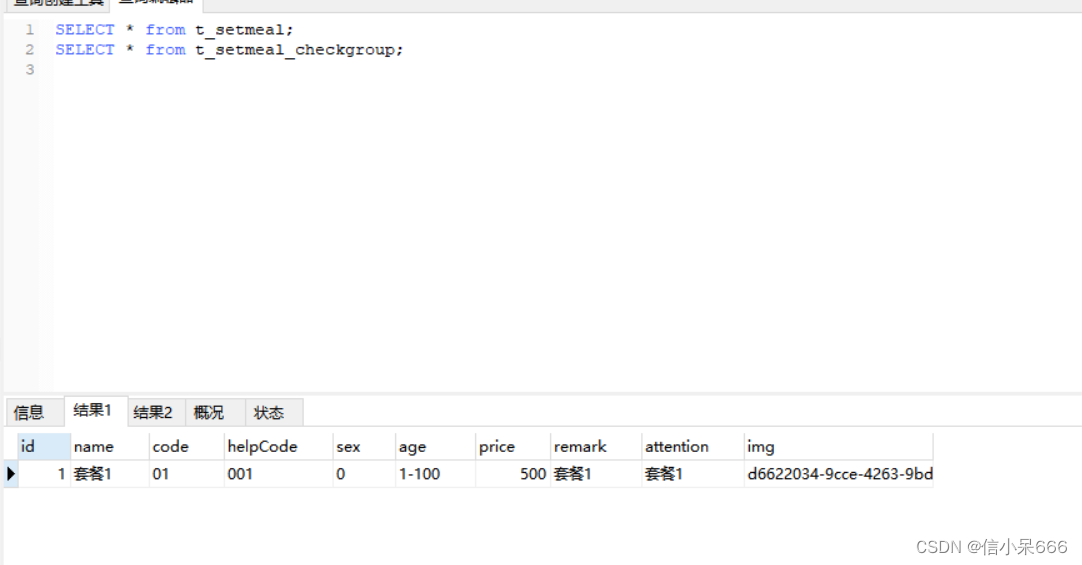
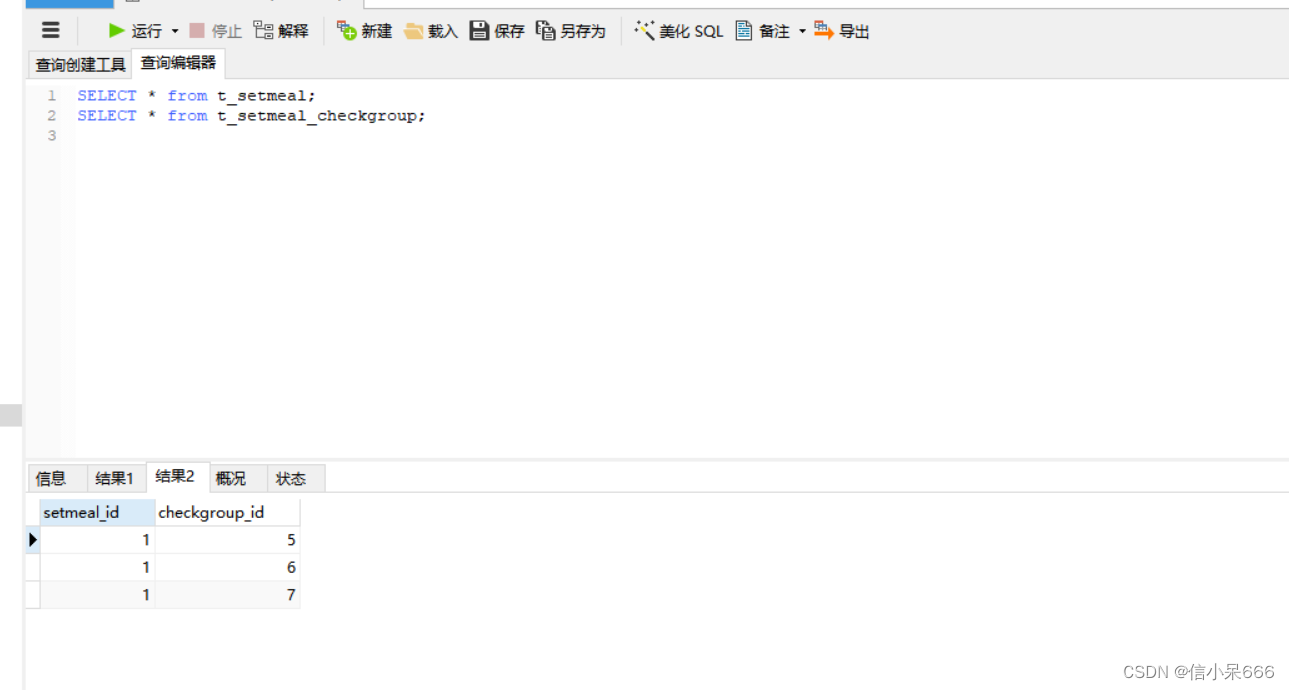
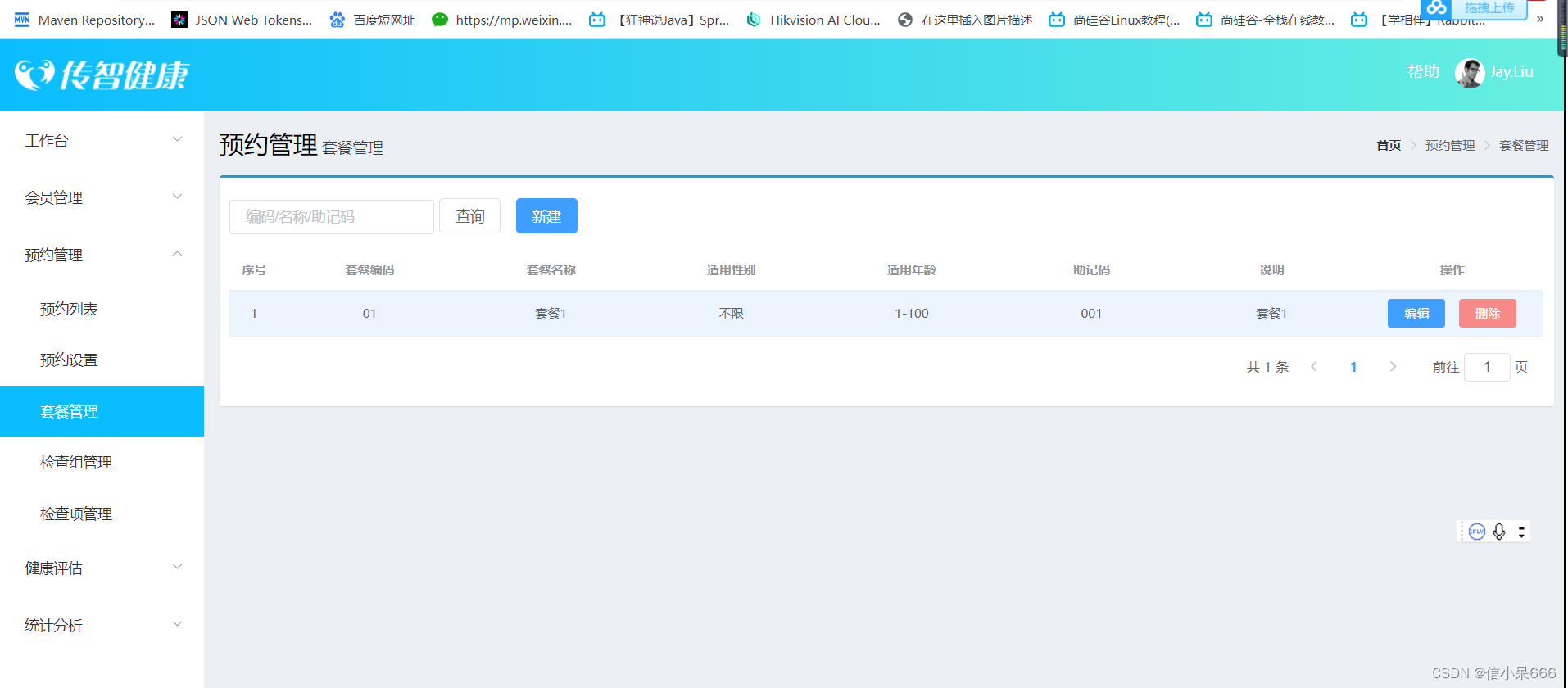
3 体检套餐分页
3.1 Controller
在SetmealController中新增方法
//分页查询 @RequestMapping("/findPage") public PageResult findPage(@RequestBody QueryPageBean queryPageBean){ PageResult pageResult = setmealService.pageQuery( queryPageBean.getCurrentPage(), queryPageBean.getPageSize(), queryPageBean.getQueryString() ); return pageResult; }- 1
- 2
- 3
- 4
- 5
- 6
- 7
- 8
- 9
- 10
3.2 接口和实现类
public PageResult pageQuery(Integer currentPage, Integer pageSize, String queryString);- 1
- 2
//绑定套餐和检查组的多对多关系 private void setSetmealAndCheckGroup(Integer id, Integer[] checkgroupIds) { for (Integer checkgroupId : checkgroupIds) { Map<String,Integer> map = new HashMap<>(); map.put("setmeal_id",id); map.put("checkgroup_id",checkgroupId); setmealDao.setSetmealAndCheckGroup(map); } }- 1
- 2
- 3
- 4
- 5
- 6
- 7
- 8
- 9
3.3 Dao
Page<CheckItem> selectByCondition(String queryString);- 1
- 2
<select id="selectByCondition" parameterType="string" resultType="com.liu.pojo.Setmeal"> select * from t_setmeal <if test="value != null and value.length > 0"> where code = #{value} or name = #{value} or helpCode = #{value} if> select>- 1
- 2
- 3
- 4
- 5
- 6
- 7
3.4 测试
4,编辑和删除
和检查项一样
-
相关阅读:
无序链表的归并排序 - Java代码纯享版
商业合作保密协议
R语言缺失时间序列的填充:补齐时间序列数据中所有缺失的时间索引对象(补齐缺失的日期时间点或者序列)
Nginx:动静分离(示意图+配置讲解)
【spring cloud】(六)消息总线——springcloud Bus
C++中struct和class的区别
python学生管理系统-面向对象版
【完美解决】GitHub连接超时问题 Recv failure: Connection was reset
Java 基础面试300题 (231-260)
基于MSER的高速公路交通标志提取matlab仿真
- 原文地址:https://blog.csdn.net/weixin_44480609/article/details/125873892