-
Servlet快速入门
1.创建web项目,导入Servlet依赖坐标
具体操作:pom.xml中添加
- <dependencies>
- <dependency>
- <groupId>javax.servlet</groupId>
- <artifactId>javax.servlet-api</artifactId>
- <version>3.1.0</version>
- <scope>provided</scope>
- </dependency>
- </dependencies>
2、在类中实现Servlet接口,复写Servlet方法(这里我们是输出hello servlet)
3、配置:在类上使用@WebServlet注解,配置该Servlet的访问路径("/demo1")
- package com.itheima.web;
-
- import javax.servlet.*;
- import javax.servlet.annotation.WebServlet;
- import java.io.IOException;
- @WebServlet("/demo1")
- public class ServletDemo1 implements Servlet {
-
- public void init(ServletConfig servletConfig) throws ServletException {
-
- }
-
- public ServletConfig getServletConfig() {
- return null;
- }
-
- public void service(ServletRequest servletRequest, ServletResponse servletResponse) throws ServletException, IOException {
- System.out.println("hello servlet");
- }
-
- public String getServletInfo() {
- return null;
- }
-
- public void destroy() {
-
- }
- }
-
报错了

解决方案:
在pom.xml中加入
<!-- 我是最新的jdk所以写的是9 根据你自己的jdk版本写 1.7/1.8~~~~ -->
<properties>
    <project.build.sourceEncoding>UTF-8</project.build.sourceEncoding>
    <maven.compiler.source>9</maven.compiler.source>
    <maven.compiler.target>9</maven.compiler.target>
</properties>
运行run maven
报错
Failed to initialize end point associated with ProtocolHandler ["http-bio-8080"]
8080端口被占用
以管理员身份打开cmd
输入taskkill /f /t /im java.exe
杀死进程
再重新运行maven

4.浏览器输入URL访问该Servlet
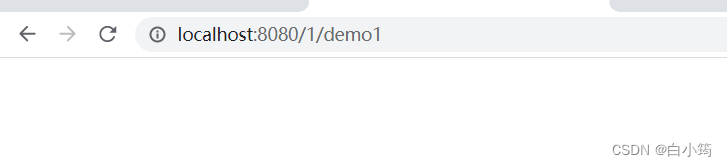
返回idea在控制台有输出

-
相关阅读:
542、RabbitMQ详细入门教程系列 -【延迟队列实现】 2022.09.05
软件工程毕业设计课题(51)微信小程序毕业设计JAVA教室图书馆座位预约小程序系统设计与实现
湖南大学数据库实验二
微信小程序中微信支付流程
i5 13600KF参数 酷睿i53600KF什么水平i5 13600KF核显相当于什么显卡
【算法】【递归与动态规划模块】跳跃游戏
再也不用担心窗体变形了
Android 启动优化系列 —— 系统启动流程
整合MyBatis
为什么键盘上F和J这两个键有两个凸起的横线呢?
- 原文地址:https://blog.csdn.net/qq_57907966/article/details/125615243
