-
Java项目:汽车商城管理系统(java+SpringBoot+VUE+Maven+Mysql)
源码获取:俺的博客首页 "资源" 里下载!
项目介绍
本项目基于spring boot以及Vue开发,为前后端分离的项目。针对汽车销售提供客户信息、车辆信息、订单信息、销售人员管理、财务报表等功能,提供经理和销售两种角色进行管理。
经理角色主要功能为:
首页、销售管理(新订单、销售订单、订单详情)、客户管理(添加客户、客户信息)、库存管理(添加库存、车辆库存)、财务报表(员工报表、销量报表、个人月报表)、员工管理(添加员工、员工信息)销售角色主要功能为:
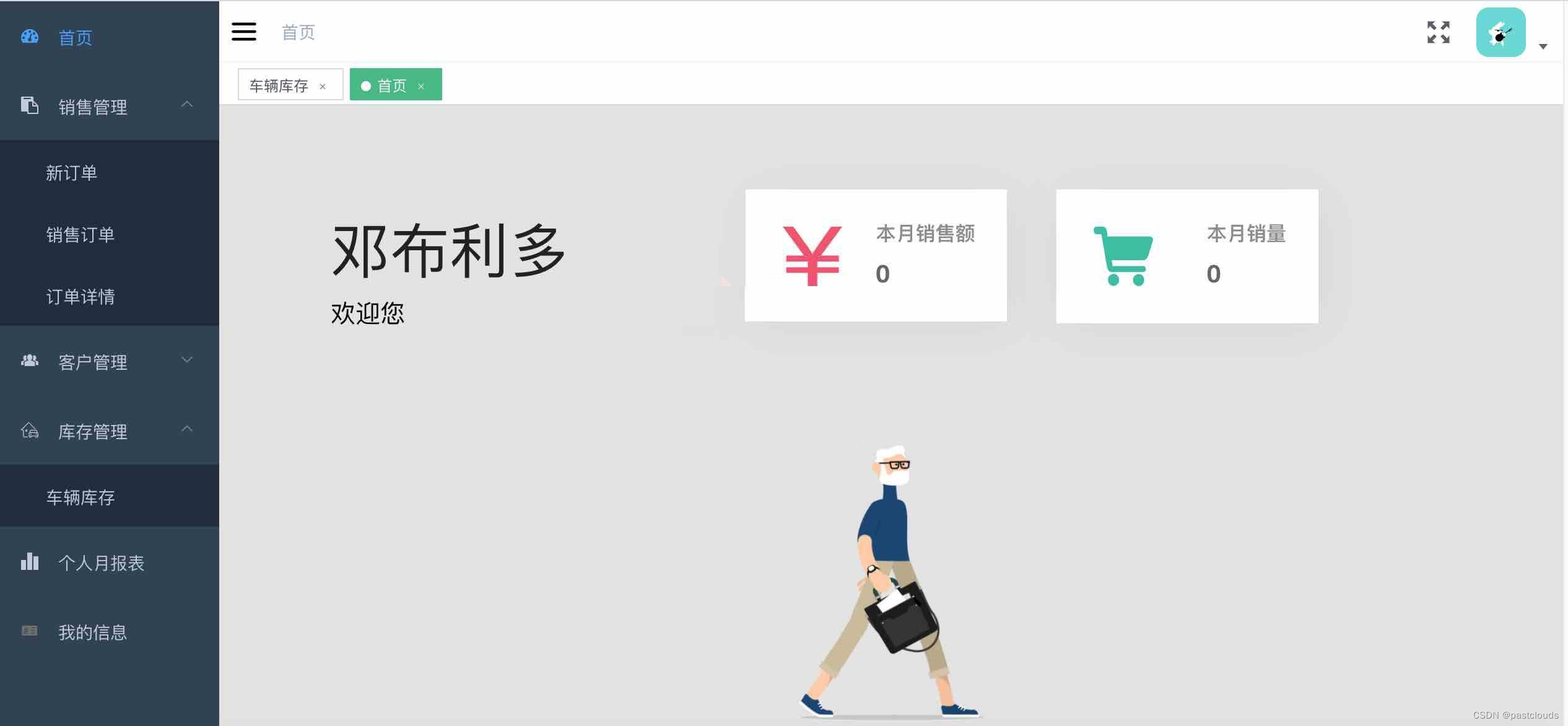
首页、销售管理(新订单、销售订单、订单详情)、客户管理(添加客户、客户信息)、库存管理(车辆库存)、个人月报表、我的信息环境需要
1.运行环境:最好是java jdk 1.8,我们在这个平台上运行的。其他版本理论上也可以。
2.IDE环境:IDEA,Eclipse,Myeclipse都可以。推荐IDEA;
3.硬件环境:windows 7/8/10 1G内存以上;或者 Mac OS;
4.数据库:MySql 5.7版本;
5.是否Maven项目:是;技术栈
SpringBoot+VUE+Mysql
后端项目:
1. 使用Navicat或者其它工具,在mysql中创建对应名称的数据库,并导入项目的sql文件;
2. 使用IDEA/Eclipse/MyEclipse导入项目,导入成功后请执行maven clean;maven install命令,然后运行;
3. 将项目中application.yml配置文件中的数据库配置改为自己的配置;
4. 运行后端项目,后端项目运行成功后,需要再运行前端项目前端项目:
1. 安装好node环境
2. 在front目录下运行 npm install 安装所需要的包
3. 在front目录下运行 npm run dev
4. 运行成功后,在浏览器中访问localhost:9527,登录账号即可


用户管理控制层:
- @Slf4j
- @RestController
- @RequestMapping("user")
- public class UserController {
- @Autowired
- private IUserService userService;
- @Autowired
- private IEmployeeService employeeService;
- @RequestMapping(value = "login", method = RequestMethod.POST)
- public ServerResponse login( String employeeId, String password, HttpSession session) {
- ServerResponse response = userService.login(Integer.valueOf(employeeId), password);
- if (response.isSuccess()) {
- session.setAttribute(Const.CURRENT_USER, response.getData());
- Map<String, String> map = new HashMap <>(1);
- map.put("token", session.getId());
- response = ServerResponse.createBySuccess(map);
- }
- log.info("userId:{}, password:{}, data:{}", employeeId, password, response.getData());
- return response;
- }
- @RequestMapping(value = "logout", method = RequestMethod.GET)
- public ServerResponse logout(HttpSession session) {
- session.removeAttribute(Const.CURRENT_USER);
- return ServerResponse.createBySuccess();
- }
- @RequestMapping(value = "info", method = RequestMethod.POST)
- public ServerResponse<Employee> info(HttpSession session) {
- Employee employee = (Employee) session.getAttribute(Const.CURRENT_USER);
- if (employee == null) {
- return ServerResponse.createByErrorMessage("用户未登录,无法获取当前用户信息");
- }
- return ServerResponse.createBySuccess(employee);
- }
- @RequestMapping(value = "updateMessage", method = RequestMethod.POST)
- public ServerResponse updateMessage(Employee employee) {
- return employeeService.updateEmployee(employee);
- }
- @RequestMapping(value = "validPassword", method = RequestMethod.POST)
- public ServerResponse validPassword(HttpSession session, String validPass) {
- Employee employee = (Employee) session.getAttribute(Const.CURRENT_USER);
- return employeeService.validPassword(employee.getId(), validPass);
- }
- @RequestMapping(value = "updatePassword", method = RequestMethod.POST)
- public ServerResponse updatePassword(HttpSession session, String oldPass, String newPass) {
- Employee employee = (Employee) session.getAttribute(Const.CURRENT_USER);
- return employeeService.updatePassword(employee.getId(), oldPass, newPass);
- }
- }
订单管理控制层:
- @RestController
- @RequestMapping("order")
- public class OrderController {
- @Autowired
- private IOrderService orderService;
- @RequestMapping(value = "addOrder", method = RequestMethod.POST)
- public ServerResponse addOrder(@RequestBody OrderVo orderVo) {
- return orderService.addOrder(orderVo);
- }
- @RequestMapping(value = "getList", method = RequestMethod.GET)
- public ServerResponse getList(OrderQuery orderQuery) {
- return orderService.getList(orderQuery);
- }
- @RequestMapping(value = "update", method = RequestMethod.POST)
- public ServerResponse update(Long orderId, String status) {
- return orderService.update(orderId, status);
- }
- @RequestMapping(value = "updateDetail", method = RequestMethod.POST)
- public ServerResponse updateDetail(OrderDetails orderDetails) {
- return orderService.updateDetail(orderDetails);
- }
- @RequestMapping(value = "deleteDetail", method = RequestMethod.POST)
- public ServerResponse deleteDetail(String id) {
- return orderService.deleteDetail(id);
- }
- @RequestMapping(value = "getDetailsList", method = RequestMethod.GET)
- public ServerResponse getDetailsList(DetailsQuery detailsQuery) {
- return orderService.getDetailsList(detailsQuery);
- }
- }
图形展现管理控制层:
- @RestController
- @RequestMapping("chart")
- public class ChartController {
- @Autowired
- private IChartService chartService;
- /**
- * 获取 全部员工的月销量报表 数据
- * @param date
- * @return
- */
- @RequestMapping(value = "getEmpChart", method = RequestMethod.GET)
- public ServerResponse getEmpChart(String date) {
- return chartService.getEmpChart(date);
- }
- /**
- * 获取经理主页 昨日销量报表 数据
- * @return
- */
- @RequestMapping(value = "getIndexChart", method = RequestMethod.GET)
- public ServerResponse getIndexChart() {
- return chartService.getIndexChart();
- }
- /**
- * 获取经理主页 昨日销量
- * @return
- */
- @RequestMapping(value = "getSaleNum", method = RequestMethod.GET)
- public ServerResponse getSaleNum() {
- return chartService.getSaleNum();
- }
- /**
- * 获取 销售报表 数据
- * @param start
- * @param end
- * @return
- */
- @RequestMapping(value = "getSalesChart", method = RequestMethod.GET)
- public ServerResponse getSalesChart(String start, String end) {
- return chartService.getSalesChart(start, end);
- }
- /**
- * 获取员工主页 本月销售额 数据
- * @param id
- * @return
- */
- @RequestMapping(value = "getIndexSales", method = RequestMethod.GET)
- public ServerResponse getIndexSales(Integer id) {
- return chartService.getIndexSales(id);
- }
- @RequestMapping(value = "getEmpSalesChart", method = RequestMethod.GET)
- public ServerResponse getEmpSalesChart(Integer id, String date) {
- return chartService.getEmpSalesChart(id, date);
- }
- }
源码获取:俺的博客首页 "资源" 里下载!
-
相关阅读:
关于Copy On Write Array List,你会安全使用么
【Andriod】使用adb命令安装和卸载apk的通用python脚本
【如何学习CAN总线测试】——CAN数据链路层测试
MobileViT论文记录
Linux常见问题解决操作(yum被占用、lsb无此命令、Linux开机进入命令界面等)
2023年JCR影响因子正式发布,点击查看能源与燃料领域期刊变化【持续更新02】
电脑小白快来!这有电脑常见故障解决方法
nrf52840烧录配置(协议栈+APP)
实时图计算如何进行风控决策管理?
MySQL内部存储代码常用实现方式
- 原文地址:https://blog.csdn.net/m0_66863468/article/details/125612353
