-
Python爬虫入门学习:拿捏高级数据类型
大家好,我是卷心菜。因为项目的需要,最近在学习Python的爬虫。这一篇是关于Python的基础知识点,也是学习爬虫的入门知识点!如果您看完文章有所收获,可以三连支持博主哦~,嘻嘻。
一、前言
- 上一篇文章《Python爬虫入门基础学习(三)》重点介绍了Python数据类型的相互转化以及运算符的使用,这一篇主要讲解Python中高级数据类型的使用,内容很多,干货满满~
二、高级数据类型
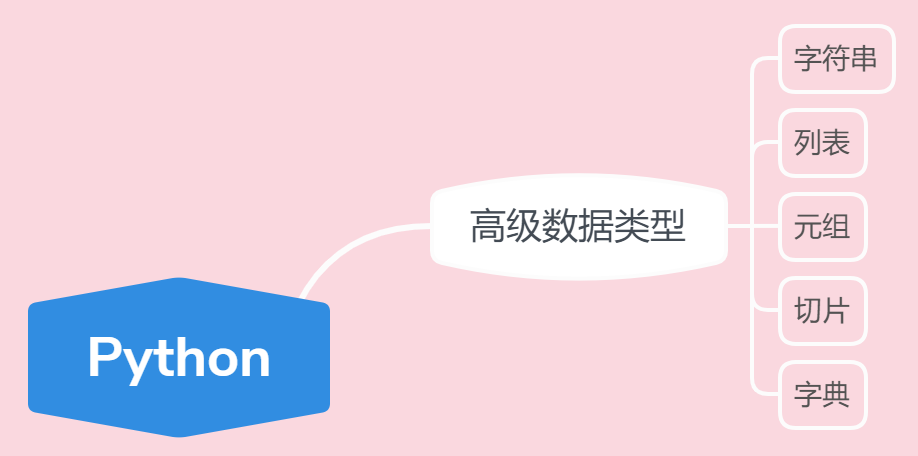
- 在正式学习高级数据类型之前,先来看看学习大纲,做到心中有数:
1、字符串高级
- 字符串是在今后的爬虫中经常使用的,所以先来介绍字符串的高级使用,先来看看字符串有哪些经常使用的方法:
函数 功能 len 可以获取字符串的长度 find 查找指定内容在字符串中是否存在,如果存在就返回该内容在字符串中第一次出现的开始位置索引值,如果不存在,则返回-1. startswith 判断字符串是否以XXX开头 endswith 判断字符串是否以XXX结尾 count 返回 str在start和end之间 在 mystr里面出现的次数 replace 替换字符串中指定的内容,如果指定次数count,则替换不会超过count次 split 通过参数的内容切割字符串 upper 将字符串转化为大写 lower 将字符串转化为小写 strip 去空格 join 字符串拼接 说了这么多函数,接下来用代码举例实践实践:
country = 'China' print(len(country)) # 5 print(country.find('C')) # 0 print(country.find('in')) # 2 print(country.find('inc')) # -1 print(country.find('e')) # -1 print(country.startswith('C')) # True print(country.startswith('c')) # False print(country.endswith('a')) # True print(country.endswith('A')) # False message = 'aabbccc' print(message.count('c')) # 3 print(message.count('c', 0, 5)) # 1 print(message.replace('c','d')) # aabbddd print(message.replace('c','d',2)) # aabbddc print(message.split('c')) # ['aabb', '', '', ''] print(country.upper()) # CHINA print(country.lower()) # china information = ' space ' print(information.strip()) # space print(len(information.strip())) # 5 news = 'abc' print('-'.join(news)) # a-b-c- 1
- 2
- 3
- 4
- 5
- 6
- 7
- 8
- 9
- 10
- 11
- 12
- 13
- 14
- 15
- 16
- 17
- 18
- 19
- 20
- 21
- 22
- 23
- 24
- 25
- 26
2、列表高级
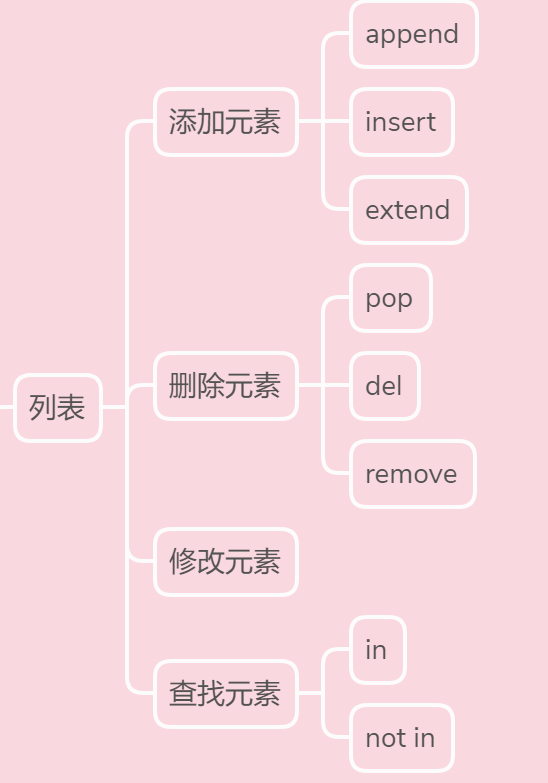
- 在列表的学习中,主要讲解列表的增删改查,首先来看看学习的大纲
添加元素的使用
函数 功能 append 在末尾添加元素 insert 在指定位置插入元素 extend 合并两个列表 代码举例实践:
time_list = ['早上', '中午', '傍晚'] time_list.append('夜晚') print(time_list) # ['早上', '中午', '傍晚', '夜晚'] time_list.insert(1, '晌午') print(time_list) # ['早上', '晌午', '中午', '傍晚', '夜晚'] time_list1 = ['午夜', '凌晨'] time_list.extend(time_list1) print(time_list) # ['早上', '晌午', '中午', '傍晚', '夜晚', '午夜', '凌晨']- 1
- 2
- 3
- 4
- 5
- 6
- 7
- 8
删除元素的使用
函数 功能 del 根据下标进行删除 pop 删除最后一个元素 remove 根据元素的值进行删除 代码举例实践:
del time_list[0] print(time_list) # ['晌午', '中午', '傍晚', '夜晚', '午夜', '凌晨'] time_list.pop() print(time_list) # ['晌午', '中午', '傍晚', '夜晚', '午夜'] time_list.remove('午夜') print(time_list) # ['晌午', '中午', '傍晚', '夜晚']- 1
- 2
- 3
- 4
- 5
- 6
修改元素的使用
修改元素是通过指定下标来访问列表元素,为指定的列表下标赋值即可
time_list[0] = '早上' print(time_list) # ['早上', '中午', '傍晚', '夜晚']- 1
- 2
查找元素的使用
所谓的查找,就是看看指定的元素是否存在,主要包含两个方法:
函数 功能 in 存在结果为true,否则为false not in 不存在结果为true,否则为false 代码举例实践:
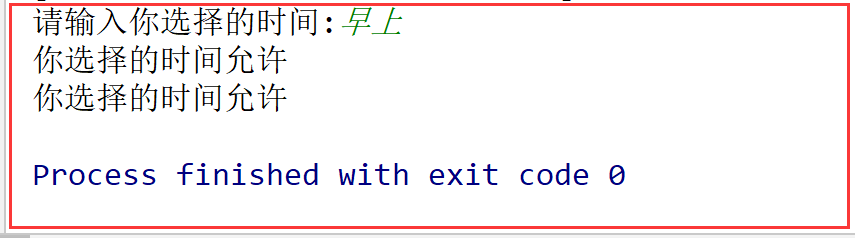
time = input('请输入你选择的时间:') if time in time_list: print('你选择的时间允许') else: print('你选择的时间不允许') if time not in time_list: print('你选择的时间不允许') else: print('你选择的时间允许')- 1
- 2
- 3
- 4
- 5
- 6
- 7
- 8
- 9
- 10
运行结果:
3、元组高级
- 元组与列表类似,不同之处在于
元组的元素不能修改,包括不能删除其中的元素
代码举例实践:
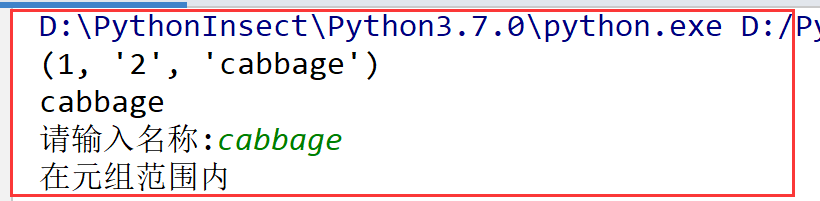
number_tuple = (1, '2', 'cabbage') print(number_tuple) print(number_tuple[2]) # del number_tuple[0] 不允许删除 # 报错:TypeError: 'tuple' object doesn't support item deletion message = input('请输入名称:') if message in number_tuple: print('在元组范围内') else: print('不在元组范围内')- 1
- 2
- 3
- 4
- 5
- 6
- 7
- 8
- 9
- 10
- 11
- 12
运行结果:
需要注意的是:当我们只定义一个元素的元组,需要在唯一的元素后面写一个逗号
# 定义只有一个元素的元组,需要在唯一的元素后写一个逗号 a = (12) print(type(a)) # int类型 b = (12,) print(type(b)) # tuple类型- 1
- 2
- 3
- 4
- 5
4、切片
- 切片是指对操作的对象截取其中一部分的操作;
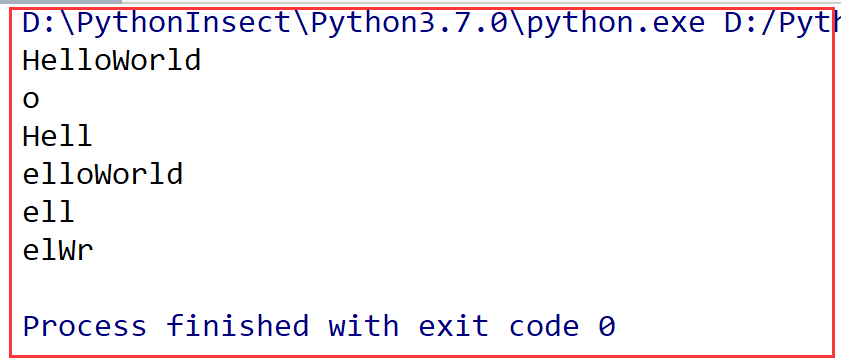
字符串、列表、元组都支持切片操作 语法:[起始:结束:步长],也可以简化使用 [起始:结束]注意:选取的区间从"起始"位开始,到"结束"位的前一位结束(不包含结束位本身),步长表示选取间隔
代码举例实践:
message = 'HelloWorld' print(message) print(message[4]) # 第五个位置上的字符 print(message[:4]) # 第五个位置前的所有元素 print(message[1:]) # 第二个位置在内后的所有元素 print(message[1:4]) # 范围[第二个位置,第五个位置) print(message[1:9:2]) # 步长为2- 1
- 2
- 3
- 4
- 5
- 6
- 7
运行结果:
5、字典高级
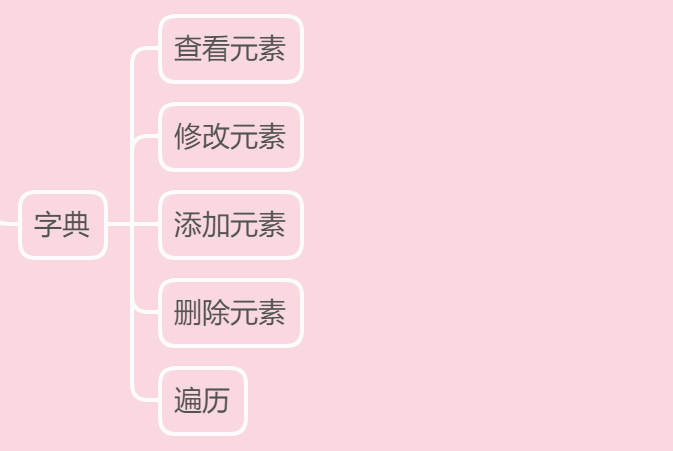
- 在学习之前,再来了解了解学习大纲:
查看元素
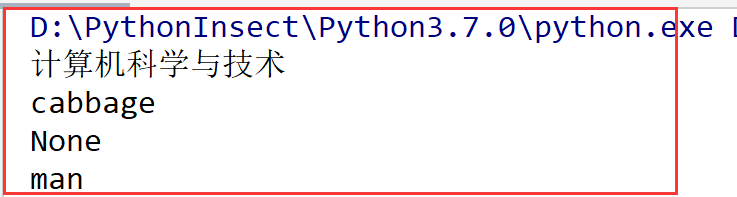
除了使用key查找数据,还可以使用get来获取数据
information = {'name': 'cabbage', 'age': 21, 'major': '计算机科学与技术'} print(information['major']) # print(information['sex']) 当没有key时,会报错 print(information.get('name')) print(information.get('sex')) # 当没有key时,默认为None print(information.get('sex','man')) # 当没有key时,自定义默认为man- 1
- 2
- 3
- 4
- 5
- 6
运行结果:
修改元素
字典的每个元素中的数据都是可以修改的,只要通过key即可修改
print('修改之前%s' % information) information['major'] = '软件工程' print('修改之后%s' % information)- 1
- 2
- 3
运行结果:

添加元素
如果在使用
变量名['键'] = 数据时,这个“键”在字典中,不存在,那么就会新增这个元素information['sex'] = 'Man' # 为不存在的key赋值就是添加 print(information)- 1
- 2
删除元素
主要有两种操作:del和clear()
# 删除单个元素 del information['sex'] print(information) # 删除整个字典 # del information 报错,整个字典删除 # 清空字典 information.clear() print(information)- 1
- 2
- 3
- 4
- 5
- 6
- 7
- 8
遍历元素
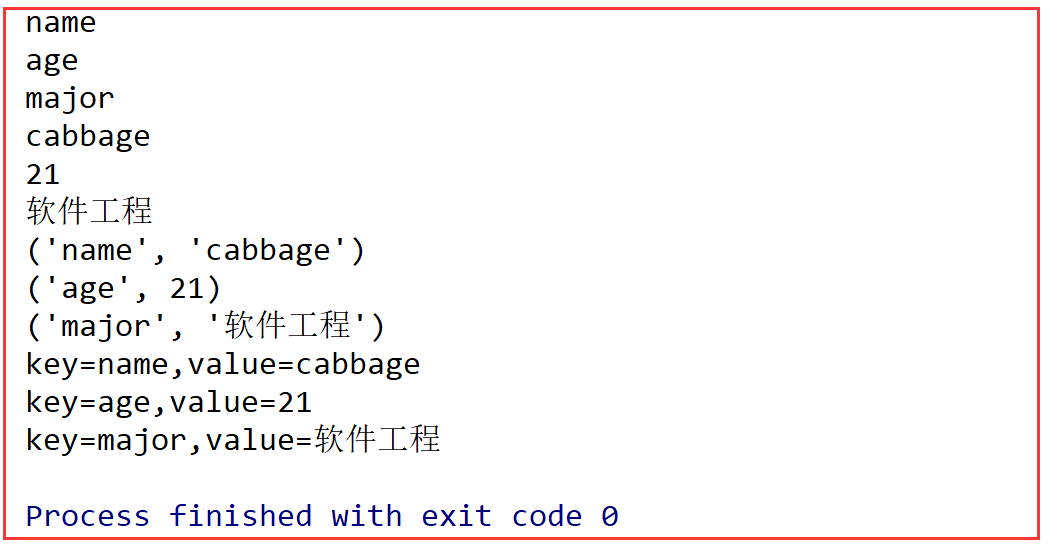
主要有四种遍历方式:遍历key、遍历value、遍历项以及遍历键值对
# 遍历key for key in information.keys(): print(key) # 遍历value for value in information.values(): print(value) # 遍历项 for item in information.items(): print(item) # 遍历键值对 for key, value in information.items(): print('key=%s,value=%s' % (key,value))- 1
- 2
- 3
- 4
- 5
- 6
- 7
- 8
- 9
- 10
- 11
- 12
运行结果:
感谢阅读,一起进步,嘻嘻~ -
相关阅读:
JavaWeb-jdbc的mysql驱动问题
Polygon zkEVM网络节点
贯穿化学制品制造业采购全过程,供应商协同管理系统实现企业订单管理全链协同
RocketMQ 消费者(2)客户端设计和启动流程详解 & 源码解析
边界访问的空间权限
SoviChart数据可视化:条形图(Bar chart)
spring实战笔记
408 | 大纲知识点考点冲刺 复习整理 ——【计组】第一二三章
【基于FreeRTOS的STM32F103系统】移动底盘程序优化
彻底搞懂Mybatis
- 原文地址:https://blog.csdn.net/weixin_59654772/article/details/125528930
