-
数字图像处理—— 实验五 基于图像分割的车牌定位识别
一、实验目的
(1)掌握车牌阈值分割;
(2)掌握基于形态学计算的图像分割;
(3)掌握图像的二值化;
(4)掌握基于像素投影的字符分割;
(5)掌握字符识别原理。
二、实验主要仪器设备
(1)计算机;
(2)Python 3.x及PyCharm软件;
(3)需进行车牌识别的图片。
- 注:opencv-python 使用的是3.x 版本
三、实验原理
(1) 图像灰度化
灰度数字图像是每个像素只有一个采样颜色的图像。这类图像通常显示为从最暗黑色到最亮的白色的灰度,尽管理论上这个采样可以任何颜色的不同深浅,甚至可以是不同亮度上的不同颜色。灰度图像与黑白图像不同,在计算机图像领域中黑白图像只有黑白两种颜色,灰度图像在黑色与白色之间还有许多级的颜色深度。
(2) 图像二值化
图像二值化就是将图像上的像素点的灰度值设置为 0 或 255,也就是将整个图像呈现出明显的黑白效果。
(3) 图像形态学运算
用具有一定形态的结构元素去度量和提取图像中的对应形状以达到对图像分析和识别的目的。
(4) 阈值分割原理
阈值分割算法是图形分割中应用场景最多的算法之一。简单地说,对灰度图像进行阈值分割就是先确定一个处于图像灰度取值范围内的阈值,然后将图像中各个像素的灰度值与这个阈值比较,并根据比较的结果将对应的像素划分为两类:像素灰度大于阈值的一类和像素值小于阈值的另一类,灰度值等于阈值的像素可以归入这两类之一。分割后的两类像素一般分属图像的两个不同区域,所以对像素根据阈值分类达到了区域分割的目的。
(5) 字符分割原理
二值化后的图像,在没有字符的区域,y方向上像素灰度和为0,在有字符的区域为灰度和非0。
四、实验指导
4.1 车牌定位
按照下面给出的阈值遍历图片,选取适当区域进行分割。遍历图像可利用for循环遍历图片上所有点,遍历方法为:
for i=1:m for j=1:n Rij=I(i,j,1); Gij=I(i,j,2); Bij=I(i,j,3);- 1
- 2
- 3
- 4
- 5
其中 I I I 为大小是 m ∗ n m*n m∗n 的RGB图像, R i j R_{ij} Rij、 G i j G_{ij} Gij、 B i j B_{ij} Bij 分别为 ( i , j ) (i,j) (i,j) 点像素的R、G、B值,将三个值与下方给出的阈值比较,可得出像素是否属于车牌区域。
定位车牌区域时可以分别从行和列的角度进行遍历,即若某行符合要求的像素点数量大于等于某阈值时则认为该行属于车牌区域;遍历列时亦然,即若某列符合要求的像素点数量大于等于某阈值时则认为该列属于车牌区域。
车牌分割参考阈值:
- RGB图像参考阈值
若 R i j R_{ij} Rij、 G i j G_{ij} Gij、 B i j B_{ij} Bij 分别为 ( i , j ) (i,j) (i,j) 点的RGB值,则
R i j R_{ij} Rij/ B i j B_{ij} Bij<0.35, G i j G_{ij} Gij/ B i j B_{ij} Bij<0.9, B i j B_{ij} Bij>90 或 G i j G_{ij} Gij/ B i j B_{ij} Bij< 0.35, R i j R_{ij} Rij/ B i j B_{ij} Bij<0.9, B i j B_{ij} Bij<90;
- HSV图像参考阈值
也可将RGB图像转化为HSV图像进行阈值比较,记 H i j H_{ij} Hij、 S i j S_{ij} Sij、 V i j V_{ij} Vij 分别为 ( i , j ) (i,j) (i,j) 点的HSV值,则
190 < H i j H_{ij} Hij < 245,0.35 < S i j S_{ij} Sij <1,0.3 < V i j V_{ij} Vij < 1。
根据检测到区域,将照片中车牌区域单独分割出来,为后面的字符分割做准备。
4.2 分割区域灰度化、二值化
将 4.1 中获得的车牌区域图片转化为灰度图像、二值图像,为后面的字符分割做准备。
4.3 车牌分割
二值化后的图像,在列方向,没有字符的区域,y方向上像素灰度和为0,在有字符的区域为灰度和非0,因此可根据灰度值在纵轴的投影对车牌二值图像进行分割;同理在行方向上也一样。根据此原理,可以将车牌中的字符单独分割出来,并且去除每个字符的上下方向上多余的边框。因此得到的字符分割结果,字符应该占满整个分割图像区域。为了便于后期的识别,因此将分割结果图片统一缩放为25*15大小。
4.4 车牌识别
本实验依照模版匹配进行识别。由于所给的模板中字符并没有占整个模板图片的区域,因此需要对模板进行去边框、缩放处理,原理与步骤 4.3 中类似。
将分割结果 I I I 分别与模版 I ’ I’ I’ 进行比对,得出其差值 ∣ I − I ′ ∣ |I-I'| ∣I−I′∣,则所得差值最小的模版即为识别结果。其中 I I I 为分割后的字符图像, I ’ I’ I’ 为模版图像。由于 opencv-python 中图像是以 numpy 数组形式存储的,所以 ∣ I − I ′ ∣ |I-I'| ∣I−I′∣ 相当于直接将两矩阵相减取绝对值即可,取绝对值的函数为
numpy.abs()。五、实验内容及代码
5.1 实验数据
本次实验将使用到一张待车牌识别的图像以及一个车牌模板文件,待进行车牌识别的图像如 图1 所示,车牌模板文件夹如 图2 所示:

图1. 待进行车牌识别的图像

图2(a). 车牌模板文件夹中的汉字模板

图2(b). 车牌模板文件夹中的数字模板

图2(c). 车牌模板文件夹中的英文字母模板 具体的数据我已打包分享至如下百度网盘链接:5-carNumber_免费高速下载|百度网盘-分享无限制 (baidu.com)
5.2 实验代码
import os import cv2 import numpy as np img = cv2.imread(r'./data/5.jpg') # 最终用于识别的图像 # 1.车牌定位 def license_region(image): r = image[:, :, 2] g = image[:, :, 1] b = image[:, :, 0] # 求出三种阈值 license_region_thresh = np.zeros(np.append(3, r.shape)) # 创建一个空的三维数组用于存放三种阈值 license_region_thresh[0, :, :] = r/b license_region_thresh[1, :, :] = g/b license_region_thresh[2, :, :] = b # 存放满足阈值条件的像素点坐标 region_origin = [] for i in range(image.shape[0]): for j in range(image.shape[1]): if (license_region_thresh[0, i, j] < 0.35 and license_region_thresh[1, i, j] < 0.9 and license_region_thresh[2, i, j] > 90) or ( license_region_thresh[1, i, j] < 0.35 and license_region_thresh[0, i, j] < 0.9 and license_region_thresh[2, i, j] < 90): region_origin.append([i, j]) region_origin = np.array(region_origin) # 进一步缩小行的索引范围 row_index = np.unique(region_origin[:, 0]) row_index_number = np.zeros(row_index.shape, dtype=np.uint8) for i in range(region_origin.shape[0]): for j in range(row_index.shape[0]): if region_origin[i, 0] == row_index[j]: row_index_number[j] = row_index_number[j]+1 row_index_out = row_index_number > 10 # 将误判的点去除 row_index_out = row_index[row_index_out] # 进一步缩小列的索引范围 col_index = np.unique(region_origin[:, 1]) col_index_number = np.zeros(col_index.shape, dtype=np.uint8) for i in range(region_origin.shape[0]): for j in range(col_index.shape[0]): if region_origin[i, 1] == col_index[j]: col_index_number[j] = col_index_number[j]+1 col_index_out = col_index_number > 10 col_index_out = col_index[col_index_out] # 得出最后的区间 region_out = np.array([[np.min(row_index_out), np.max(row_index_out)], [np.min(col_index_out), np.max(col_index_out)]]) return region_out region = license_region(img) # 显示车牌区域 img_test = img.copy() # 拷贝时不能直接等号赋值 cv2.rectangle(img_test, pt1=(region[1, 0], region[0, 0]), pt2=(region[1, 1], region[0, 1]), color=(0, 0, 255), thickness=2) cv2.imshow('car_license_region', img_test) cv2.waitKey(0) cv2.destroyAllWindows() # 2.分割区域灰度化、二值化 img_car_license = img[region[0, 0]:region[0, 1], region[1, 0]:region[1, 1], :] img_car_license_gray = cv2.cvtColor(img_car_license, cv2.COLOR_BGR2GRAY) # 将RGB图像转化为灰度图像 # otus二值化 img_car_license_binary = cv2.threshold(img_car_license_gray, 0, 255, cv2.THRESH_BINARY + cv2.THRESH_OTSU)[1] # 3.车牌分割(均分割为25*15的图片)height=25,width=15 # 模板分割函数,只针对单个字符,用于去除其周围的边缘,并resize def template_segmentation(origin_img): # 提取字符各列满足条件(有两个255的单元格)的索引 col_index = [] for col in range(origin_img.shape[1]): # 对于图像的所有列 if np.sum(origin_img[:, col]) >= 2*255: col_index.append(col) col_index = np.array(col_index) # 提取字符各行满足条件(有两个255的单元格)的索引 row_index = [] for row in range(origin_img.shape[0]): if np.sum(origin_img[row, :]) >= 2*255: row_index.append(row) row_index = np.array(row_index) # 按索引提取字符(符合条件的行列中取min-max),并resize到25*15大小 output_img = origin_img[np.min(row_index):np.max(row_index)+1, np.min(col_index):np.max(col_index)+1] output_img = np.uint8(output_img) if col_index.shape[0] <= 3 or row_index.shape[0] <= 3: output_img = origin_img[np.min(row_index):np.max(row_index)+1, np.min(col_index):np.max(col_index)+1] pad_row1 = np.int8(np.floor((25 - output_img.shape[0]) / 2)) pad_row2 = np.int8(np.ceil((25 - output_img.shape[0]) / 2)) pad_col1 = np.int8(np.floor((15 - output_img.shape[1]) / 2)) pad_col2 = np.int8(np.ceil((15 - output_img.shape[1]) / 2)) output_img = np.pad(output_img, ((pad_row1, pad_row2), (pad_col1, pad_col2)), 'constant', constant_values=(0, 0)) output_img = np.uint8(output_img) else: output_img = cv2.resize(output_img, (15, 25), interpolation=0) return output_img # 对原始车牌抠图,抠出每一个字符 temp_col_index = [] for col in range(img_car_license_binary.shape[1]): if np.sum(img_car_license_binary[:, col]) >= 2*255: # 提取大于等于2个255的列 temp_col_index.append(col) temp_col_index = np.array(temp_col_index) flag = 0 # 值是7个字符的起始列 flag_i = 0 # 值的变化范围:从0到6(对应车牌的7个字符) car_license_out_col = np.uint8(np.zeros([7, 30])) # 7行的数组存储车牌上的7个需识别的字 for j in range(temp_col_index.shape[0]-1): if temp_col_index[j+1]-temp_col_index[j] >= 2: # 提取的>=2个255的列之间不是相邻的(可初步解决川的分割问题) temp = temp_col_index[flag:j+1] temp = np.append(temp, np.zeros(30-temp.shape[0])) # 补成30维的向量,方便最后赋值给car_license_out_col temp = np.uint8(temp.reshape(1, 30)) car_license_out_col[flag_i, :] = temp flag = j+1 flag_i = flag_i+1 temp = temp_col_index[flag:] temp = np.append(temp, np.zeros(30-temp.shape[0])) temp = np.uint8(temp.reshape(1, 30)) car_license_out_col[flag_i, :] = temp # 分别提取7个字符 car_license_out_row = np.uint8(np.zeros([7, 30])) for row in range(car_license_out_row.shape[0]): # car_license_out_row.shape[0] temp = car_license_out_col[row, :] index = 0 for i in range(temp.shape[0]): # 去除列索引中多余的0 if temp[i] == 0: index = i break col_temp = temp[0:index] temp_img = img_car_license_binary[:, np.min(col_temp):np.max(col_temp)+1] t = np.nonzero(np.sum(temp_img, axis=1)) if row == 0: province1 = temp_img[t, :] # 汉字后续扩展成40*40 province1 = province1[0, :, :] province1 = template_segmentation(province1) province1 = np.uint8(province1) if row == 1: province2 = temp_img[t, :] # 字母和数字后续扩展成40*40 province2 = province2[0, :, :] province2 = template_segmentation(province2) province2 = np.uint8(province2) if row == 2: car_number1 = temp_img[t, :] car_number1 = car_number1[0, :, :] car_number1 = template_segmentation(car_number1) car_number1 = np.uint8(car_number1) if row == 3: car_number2 = temp_img[t, :] car_number2 = car_number2[0, :, :] car_number2 = template_segmentation(car_number2) car_number2 = np.uint8(car_number2) if row == 4: car_number3 = temp_img[t, :] car_number3 = car_number3[0, :, :] car_number3 = template_segmentation(car_number3) car_number3 = np.uint8(car_number3) if row == 5: car_number4 = temp_img[t, :] car_number4 = car_number4[0, :, :] car_number4 = template_segmentation(car_number4) car_number4 = np.uint8(car_number4) if row == 6: car_number5 = temp_img[t, :] car_number5 = car_number5[0, :, :] car_number5 = template_segmentation(car_number5) car_number5 = np.uint8(car_number5) cv2.imshow('province1', province1) cv2.imshow('province2', province2) cv2.imshow('car_number1', car_number1) cv2.imshow('car_number2', car_number2) cv2.imshow('car_number3', car_number3) cv2.imshow('car_number4', car_number4) cv2.imshow('car_number5', car_number5) cv2.waitKey(0) cv2.destroyAllWindows() # 4.车牌识别 # 读取原始图片并生成模板的函数 def template_array_generator(template_path, template_size): template_img_out = np.zeros([template_size, 25, 15], dtype=np.uint8) index = 0 files = os.listdir(template_path) for file in files: template_img = cv2.imdecode(np.fromfile(template_path + '/' + file, dtype=np.uint8), -1) template_img_gray = cv2.cvtColor(template_img, cv2.COLOR_BGR2GRAY) template_img_binary = cv2.threshold(template_img_gray, 0, 255, cv2.THRESH_BINARY + cv2.THRESH_OTSU)[1] template_img_binary = 255-template_img_binary # 模板给出的与车牌上的是相反的,所有用255相减进行匹配 template_img_out[index, :, :] = template_segmentation(template_img_binary) index = index + 1 return template_img_out # 读取所有的汉字并生成模板 Chinese_character = open(r'./data/5-carNumber./汉字.txt', encoding="gbk").read() Chinese_character = Chinese_character.split("\n") Chinese_char_template = template_array_generator(r'./data/5-carNumber./汉字', len(Chinese_character)) # 读取所有的数字并生成模板 Number_character = open(r'./data/5-carNumber./数字.txt', encoding="gbk").read() Number_character = Number_character.split("\n") Number_char_template = template_array_generator(r'./data/5-carNumber./数字', len(Number_character)) # 读取所有的字母并生成模板 Alphabet_character = open(r'./data/5-carNumber./英文.txt', encoding="gbk").read() Alphabet_character = Alphabet_character.split("\n") Alphabet_char_template = template_array_generator(r'./data/5-carNumber./英文', len(Alphabet_character)) # 进行字符识别 car_character = np.uint8(np.zeros([7, 25, 15])) car_character[0, :, :] = province1.copy() car_character[1, :, :] = province2.copy() car_character[2, :, :] = car_number1.copy() car_character[3, :, :] = car_number2.copy() car_character[4, :, :] = car_number3.copy() car_character[5, :, :] = car_number4.copy() car_character[6, :, :] = car_number5.copy() match_length = Chinese_char_template.shape[0]+Alphabet_char_template.shape[0]+Number_char_template.shape[0] match_mark = np.zeros([7, match_length]) Chinese_char_start = 0 Chinese_char_end = Chinese_char_template.shape[0] Alphabet_char_start = Chinese_char_template.shape[0] Alphabet_char_end = Chinese_char_template.shape[0]+Alphabet_char_template.shape[0] Number_char_start = Chinese_char_template.shape[0]+Alphabet_char_template.shape[0] Number_char_end = match_length for i in range(match_mark.shape[0]): # 7个需识别的字符 for j in range(Chinese_char_start, Chinese_char_end): # 所有的汉字模板 match_mark[i, j] = cv2.matchTemplate(car_character[i, :, :], Chinese_char_template[j, :, :], cv2.TM_CCOEFF) # 所有的字母模板 for j in range(Alphabet_char_start, Alphabet_char_end): match_mark[i, j] = cv2.matchTemplate(car_character[i, :, :], Alphabet_char_template[j-Alphabet_char_start, :, :], cv2.TM_CCOEFF) # 所有的数字模板 for j in range(Number_char_start, Number_char_end): match_mark[i, j] = cv2.matchTemplate(car_character[i, :, :], Number_char_template[j-Number_char_start, :, :], cv2.TM_CCOEFF) output_index = np.argmax(match_mark, axis=1) output_char = [] for i in range(output_index.shape[0]): if 0 <= output_index[i] <= 28: output_char.append(Chinese_character[output_index[i]]) if 29 <= output_index[i] <= 54: output_char.append(Alphabet_character[output_index[i]-29]) if 55 <= output_index[i] <= 64: output_char.append(Number_character[output_index[i]-55]) # 打印识别结果 for i in range(len(output_char)): if i == 0: print('province1:'+output_char[0]) if i == 1: print('province1:'+output_char[1]) if i == 2: print('car1:'+output_char[2]) if i == 3: print('car2:' + output_char[3]) if i == 4: print('car3:' + output_char[4]) if i == 5: print('car4:' + output_char[5]) if i == 6: print('car5:' + output_char[6])- 1
- 2
- 3
- 4
- 5
- 6
- 7
- 8
- 9
- 10
- 11
- 12
- 13
- 14
- 15
- 16
- 17
- 18
- 19
- 20
- 21
- 22
- 23
- 24
- 25
- 26
- 27
- 28
- 29
- 30
- 31
- 32
- 33
- 34
- 35
- 36
- 37
- 38
- 39
- 40
- 41
- 42
- 43
- 44
- 45
- 46
- 47
- 48
- 49
- 50
- 51
- 52
- 53
- 54
- 55
- 56
- 57
- 58
- 59
- 60
- 61
- 62
- 63
- 64
- 65
- 66
- 67
- 68
- 69
- 70
- 71
- 72
- 73
- 74
- 75
- 76
- 77
- 78
- 79
- 80
- 81
- 82
- 83
- 84
- 85
- 86
- 87
- 88
- 89
- 90
- 91
- 92
- 93
- 94
- 95
- 96
- 97
- 98
- 99
- 100
- 101
- 102
- 103
- 104
- 105
- 106
- 107
- 108
- 109
- 110
- 111
- 112
- 113
- 114
- 115
- 116
- 117
- 118
- 119
- 120
- 121
- 122
- 123
- 124
- 125
- 126
- 127
- 128
- 129
- 130
- 131
- 132
- 133
- 134
- 135
- 136
- 137
- 138
- 139
- 140
- 141
- 142
- 143
- 144
- 145
- 146
- 147
- 148
- 149
- 150
- 151
- 152
- 153
- 154
- 155
- 156
- 157
- 158
- 159
- 160
- 161
- 162
- 163
- 164
- 165
- 166
- 167
- 168
- 169
- 170
- 171
- 172
- 173
- 174
- 175
- 176
- 177
- 178
- 179
- 180
- 181
- 182
- 183
- 184
- 185
- 186
- 187
- 188
- 189
- 190
- 191
- 192
- 193
- 194
- 195
- 196
- 197
- 198
- 199
- 200
- 201
- 202
- 203
- 204
- 205
- 206
- 207
- 208
- 209
- 210
- 211
- 212
- 213
- 214
- 215
- 216
- 217
- 218
- 219
- 220
- 221
- 222
- 223
- 224
- 225
- 226
- 227
- 228
- 229
- 230
- 231
- 232
- 233
- 234
- 235
- 236
- 237
- 238
- 239
- 240
- 241
- 242
- 243
- 244
- 245
- 246
- 247
- 248
- 249
- 250
- 251
- 252
- 253
- 254
- 255
- 256
- 257
- 258
- 259
- 260
- 261
- 262
- 263
- 264
- 265
- 266
- 267
车牌区域定位结果:

图3. 车牌区域定位结果 各车牌字符分割结果:

图4(a). 省份字符分割
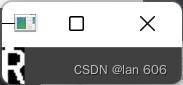
图4(b). 字符1分割

图4(c). 字符2分割 
图4(d). 字符3分割 
图4(e). 字符4分割 
图4(f). 字符5分割 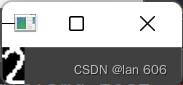
图4(g). 字符6分割 车牌识别结果:

图5. 模板匹配下的车牌识别结果 -
相关阅读:
Java注解
合宙Air724UG LuatOS-Air lvgl7-lvgl(矢量字体)
2022.8.8考试游记总结
Web安全系列——敏感信息泄露与加密机制
哇,膜拜,师父竟然懂HARAKIRI的意思(附Linux常用命令)
小程序 英语学习小助手java
RabbitMQ之幂等性问题处理
ICDE‘22推荐系统论文梳理之Industry篇
学js的第二十一天
通过开源如何赚钱生存发展
- 原文地址:https://blog.csdn.net/alan1ly/article/details/125423118
