-
hero博客搭建
hexo博客搭建
1.安装node.js
官网下载地址:https://nodejs.org/en/
![[外链图片转存失败,源站可能有防盗链机制,建议将图片保存下来直接上传(img-QQu1hM9Y-1656331719812)(C:\Users\Administrator.SC-201902031211\AppData\Roaming\Typora\typora-user-images\image-20220626211032683.png)]](https://1000bd.com/contentImg/2022/06/29/061622712.png)
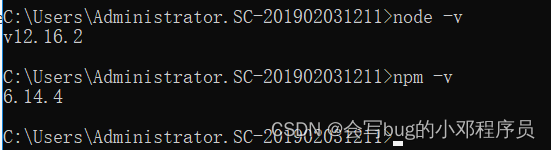
win+r 输入 cmd进入命令行,查看node版本
node -v npm -v- 1
- 2
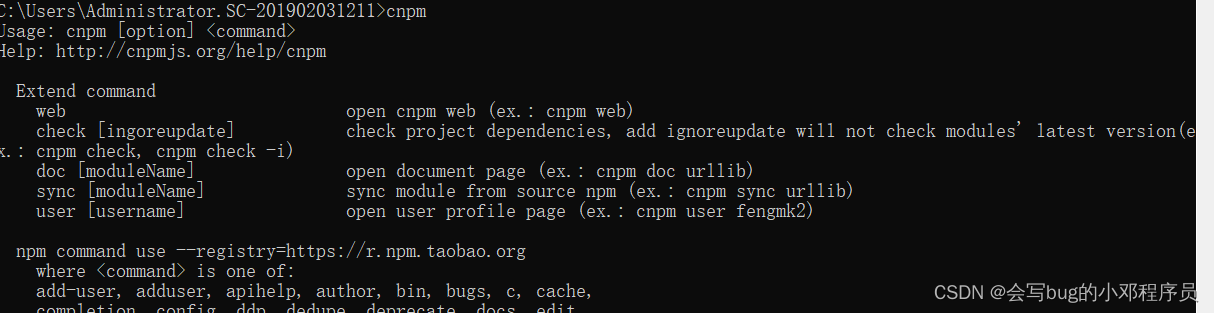
安装cnpm,使用国内镜像淘宝
npm install -g cnpm --registry=https://registry.npm.taobao.org- 1
查看是否安装成功
2.安装hexo-cli
cnpm install -g hexo-cli- 1
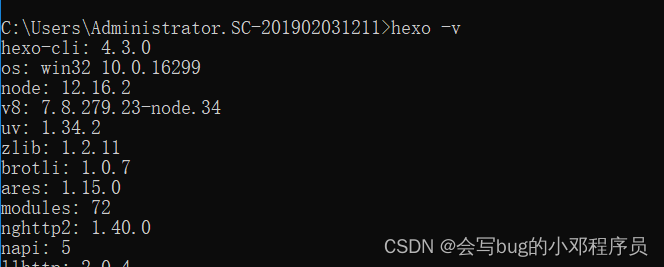
验证是否安装成功
hexo -v- 1
3.搭建博客
创建blog文件夹(也可直接右键新建文件夹),并进入这个目录
mkdir blog cd blog- 1
- 2
初始化博客
hexo init- 1

启动博客(hexo sever)
hexo s- 1

访问地址:http://localhost:4000/
发表文章
hexo n "我的第一篇博客文章"- 1
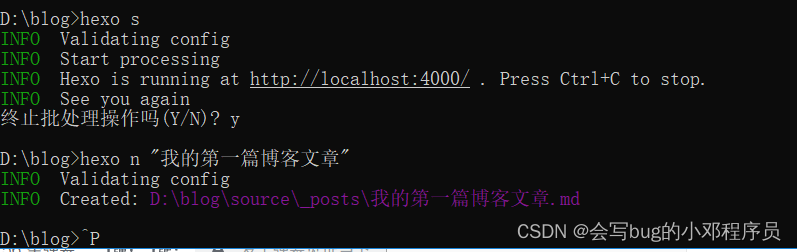
对source_posts\我的第一篇博客文章.md进行修改
清理
hexo clean- 1
生成文章(hex generate)
hexo g- 1
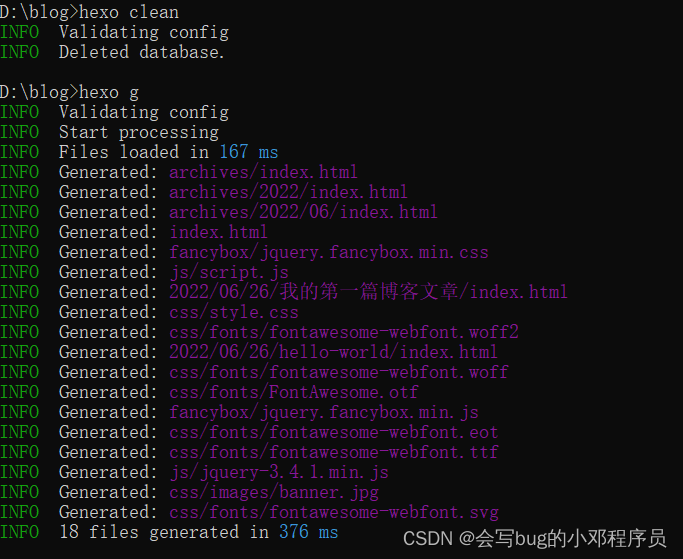
重新开启服务器,输入网址就可以看到发表的文章
hexo s- 1

4.博客部署到github
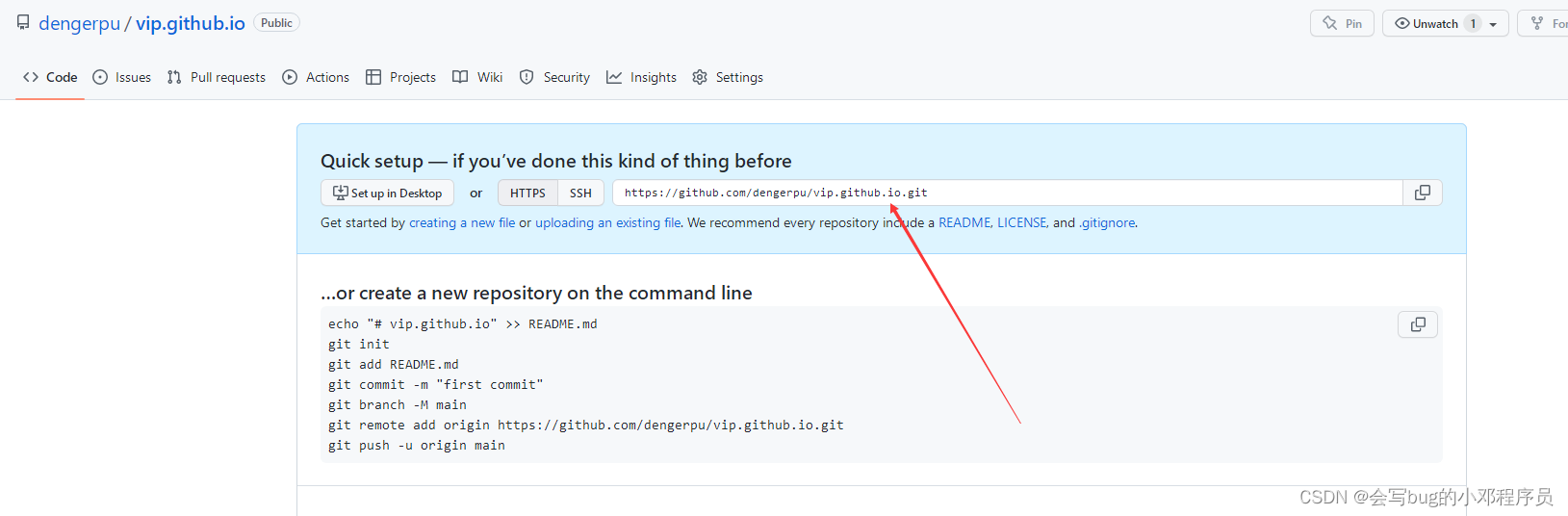
1.登陆github创建一个新仓库
注意:仓库名字:域名.github.io
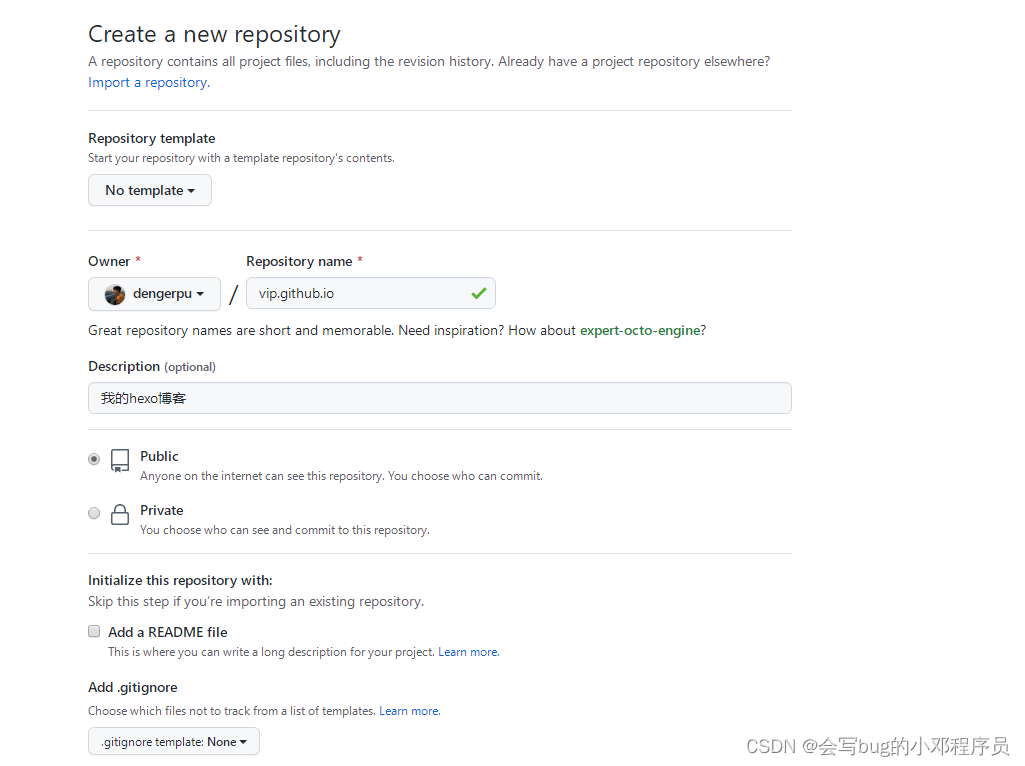
2.创建成之后,安装hexo-deployer-git
cnpm install --save hexo-deployer-git- 1

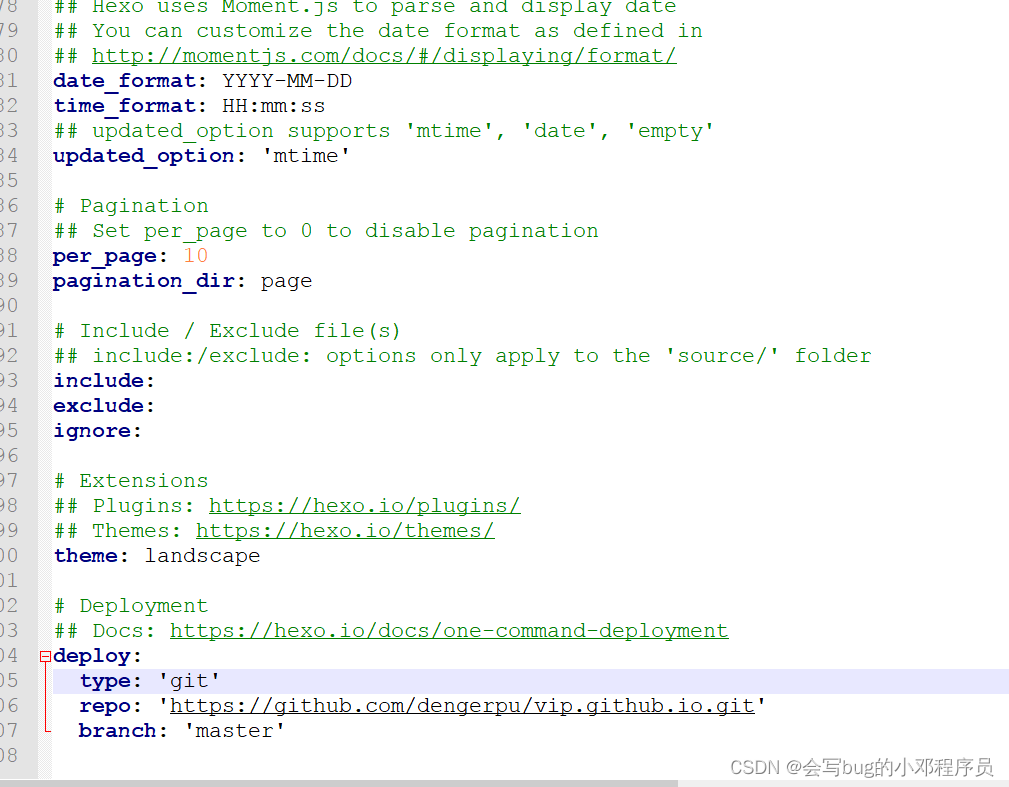
3.在blog文件夹下修改_config.yml
修改_config.yml文件末尾的内容
repo里面填写github仓库地址
branch 填写分支
deploy: type: 'git' repo: 'https://github.com/dengerpu/vip.github.io.git' branch: 'master'- 1
- 2
- 3
- 4
4.部署到远端
hexo d- 1
5.访问
地址:https://vip.github.io
更改后的地址:https://dengerpu.github.io
最后发现vip域名被占用了,就换了个域名重新部署到远端(更改下仓库名,和_config.yml里面的配置,再次部署到远端即可 hexo d)
5更改博客主题
地址:https://github.com/litten/hexo-theme-yilia
1.下载主题
git clone https://github.com/litten/hexo-theme-yilia.git themes/yilia- 1
2.修改_config.yml这个文件
theme: yilia- 1

3.重新清理,生成
hexo clean hexo g- 1
- 2
4.重新开启博客服务器
hexo s- 1
5.推到远端
hexo d- 1
6.博客常用命令
Create a new post(发表文章)
hexo new "My New Post"- 1
More info: Writing
Run server(运行服务器)
hexo server- 1
More info: Server
Generate static files(发送到服务器)
hexo generate- 1
More info: Generating
Deploy to remote sites(部署到远程站点)
hexo deploy xo.io/docs/server.html) ### Generate static files(发送到服务器) ```shell hexo generate- 1
- 2
- 3
- 4
- 5
- 6
- 7
More info: Generating
Deploy to remote sites(部署到远程站点)
hexo deploy- 1
-
相关阅读:
Angular 使用教程——基本语法和双向数据绑定
javaScript 使用indexOf 撸一下模糊查询
QT QFrame控件使用详解
蓝桥等考Python组别十三级004
盘一盘那些年我们使用的Java
如何将pdf转word?这几个软件可以做到文档格式转换
kotlin 之几个常见的内联函数(一)
免费在线pdf处理工具:pdf文件压缩;pdf文件转word
iometer - 性能压力测试工具
关于安卓jsbridge的使用
- 原文地址:https://blog.csdn.net/weixin_44196222/article/details/125491054