-
17:第二章:架构后端项目:13:Swagger2接口文档工具;(在【imooc-news-dev-service-api】这个模块上,配置)
说明:
(1)本篇博客内容:Swagger2接口文档工具;
(2)声明:
● 在【Spring Boot电商项目25:商品分类模块四:使用Swagger自动生成API文档;】中,我们就介绍过Swagger2了;可以去参考;但是,本篇博客的内容,会有些微差别;不过还好,两篇博客都是可行策略;;;两篇博客,对比着瞅瞅吧;
● 按理说,我们应该在所有的微服务中,都去构建一Swagger的配置;但这样太麻烦了;;;又因为,已知我们所有微服务的接口,都会被【api】统一管理起来,所以我们在【api】中配置Swagger2,就会很很省事;
目录
1.首先,在【imooc-news-dev-service-api】中,引入swagger2相关依赖;
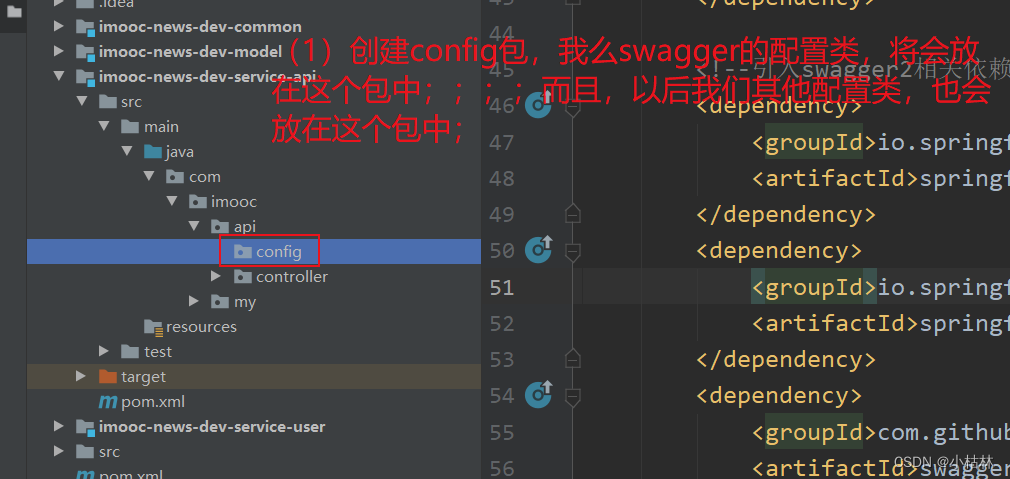
2.然后,在在【imooc-news-dev-service-api】中,创建config包,并创建Swagger的配置类:去配置Swagger;
3.然后,在【imooc-news-dev-service-api】的接口上,利用@Api()去设置接口说明;
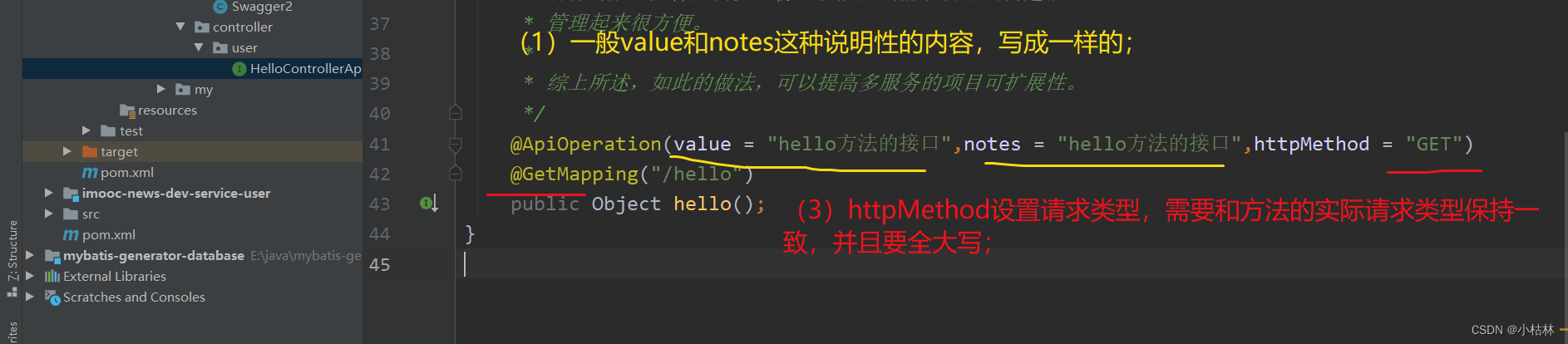
4.也可以在在【imooc-news-dev-service-api】的接口中的,方法上,使用@ApiOperation(),去具体给某个方法设置说明;
一:正式开发;
1.首先,在【imooc-news-dev-service-api】中,引入swagger2相关依赖;
- <!--引入swagger2相关依赖-->
- <dependency>
- <groupId>io.springfox</groupId>
- <artifactId>springfox-swagger2</artifactId>
- </dependency>
- <dependency>
- <groupId>io.springfox</groupId>
- <artifactId>springfox-swagger-ui</artifactId>
- </dependency>
- <dependency>
- <groupId>com.github.xiaoymin</groupId>
- <artifactId>swagger-bootstrap-ui</artifactId>
- </dependency>
说明:
(1)在【api】模块中,引入swagger2相关依赖;

2.然后,在在【imooc-news-dev-service-api】中,创建config包,并创建Swagger的配置类:去配置Swagger;
Swagger2类:
- package com.imooc.api.config;
- import com.google.common.base.Predicate;
- import com.google.common.base.Predicates;
- import org.springframework.context.annotation.Bean;
- import org.springframework.context.annotation.Configuration;
- import springfox.documentation.RequestHandler;
- import springfox.documentation.builders.ApiInfoBuilder;
- import springfox.documentation.builders.PathSelectors;
- import springfox.documentation.builders.RequestHandlerSelectors;
- import springfox.documentation.service.ApiInfo;
- import springfox.documentation.service.Contact;
- import springfox.documentation.spi.DocumentationType;
- import springfox.documentation.spring.web.plugins.Docket;
- import springfox.documentation.swagger2.annotations.EnableSwagger2;
- @Configuration //使用这个注解,说明这是个配置类;
- @EnableSwagger2//使用【@EnableSwagger2注解】:去开启Swagger功能;
- public class Swagger2 {
- // http://localhost:服务端口号/swagger-ui.html 原路径
- // http://localhost:服务端口号/doc.html 原路径
- // 配置swagger2核心配置 docket
- @Bean
- public Docket createRestApi() {
- // Predicate<RequestHandler> adminPredicate = RequestHandlerSelectors.basePackage("com.imooc.admin.controller");
- // Predicate<RequestHandler> articlePredicate = RequestHandlerSelectors.basePackage("com.imooc.article.controller");
- Predicate<RequestHandler> userPredicate = RequestHandlerSelectors.basePackage("com.imooc.user.controller");
- // Predicate<RequestHandler> filesPredicate = RequestHandlerSelectors.basePackage("com.imooc.files.controller");
- return new Docket(DocumentationType.SWAGGER_2) // 指定api类型为swagger2
- .apiInfo(apiInfo()) // 用于定义api文档汇总信息
- .select()
- .apis(Predicates.or(userPredicate))//因为,目前我们只开发了【user】,所以这儿我们这儿只保留user的;(adminPredicate, articlePredicate, userPredicate, filesPredicate)
- .paths(PathSelectors.any()) // 所有controller
- .build();
- }
- private ApiInfo apiInfo() {
- return new ApiInfoBuilder()
- .title("慕课新闻·自媒体接口api") // 文档页标题
- .contact(new Contact("imooc",
- "https://www.imooc.com",
- "abc@imooc.com")) // 联系人信息
- .description("专为慕课新闻·自媒体平台提供的api文档") // 详细信息
- .version("1.0.1") // 文档版本号
- .termsOfServiceUrl("https://www.imooc.com") // 网站地址
- .build();
- }
- }
说明:
(1)需要根据我们项目的包结构,去设置扫描包名,要确保扫描到【api】工程包含的所有微服务的接口;

3.然后,在【imooc-news-dev-service-api】的接口上,利用@Api()去设置接口说明;

4.也可以在在【imooc-news-dev-service-api】的接口中的,方法上,使用@ApiOperation(),去具体给某个方法设置说明;
二:测试;
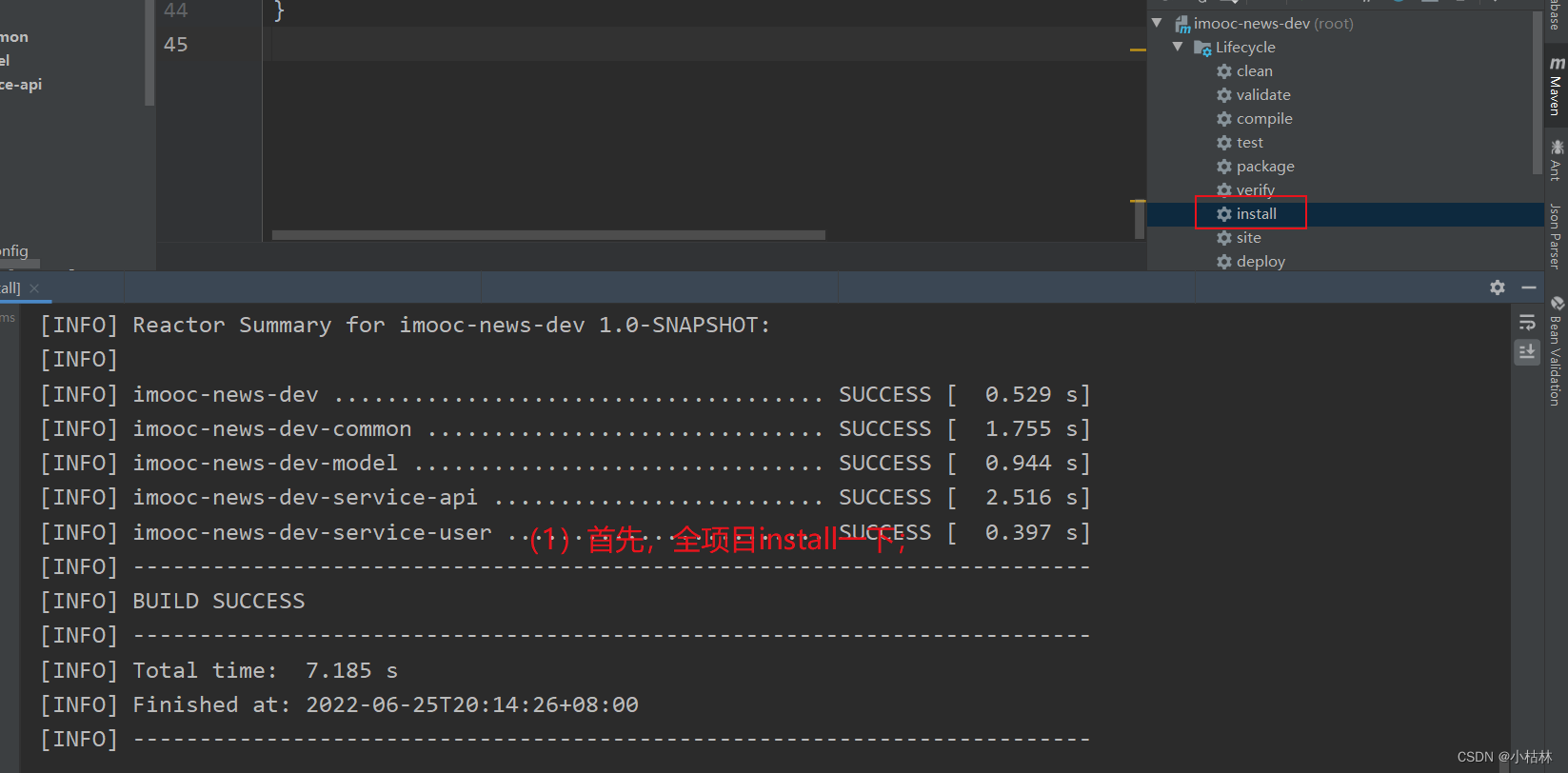
运行【imooc-news-dev-service-user】的主启动类;

然后,通过【http://localhost:8003/swagger-ui.html】就可以访问了;

然后,通过【http://localhost:8003/doc.html】也是可以访问的;
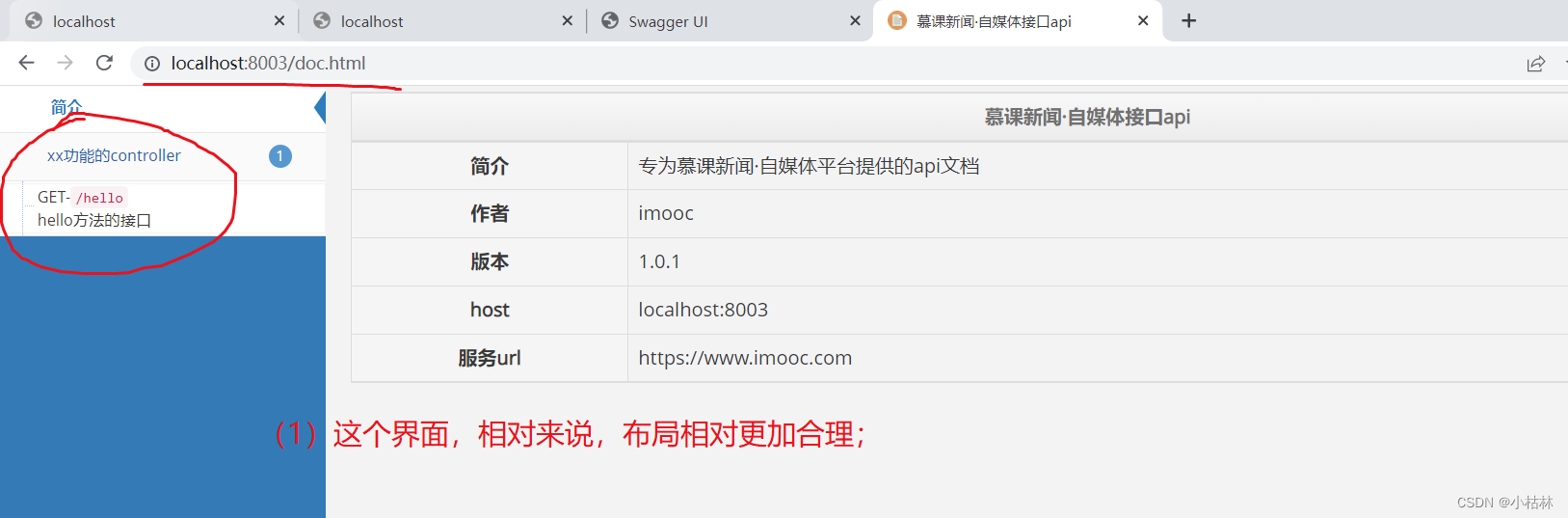
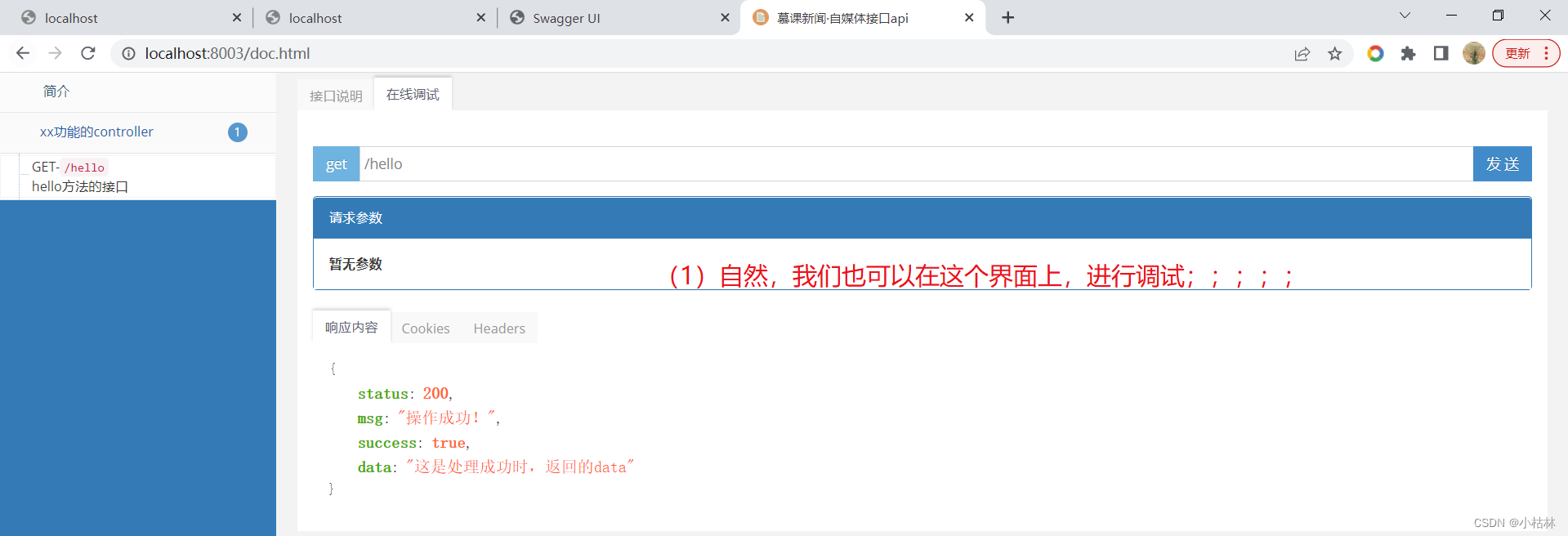
PS:Swagger是个很好的工具了,客户,前端,经理,自己都可以使用;
-
相关阅读:
【linux命令讲解大全】014.Git:分布式版本控制系统的先驱和常用命令清单(三)
web前端面试题附答案002-说一下react组件间的数据传递
CloudKit提示Permission Failure:Invalid bundle ID for container 错误的超详细解决
前、后端通用的可视化逻辑编排
Gitea 与 Jenkins 的集成实践,打造你的专属 CI/CD 系统
如何编译linux驱动ko
纯js写一个弹窗
Python网络编程之TCP编程
项目架构设计说明书编制
Linux(八)——解压缩
- 原文地址:https://blog.csdn.net/csucsgoat/article/details/125462941
