-
Spring Boot之MongoDB与MongoDB GridFS的基本使用
Spring Boot之MongoDB与MongoDB GridFS的基本使用
MongoDB的基本使用
添加依赖
<dependency> <groupId>org.springframework.boot</groupId> <artifactId>spring-boot-starter-data-mongodb</artifactId> </dependency>- 1
- 2
- 3
- 4
配置application.yml
server: port: 8888 spring: application: name: dmeo-app data: mongodb: uri: mongodb://root:123456@localhost:27017 database: dmeo- 1
- 2
- 3
- 4
- 5
- 6
- 7
- 8
- 9
配置启动类
@SpringBootApplication @EntityScan("cn.ybzy.model")//扫描实体类 public class Application { public static void main(String[] args) { SpringApplication.run(Application .class, args); } }- 1
- 2
- 3
- 4
- 5
- 6
- 7
配置日志
配置
logback-spring.xml日志,非必要配置<?xml version="1.0" encoding="UTF-8"?> <configuration> <!--定义日志文件的存储地址,使用绝对路径--> <property name="LOG_HOME" value="D:/logs"/> <!-- Console 输出设置 --> <appender name="CONSOLE" class="ch.qos.logback.core.ConsoleAppender"> <encoder> <!--格式化输出:%d表示日期,%thread表示线程名,%-5level:级别从左显示5个字符宽度%msg:日志消息,%n是换行符--> <pattern>%d{yyyy-MM-dd HH:mm:ss.SSS} [%thread] %-5level %logger{36} - %msg%n</pattern> <charset>utf8</charset> </encoder> </appender> <!-- 按照每天生成日志文件 --> <appender name="FILE" class="ch.qos.logback.core.rolling.RollingFileAppender"> <rollingPolicy class="ch.qos.logback.core.rolling.TimeBasedRollingPolicy"> <!--日志文件输出的文件名--> <fileNamePattern>${LOG_HOME}/xc.%d{yyyy-MM-dd}.log</fileNamePattern> </rollingPolicy> <encoder> <pattern>%d{yyyy-MM-dd HH:mm:ss.SSS} [%thread] %-5level %logger{36} - %msg%n</pattern> </encoder> </appender> <!-- 异步输出 --> <appender name="ASYNC" class="ch.qos.logback.classic.AsyncAppender"> <!-- 不丢失日志.默认的,如果队列的80%已满,则会丢弃TRACT、DEBUG、INFO级别的日志 --> <discardingThreshold>0</discardingThreshold> <!-- 更改默认的队列的深度,该值会影响性能.默认值为256 --> <queueSize>512</queueSize> <!-- 添加附加的appender,最多只能添加一个 --> <appender-ref ref="FILE"/> </appender> <logger name="org.apache.ibatis.cache.decorators.LoggingCache" level="DEBUG" additivity="false"> <appender-ref ref="CONSOLE"/> </logger> <logger name="org.springframework.boot" level="DEBUG"/> <root level="info"> <!--<appender-ref ref="ASYNC"/>--> <appender-ref ref="FILE"/> <appender-ref ref="CONSOLE"/> </root> </configuration>- 1
- 2
- 3
- 4
- 5
- 6
- 7
- 8
- 9
- 10
- 11
- 12
- 13
- 14
- 15
- 16
- 17
- 18
- 19
- 20
- 21
- 22
- 23
- 24
- 25
- 26
- 27
- 28
- 29
- 30
- 31
- 32
- 33
- 34
- 35
- 36
- 37
- 38
- 39
- 40
- 41
- 42
- 43
- 44
- 45
- 46
- 47
创建User文档对象
@Data @ToString @Document(collection = "user") public class User { @Id private String uid; private String name; private Integer age; private String address; }- 1
- 2
- 3
- 4
- 5
- 6
- 7
- 8
- 9
- 10
- 11
- 12
- 13
- 14
创建UserRepository
创建UserRepository ,继承MongoRepository,并指定实体类型和主键类型
在MongoRepository中定义了很多现成的方法,可以更方便的使用。
Spring Data mongodb也提供了自定义方法的规则,按照findByXXX,findByXXXAndYYY、countByXXXAndYYY等规则定义方法,实现查询操作。
/** * @Author: CJ * @Description: **/ public interface UserRepository extends MongoRepository<User,String> { /** * 根据页面名称查询 * @param name * @return */ User findByName(String name); /** * 根据页面名称和类型查询 * @param name * @param age * @return */ User findByNameAndAge(String name,Integer age); /** * 根据站点和页面类型查询记录数 * @param name * @param age * @return */ int countByNameAndAge(String name,Integer age); /** * 根据站点和页面类型分页查询 * @param name * @param address * @param pageable * @return */ Page<User> findByNameAndAddress(String name, String address, Pageable pageable); }- 1
- 2
- 3
- 4
- 5
- 6
- 7
- 8
- 9
- 10
- 11
- 12
- 13
- 14
- 15
- 16
- 17
- 18
- 19
- 20
- 21
- 22
- 23
- 24
- 25
- 26
- 27
- 28
- 29
- 30
- 31
- 32
- 33
- 34
- 35
- 36
- 37
- 38
- 39
执行测试
@SpringBootTest @RunWith(SpringRunner.class) public class UserRepositoryTest { @Autowired private UserRepository userRepository; @Test public void testFindAll() { //从0开始 int page = 0; int size = 10; Pageable pageable = PageRequest.of(page, size); Page<User> all = userRepository.findAll(pageable); System.out.println(all); } @Test public void testSave() { User user = new User(); user.setName("lisi"); user.setAddress("China"); user.setAge(12); userRepository.save(user); System.out.println(user); } @Test public void testDelete() { userRepository.deleteById("5fce3a0728df2033145874fc"); } @Test public void testUpdate() { /** * Optional是jdk1.8引入的类型,Optional是一个容器对象 * 它包括了需要的对象,使用isPresent方法判断所包含对象是否为空 * isPresent方法返回false则表示Optional包含对象为空,否则可以使用get()取出对象进行操作。 * Optional的优点是: * 1、提醒非空判断。 * 2、将对象非空检测标准化。 */ Optional<User> optional = userRepository.findById("5fce3a0728df2033145874fc"); if (optional.isPresent()) { User user = optional.get(); user.setAge(22); userRepository.save(user); } } @Test public void testFindByName() { User user = userRepository.findByName("lisi"); System.out.println(user); } @Test public void testCountByNameAndAge() { int count = userRepository.countByNameAndAge("lisi", 12); System.out.println(count); } //自定义条件查询 @Test public void testExample() { //条件值 User user= new User (); user.setAge(22); user.setAddress("China"); //条件匹配器 ExampleMatcher exampleMatcher = ExampleMatcher.matching(); //ExampleMatcher.GenericPropertyMatchers.contains() 包含关键字,即模糊查询 exampleMatcher = exampleMatcher.withMatcher("address", ExampleMatcher.GenericPropertyMatchers.contains()); //创建条件实例 Example<User> example = Example.of(user, exampleMatcher); //分页对象 Pageable pageable = new PageRequest(0, 10); //分页查询 Page<User> UserList = cmsPageRepository.findAll(example, pageable); System.out.println(UserList); } }- 1
- 2
- 3
- 4
- 5
- 6
- 7
- 8
- 9
- 10
- 11
- 12
- 13
- 14
- 15
- 16
- 17
- 18
- 19
- 20
- 21
- 22
- 23
- 24
- 25
- 26
- 27
- 28
- 29
- 30
- 31
- 32
- 33
- 34
- 35
- 36
- 37
- 38
- 39
- 40
- 41
- 42
- 43
- 44
- 45
- 46
- 47
- 48
- 49
- 50
- 51
- 52
- 53
- 54
- 55
- 56
- 57
- 58
- 59
- 60
- 61
- 62
- 63
- 64
- 65
- 66
- 67
- 68
- 69
- 70
- 71
- 72
- 73
- 74
- 75
- 76
- 77
- 78
- 79
- 80
- 81
- 82
- 83
- 84
- 85
- 86
GridFS的基本使用
GridFS概述
GridFS是MongoDB提供的用于持久化存储文件的模块。
工作原理:
GridFS存储文件是将文件分块存储,文件会按照256KB的大小分割成多个块进行存储,GridFS使用两个集合(collection)存储文件,一个集合是chunks, 用于存储文件的二进制数据;一个集合是files,用于存储文件的元数据信息(文件名称、块大小、上传时间等信息)。
特点:
用于存储和恢复超过16M(BSON文件限制)的文件(如:图片、音频、视频等)
是文件存储的一种方式,但它是存储在MonoDB的集合中
可以更好的存储大于16M的文件
会将大文件对象分割成多个小的chunk(文件片段),一般为256k/个,每个chunk将作为MongoDB的一个文档(document)被存储在chunks集合中
用两个集合来存储一个文件:fs.files与fs.chunks
每个文件的实际内容被存在chunks(二进制数据)中,和文件有关的meta数据(filename,content_type,还有用户自定义的属性)将会被存在files集合中。
详细参考:官网文档
存放文件
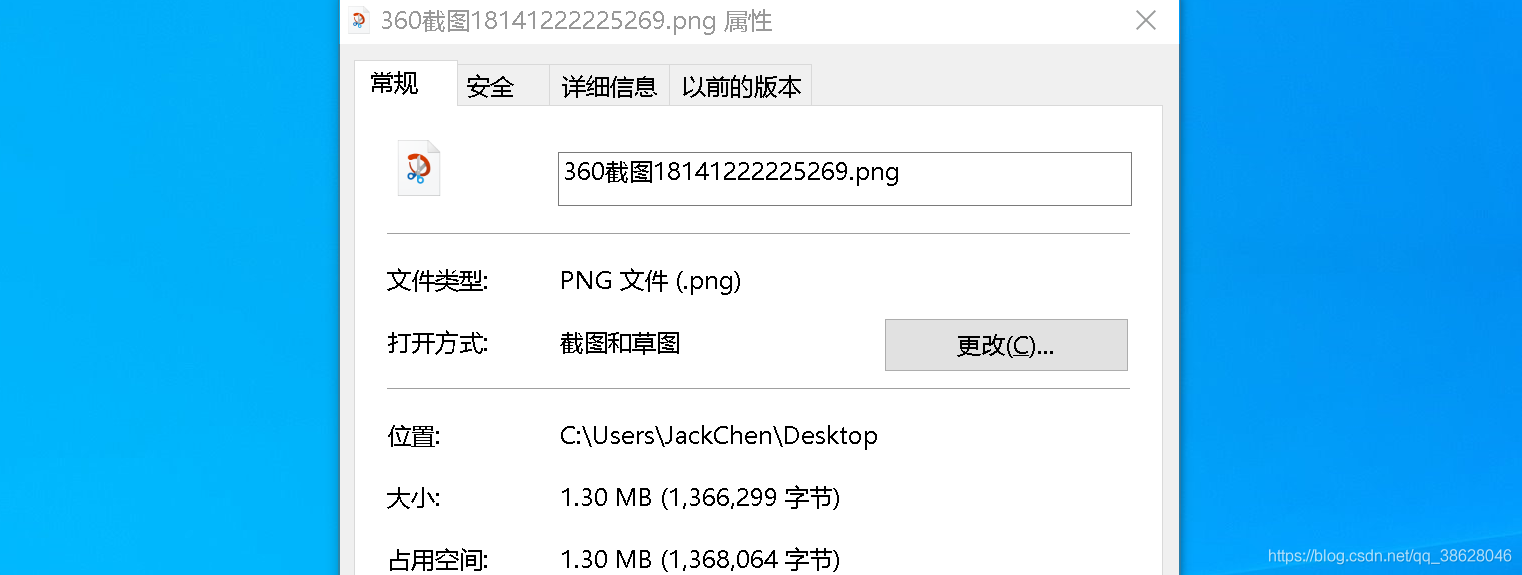
@Autowired GridFsTemplate gridFsTemplate; @Test public void testSaveFile() throws FileNotFoundException { //要存储的文件 File file = new File("C:\\Users\\JackChen\\Desktop\\360截图18141222225269.png"); //定义输入流 FileInputStream inputStram = new FileInputStream(file); //向GridFS存储文件 ObjectId objectId = gridFsTemplate.store(inputStram, "1.png", ""); //得到文件ID String fileId = objectId.toString(); //5fd46f5c3629763ad83f9b86 System.out.println(fileId); }- 1
- 2
- 3
- 4
- 5
- 6
- 7
- 8
- 9
- 10
- 11
- 12
- 13
- 14
- 15
- 16
文件存储成功得到一个文件id,该文件id是fs.files集合中的主键

可以通过文件id查询fs.chunks表中的记录,得到文件的内容。当GridFS中读取文件时,若文件分成多块,需要对文件的各分块进行组装、合并

读取文件
定义一个Mongodb的配置类,初始化项目时创建一个GridFSBucket对象,用于打开下载流对象。
@Configuration public class MongoConfig { @Value("${spring.data.mongodb.database}") String db; @Bean public GridFSBucket getGridFSBucket(MongoClient mongoClient){ MongoDatabase database = mongoClient.getDatabase(db); GridFSBucket bucket = GridFSBuckets.create(database); return bucket; } }- 1
- 2
- 3
- 4
- 5
- 6
- 7
- 8
- 9
- 10
- 11
- 12
@Test public void testReadFile() throws IOException { //根据文件id查询文件 GridFSFile gridFSFile = gridFsTemplate.findOne(Query.query(Criteria.where("_id").is("5fd46f5c3629763ad83f9b86"))); //打开一个下载流对象 GridFSDownloadStream gridFSDownloadStream = gridFSBucket.openDownloadStream(gridFSFile.getObjectId()); //创建GridFsResource对象,获取流 GridFsResource gridFsResource = new GridFsResource(gridFSFile,gridFSDownloadStream); File file = new File("C:\\Users\\JackChen\\Desktop\\2.png"); FileOutputStream fileOutputStream = new FileOutputStream(file); IOUtils.copy(gridFsResource.getInputStream(),fileOutputStream); fileOutputStream.close(); }- 1
- 2
- 3
- 4
- 5
- 6
- 7
- 8
- 9
- 10
- 11
- 12
- 13
- 14
- 15
- 16
- 17
- 18

删除文件
@Autowired GridFsTemplate gridFsTemplate; @Test public void testDelFile() throws IOException { //根据文件id删除fs.files和fs.chunks中的记录 gridFsTemplate.delete(Query.query(Criteria.where("_id").is("5fd46f5c3629763ad83f9b86"))); }- 1
- 2
- 3
- 4
- 5
- 6
- 7
- 8

-
相关阅读:
2022 6月软件测试面试题(400道)【附带答案】持续更新...
大厂面试题Object object = new Object()
随着产业互联网的发展,有关互联网的落地和应用也就变得宽阔了起来
JAVA多线程
Universal Robot (UR3)与USB摄像头和电磁夹持器结合的ROS拾取和放置硬件实施详细教程:从连接到实践
python二次开发Solidworks:扫描
51、ElasticSearch RestHighLevelClient 索引库、文档
MySQL索引详解
Restcloud ETL实践之数据行列转换
透明质酸偶联二硫化钼纳米片HA@MoS2|聚乙烯吡咯烷酮修饰二硫化钼PVP-MoS2|叶酸修饰二硫化钼纳米晶
- 原文地址:https://blog.csdn.net/qq_38628046/article/details/110846272