-
实战:redux的基本使用
redux数据流

整体流程

初始化工程
创建react
npm i create-react-app -g
create-react-app react-redux-demo添加react-redux
npm i redux --save
npm i react-redux --save工程目录结构:
- [容器组件]连接[展示组件]和[store]
- 展示组件《=》容器组件connect《=》store

编写store
// demo-react-redux/src/redux/actions/countAction.js export const Add = { type:'add' } export const Sub = { type:'sub' }- 1
- 2
- 3
- 4
- 5
- 6
- 7
- 8
// demo-react-redux/src/redux/reducers/counter.js const initialState = { count: 0, } export default function counterReducer(state = initialState, action) { switch (action.type) { case 'add': return Object.assign({}, state, { count: state.count + 1 }); case 'sub': return Object.assign({}, state, { count: state.count - 1 }); default: return state; } }- 1
- 2
- 3
- 4
- 5
- 6
- 7
- 8
- 9
- 10
- 11
- 12
- 13
- 14
- 15
// demo-react-redux/src/redux/reducers/index.js import { combineReducers } from 'redux' // 原生api import counter from './counter' // 自定义reducer const reducers = combineReducers({ counter }) export default reducers- 1
- 2
- 3
- 4
- 5
- 6
- 7
容器组件
// demo-react-redux/src/containers/index1.count.js import { connect } from 'react-redux' import {Add,Sub} from "../redux/actions/countAction"; import counter from '../pages/counter' // 展示组件 const mapStateToProps = state => { return { count: state.counter.count, } } const mapDispatchToProps = dispatch => { return { countAdd: (count) => { dispatch(Add) // dispatch 触发 action }, countSub: (count)=> { dispatch(Sub) } } } /** * connect作用 * 1. 组件counter通过mapStateToProps,使用props.count读取state的值 * 2. 组件counter通过mapDispatchToProps,使用props.countAdd()/props.countSub()修改state值 */ const App = connect( mapStateToProps, mapDispatchToProps )(counter) export default App;- 1
- 2
- 3
- 4
- 5
- 6
- 7
- 8
- 9
- 10
- 11
- 12
- 13
- 14
- 15
- 16
- 17
- 18
- 19
- 20
- 21
- 22
- 23
- 24
- 25
- 26
- 27
- 28
- 29
展示组件
// demo-react-redux/src/pages/counter.jsx export default function Counter(props){ return ( <div style={{textAlign: 'center'}}> <p>count: {props.count}</p> <p> <button onClick={props.countAdd}>+</button> <button onClick={props.countSub}>-</button> </p> </div> ) }- 1
- 2
- 3
- 4
- 5
- 6
- 7
- 8
- 9
- 10
- 11
- 12
入口文件
// react-reudx import { Provider } from 'react-redux' import { createStore } from 'redux' import reducers from './redux/reducers' // demo:counter import App from './containers/index1.count'; const store = createStore(reducers) ReactDOM.render( <Provider store={store}> <App /> </Provider> , document.getElementById('root') );- 1
- 2
- 3
- 4
- 5
- 6
- 7
- 8
- 9
- 10
- 11
- 12
- 13
- 14
- 15
验证
启动: npm run start
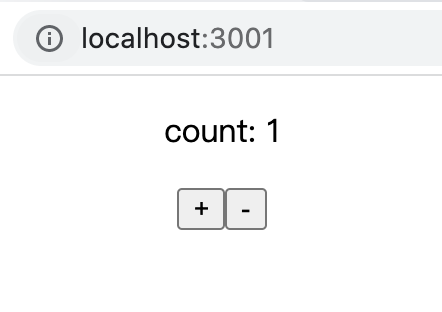
demo-simple: useselect+usedispatch
export default function Counter(){ // 获取state: 相当于 mapStateToProps const count = useSelector(state => state.counter.count); // 修改state: 相当于 mapDispatchToProps const dispatch = useDispatch(); return ( <div style={{textAlign: 'center'}}> <h1>CounterExpand: {count}</h1> <p> <button onClick={()=>{dispatch(Add)}}>+</button> <button onClick={()=>{dispatch(Sub)}}>-</button> </p> </div> ) }- 1
- 2
- 3
- 4
- 5
- 6
- 7
- 8
- 9
- 10
- 11
- 12
- 13
- 14
- 15
demo-message
数据类型更复杂的例子 {id, label, value}
// demo:message 对象包含id,lable,value等属性 // import App from './containers/index2.message'; // demo:message + useselect + usedispatch import App from './pages/MessageExpand';- 1
- 2
- 3
- 4
- 5
Redux DevTools工具
chrome插件工具
https://chrome.google.com/webstore/detail/redux-devtools/lmhkpmbekcpmknklioeibfkpmmfibljd步骤:
- 安装 Redux DevTools
- 代码加一行 @demo-react-redux/src/index.js
// 之前 const store = createStore(reducers)- 1
- 2
// 现在 const store = createStore( reducers, /* preloadedState, */ window.__REDUX_DEVTOOLS_EXTENSION__ && window.__REDUX_DEVTOOLS_EXTENSION__() );- 1
- 2
- 3
- 4
- 5

redux-api

react-redux: useSelector 和 useDispatch
相当于简化版的 connect ,优点
- 使用简单
- 可以省略容器组件,直接在渲染组件使用state和dispatch
- useSelector 相当于 mapStateToProps,用于组件读取state
- useDispatch 相当于 mapDispatchToProps,用于组件调用dispatch,修改state
- 可用版本:react-redux 7.1
// useSelector 例子 // 语法:const result : any = useSelector(selector : Function, equalityFn? : Function) import { useSelector } from 'react-redux' const counter = useSelector(state => state.counter) // useDispatch 例子 import { useDispatch } from 'react-redux' const dispatch = useDispatch(); <button onClick={() => dispatch({ type: 'increment-counter' })}> Increment counter </button>- 1
- 2
- 3
- 4
- 5
- 6
- 7
- 8
- 9
- 10
- 11
深入了解 useSelector
- mapStateToProps 只能返回对象, 而useSelect 得到任意的类型
- useSelector监听:当dispatched(action)时,useSelector将对前一个selector结果和当前结果浅比较。如果不同,就会re-render
- 批量更新:一个组件内多次调用useSelector,每个调用都会创建redux store的单个订阅。而react-reduxv7版本使用的react的批量(batching)更新行为,因此即使多次useSelector返回值,只会re-render一次
useDispatch注意(待验证)
- 将回调使用dispatch传递给子组件时
- 建议使用来进行回调useCallback,
- 因为否则,由于更改了引用,子组件可能会不必要地呈现。
// 使用 useCallback const incrementCounter = useCallback( () => dispatch({ type: 'increment-counter' }), [dispatch] ) // 传给子组件 <MyIncrementButton onIncrement={incrementCounter} />- 1
- 2
- 3
- 4
- 5
- 6
- 7
react-redux: connect
语法:
connect([mapStateToProps], [mapDispatchToProps],[mergeProps], [options])(cmp)- 高阶函数,接受参数为函数,返回值也是函数
- cmp是传递给connect返回值函数的参数,一般是组件
功能:
- 连接React组件与 Redux store,把Redux产出的state传递给组件
- 连接操作不会改变原来组件类,而是返回新的已与 Redux store 连接的组件类
- 只注入 dispatch,不监听 store
mapStateToProps
- 个人理解:组件读state数据
- 功能:本质函数。建立从外部state对象到UI 组件的props对象的映射关系
- 使用:(容器组件state )=> {return UI组件props} 返回对象,每个键值对就是一对映射
mapDispatchToProps
个人理解:组件写state数据- 功能:本质是函数或者对象,建立 UI 组件参数到store.dispatch方法的映射
- 参数: dispatch和ownProps(容器组件的props对象)
- 返回:kv对,其中v是函数
react-redux: provider组件
是什么?
- react-redux提供的组件, 位于根组件最外层,App所有子组件就默认都可以拿到state
- 帮助维护store,可以让容器组件拿到state。
功能:
- 接收store,将store绑定到childContext上
- 当store发生变化时,更新store
原理:
- React组件的context属性,store放在上下文对象context上面。
- 子组件就可以从context拿到store
redux:store
是什么?
- 保存数据的容器
- 整个应用只能有一个 Store
使用
- createStore: Reducer 作为参数,生成新的 Store。
- store.dispatch: 发送新Action,[自动]调用 Reducer得到新的 State
api
- getState(): 获取 state
- dispatch(action): 更新 state
- subscribe(listener): 注册监听器
createStore(reducer, [initialState])
- reducer(Function): 接收两个参数,当前state 树和要处理的 action,返回新的 state 树
- [initialState] (any): 初始时的 state。
- 如果使用 combineReducers 创建 reducer,它必须与传入keys(调用方)保持同样结构
redux:Action
本质:object类型,type属性是必须,表示 Action名称,相当于指令
功能:View发出dispatch =》 自动触发对应reducer =》 State发生变化 =》 view重新变化- 同步:Action 发出以后,Reducer 立即算出 State;
- 异步:Action 发出以后,过一段时间再执行 Reducer。
store.dispatch({ type: 'ADD_TODO', payload: 'Learn Redux' });- 1
- 2
- 3
- 4
redux:Reducer
个人理解:接收action.type和旧的state,根据需求计算新的state
本质:纯函数,计算State的过程,只要是同样的输入,必定得到同样的输出combineReducers
- Redux 提供的,用于 Reducer 的拆分
- 功能:子Reducer合成大Reducer,合并后的reducer决定整个state结构
redux:State
Store对象包含所有数据。
当前 State,可通过store.getState()拿到。
const state = store.getState();
-
相关阅读:
Structured Streaming系列-6、事件时间窗口分析
[C++初阶]一些类的选择题
仰望Cosmos星空的明与暗:全面解析ATOM 2.0
lombok学习
kubectl命令总结
ROS2——ROS2对比ROS1(二)
Log4j 2再现新漏洞;缺乏资助不是开源软件安全的唯一问题;微软公布 Entity Framework 7.0 计划 | 开源日报
图文看懂JavaScritpt引擎V8与JS执行过程
Spark:性能调优实战
YoloV5改进策略:下采样改进|HWD改进下采样
- 原文地址:https://blog.csdn.net/qubes/article/details/125412445