1. 概述
光环效应告诉我们:
当一个人在某一方面取得了巨大的成功,人们就会给他贴上正面的标签,这个人从此就被“优秀”的光环所笼罩,他做的一切,人们都认为是正确的。
例如:越是名气大的明星代言的商品,买的人就越多。
反之亦然,当一个人在某一方面失败了,往往就会被贴上负面的标签,从此被“失败”的“光环”所笼罩,他做的一切,周围人都认为是错误的。
例如:一个人第一次做生意就失败了,则这个人再做什么决策,他的朋友都认为是错误的。
因此,我们要理性判断,不能被“光环”影响我们的判断。
言归正传,今天我们来聊聊 VUE 的动画与过渡。
2.动画与过渡
2.1 基于 class 的动画

    <style>
        /* 动画 */
        @keyframes leftRight {
            0% {
                transform: translateX(0px);
            }
            33% {
                transform: translateX(-100px);
            }
            66% {
                transform: translateX(100px);
            }
            100% {
                transform: translateX(0px);
            }
        }

        .animation_leftRight {
            animation : leftRight 4s;
        }
        .center {
            text-align: center;
        }
    </style>
<body>
    <div id="myDiv"></div>
</body>
<script>
    const app = Vue.createApp({
        data(){
            return {
                animate : {
                    animation_leftRight : false
                }
            }
        },
        methods : {
            handleClick() {
                this.animate.animation_leftRight = !this.animate.animation_leftRight;
            }
        },
        template:`
            <div class="center">
                <div :class="animate">hello world</div>
                <button @click="handleClick">左右移动</button>
            </div>

        `
    });
    const vm = app.mount("#myDiv");
</script>


这个例子中,我们让 hello world 这段文字,在 4 秒钟的时间里,先向左移动,再向右移动,最后回到中间。
利用我们之前学的绑定 class 的方法,使用 :class="animate" 将 class 样式与数据绑定,最终实现效果。
2.2 基于 class 的过渡
    <style>
        /* 过渡 */
        .transition {
            transition : 3s background-color ease;
        }

        .blue {
            background : blue;
        }

        .green {
            background : green;
        }
    </style>
    const app = Vue.createApp({
        data(){
            return {
                transition : {
                    transition : true,
                    blue : true,
                    green : false
                }
            }
        },
        methods : {
            handleClick() {
                this.transition.blue = !this.transition.blue;
                this.transition.green = !this.transition.green;
            }
        },
        template:`
            <div>
                <div :class="transition">hello world</div>
            </div>
            <button @click="handleClick">切换</button>
        `
    });
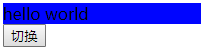

该例中,我们将 hello world 的背景色,由蓝色渐变成绿色,同样是使用了 :class 绑定数据的方式。
2.3 过渡与 Style 的绑定
    const app = Vue.createApp({
        data(){
            return {
                styleObj : {
                    background : 'blue'
                }
            }
        },
        methods : {
            handleClick() {
                if(this.styleObj.background === 'blue') {
                    this.styleObj.background = 'green';
                } else {
                    this.styleObj.background = 'blue';
                }

            }
        },
        template:`
            <div>
                <div class="transition" :style="styleObj">hello world</div>
            </div>
            <button @click="handleClick">切换</button>
        `
    });
此例与上例的效果相同,只是使用 :style 的方式与数据绑定。
3. 综述
今天聊了一下 VUE3 的 动画与过渡的实现,希望可以对大家的工作有所帮助,下一节我们继续讲 Vue 中 动画 的相关知识,敬请期待
欢迎帮忙点赞、评论、转发、加关注 :)
关注追风人聊Java,这里干货满满,都是实战类技术文章,通俗易懂,轻松上手。
4. 个人公众号
追风人聊Java,欢迎大家关注
