-
Qt creator day3练习
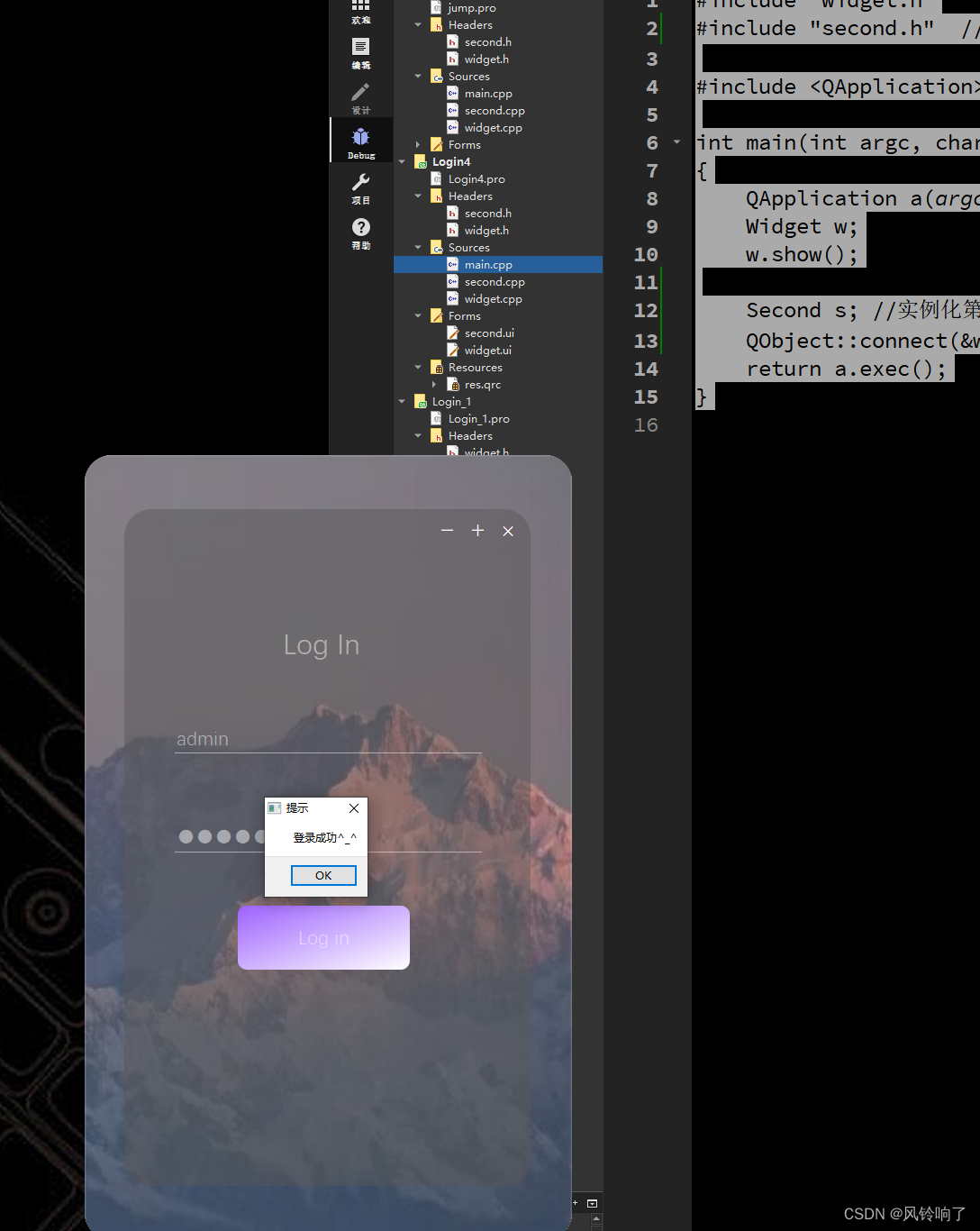
2、升级优化自己应用程序的登录界面。
要求: 1. qss实现
2. 需要有图层的叠加 (QFrame)
3. 设置纯净窗口后,有关闭等窗口功能。
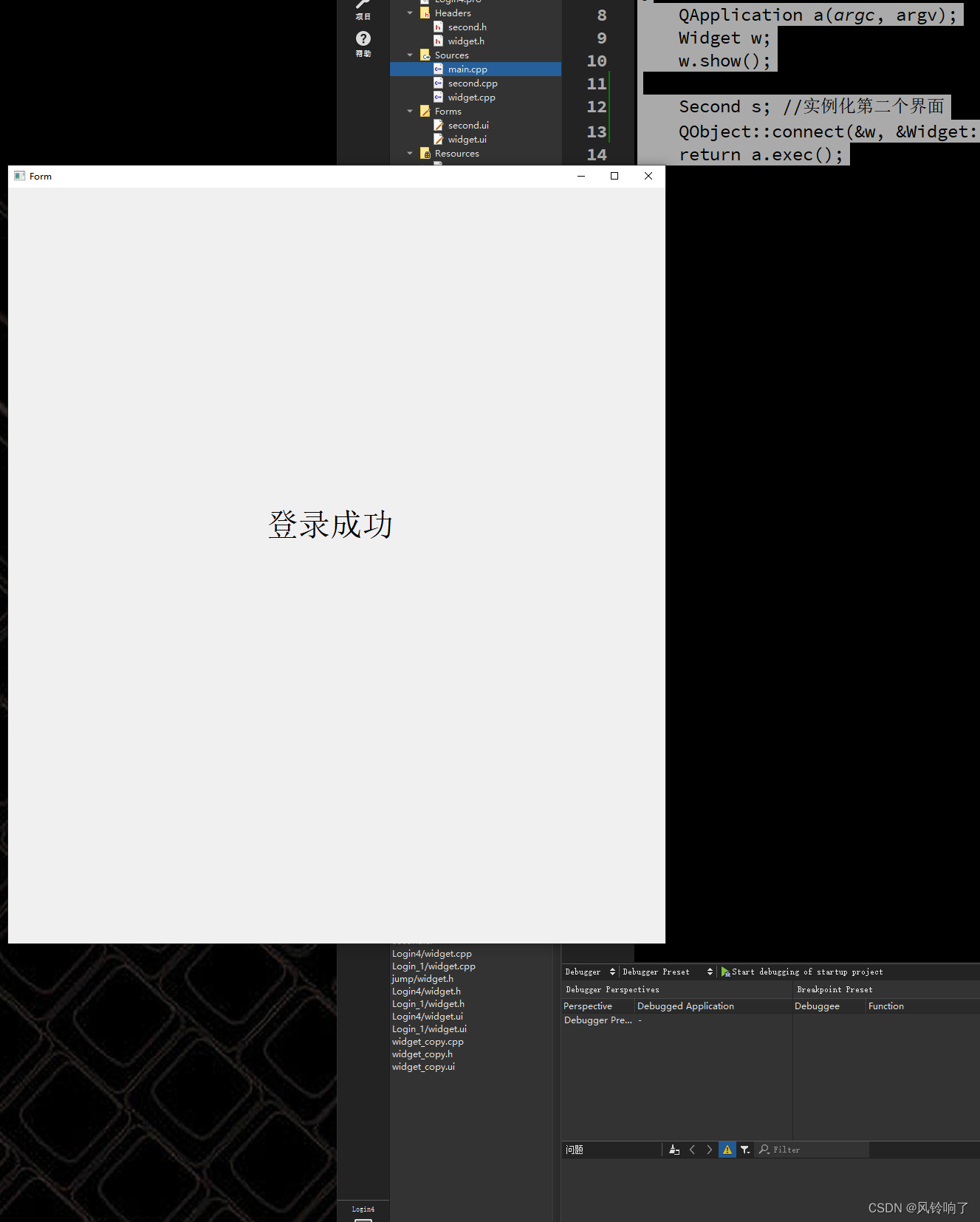
4. 如果账号密码正确,则实现登录界面关闭,另一个应用界面显示。
widget.h
- #ifndef WIDGET_H
- #define WIDGET_H
- #include
- #include
- QT_BEGIN_NAMESPACE
- namespace Ui { class Widget; }
- QT_END_NAMESPACE
- class Widget : public QWidget
- {
- Q_OBJECT
- public:
- Widget(QWidget *parent = nullptr);
- ~Widget();
- signals:
- void my_signal(); //信号函数的声明
- void my_jump(); //第一个界面的跳转信号
- private slots:
- void on_pushButton_2_clicked();
- void on_pushButton_3_clicked();
- void on_pushButton_clicked();
- private:
- Ui::Widget *ui;
- };
- #endif // WIDGET_H
second.h
- #ifndef SECOND_H
- #define SECOND_H
- #include
- namespace Ui {
- class Second;
- }
- class Second : public QWidget
- {
- Q_OBJECT
- public:
- explicit Second(QWidget *parent = nullptr);
- ~Second();
- public slots:
- void jump_slot(); //第二个界面准备的槽函数
- private:
- Ui::Second *ui;
- };
- #endif // SECOND_H
widget.cpp
- #include "widget.h"
- #include "ui_widget.h"
- Widget::Widget(QWidget *parent)
- : QWidget(parent)
- , ui(new Ui::Widget)
- {
- ui->setupUi(this);
- //将自定义的信号和Lambda表达式连接
- connect(this,&Widget::my_signal,[=](){
- //ui->resize(ui->width()+10,ui->height()+10);
- });
- //去掉头部
- this->setWindowFlag(Qt::FramelessWindowHint);
- //去掉空白部分
- this->setAttribute(Qt::WA_TranslucentBackground);
- connect(ui->lineEdit_2,SIGNAL(returnPressed()),ui->pushButton //回车键登录
- ,SIGNAL(clicked()),Qt::UniqueConnection);
- }
- Widget::~Widget()
- {
- delete ui;
- }
- void Widget::on_pushButton_2_clicked()
- {
- this->close();
- }
- void Widget::on_pushButton_3_clicked()
- {
- }
- void Widget::on_pushButton_clicked()
- {
- QMessageBox *box = new QMessageBox(); //实例化一个box,用来弹出消息
- box->setWindowTitle("提示");
- if(QString(ui->lineEdit->text()) == "admin" && QString(ui->lineEdit_2->text()) == "123456")
- {
- box->setText("登录成功^_^");
- box->show();
- box->exec();
- this->close();
- emit my_jump(); // 触发信号
- }
- else
- {
- box->setText("账号密码错误");
- box->show(); //提示
- box->exec(); //等待用户响应
- ui->lineEdit->setText("");
- ui->lineEdit_2->setText("");
- }
- }
second.cpp
- #include "second.h"
- #include "ui_second.h"
- Second::Second(QWidget *parent) :
- QWidget(parent),
- ui(new Ui::Second)
- {
- ui->setupUi(this);
- }
- Second::~Second()
- {
- delete ui;
- }
- void Second::jump_slot()
- {
- //显示
- this->show();
- }
main.cpp
- #include "widget.h"
- #include "second.h" //包含第二个头文件
- #include
- int main(int argc, char *argv[])
- {
- QApplication a(argc, argv);
- Widget w;
- w.show();
- Second s; //实例化第二个界面
- QObject::connect(&w, &Widget::my_jump, &s, &Second::jump_slot);
- return a.exec();
- }


-
相关阅读:
【AI】PyTorch入门(六):自动微分torch.autograd
深圳铨顺宏圆满落幕IOTE 2022第十八届国际物联网展
普冉PY32系列(六) 通过I2C接口驱动PCF8574扩展的1602LCD
Docker数据卷
博弈论专题
Qt5开发从入门到精通——第九篇三节( Qt5 文件及磁盘处理—— 文件大小及路径获取实例)
设置代理服务器
【PHP框架 | Laravel8 系列2】 - 配置文件简介
C 变量和类型
解决编译中遇到的问题:Please port gnulib freadahead.c to your platform
- 原文地址:https://blog.csdn.net/M_ningee21/article/details/139756046