-
计算机毕业设计hadoop+spark+hive物流快递大数据分析平台 物流预测系统 物流信息爬虫 物流大数据 机器学习 深度学习 知识图谱 大数据
1.Python爬虫采集物流数据等存入mysql和.csv文件;
2.使用pandas+numpy或者MapReduce对上面的数据集进行数据清洗生成最终上传到hdfs;
3.使用hive数据仓库完成建库建表导入.csv数据集;
4.使用hive之hive_sql进行离线计算,使用spark之scala进行实时计算;
5.将计算指标使用sqoop工具导入mysql;
6.使用Flask+echarts进行可视化大屏实现、数据查询表格实现、含预测算法;


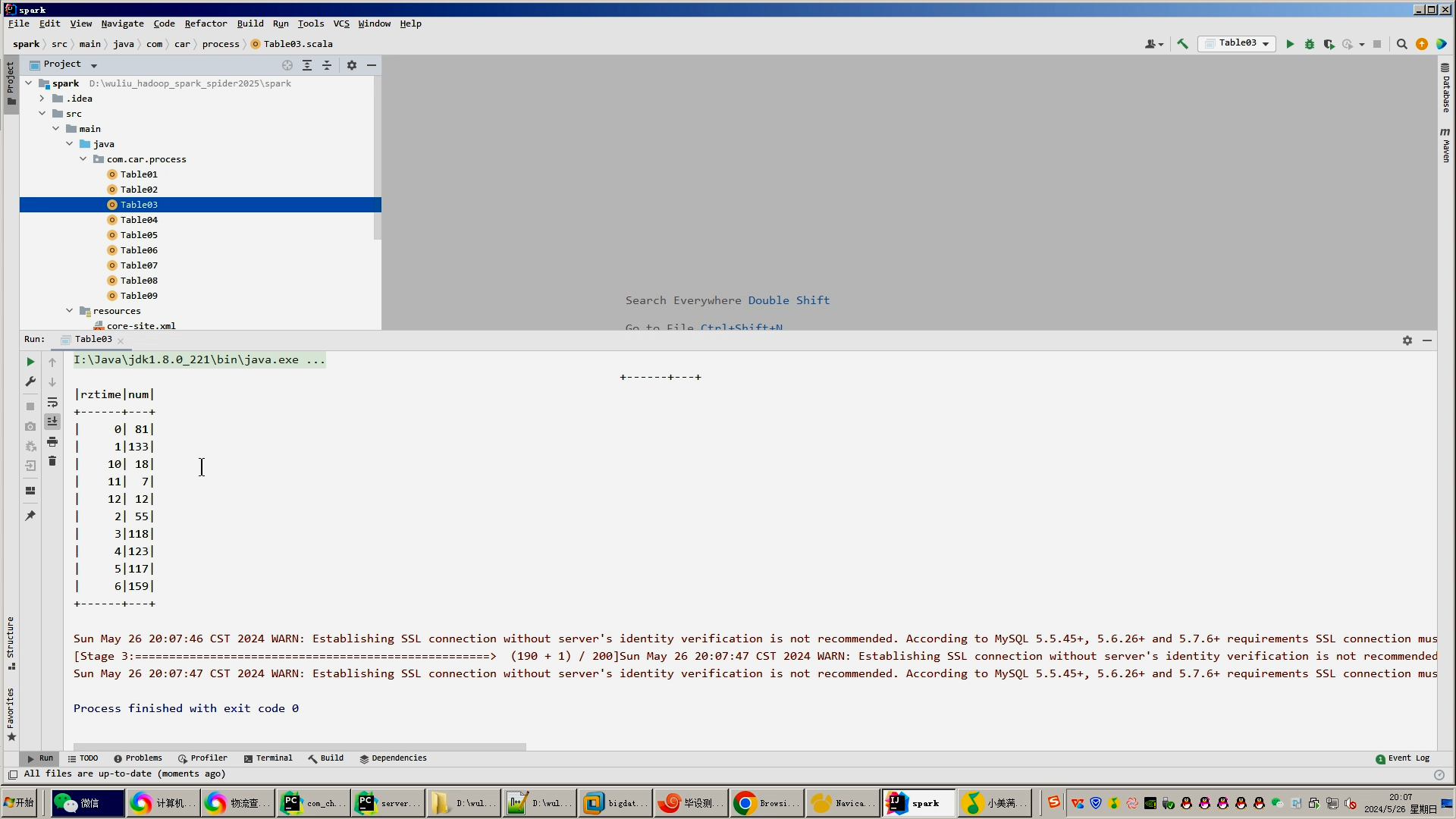
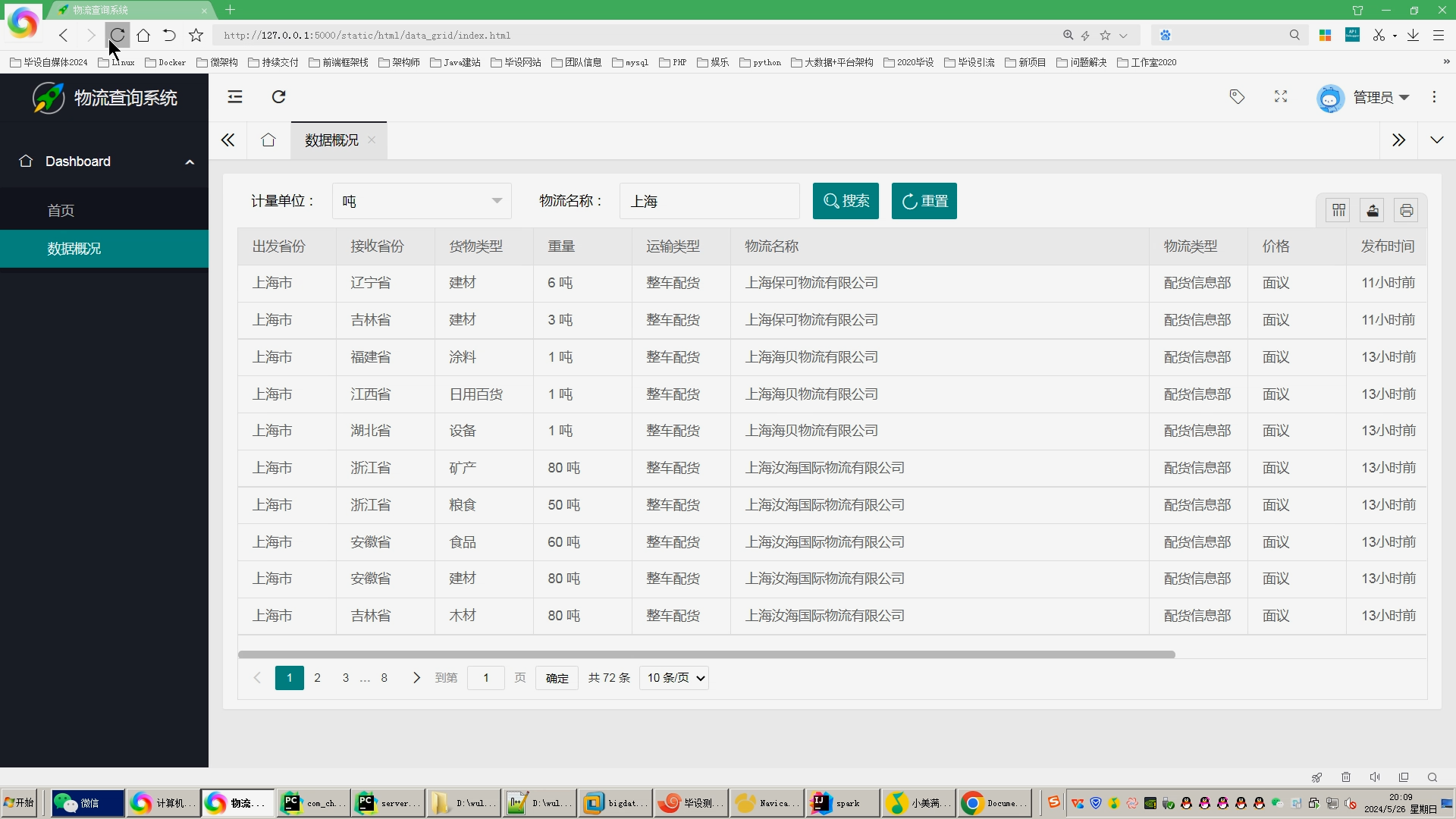
核心算法代码分享如下:
- from flask import Flask, request
- import json
- from flask_mysqldb import MySQL
- # 创建应用对象
- app = Flask(__name__)
- app.config['MYSQL_HOST'] = 'bigdata'
- app.config['MYSQL_USER'] = 'root'
- app.config['MYSQL_PASSWORD'] = '123456'
- app.config['MYSQL_DB'] = '2408_meituan'
- mysql = MySQL(app) # this is the instantiation
- @app.route('/tables01')
- def tables01():
- cur = mysql.connection.cursor()
- cur.execute('''SELECT * FROM table01''')
- #row_headers = [x[0] for x in cur.description] # this will extract row headers
- row_headers = ['name','goods','bads'] # this will extract row headers
- rv = cur.fetchall()
- json_data = []
- #print(json_data)
- for result in rv:
- json_data.append(dict(zip(row_headers, result)))
- return json.dumps(json_data, ensure_ascii=False)
- @app.route('/tables02')
- def tables02():
- cur = mysql.connection.cursor()
- cur.execute('''SELECT * FROM table02''')
- #row_headers = [x[0] for x in cur.description] # this will extract row headers
- row_headers = ['name','price'] # this will extract row headers
- rv = cur.fetchall()
- json_data = []
- #print(json_data)
- for result in rv:
- json_data.append(dict(zip(row_headers, result)))
- return json.dumps(json_data, ensure_ascii=False)
- @app.route('/tables03')
- def tables03():
- cur = mysql.connection.cursor()
- cur.execute('''SELECT * FROM table03 order by goods desc limit 5''')
- #row_headers = [x[0] for x in cur.description] # this will extract row headers
- row_headers = ['type','goods'] # this will extract row headers
- rv = cur.fetchall()
- json_data = []
- #print(json_data)
- for result in rv:
- json_data.append(dict(zip(row_headers, result)))
- return json.dumps(json_data, ensure_ascii=False)
- @app.route('/tables04')
- def tables04():
- cur = mysql.connection.cursor()
- cur.execute('''SELECT * FROM table04''')
- #row_headers = [x[0] for x in cur.description] # this will extract row headers
- row_headers = ['shop_name','goods'] # this will extract row headers
- rv = cur.fetchall()
- json_data = []
- #print(json_data)
- for result in rv:
- json_data.append(dict(zip(row_headers, result)))
- return json.dumps(json_data, ensure_ascii=False)
- @app.route('/tables05')
- def tables05():
- cur = mysql.connection.cursor()
- cur.execute('''SELECT * FROM table05''')
- #row_headers = [x[0] for x in cur.description] # this will extract row headers
- row_headers = ['shop_name','bads'] # this will extract row headers
- rv = cur.fetchall()
- json_data = []
- #print(json_data)
- for result in rv:
- json_data.append(dict(zip(row_headers, result)))
- return json.dumps(json_data, ensure_ascii=False)
- @app.route('/tables06')
- def tables06():
- cur = mysql.connection.cursor()
- cur.execute('''SELECT * FROM table06''')
- #row_headers = [x[0] for x in cur.description] # this will extract row headers
- row_headers = ['addr','num'] # this will extract row headers
- rv = cur.fetchall()
- json_data = []
- #print(json_data)
- for result in rv:
- json_data.append(dict(zip(row_headers, result)))
- return json.dumps(json_data, ensure_ascii=False)
- @app.route('/tables07')
- def tables07():
- cur = mysql.connection.cursor()
- cur.execute('''SELECT * FROM table07''')
- #row_headers = [x[0] for x in cur.description] # this will extract row headers
- row_headers = ['dish','num'] # this will extract row headers
- rv = cur.fetchall()
- json_data = []
- #print(json_data)
- for result in rv:
- json_data.append(dict(zip(row_headers, result)))
- return json.dumps(json_data, ensure_ascii=False)
- @app.route('/tables08')
- def tables08():
- cur = mysql.connection.cursor()
- cur.execute('''SELECT * FROM table08 order by serv_score desc limit 5''')
- #row_headers = [x[0] for x in cur.description] # this will extract row headers
- row_headers = ['shop_name','serv_score'] # this will extract row headers
- rv = cur.fetchall()
- json_data = []
- #print(json_data)
- for result in rv:
- json_data.append(dict(zip(row_headers, result)))
- return json.dumps(json_data, ensure_ascii=False)
- @app.route('/tables09')
- def tables09():
- cur = mysql.connection.cursor()
- cur.execute('''SELECT * FROM table09''')
- #row_headers = [x[0] for x in cur.description] # this will extract row headers
- row_headers = ['name','nums'] # this will extract row headers
- rv = cur.fetchall()
- json_data = []
- #print(json_data)
- for result in rv:
- json_data.append(dict(zip(row_headers, result)))
- return json.dumps(json_data, ensure_ascii=False)
- if __name__ == "__main__":
- app.run(debug=True)
-
相关阅读:
Java:实现两个数字的LCM最小公倍数算法(附完整源码)
大数据常见面试题 Hadoop篇(2)
SpringCloud - Spring Cloud Netflix 之 Hystrix Dashboard仪表盘监控(九)
小知识:SQL Monitor Report的使用
代码随想录刷题|LeetCode 583. 两个字符串的删除操作 72. 编辑距离 编辑距离总结篇
MacOS安装redis
【Excel函数】关联匹配函数Lookup
MyBatis处理SQL中的特殊字符
12.2排序
C++ 遇到问题汇总及解决方案
- 原文地址:https://blog.csdn.net/spark2022/article/details/139402135