-
Open CASCADE学习|一个点的坐标变换
gp_Trsf 类是 Open CASCADE Technology (OCCT) 软件库中的一个核心类,用于表示和操作三维空间中的变换。以下是该类的一些关键成员和方法的介绍:
成员变量:
scale: Standard_Real 类型,表示变换的缩放因子。
shape: gp_TrsfForm 类型,定义变换的形式,如平移、旋转等。
matrix: gp_Mat 类型,是一个 3x3 矩阵,表示变换的矢量部分,包括缩放。
loc: gp_XYZ 类型,表示变换的平移部分。
方法:
gp_Trsf(): 构造函数,创建一个默认的变换(通常是单位变换)。
SetMirror(const gp_Pnt& theP): 设置关于点的对称变换。
SetRotation(const gp_Ax1& theA1, const Standard_Real theAng): 设置绕轴线的旋转变换。
SetRotation(const gp_Quaternion& theR):设置使用四元数定义的旋转变换。
SetRotationPart(const gp_Quaternion& theR): 替换变换的旋转部分。
SetScale(const gp_Pnt& theP, const Standard_Real theS): 设置缩放变换。
SetDisplacement(const gp_Ax3& theFromSystem1, const gp_Ax3& theToSystem2): 设置从一个坐标系统到另一个坐标系统的变换。
SetTransformation(const gp_Ax3& theFromSystem1, const gp_Ax3& theToSystem2): 设置两个坐标系统之间的变换。
SetTransformation(const gp_Quaternion& R, const gp_Vec& theT): 通过指定的旋转和位移直接设置变换。
SetTranslation(const gp_Vec& theV): 设置向量平移变换。
SetTranslation(const gp_Pnt& theP1, const gp_Pnt& theP2): 设置通过两个点确定的向量平移变换。
SetTranslationPart(const gp_Vec& theV):替换变换的平移部分。
SetScaleFactor(const Standard_Real theS): 修改缩放因子。
SetValues(...): 直接设置变换矩阵的系数。
IsNegative(): 检查变换的行列式是否为负。
Form(): 获取变换的形式。
ScaleFactor(): 获取缩放因子。
TranslationPart(): 获取平移部分。
GetRotation(gp_XYZ& theAxis, Standard_Real& theAngle): 获取旋转轴和角度。
GetRotation(): 获取表示旋转部分的四元数。
VectorialPart(): 获取变换的矢量部分。
HVectorialPart(): 获取变换的齐次矢量部分。
Value(const Standard_Integer theRow, const Standard_Integer theCol): 获取变换矩阵的元素。
Invert(): 求变换的逆。
Inverted(): 返回变换的逆。
Multiplied(const gp_Trsf& theT): 与另一个变换相乘。
operator *(const gp_Trsf& theT): 重载乘法运算符。
Multiply(const gp_Trsf& theT): 将当前变换与另一个变换相乘。
PreMultiply(const gp_Trsf& theT): 将另一个变换与当前变换相乘。
Power(const Standard_Integer theN): 对变换进行求幂操作。
Powered(const Standard_Integer theN): 返回变换的幂。
Transforms(Standard_Real& theX, Standard_Real& theY, Standard_Real& theZ): 应用变换到一个点。
Transforms(gp_XYZ& theCoord): 应用变换到一个 gp_XYZ 对象。
GetMat4(NCollection_Mat4
& theMat): 将变换转换为 4x4 矩阵。DumpJson(Standard_OStream& theOStream, Standard_Integer theDepth): 将变换内容输出为 JSON 格式。
InitFromJson(const Standard_SStream& theSStream, Standard_Integer& theStreamPos): 从 JSON流初始化变换。
- #include
- #include
- #include
- #include
- #include
-
- int main(int argc, char* argv[])
- {
- gp_Mat M;
- gp_Vec V;
- gp_Trsf dv;//默认是恒等变换
- gp_Trsf myTrsf;//默认是恒等变换
- gp_Pnt p0(3,4, 5);//待变换的点
- dv.SetValues(1, 0, 0, 1,
- 0, 1, 0, 2,
- 0, 0, 1, 3);//平移变换
-
- dv.Multiply(myTrsf);//变换矩阵相乘
- //通过API进行坐标变换
- TopoDS_Shape out = BRepBuilderAPI_Transform(BRepBuilderAPI_MakeVertex(p0), dv, Standard_True); //copy
- TopoDS_Vertex anVertex = TopoDS::Vertex(out);
- gp_Pnt p1 = BRep_Tool::Pnt(anVertex);
- //通过公式进行坐标变换
- Standard_Real x = p0.X() * dv.Value(1, 1) + p0.Y() * dv.Value(1, 2) + p0.Z() * dv.Value(1, 3) + dv.Value(1, 4);
- Standard_Real y = p0.X() * dv.Value(2, 1) + p0.Y() * dv.Value(2, 2) + p0.Z() * dv.Value(2, 3) + dv.Value(2, 4);
- Standard_Real z = p0.X() * dv.Value(3, 1) + p0.Y() * dv.Value(3, 2) + p0.Z() * dv.Value(3, 3) + dv.Value(3, 4);
- //打印坐标变换结果
- std::cout << "x=" << x <<" " << "y=" << y << " " << "z=" << z << " " << std::endl;
- std::cout << "p1.X()=" << p1.X() << " " << "p1.Y()=" << p1.Y() << " " << "p1.Z()=" << p1.Z() << " " << std::endl;
- return 0;
- }
-
x=4y=6 z=8
p1.X()=4p1.Y()=6 p1.Z()=8
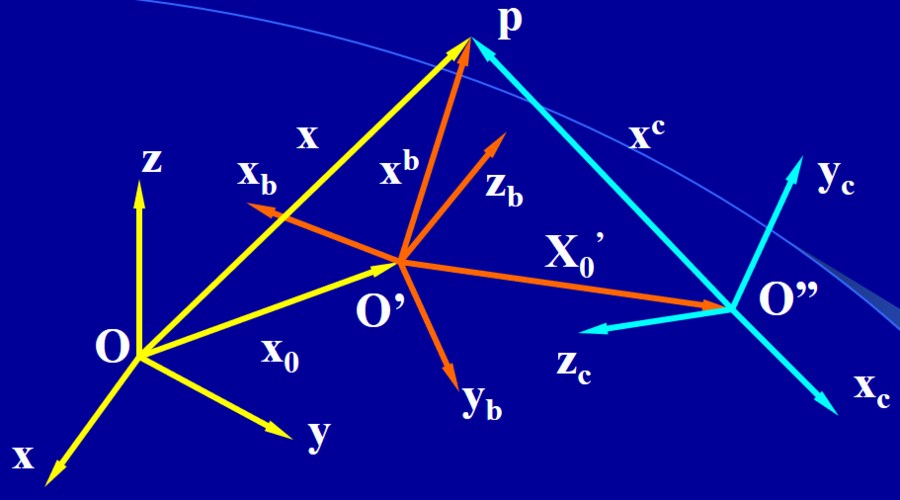
以下代码首先创建了一个三维点,然后创建了一个 gp_Trsf 变换对象,并分别设置了旋转、平移和缩放变换。每次变换后,代码都打印出变换后的点的坐标。
- #include
- #include
- #include
-
- int main() {
- // 创建一个点
- gp_Pnt point(1.0, 2.0, 3.0);
- std::cout << "Original point: " << point.X() << ", " << point.Y() << ", " << point.Z() << std::endl;
-
- // 创建一个变换对象
- gp_Trsf transformation;
-
- // 设置一个旋转变换,绕 Z 轴旋转 PI/2 弧度(90 度)
- gp_Ax1 axis(gp_Pnt(0, 0, 0), gp_Dir(0, 0, 1));
- transformation.SetRotation(axis, M_PI / 2);
-
- // 应用变换到点
- gp_Pnt transformedPoint = point.Transformed(transformation);
- std::cout << "Transformed point after rotation: " << transformedPoint.X() << ", "
- << transformedPoint.Y() << ", " << transformedPoint.Z() << std::endl;
-
- // 设置一个平移变换,沿着 X 轴移动 5 个单位
- transformation.SetTranslation(gp_Vec(5, 0, 0));
-
- // 再次应用变换到点
- transformedPoint = point.Transformed(transformation);
- std::cout << "Transformed point after translation: " << transformedPoint.X() << ", "
- << transformedPoint.Y() << ", " << transformedPoint.Z() << std::endl;
-
- // 设置一个缩放变换,缩放因子为 2,中心为点 (1, 1, 1)
- gp_Pnt scaleCenter(1, 1, 1);
- transformation.SetScale(scaleCenter, 2.0);
-
- // 应用变换到点
- transformedPoint = point.Transformed(transformation);
- std::cout << "Transformed point after scaling: " << transformedPoint.X() << ", "
- << transformedPoint.Y() << ", " << transformedPoint.Z() << std::endl;
-
- return 0;
- }
-
Original point: 1, 2, 3
Transformed point after rotation: -2, 1, 3
Transformed point after translation: 6, 2, 3
Transformed point after scaling: 1, 3, 5

-
相关阅读:
【疯壳·平板教程3】手把手教你做平板电脑-LCD 驱动实验教程
【深度优先搜索】leetcode 1020. 飞地的数量
每日一题:托普利茨矩阵
【Spring Bean的生命周期】
C++面向对象程序设计(第2版)第六章(多态性与虚函数)知识点总结
web前端面试题附答案002-说一下react组件间的数据传递
网页端扫码通过公众号实现微信授权登录
Vue Grid Layout -️ 适用Vue.js的栅格布局系统,在vue3+上使用
Springboot毕业设计毕设作品,车辆大全和车牌识别系统 开题报告
彻底解决JDK安装包点击后无反应
- 原文地址:https://blog.csdn.net/T20151470/article/details/138202519