-
Apache POI报表统计
Apache POl是一个处理Miscrosoft Office各种文件格式的开源项目。简单来说就是,我们可以使用POl在Java程N序中对Miscrosoft Office各种文件进行读写操作。一般情况下,POI都是用于操作Excel文件。导入Maven坐标:
<dependency> <groupId>org.apache.poigroupId> <artifactId>poiartifactId> <version>5.1.0version> dependency> <dependency> <groupId>org.apache.poigroupId> <artifactId>poi-ooxmlartifactId> <version>5.1.0version> dependency>- 1
- 2
- 3
- 4
- 5
- 6
- 7
- 8
- 9
- 10
- 11
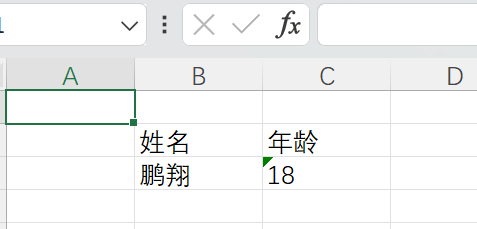
入门案例之写操作
package PoiExcel; import org.apache.poi.xssf.usermodel.XSSFRow; import org.apache.poi.xssf.usermodel.XSSFSheet; import org.apache.poi.xssf.usermodel.XSSFWorkbook; import java.io.File; import java.io.FileNotFoundException; import java.io.FileOutputStream; import java.io.IOException; public class POITest { public static void write() throws IOException { //在内存中创建一个Excel文件 XSSFWorkbook excel = new XSSFWorkbook(); //创建sheet XSSFSheet sheet = excel.createSheet("info"); //是从0开始计数的 XSSFRow row = sheet.createRow(1); row.createCell(1).setCellValue("姓名"); row.createCell(2).setCellValue("年龄"); row = sheet.createRow(2); row.createCell(1).setCellValue("鹏翔"); row.createCell(2).setCellValue("18"); //利用文件输出流将内存中的Excel写入磁盘 FileOutputStream fileOutputStream = new FileOutputStream(new File("D:/results.xlsx")); excel.write(fileOutputStream); //关闭资源 fileOutputStream.close(); excel.close(); } public static void main(String[] args) throws IOException { write(); } }- 1
- 2
- 3
- 4
- 5
- 6
- 7
- 8
- 9
- 10
- 11
- 12
- 13
- 14
- 15
- 16
- 17
- 18
- 19
- 20
- 21
- 22
- 23
- 24
- 25
- 26
- 27
- 28
- 29
- 30
- 31
- 32
- 33
- 34
- 35
- 36
- 37
- 38
- 39
- 40
入门案例之Excel读取:
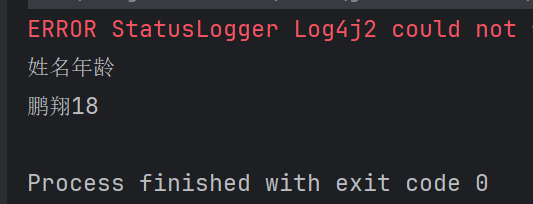
public static void read() throws IOException { FileInputStream fileInputStream = new FileInputStream(new File("D:/results.xlsx")); //通过输入流传入读取的excel文件 XSSFWorkbook excel= new XSSFWorkbook(fileInputStream); XSSFSheet sheet = excel.getSheet("info"); int lastRowNum = sheet.getLastRowNum(); for (int i= 1; i<= lastRowNum; i++) { XSSFRow row = sheet.getRow(i); String cellValue1 = row.getCell(2).getStringCellValue(); String cellValue2 = row.getCell(1).getStringCellValue(); System.out.println(cellValue2 + cellValue1); } fileInputStream.close(); excel.close(); }- 1
- 2
- 3
- 4
- 5
- 6
- 7
- 8
- 9
- 10
- 11
- 12
- 13
- 14
- 15
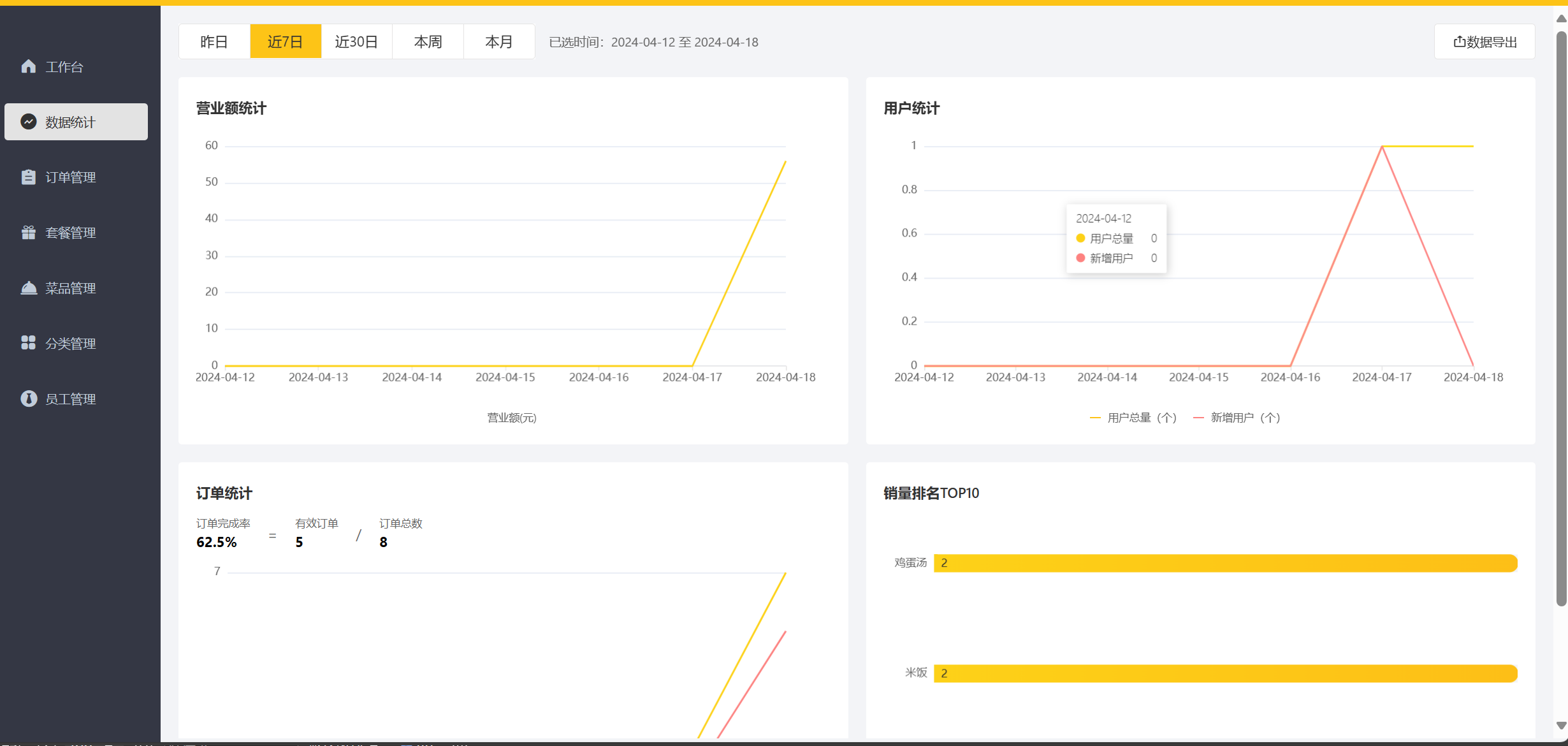
了解了入门案例后,我们看看如何实现导出报表,首先我们的报表的格式要固定且统一

我们将这个设计好的模板文件读取出来,然后将数据库中查到的信息查到固定的位置,最后下载下来即可
public void exportBusinessData(HttpServletResponse response) { LocalDate begin = LocalDate.now().minusDays(30); LocalDate end = LocalDate.now().minusDays(1); //查询概览运营数据,提供给Excel模板文件 BusinessDataVO businessData = workspaceService.getBusinessData(LocalDateTime.of(begin,LocalTime.MIN), LocalDateTime.of(end, LocalTime.MAX)); InputStream inputStream = this.getClass().getClassLoader().getResourceAsStream("template/运营数据报表模板.xlsx"); try { //基于提供好的模板文件创建一个新的Excel表格对象 XSSFWorkbook excel = new XSSFWorkbook(inputStream); //获得Excel文件中的一个Sheet页 XSSFSheet sheet = excel.getSheet("Sheet1"); sheet.getRow(1).getCell(1).setCellValue(begin + "至" + end); //获得第4行 XSSFRow row = sheet.getRow(3); //获取单元格 row.getCell(2).setCellValue(businessData.getTurnover()); row.getCell(4).setCellValue(businessData.getOrderCompletionRate()); row.getCell(6).setCellValue(businessData.getNewUsers()); row = sheet.getRow(4); row.getCell(2).setCellValue(businessData.getValidOrderCount()); row.getCell(4).setCellValue(businessData.getUnitPrice()); for (int i = 0; i < 30; i++) { LocalDate date = begin.plusDays(i); //准备明细数据 businessData = workspaceService.getBusinessData(LocalDateTime.of(date,LocalTime.MIN), LocalDateTime.of(date, LocalTime.MAX)); row = sheet.getRow(7 + i); row.getCell(1).setCellValue(date.toString()); row.getCell(2).setCellValue(businessData.getTurnover()); row.getCell(3).setCellValue(businessData.getValidOrderCount()); row.getCell(4).setCellValue(businessData.getOrderCompletionRate()); row.getCell(5).setCellValue(businessData.getUnitPrice()); row.getCell(6).setCellValue(businessData.getNewUsers()); } //通过输出流将文件下载到客户端浏览器中 ServletOutputStream out = response.getOutputStream(); excel.write(out); //关闭资源 out.flush(); out.close(); excel.close(); }catch (IOException e){ e.printStackTrace(); } }- 1
- 2
- 3
- 4
- 5
- 6
- 7
- 8
- 9
- 10
- 11
- 12
- 13
- 14
- 15
- 16
- 17
- 18
- 19
- 20
- 21
- 22
- 23
- 24
- 25
- 26
- 27
- 28
- 29
- 30
- 31
- 32
- 33
- 34
- 35
- 36
- 37
- 38
- 39
- 40
- 41
- 42
- 43
- 44
- 45
- 46

-
相关阅读:
设计模式-组合模式
“小程序:改变电商行业的新趋势“
一看就懂:正则表达式
第4章 8088/8086指令系统
项目管理过程中要用到的132个工具和技术
Keepalived+LVS高可用集群
06.倾情奉献之深入分析SpringBoot自动配置
Java中如何清空一个HashSet对象呢?
python判断文件存在方式
推荐一个 C#写的 支持OCR的免费通用扫描仪软件
- 原文地址:https://blog.csdn.net/pengxiang1998/article/details/137957262
