-
001——体验鸿蒙(基于I.MAX6ULL)
目录
用的韦东山老师的板子和资料,在它的基础上二次开发可以节约很多时间。我就剩45天了。
一、下载资料

二、体验鸿蒙
看到老师的资料里有这张图
 这个很详细值得一看,我买的mini板
需要用这个自研的软件进行烧入


按照步骤


大概就是USB启动,先跑UBOOT在跑鸿蒙

成功启动后长这个样子

体验了几个命令,这个文件系统和linux好像。
但是命令的表现上有点奇怪
三、编译Liteos-a
wget --no-check-certificate -O Configuring_ubuntu.sh https://weidongshan.coding.net/p/DevelopmentEnvConf/d/DevelopmentEnvConf/git/raw/master/Configuring_ubuntu.sh && sudo chmod +x Configuring_ubuntu.sh && sudo ./Configuring_ubuntu.sh在ubuntu18.04上用他们提供的脚本配置一下开发环境

我把它先下载下来看看都做了什么
emm有点问题这个命令的地址有问题
git clone https://e.coding.net/weidongshan/DevelopmentEnvconf.git现在用这个来下载

颜色被关了都是白色太难区分了

这里要设置一下

现在就没问题了
- #!/bin/bash
- # -------------------------------------------------------------------------------
- # Filename: Configuring_Ubuntu.sh
- # Revision: 1.1
- # Date: 2020/01/10
- # Author: hceng
- # Author: li
- # Email: huangcheng.job@foxmail.com
- # Website: www.100ask.net
- # Function: Configuring the Ubuntu host environment.
- # Notes: Currently only supports Ubuntu16 and Ubuntu18.
- # -------------------------------------------------------------------------------
- #
- # Description:
- #1.Check env.
- # 1.1 check network
- # 1.2 check use root
- # 1.3 check set name
- #2.Install common software and configuration.
- # 2.1 configure vim
- # 2.2 configure tftp
- # 2.3 configure nfs
- # 2.4 configure samba
- #3.Install system tool for Linux or Android
- #
- # -------------------------------------------------------------------------------
- #define echo print color.
- RED_COLOR='\E[1;31m'
- PINK_COLOR='\E[1;35m'
- YELOW_COLOR='\E[1;33m'
- BLUE_COLOR='\E[1;34m'
- GREEN_COLOR='\E[1;32m'
- END_COLOR='\E[0m'
- PLAIN='\033[0m'
- #Set linux host user name.
- user_name=book
- # Check network.
- check_network() {
- ping -c 1 www.baidu.com > /dev/null 2>&1
- if [ $? -eq 0 ];then
- echo -e "${BLUE_COLOR}Network OK.${END_COLOR}"
- else
- echo -e "${RED_COLOR}Network failure!${END_COLOR}"
- exit 1
- fi
- }
- # Check user must root.
- check_root() {
- if [ $(id -u) != "0" ]; then
- echo -e "${RED_COLOR}Error: This script must be run as root!${END_COLOR}"
- exit 1
- fi
- }
- # Check set linux host user name.
- check_user_name() {
- cat /etc/passwd|grep $user_name
- if [ $? -eq 0 ];then
- echo -e "${BLUE_COLOR}Check the set user name OK.${END_COLOR}"
- echo -e "123456\n123456" | sudo passwd root
- else
- sudo useradd -m $user_name -G root -p 123456
- echo -e "123456\n123456" | sudo passwd $user_name
- sudo sh -c "echo \"$user_name ALL=(ALL:ALL) ALL\" >> /etc/sudoers"
- echo -e "${RED_COLOR}Add book user !${END_COLOR}"
- fi
- }
- # Check the results of the operation.
- check_status() {
- ret=$?
- if [ "$ret" -ne "0" ]; then
- echo -e "${RED_COLOR}Failed setup, aborting..${END_COLOR}"
- exit 1
- fi
- }
- # Get the code name of the Linux host release to the caller.
- get_host_type() {
- local __host_type=$1
- local the_host=`lsb_release -a 2>/dev/null | grep Codename: | awk {'print $2'}`
- eval $__host_type="'$the_host'"
- }
- # Select menu
- menu() {
- cat <<EOF
- `echo -e "\E[1;33mPlease select the host use:\E[0m"`
- `echo -e "\E[1;33m 1. Configuring for Harmony OS development \E[0m"`
- `echo -e "\E[1;33m 2. Configuring for Linux development\E[0m"`
- `echo -e "\E[1;33m 3. Configuring for Android development\E[0m"`
- `echo -e "\E[1;33m 4. Quit\E[0m"`
- EOF
- }
- #Set Ubuntu Source list address for aliyun
- SetUbuntuSourceList(){
- get_host_type host_release
- if [[ -f /etc/apt/sources.list.bak ]]; then
- echo -e " ${GREEN_COLOR}sources.list.bak exists${PINK_COLOR}"
- else
- mv /etc/apt/sources.list{,.bak}
- fi
- [ -f /etc/apt/sources.list ] && rm /etc/apt/sources.list
- echo "deb http://mirrors.aliyun.com/ubuntu/ bionic main restricted universe multiverse" >>/etc/apt/sources.list
- echo "deb http://mirrors.aliyun.com/ubuntu/ bionic-security main restricted universe multiverse" >>/etc/apt/sources.list
- echo "deb http://mirrors.aliyun.com/ubuntu/ bionic-updates main restricted universe multiverse" >>/etc/apt/sources.list
- echo "deb http://mirrors.aliyun.com/ubuntu/ bionic-backports main restricted universe multiverse" >>/etc/apt/sources.list
- echo "deb http://mirrors.aliyun.com/ubuntu/ bionic-proposed main restricted universe multiverse" >>/etc/apt/sources.list
- echo "deb-src http://mirrors.aliyun.com/ubuntu/ bionic main restricted universe multiverse" >>/etc/apt/sources.list
- echo "deb-src http://mirrors.aliyun.com/ubuntu/ bionic-security main restricted universe multiverse" >>/etc/apt/sources.list
- echo "deb-src http://mirrors.aliyun.com/ubuntu/ bionic-updates main restricted universe multiverse" >>/etc/apt/sources.list
- echo "deb-src http://mirrors.aliyun.com/ubuntu/ bionic-backports main restricted universe multiverse" >>/etc/apt/sources.list
- echo "deb-src http://mirrors.aliyun.com/ubuntu/ bionic-proposed main restricted universe multiverse" >>/etc/apt/sources.list
- [ "$host_release" == "$ubuntu16" ] && sed -i 's/bionic/xenial/'g /etc/apt/sources.list
- [ "$host_release" == "$ubuntu18" ] && echo -n ""
- sleep 1
- apt-get update
- }
- # Configure vim form github.
- vim_configure() {
- git clone --depth=1 https://github.com/amix/vimrc.git /home/$user_name/.vim_runtime
- touch /home/$user_name/.vim_runtime/my_configs.vim
- echo "let g:go_version_warning = 0" > /home/$user_name/.vim_runtime/my_configs.vim
- chown -R $user_name /home/$user_name/.vim_runtime
- chmod u+x /home/$user_name/.vim_runtime/install_awesome_vimrc.sh
- su - $user_name -s /home/$user_name/.vim_runtime/install_awesome_vimrc.sh
- }
- # Configure tftp.
- tftp_configure() {
- tftp_file=/home/$user_name/tftpboot
- if [ ! -d "$tftp_file" ];then
- mkdir -p -m 777 $tftp_file
- fi
- grep "/home/book/tftpboot" /etc/default/tftpd-hpa 1>/dev/null
- if [ $? -ne 0 ];then
- sed -i '$a\TFTP_DIRECTORY="/home/book/tftpboot"' /etc/default/tftpd-hpa
- sed -i '$a\TFTP_OPTIONS="-l -c -s"' /etc/default/tftpd-hpa
- fi
- service tftpd-hpa restart
- }
- # Configure nfs.
- nfs_configure() {
- nfs_file=/home/$user_name/nfs_rootfs
- if [ ! -d "$nfs_file" ];then
- mkdir -p -m 777 $nfs_file
- fi
- grep "/home/book/" /etc/exports 1>/dev/null
- if [ $? -ne 0 ];then
- sed -i '$a\/home/book/ *(rw,nohide,insecure,no_subtree_check,async,no_root_squash)' /etc/exports #todo
- fi
- service nfs-kernel-server restart
- }
- # Configure samba.
- samba_configure() {
- local back_file=/etc/samba/smb.conf.bakup
- if [ ! -e "$back_file" ];then
- cp /etc/samba/smb.conf $back_file
- fi
- check_status
- grep "share_directory" /etc/samba/smb.conf 1>/dev/null
- if [ $? -ne 0 ];then
- sed -i \
- '$a[share_directory]\n\
- path = \/home\/book\n\
- available = yes\n\
- public = yes\n\
- guest ok = yes\n\
- read only = no\n\
- writeable = yes\n' /etc/samba/smb.conf
- fi
- /etc/init.d/samba restart
- #chmod -R 777 /home/book/
- }
- # Execute an action.
- FA_DoExec() {
- echo -e "${BLUE_COLOR}==> Executing: '${@}'.${END_COLOR}"
- eval $@ || exit $?
- }
- # Install openharmony for Linux
- install_openharmony_software() {
- local ubuntu16=("xenial")
- local ubuntu18=("bionic")
- get_host_type host_release
- if [ "$host_release" = "$ubuntu16" ]
- then
- echo "This Ubuntu version is not supported"
- else
- if [ "$host_release" = "$ubuntu18" ]
- then
- wait
- sudo apt-get install python3.8 dosfstools mtools python3-setuptools python3-pip -y
- wait
- sudo rm -f /usr/bin/python
- sudo ln -s /usr/bin/python3.8 /usr/bin/python
- wget https://repo.huaweicloud.com/harmonyos/compiler/gn/1523/linux/gn.1523.tar
- wait
- tar -xvf gn.1523.tar -C ~/
- wget https://repo.huaweicloud.com/harmonyos/compiler/ninja/1.9.0/linux/ninja.1.9.0.tar
- wait
- tar -xvf ninja.1.9.0.tar -C ~/
- wget https://repo.huaweicloud.com/harmonyos/compiler/clang/9.0.0-34042/linux/llvm-linux-9.0.0-34042.tar
- wait
- tar -xvf llvm-linux-9.0.0-34042.tar -C ~/
- wait
- wget https://repo.huaweicloud.com/harmonyos/compiler/hc-gen/0.65/linux/hc-gen-0.65-linux.tar
- wait
- tar -xvf hc-gen-0.65-linux.tar -C ~/
- echo "export PATH=~/ninja:~/llvm/bin:~/hc-gen:~/gn:${PATH}" >> ~/.bashrc
- source ~/.bashrc
- sudo pip3 install kconfiglib
- echo "OK "
- sudo rm -rf /bin/sh
- sudo ln -s /bin/bash /bin/sh
- ls -la /bin/sh
- else
- echo "This Ubuntu version is not supported"
- exit 0
- fi
- fi
- }
- # Install common software and configuration
- install_common_software() {
- apt-get update
- check_status
- local install_software_list=("ssh" "git" "vim" "tftp" "nfs" "samba")
- echo -e "${BLUE_COLOR}install_software_list: ${install_software_list[*]}.${END_COLOR}"
- #install ssh
- if (echo "${install_software_list[@]}" | grep -wq "ssh");then
- apt-get -y install openssh-server && echo -e "${BLUE_COLOR}ssh install completed.${END_COLOR}"
- fi
- #install git
- if (echo "${install_software_list[@]}" | grep -wq "git");then
- apt-get -y install git && echo -e "${BLUE_COLOR}git install completed.${END_COLOR}"
- fi
- #install and configure vim
- #if (echo "${install_software_list[@]}" | grep -wq "vim");then
- #apt-get -y install vim && vim_configure && echo -e "${BLUE_COLOR}vim install completed.${END_COLOR}"
- #fi
- #install and configure tftp
- if (echo "${install_software_list[@]}" | grep -wq "tftp");then
- apt-get -y install tftp-hpa tftpd-hpa && tftp_configure && echo -e "${BLUE_COLOR}tftp install completed.${END_COLOR}"
- fi
- #install and configure nfs
- if (echo "${install_software_list[@]}" | grep -wq "nfs");then
- apt-get -y install nfs-kernel-server && nfs_configure && echo -e "${BLUE_COLOR}nfs install completed.${END_COLOR}"
- fi
- #install and configure samba
- if (echo "${install_software_list[@]}" | grep -wq "samba");then
- apt-get -y install samba && samba_configure && echo -e "${BLUE_COLOR}samba install completed.${END_COLOR}"
- fi
- }
- install_user_software() {
- wget https://weidongshan.coding.net/p/DevelopmentEnvConf/d/DevelopmentEnvConf/git/raw/master/mkimage.stm32
- chmod +x mkimage.stm32
- sudo mv mkimage.stm32 /usr/bin/
- }
- # Install software for Linux
- install_linux_software() {
- local ubuntu16=("xenial")
- local ubuntu18=("bionic")
- get_host_type host_release
- if [ "$host_release" = "$ubuntu16" ]
- then
- FA_DoExec apt-get install mtd-utils curl gcc make git vim python net-tools openssh-server \
- python-dev build-essential subversion \
- libncurses5-dev zlib1g-dev gawk gcc-multilib flex git-core gettext \
- gfortran libssl-dev libpcre3-dev xlibmesa-glu-dev libglew1.5-dev \
- libftgl-dev libmysqlclient-dev libfftw3-dev libcfitsio-dev graphviz-dev \
- libavahi-compat-libdnssd-dev libldap2-dev libxml2-dev p7zip-full \
- libkrb5-dev libgsl0-dev u-boot-tools lzop bzr device-tree-compiler android-tools-mkbootimg -y
- else
- if [ "$host_release" = "$ubuntu18" ]
- then
- echo '* libraries/restart-without-asking boolean true' | sudo debconf-set-selections
- FA_DoExec apt-get install curl mtd-utils gcc make git vim python net-tools openssh-server \
- python-dev build-essential subversion \
- libncurses5-dev zlib1g-dev gawk gcc-multilib flex git-core gettext \
- gfortran libssl-dev libpcre3-dev xlibmesa-glu-dev libglew1.5-dev \
- libftgl-dev libmysqlclient-dev libfftw3-dev libcfitsio-dev graphviz-dev \
- libavahi-compat-libdnssd-dev libldap2-dev libxml2-dev p7zip-full bzr \
- libkrb5-dev libgsl0-dev u-boot-tools lzop -y
- else
- echo "This Ubuntu version is not supported"
- exit 0
- fi
- fi
- }
- # Install software for Android
- install_android_software() {
- local ubuntu16=("xenial")
- local ubuntu18=("bionic")
- get_host_type host_release
- if [ "$host_release" = "$ubuntu16" ]
- then
- FA_DoExec add-apt-repository ppa:openjdk-r/ppa
- FA_DoExec apt-get update
- FA_DoExec apt-get install openjdk-7-jdk
- FA_DoExec update-java-alternatives -s java-1.7.0-openjdk-amd64
- FA_DoExec java -version
- FA_DoExec apt-get install -y git flex bison gperf build-essential libncurses5-dev:i386 libc6-dev-i386 \
- libx11-dev:i386 libreadline6-dev:i386 libgl1-mesa-dev g++-multilib \
- tofrodos python-markdown libxml2-utils xsltproc zlib1g-dev:i386 \
- dpkg-dev libsdl1.2-dev libesd0-dev \
- git-core gnupg flex bison gperf build-essential \
- zip curl zlib1g-dev gcc-multilib g++-multilib \
- lib32ncurses5-dev x11proto-core-dev libx11-dev \
- lib32z-dev ccache squashfs-tools libncurses5-dev pngcrush schedtool libxml2\
- libgl1-mesa-dev unzip m4 lzop libc6-dev lib32z1-dev \
- libswitch-perl libssl1.0.0 libssl-dev
- else
- if [ "$host_release" = "$ubuntu18" ]
- then
- FA_DoExec apt-get install openjdk-8-jdk openjdk-8-jre
- FA_DoExec java -version
- FA_DoExec apt-get install m4 g++-multilib gcc-multilib \
- lib32ncurses5-dev lib32readline6-dev lib32z1-dev flex curl bison
- FA_DoExec apt-get install libx11-dev:i386 libreadline6-dev:i386 libgl1-mesa-dev g++-multilib \
- git flex bison gperf build-essential libncurses5-dev:i386 \
- dpkg-dev libsdl1.2-dev libesd0-dev \
- git-core gnupg flex bison gperf build-essential \
- zip curl zlib1g-dev gcc-multilib g++-multilib \
- libc6-dev-i386 lib32ncurses5-dev x11proto-core-dev libx11-dev \
- libgl1-mesa-dev libxml2-utils xsltproc unzip m4 \
- lib32z1-dev ccache make tofrodos \
- python-markdown libxml2-utils xsltproc zlib1g-dev:i386 lzop -y
- else
- echo "This Ubuntu version is not supported"
- exit 0
- fi
- fi
- }
- check_network
- check_root
- check_user_name
- menu
- while true
- do
- read -p "please input your choice:" ch
- case $ch in
- 1)
- SetUbuntuSourceList
- install_common_software
- install_linux_software
- install_openharmony_software
- install_user_software
- echo -e "${GREEN_COLOR}===================================================${END_COLOR}"
- echo -e "${GREEN_COLOR}== Configuring for openharmony development complete! ==${END_COLOR}"
- echo -e "${GREEN_COLOR}===================================================${END_COLOR}"
- echo -e "${BLUE_COLOR}TFTP PATH: $tftp_file ${END_COLOR}"
- echo -e "${BLUE_COLOR}NFS PATH: $nfs_file ${END_COLOR}"
- echo -e "${BLUE_COLOR}SAMBA PATH: /home/book/ ${END_COLOR}"
- su $user_name
- ;;
- 2)
- SetUbuntuSourceList
- install_common_software
- install_linux_software
- install_user_software
- echo -e "${GREEN_COLOR}===================================================${END_COLOR}"
- echo -e "${GREEN_COLOR}== Configuring for Linux development complete! ==${END_COLOR}"
- echo -e "${GREEN_COLOR}===================================================${END_COLOR}"
- echo -e "${BLUE_COLOR}TFTP PATH: $tftp_file ${END_COLOR}"
- echo -e "${BLUE_COLOR}NFS PATH: $nfs_file ${END_COLOR}"
- echo -e "${BLUE_COLOR}SAMBA PATH: /home/book/ ${END_COLOR}"
- su $user_name
- ;;
- 3)
- SetUbuntuSourceList
- install_common_software
- install_linux_software
- install_android_software
- install_user_software
- echo -e "${GREEN_COLOR}===================================================${END_COLOR}"
- echo -e "${GREEN_COLOR}== Configuring for Android development complete! ==${END_COLOR}"
- echo -e "${GREEN_COLOR}===================================================${END_COLOR}"
- echo -e "${BLUE_COLOR}TFTP PATH: $tftp_file ${END_COLOR}"
- echo -e "${BLUE_COLOR}NFS PATH: $nfs_file ${END_COLOR}"
- echo -e "${BLUE_COLOR}SAMBA PATH: /home/book/ ${END_COLOR}"
- su $user_name
- ;;
- 4)
- break
- exit 0
- ;;
- *)
- clear
- echo "Sorry, wrong selection"
- exit 0
- ;;
- esac
- done
- exit 0
可以自动配置非常的方便但是你如果不像改变自己原来的配置的话最好把需要的地方提取一下只改要改的。
curl https://gitee.com/oschina/repo/raw/fork_flow/repo-py3 > repo
sudo cp repo /usr/local/bin/repo && sudo chmod a+x /usr/local/bin/repo
sudo pip3 install -i https://pypi.tuna.tsinghua.edu.cn/simple requests
其实就是从git上拿这个命令下来放到本地pip3下载是的这个韦东山老师说安装失败没关系
repo命令是管理多个git仓库的,源码很多我不放了,大家感兴趣用命令下载完自己看
然后创建个目录放源码并下载源码

显示丰富的颜色这里选择yes就行
repo sync -c -j8
repo sync -c -j8是一个在 Android 源代码的获取和管理工具repo中使用的命令。这个命令主要用于同步多个 Git 仓库的内容。下面是各个选项的解释:sync: 这是repo的一个子命令,用于同步所有托管的项目。-c: 这个选项的意思是“当前分支”(current branch)。使用-c选项时,repo sync会确保每个仓库都同步到它们各自的当前分支的最新状态。如果不使用-c,repo sync会尝试同步到manifest文件中为每个仓库指定的修订版本(revision)。-j8: 这个选项用于指定并发的任务数。在这里,-j8表示repo sync会并发地执行 8 个任务来同步仓库。并发数可以根据你的系统资源进行调整。增加并发数可以加快同步过程,但也可能导致系统资源紧张。
所以,
repo sync -c -j8的整体意思是:同步所有托管的项目到它们各自的当前分支的最新状态,并且使用 8 个并发任务来执行这个操作。这一步用了足足半小时
“OpenHarmony-1.0”。别被“1.0”误导了,它内核在GITEE里的分支版本,同属“鸿蒙2.0”。
下载完我们用官方的版本验证一下环境
好,没有clang,哎下个新虚拟机按韦东山老师的脚本配置一下环境吧。
又是一个小时
真的是难顶
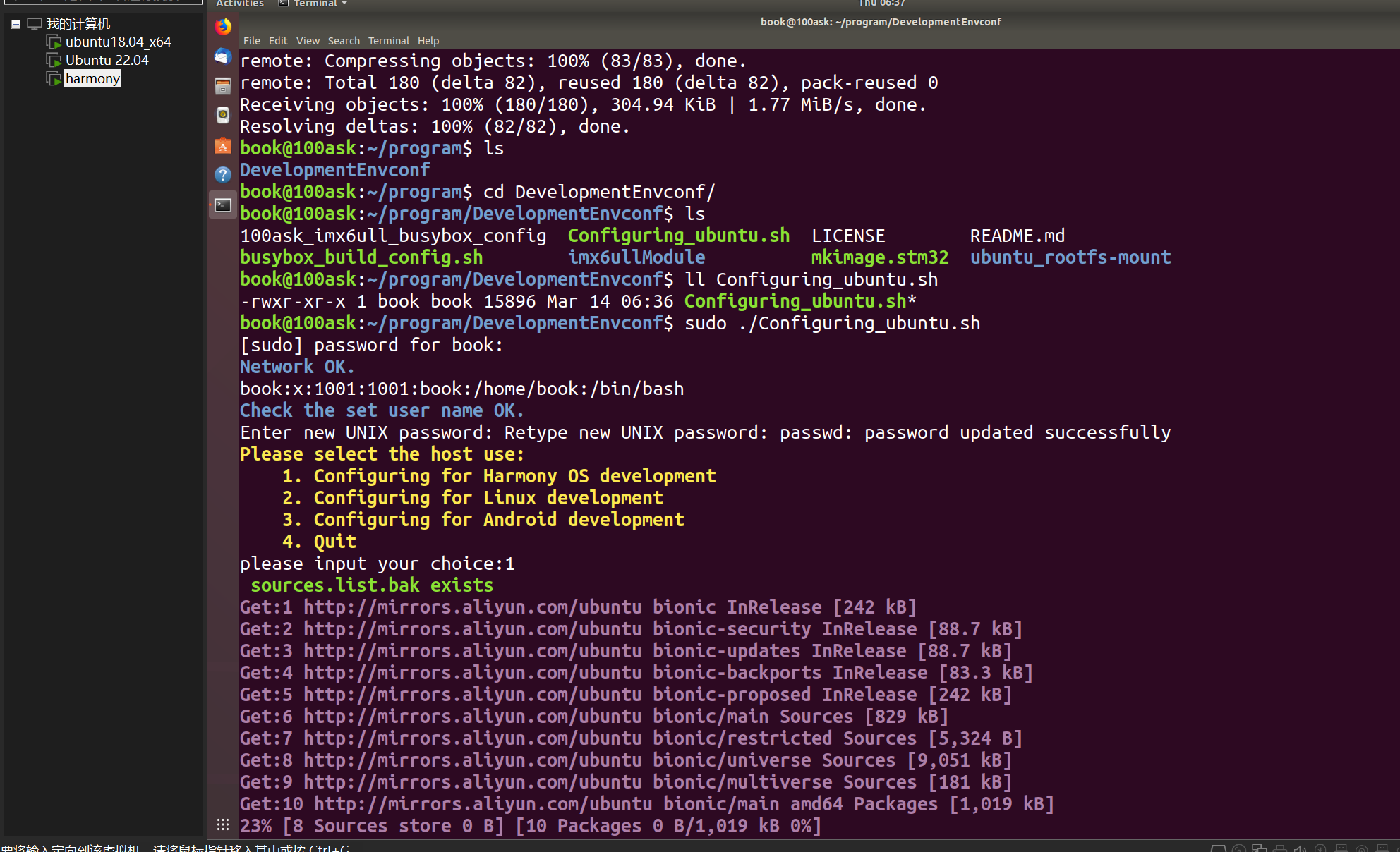

报错咯,系统自动更新把安装工具占用了
要么等一会儿要么直接重启,这里我选择直接重启了,没时间等咯

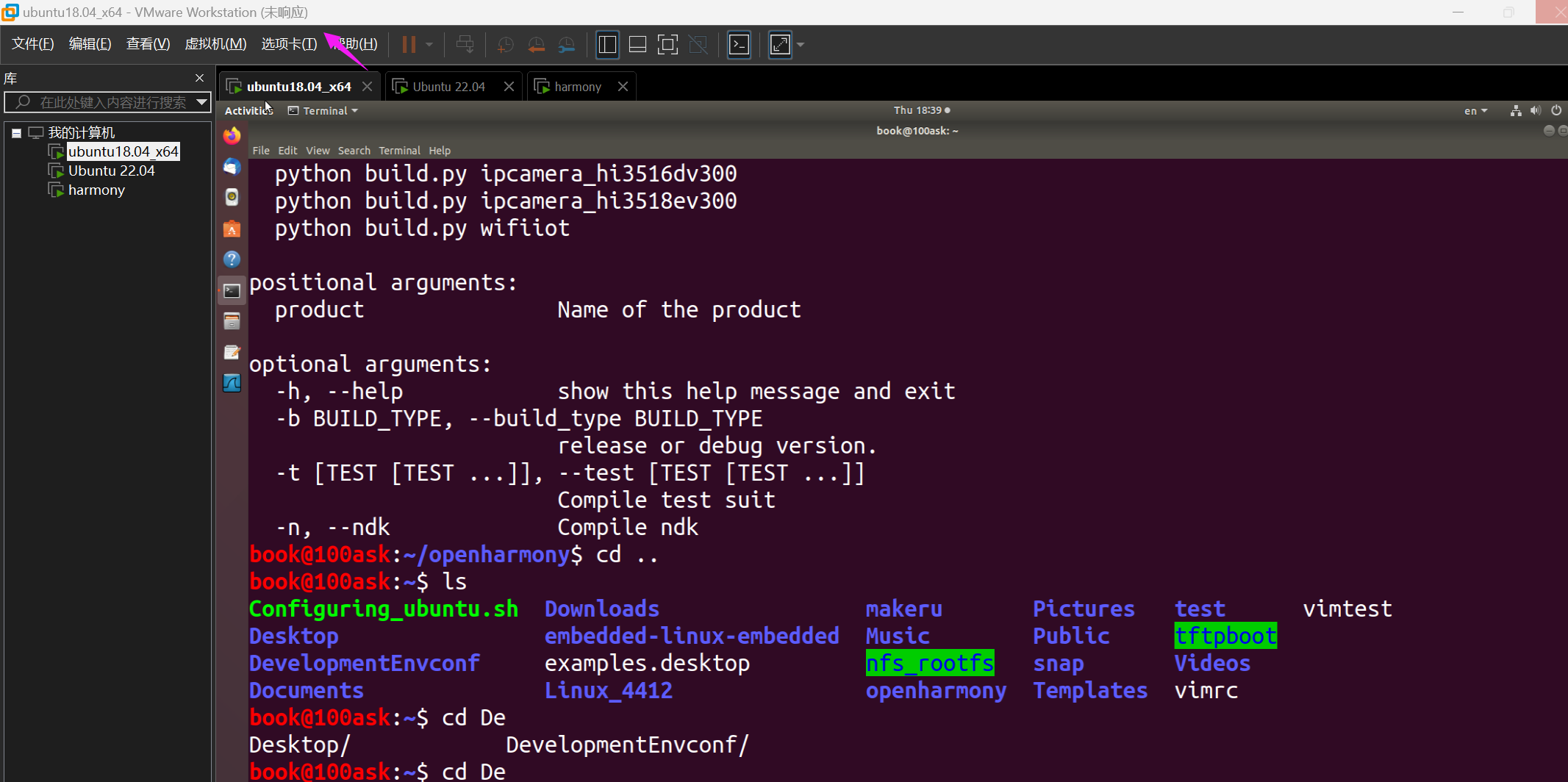
又又又又又卡死了,服了呀,下次买个贵点的电脑,同时开三个虚拟机它承受了它不该承受的
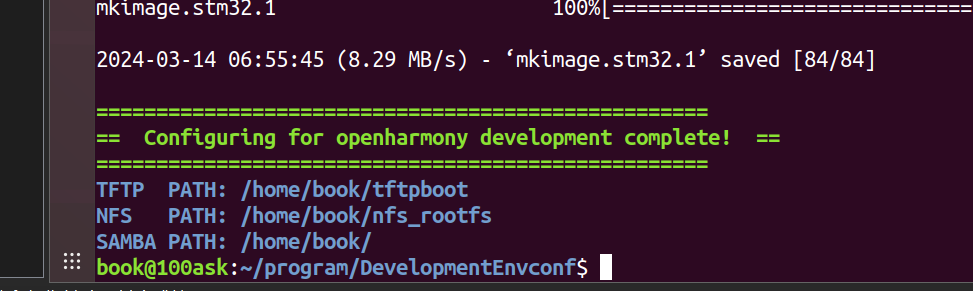
配置完了


repo init -u https://gitee.com/openharmony/manifest.git -b OpenHarmony-1.0

git记得登录哦
第一次执行可能会报错,网络的问题再来一遍就行

下载补丁文件
git clone CODING | 一站式软件研发管理平台


试一下没问题。也可以远程看代码。

-
相关阅读:
Java电子招投标采购系统源码-适合于招标代理、政府采购、企业采购、等业务的企业
java中类A的所有实例方法都可以在A的子类中进行覆盖(Override)吗
Viola-Jones检测器(VJ)---学习笔记
机器学习策略篇:详解为什么是ML策略?(Why ML Strategy?)
React笔记(九)RTK
青少年python系列 35.自定义函数
内网开发之后端配置前端项目流程
卡尔曼滤波的推导
基于Spring Boot开发的汽车租赁管理系统
灰度发布专题---1、灰度发布的意义和方案
- 原文地址:https://blog.csdn.net/qq_52479948/article/details/136711142
