-
1.3 vue ui框架-element-ui框架
1 前言
ElementUI是一套基于VUE2.0的桌面端组件库,ElementUI提供了丰富的组件帮助开发人员快速构建功能强大、风格统一的页面。
ElementUI官网 https://element.eleme.io
2 安装
运行命令
cnpm i element-ui -S-S表示只在该项目下安装,不是全局安装
注意:要跳到项目所在目录运行

会在node_modules文件夹下生成element-ui子目录

3 应用
接1.1 创建第一个vue项目-CSDN博客生成的项目。
3.1 在src/main.js中引入element组件,修改后代码如下:
- // The Vue build version to load with the `import` command
- // (runtime-only or standalone) has been set in webpack.base.conf with an alias.
- import Vue from 'vue'
- import App from './App'
- import router from './router'
- /*引入element组件*/
- import ElementUI from 'element-ui';
- import 'element-ui/lib/theme-chalk/index.css';
- Vue.use(ElementUI);
- Vue.config.productionTip = false
- /* eslint-disable no-new */
- new Vue({
- el: '#app',
- router,
- components: { App },
- template: '
' - })
3.2 修改src/components/HelloWorld.vue代码如下
- <template>
- <div class="hello">
- <h1>{{ msg }}</h1>
- <el-row>
- <el-button>默认按钮</el-button>
- <el-button type="primary">主要按钮</el-button>
- <el-button type="success">成功按钮</el-button>
- <el-button type="info">信息按钮</el-button>
- <el-button type="warning">警告按钮</el-button>
- <el-button type="danger">危险按钮</el-button>
- </el-row>
- </div>
- </template>
- <script>
- export default {
- name: "HelloWorld",
- data() {
- return {
- msg: "使用element-ui测试",
- };
- },
- };
- </script>
- <!-- Add "scoped" attribute to limit CSS to this component only -->
- <style scoped>
- h1,
- h2 {
- font-weight: normal;
- }
- ul {
- list-style-type: none;
- padding: 0;
- }
- li {
- display: inline-block;
- margin: 0 10px;
- }
- a {
- color: #42b983;
- }
- </style>
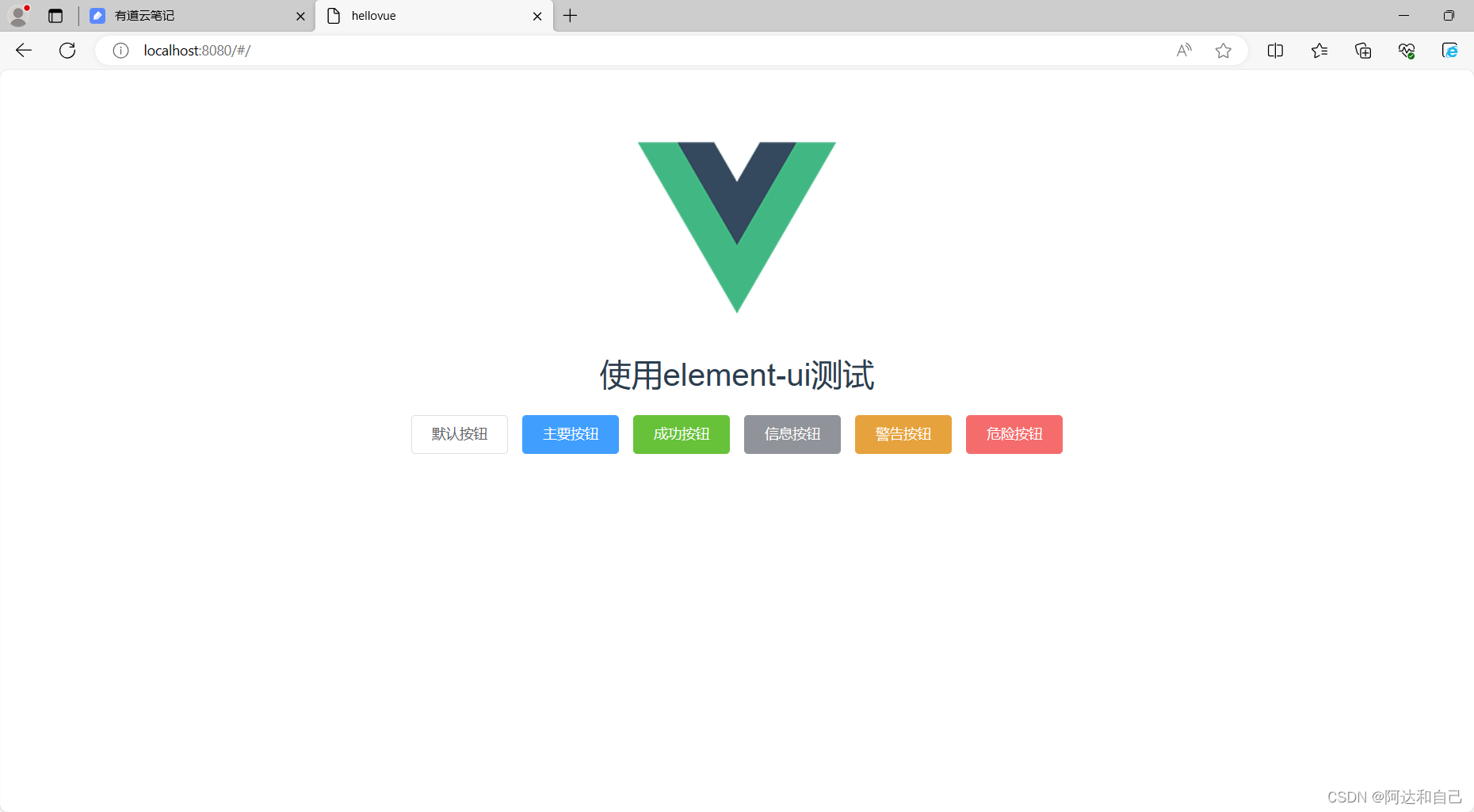
3.3 运行效果
在cmd运行命令npm run dev 然后访问http://localhost:8080,效果如下:
-
相关阅读:
基于Go语言Iris+Xorm开发的代码生成器
容器环境 springcloud gateway grafana prometheus采集集成与问题
温故知新(十二)——SPI
孙卫琴的《精通Vue.js》读书笔记-Vue组件的命名规则
labview卸载重装碰到的问题
SaaSBase:什么是FlowUs?
java基础巩固12
CF1186B
你真的了解C语言 if - else 、bool(布尔值)、浮点数损失吗 ?
JAVA计算机毕业设计专辑鉴赏网站Mybatis+系统+数据库+调试部署
- 原文地址:https://blog.csdn.net/qq_28742901/article/details/136377604
