-
kubernetes集群编排(6)
目录
k8s调度
nodename
- [root@k8s2 node]# vim nodename.yaml
- apiVersion: v1
- kind: Pod
- metadata:
- name: nginx
- labels:
- app: nginx
- spec:
- containers:
- - name: nginx
- image: nginx
- nodeName: k8s3
- [root@k8s2 node]# kubectl apply -f nodename.yaml

[root@k8s2 node]# kubectl delete -f nodename.yamlnodeselector
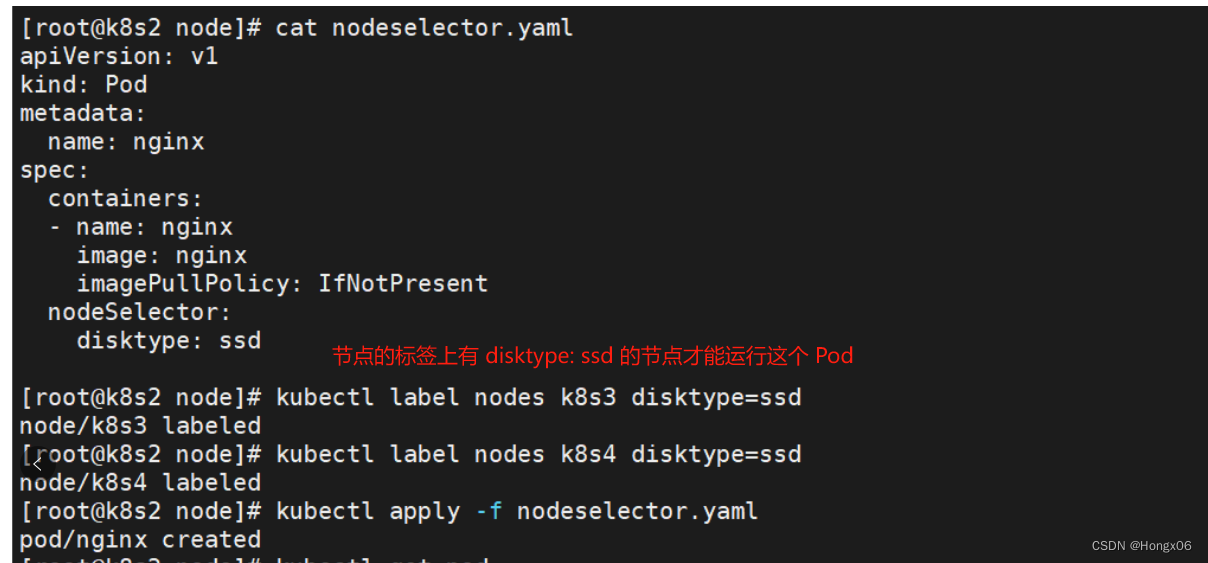
NodeSelector是Kubernetes中一个用于选择节点的机制。它是一种标签选择器,可以根据选择器定义匹配节点标签,并将Pod调度到这些匹配的节点上
- [root@k8s2 node]# vim nodeselector.yaml
- apiVersion: v1
- kind: Pod
- metadata:
- name: nginx
- spec:
- containers:
- - name: nginx
- image: nginx
- imagePullPolicy: IfNotPresent
- nodeSelector:
- disktype: ssd
- [root@k8s2 node]# kubectl label nodes k8s4 disktype=ssd
- [root@k8s2 node]# kubectl label nodes k8s3 disktype=ssd
- [root@k8s2 node]# kubectl apply -f nodeselector.yaml
- [root@k8s2 node]# kubectl delete -f nodeselector.yaml
nodeaffinity
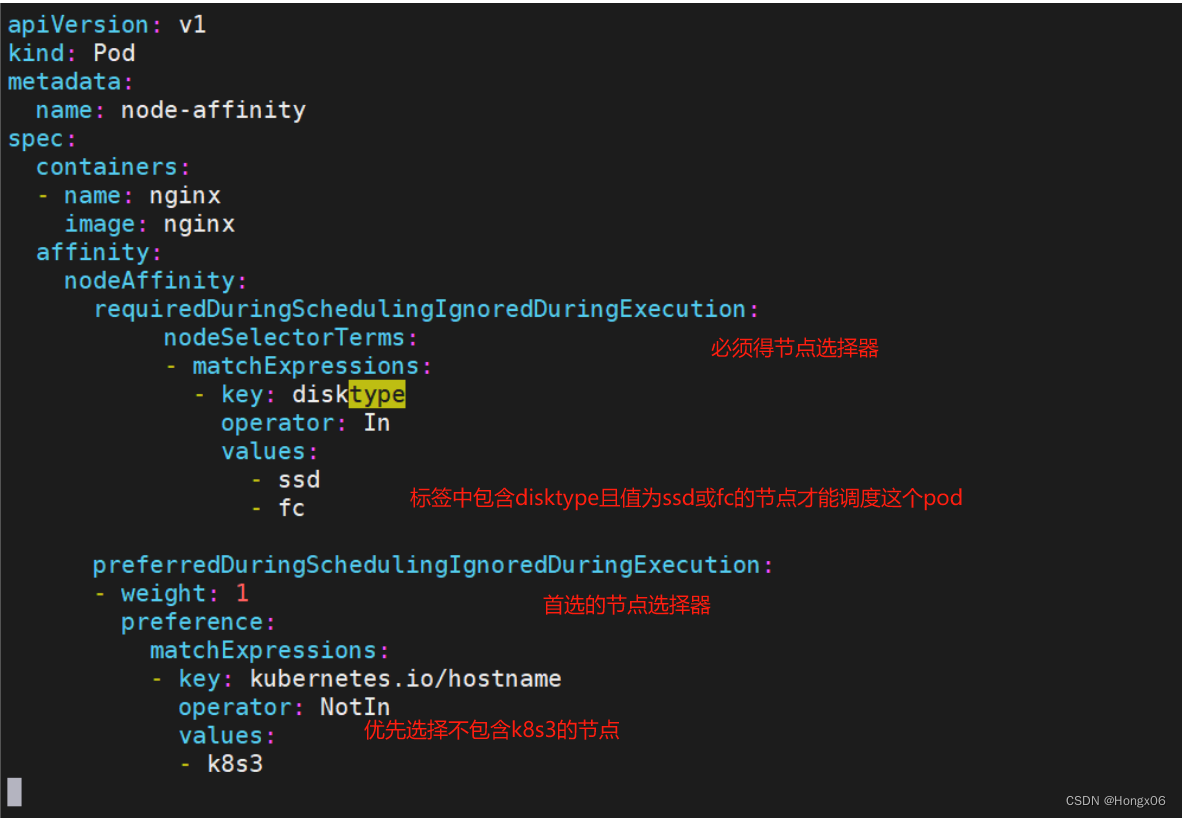
- [root@k8s2 node]# vim nodeaffinity.yaml
- apiVersion: v1
- kind: Pod
- metadata:
- name: node-affinity
- spec:
- containers:
- - name: nginx
- image: nginx
- affinity:
- nodeAffinity:
- requiredDuringSchedulingIgnoredDuringExecution:
- nodeSelectorTerms:
- - matchExpressions:
- - key: disktype
- operator: In
- values:
- - ssd
- - fc
- preferredDuringSchedulingIgnoredDuringExecution:
- - weight: 1
- preference:
- matchExpressions:
- - key: kubernetes.io/hostname
- operator: NotIn
- values:
- - k8s3
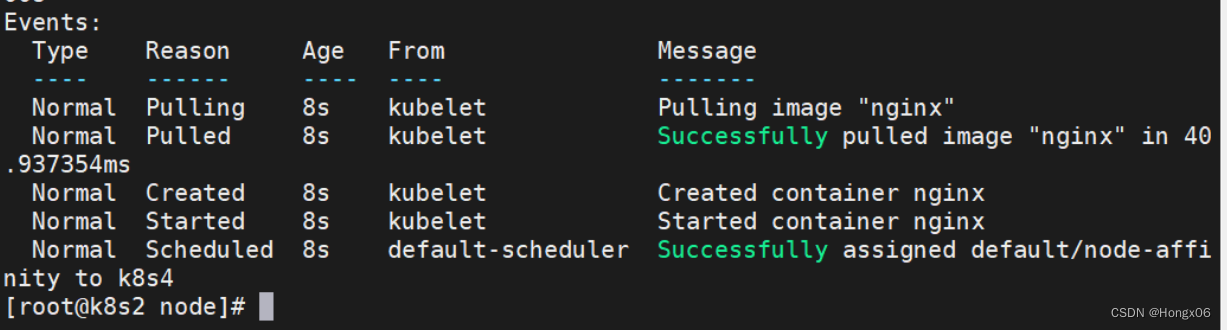
- [root@k8s2 node]# kubectl apply -f nodeaffinity.yaml
- [root@k8s2 node]# kubectl describe pod node-affinity
- [root@k8s2 node]# kubectl delete -f nodeaffinity.yaml
podaffinity
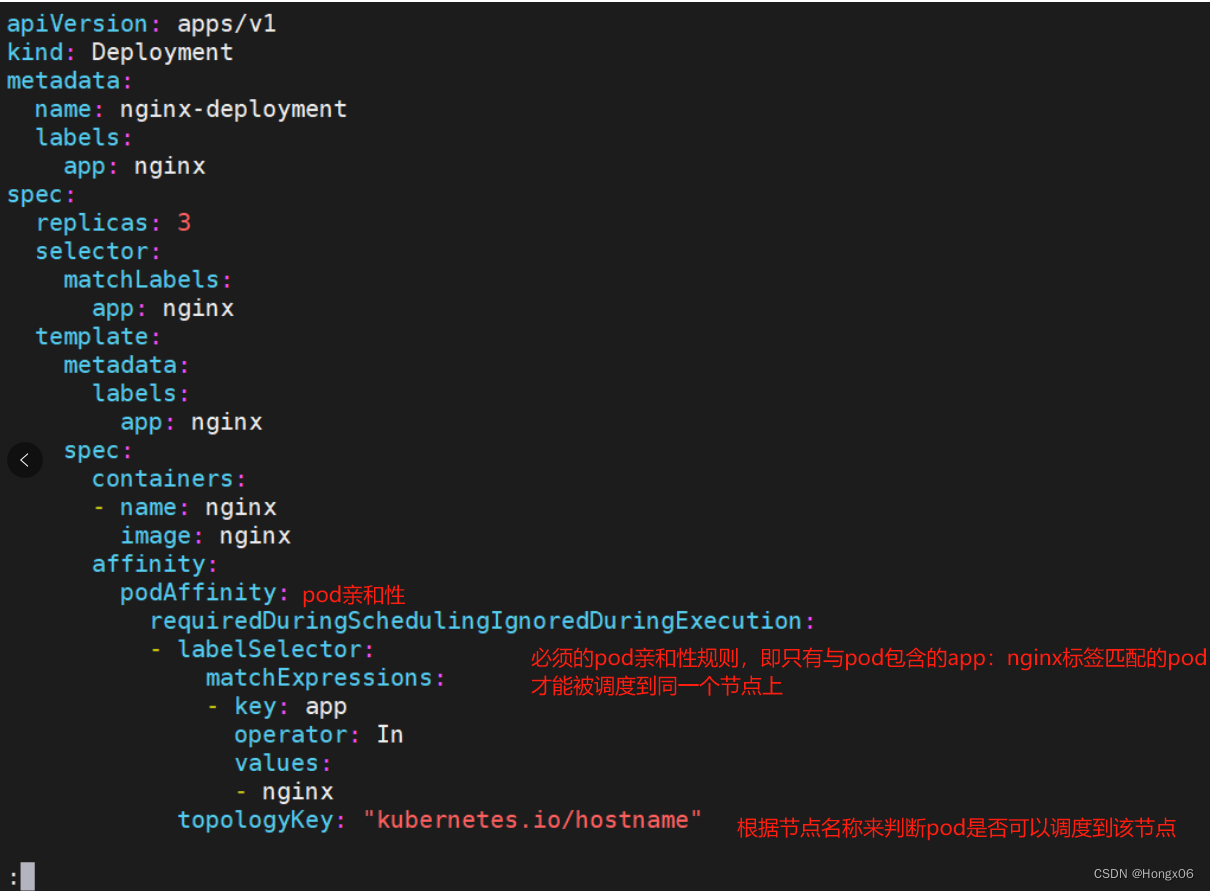
- [root@k8s2 node]# vim podaffinity.yaml
- apiVersion: apps/v1
- kind: Deployment
- metadata:
- name: nginx-deployment
- labels:
- app: nginx
- spec:
- replicas: 3
- selector:
- matchLabels:
- app: nginx
- template:
- metadata:
- labels:
- app: nginx
- spec:
- containers:
- - name: nginx
- image: nginx
- affinity:
- podAffinity:
- requiredDuringSchedulingIgnoredDuringExecution:
- - labelSelector:
- matchExpressions:
- - key: app
- operator: In
- values:
- - nginx
- topologyKey: "kubernetes.io/hostname"
- [root@k8s2 node]# kubectl apply -f podaffinity.yaml
- [root@k8s2 node]# kubectl delete -f podaffinity.yaml
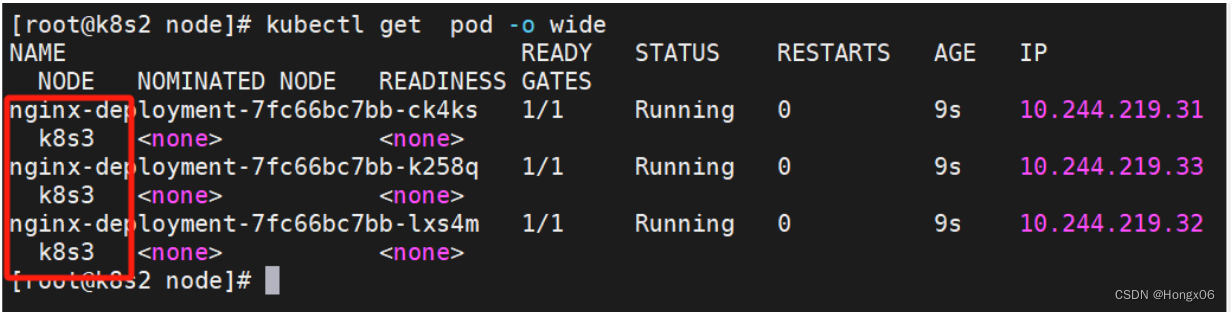
- [root@k8s2 node]# vim podantiaffinity.yaml
- apiVersion: apps/v1
- kind: Deployment
- metadata:
- name: nginx-deployment
- labels:
- app: nginx
- spec:
- replicas: 3
- selector:
- matchLabels:
- app: nginx
- template:
- metadata:
- labels:
- app: nginx
- spec:
- containers:
- - name: nginx
- image: nginx
- affinity:
- podAntiAffinity:
- requiredDuringSchedulingIgnoredDuringExecution:
- - labelSelector:
- matchExpressions:
- - key: app
- operator: In
- values:
- - nginx
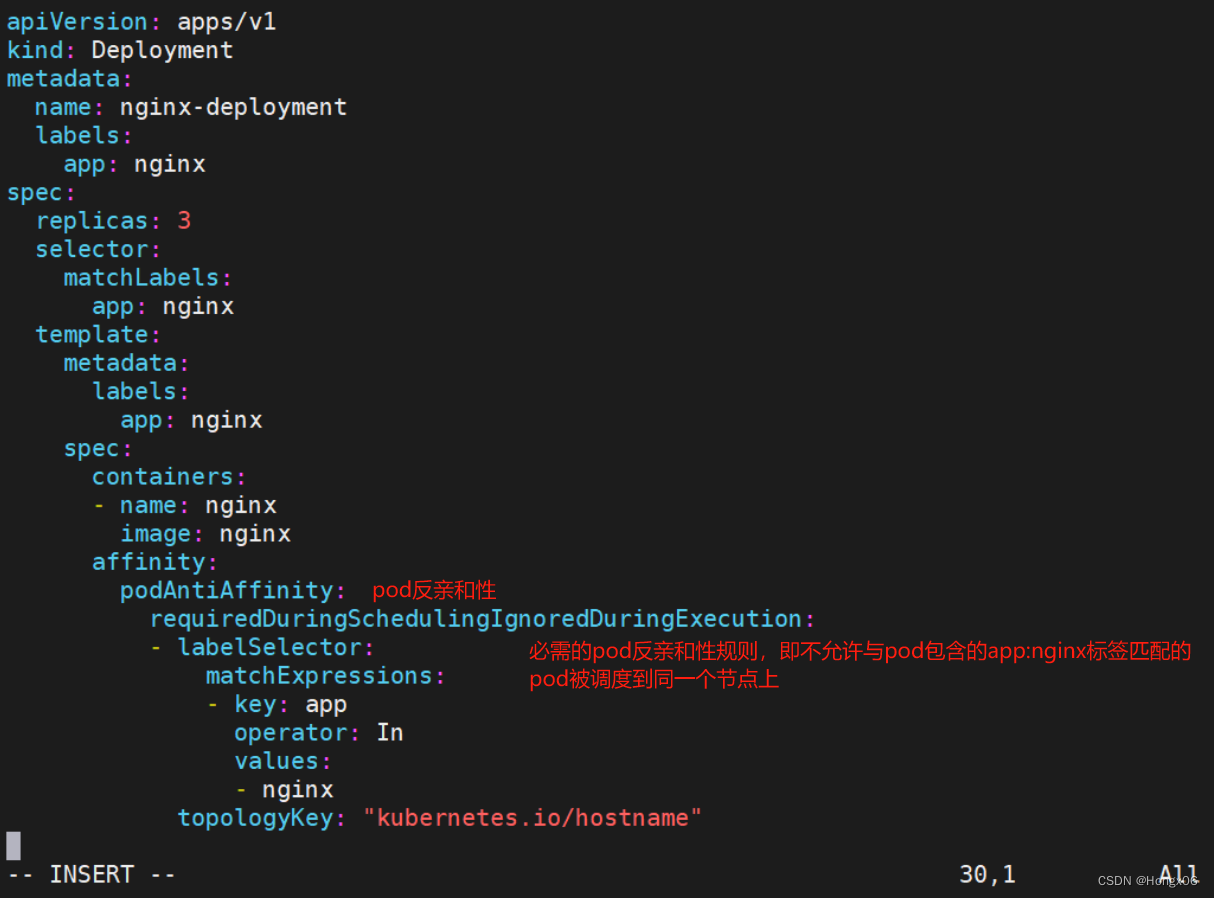
- topologyKey: "kubernetes.io/hostname"
- [root@k8s2 node]# kubectl apply -f podantiaffinity.yaml
- [root@k8s2 node]# kubectl delete -f podantiaffinity.yaml
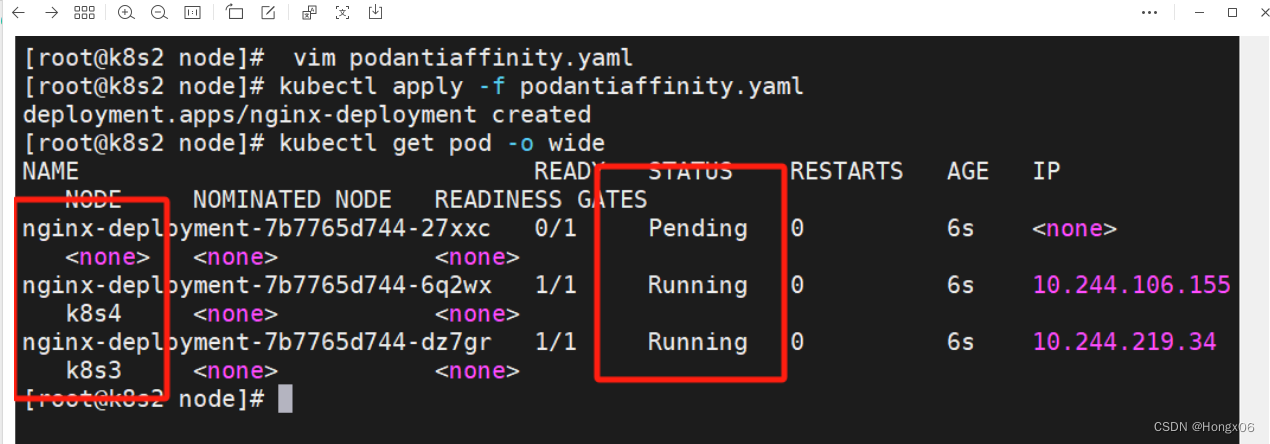
Taints
- [root@k8s2 node]# vim taint.yaml
- apiVersion: apps/v1
- kind: Deployment
- metadata:
- labels:
- app: web
- name: web
- spec:
- replicas: 3
- selector:
- matchLabels:
- app: web
- template:
- metadata:
- labels:
- app: web
- spec:
- containers:
- - image: nginx
- name: nginx
- [root@k8s2 node]# kubectl apply -f taint.yaml
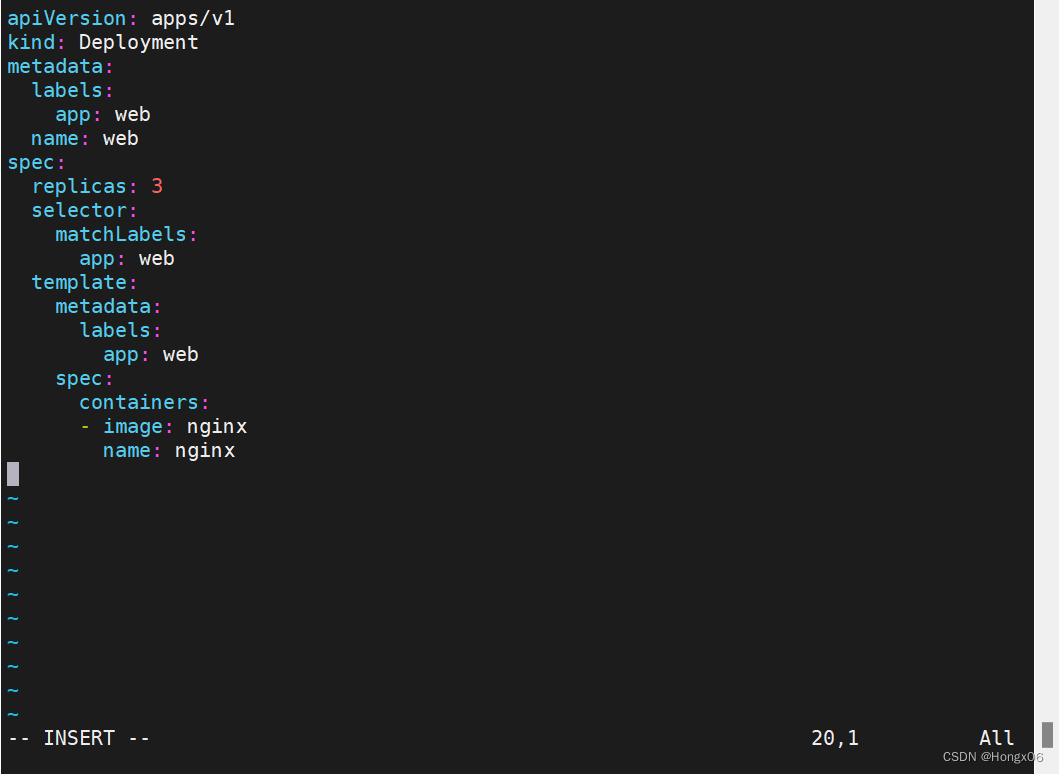
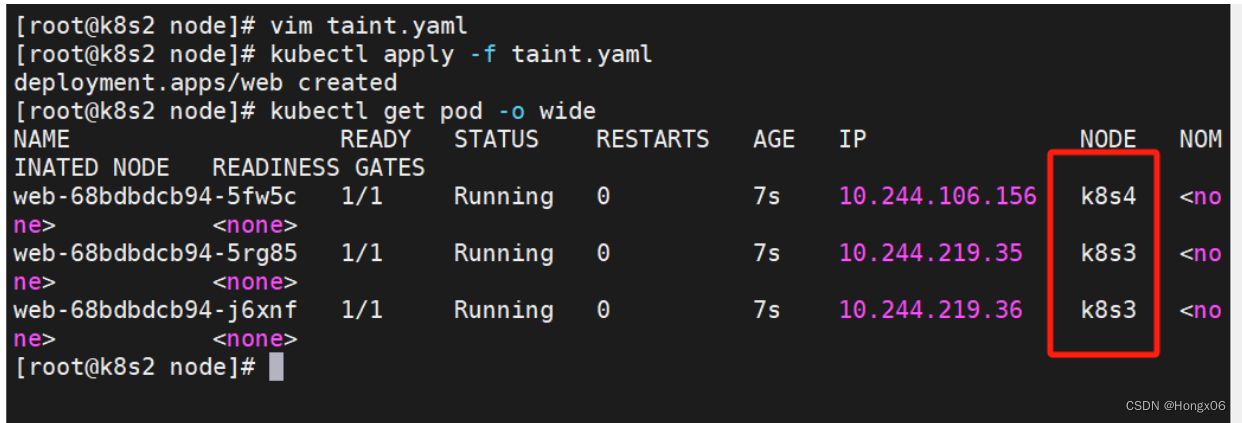
设置taint
- root@k8s2 pod]# kubectl taint node k8s3 k1=v1:NoSchedule
- [root@k8s2 pod]# kubectl describe nodes k8s3 |grep Tain

[root@k8s2 pod]# kubectl scale deployment web --replicas 6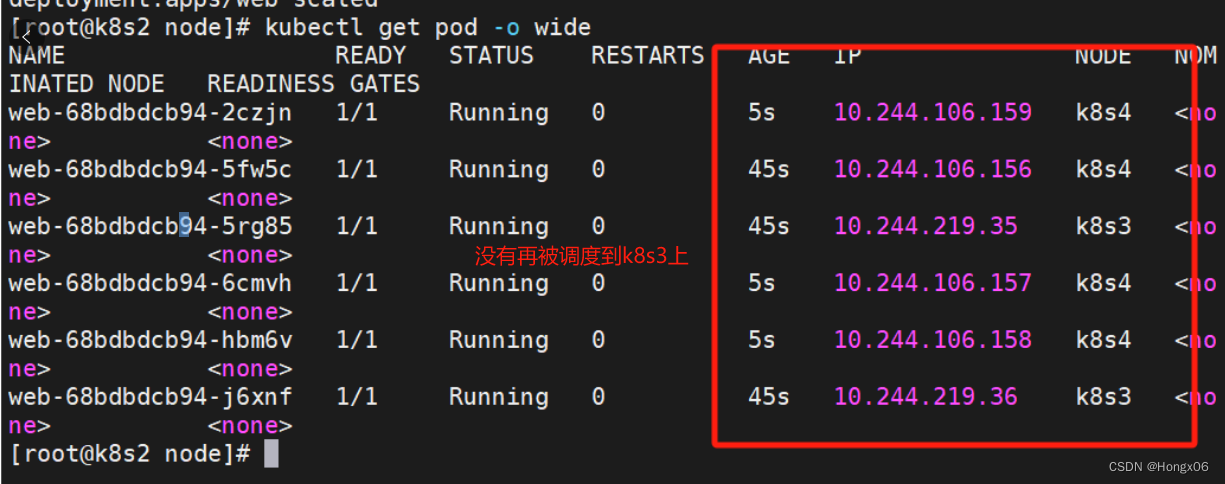
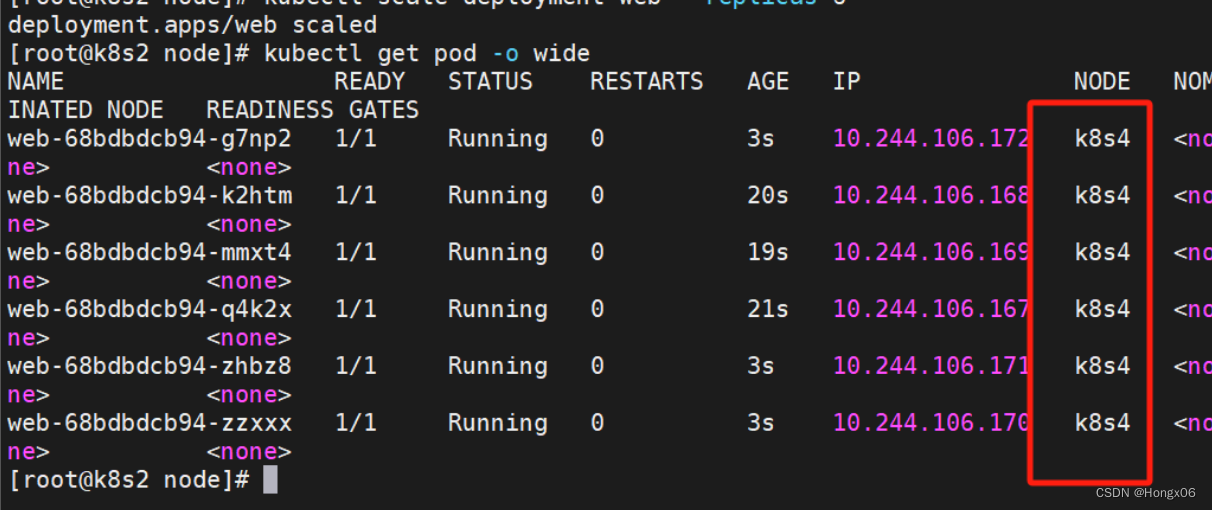
- [root@k8s2 pod]# kubectl taint node k8s3 k1=v1:NoExecute
- [root@k8s2 pod]# kubectl describe nodes k8s3 |grep Tain

设置 tolerations
- [root@k8s2 node]# vim taint.yaml
- apiVersion: apps/v1
- kind: Deployment
- metadata:
- labels:
- app: web
- name: web
- spec:
- replicas: 6
- selector:
- matchLabels:
- app: web
- template:
- metadata:
- labels:
- app: web
- spec:
- tolerations:
- - operator: Exists
- effect: NoSchedule
- containers:
- - image: nginx
- name: nginx
- [root@k8s2 node]# kubectl apply -f taint.yaml
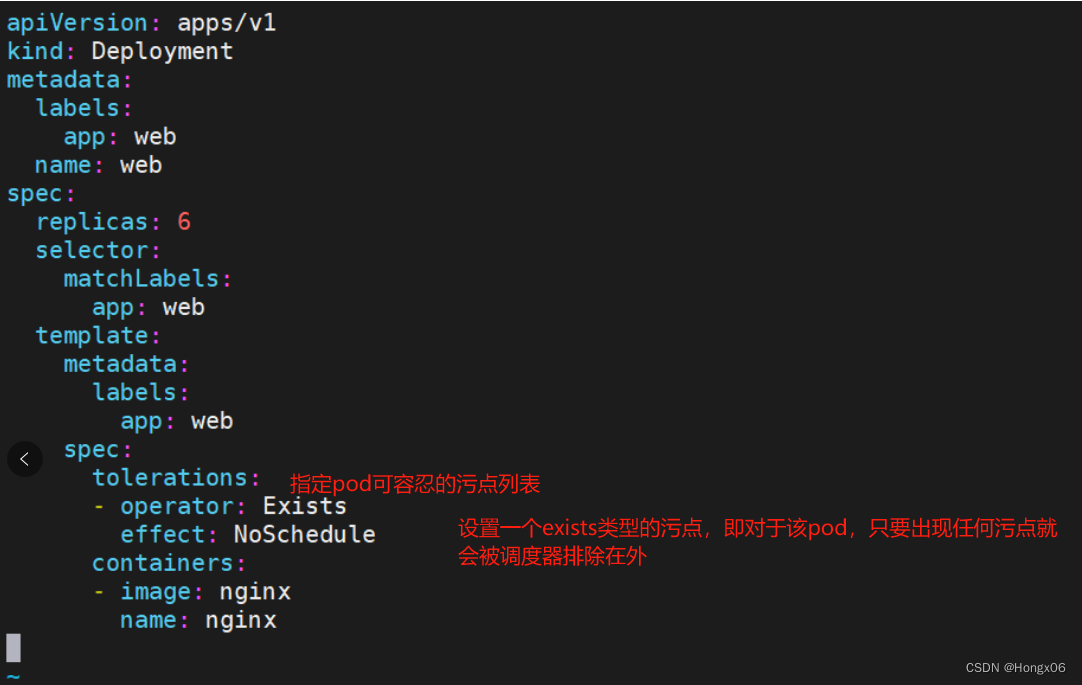
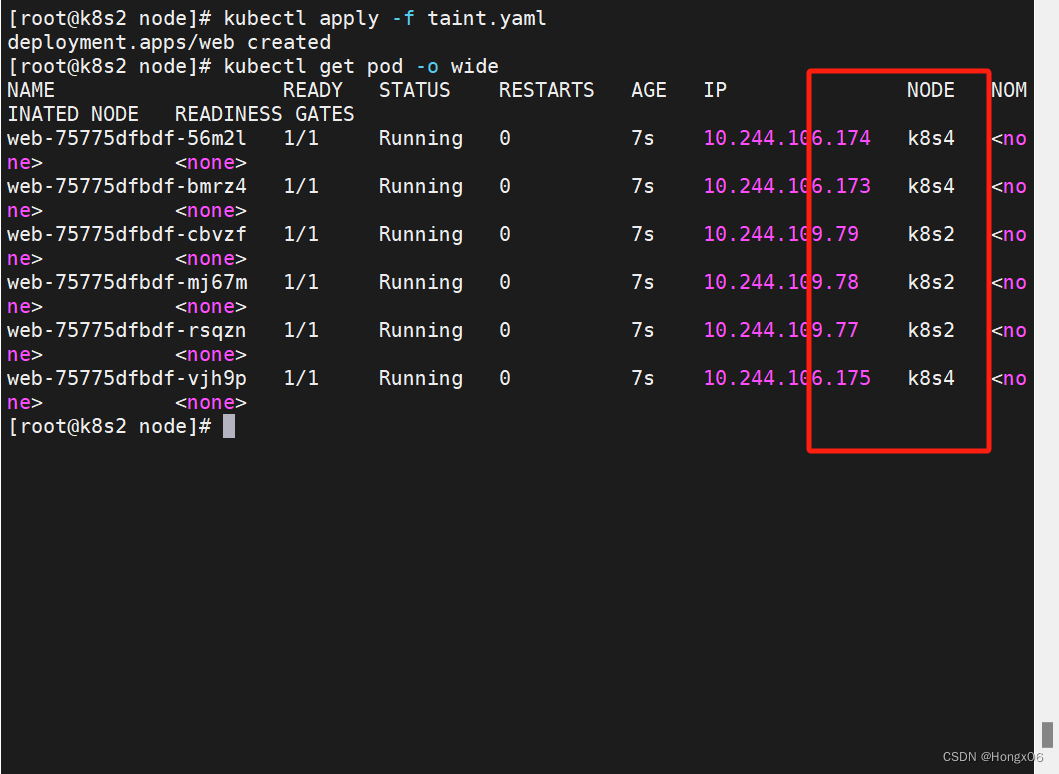
容忍所有taints
- [root@k8s2 node]# vim taint.yaml
- apiVersion: apps/v1
- kind: Deployment
- metadata:
- labels:
- app: web
- name: web
- spec:
- replicas: 6
- selector:
- matchLabels:
- app: web
- template:
- metadata:
- labels:
- app: web
- spec:
- tolerations:
- - operator: Exists
- containers:
- - image: nginx
- name: nginx
- [root@k8s2 node]# kubectl apply -f taint.yaml
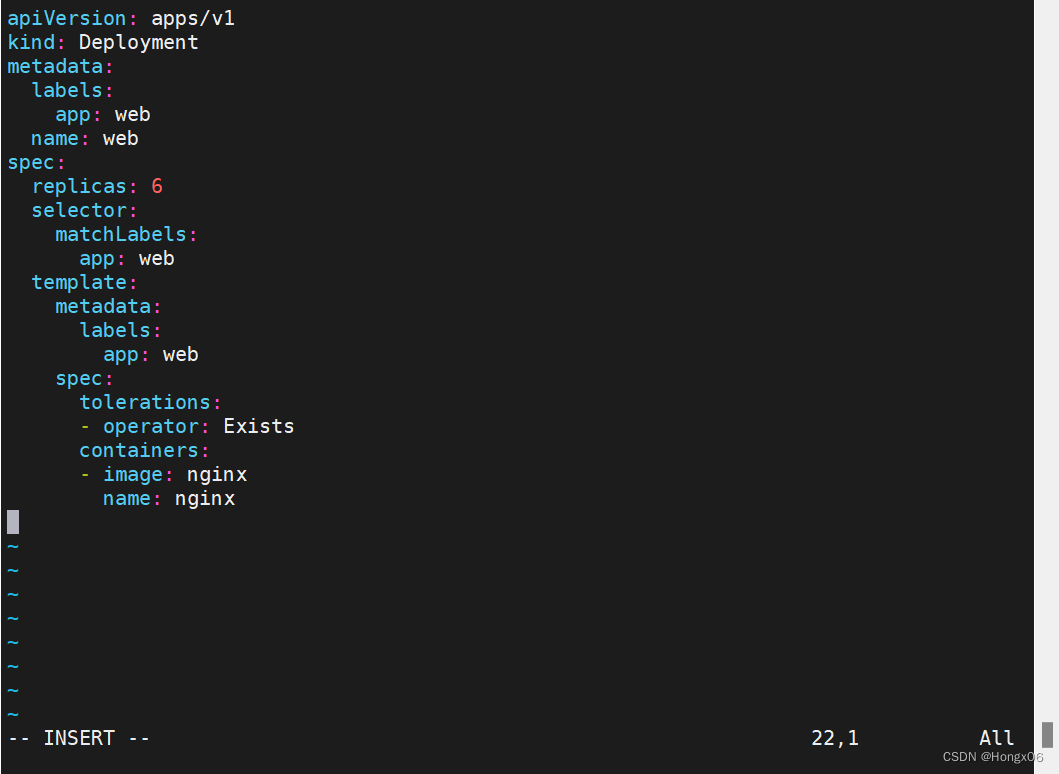
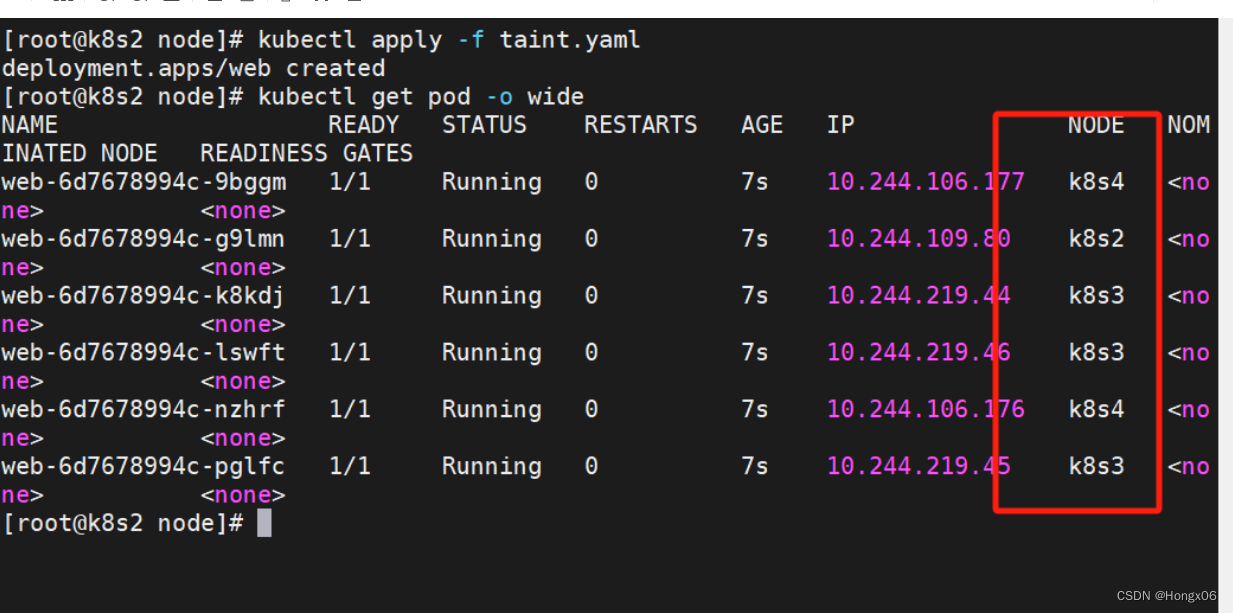
回收、删除taints
- [root@k8s2 node]# kubectl delete -f taint.yaml
- [root@k8s2 node]# kubectl taint node k8s3 k1-
cordon、drain、delete
- [root@k8s2 node]# kubectl create deployment demo --image nginx --replicas 3
- [root@k8s2 node]# kubectl cordon k8s3
- [root@k8s2 node]# kubectl get node
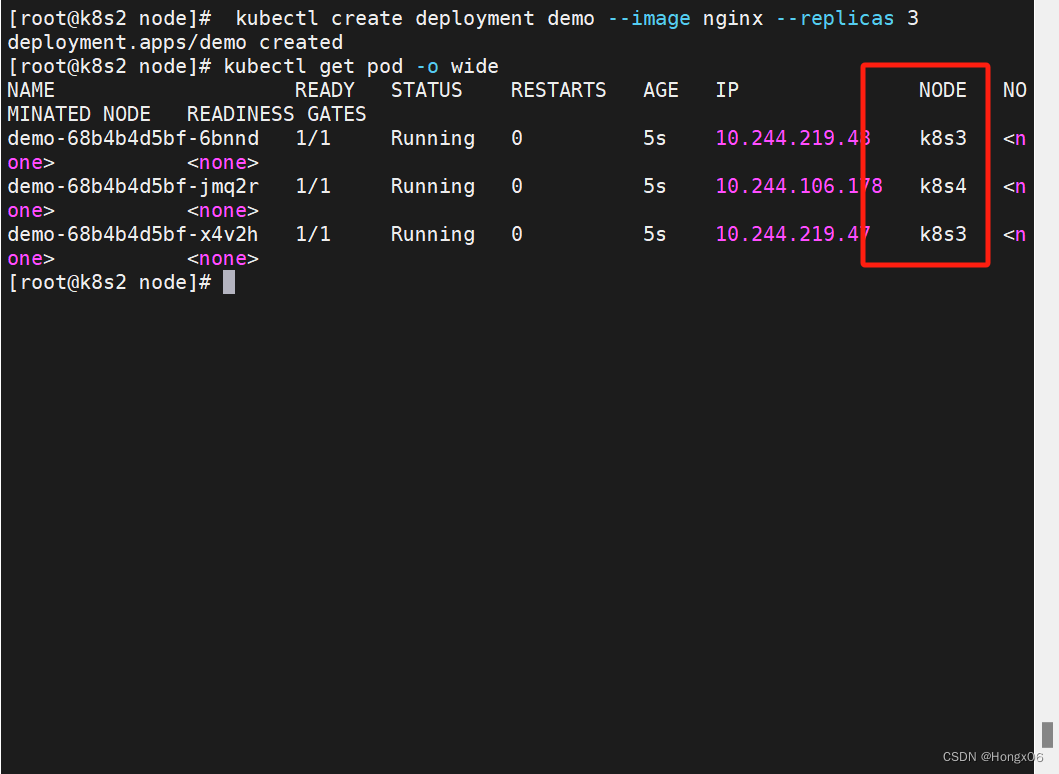
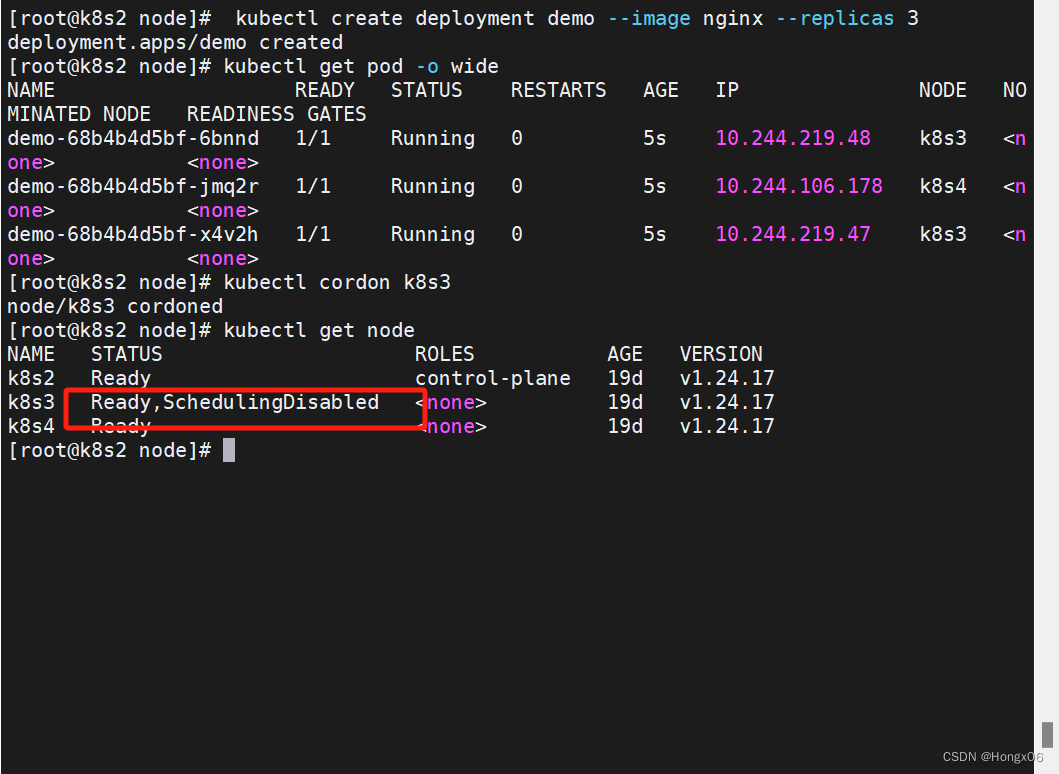
[root@k8s2 node]# kubectl scale deployment demo --replicas 6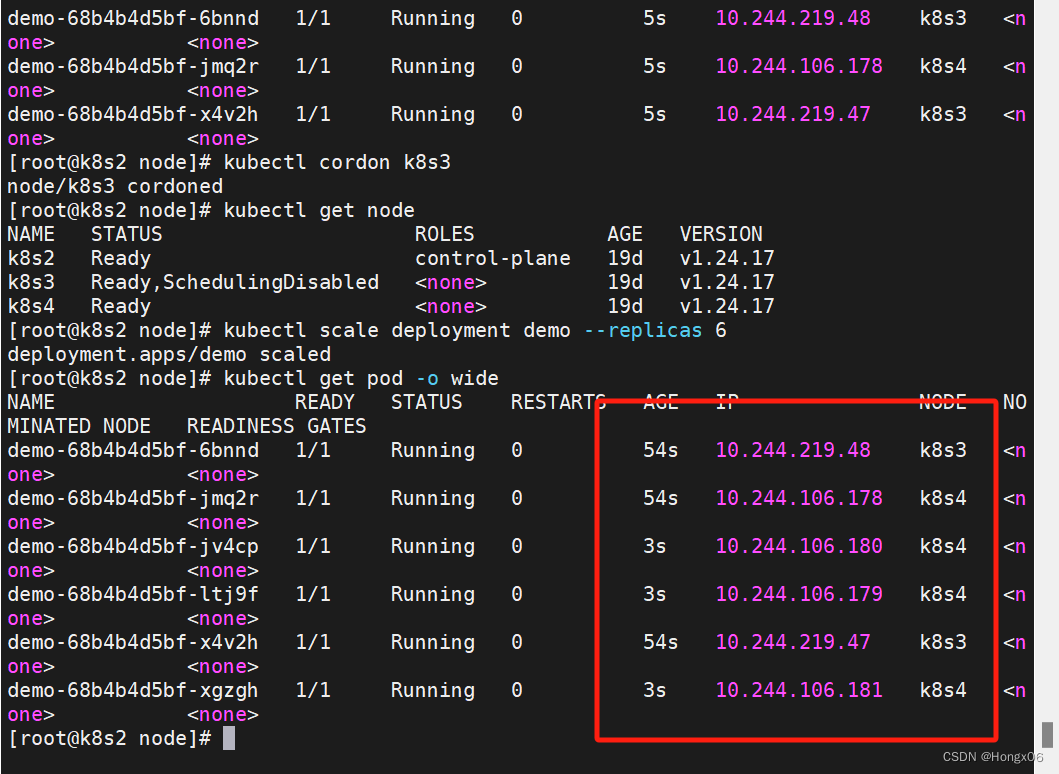
[root@k8s2 node]# kubectl drain k8s3 --ignore-daemonsets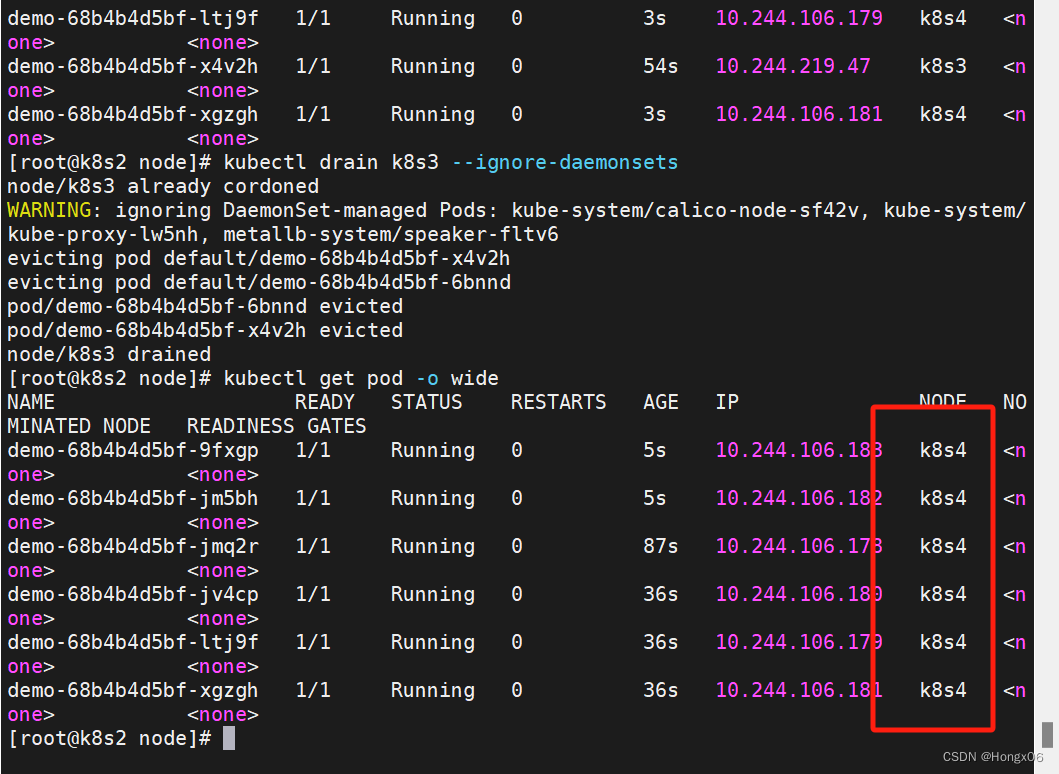
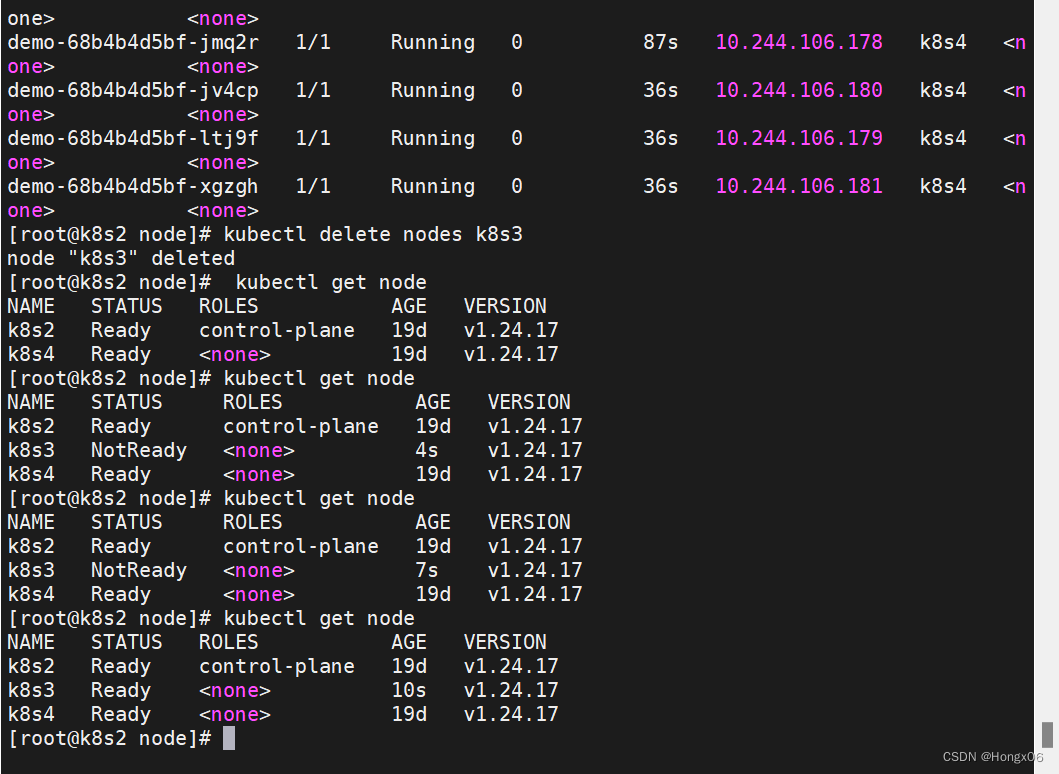
- [root@k8s2 node]# kubectl delete nodes k8s3
- [root@k8s2 node]# kubectl get node
- k8s3节点重启kubelet服务重新加入集群
- [root@k8s3 ~]# systemctl restart kubelet
- [root@k8s2 node]# kubectl get node
-
相关阅读:
如何在Linux中使用read命令读取用户输入?——read命令实战
SwiftUI 为不同视图限制不同的屏幕旋转方向
零基础 从 yolo8 入门计算机视觉超简单:物体识别、图像分类、轨迹追踪、姿势识别
支付宝支付接口的调用
外汇天眼:了解外汇市场交易中的流动性
Feign
挑选适合您的优秀项目管理软件
数字孪生产业园开发公司,VR钢铁效果怎么样?强荐广州华锐互动
QT基础教程(GUI程序原理分析)
什么是nacos/cas/fastdfs
- 原文地址:https://blog.csdn.net/m0_64028800/article/details/134277085
