-
JavaWeb课程复习资料——idea创建JDBC
1、创建空的Java Project

输入项目名称
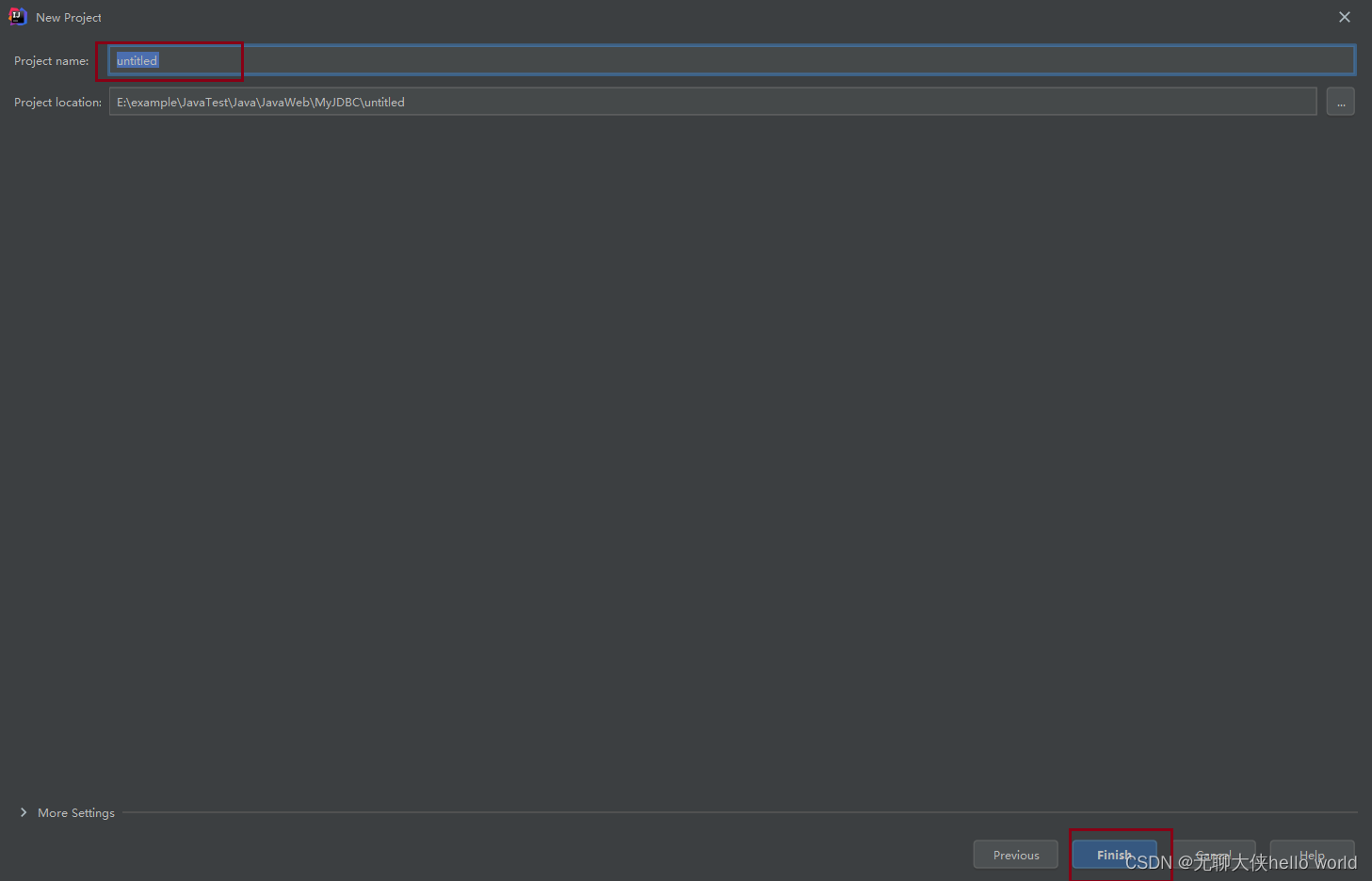
空项目
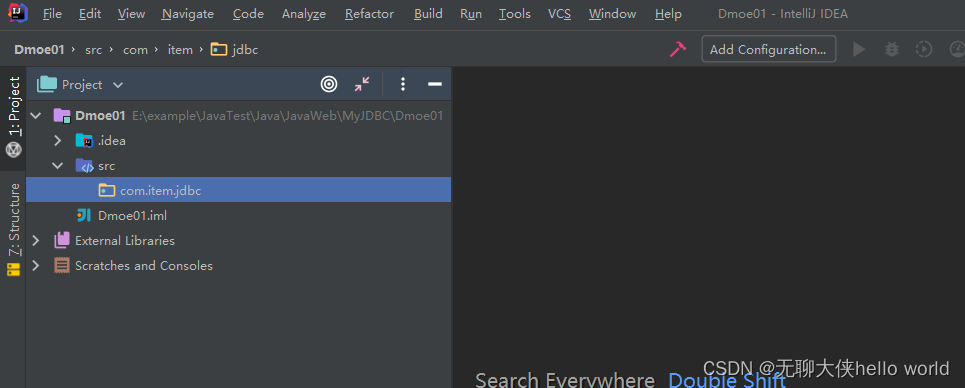
2、引入jar包步骤
依次点击 File -> Project Structure(快捷键 Ctrl + Alt + Shift + s),点击Project Structure界面左侧的“Modules”如图:

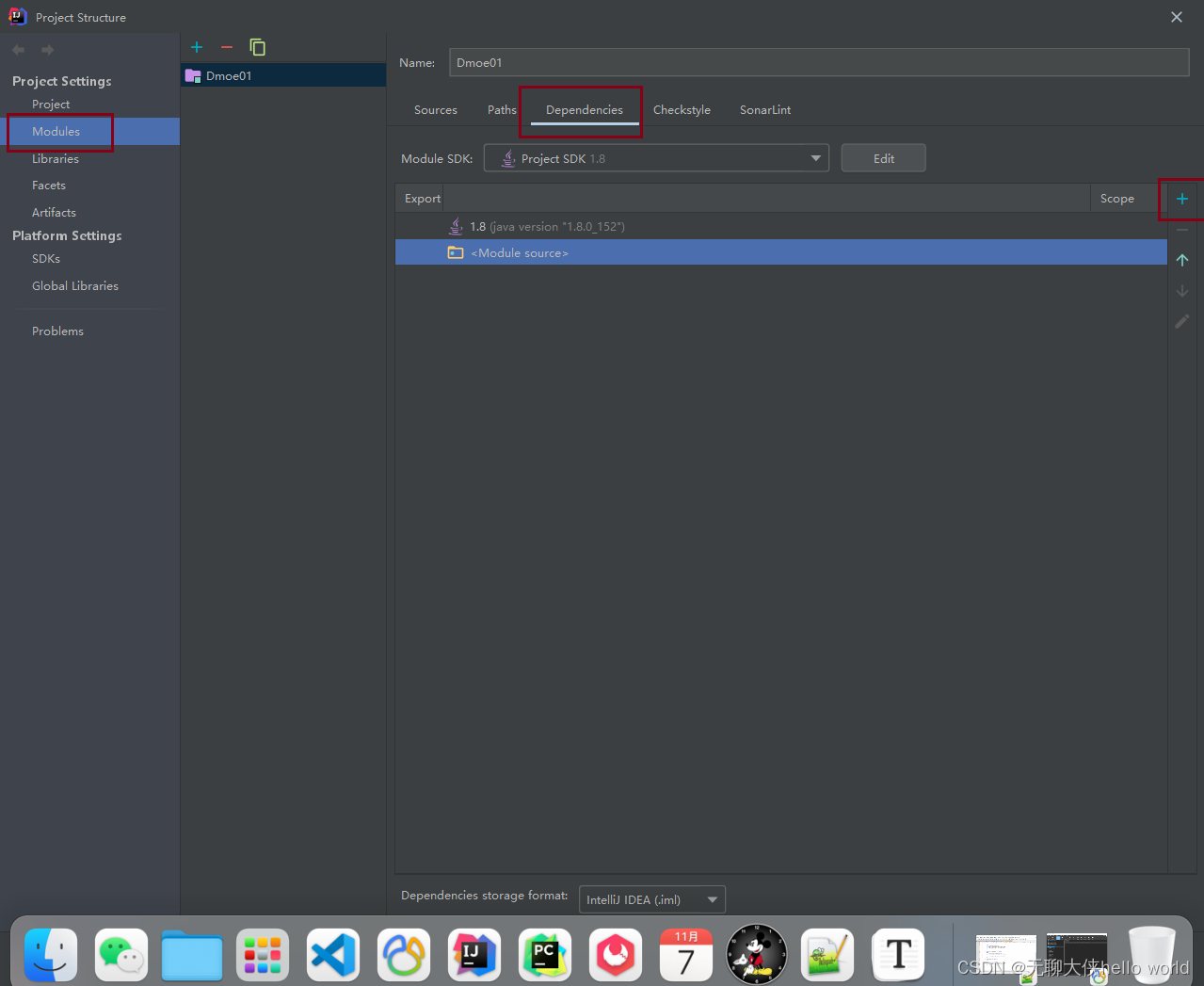
在 【Dependencies】 标签界面下,点击左边的 “+”号,选择第一个选项“JARs or directories…”,选择相应的jar包,点“OK”,jar包添加成功

获取驱动包:
链接:https://pan.baidu.com/s/1VQvpbcsYska_i5JVOCMxqg
提取码:yyds

3、驱动位置
【com.mysql.jdbc.Driver】
private static final String URL = "jdbc:mysql://localhost:3306/test?useUnicode&CharacterEncoding=utf-8"; private static final String USE = "root"; private static final String PASSWORD = "root";- 1
- 2
- 3
4、创建【工厂类】的包与类


5、输入链接路径与账号密码
package com.item.jdbc; /** * @author 为一道彩虹 */ public class FactoryDB { private static final String URL = "jdbc:mysql://localhost:3306/test?characterEncoding=utf-8"; private static final String USER = "root"; private static final String PASSWORD = "root"; }- 1
- 2
- 3
- 4
- 5
- 6
- 7
- 8
- 9
- 10
- 11
- 12
6、创建访问数据链接方法
package com.item.jdbc; import java.sql.*; /** * @author 为一道彩虹 */ public class FactoryDB { private static final String URL = "jdbc:mysql://localhost:3306/test?characterEncoding=utf-8"; private static final String USER = "root"; private static final String PASSWORD = "root"; //1.加载驱动 static { try { Class.forName("com.mysql.cj.jdbc.Driver"); } catch (ClassNotFoundException e) { e.printStackTrace(); } } // 2.获取数据库连接 public static Connection getConnection() { try { return DriverManager.getConnection(URL, USER, PASSWORD); } catch (SQLException throwables) { throwables.printStackTrace(); } return null; } // 3.关闭资源 public static void Close(Connection connection, PreparedStatement preparedStatement, ResultSet resultSet) { try { if (resultSet != null) { resultSet.close(); } if (preparedStatement != null) { preparedStatement.close(); } if (connection != null) { connection.close(); } } catch (SQLException e) { e.printStackTrace(); } } }- 1
- 2
- 3
- 4
- 5
- 6
- 7
- 8
- 9
- 10
- 11
- 12
- 13
- 14
- 15
- 16
- 17
- 18
- 19
- 20
- 21
- 22
- 23
- 24
- 25
- 26
- 27
- 28
- 29
- 30
- 31
- 32
- 33
- 34
- 35
- 36
- 37
- 38
- 39
- 40
- 41
- 42
- 43
- 44
- 45
- 46
- 47
- 48
- 49
- 50
- 51
- 52
- 53
- 54
- 55
- 56
- 57
- 58
- 59
- 60
- 61
- 62
- 63
- 64
7、创建测试数据表
CREATE TABLE `userinfo` ( `id` int(8) NOT NULL AUTO_INCREMENT, `createDate` datetime NOT NULL, `userName` varchar(32) NOT NULL, `introduce` varchar(200) NOT NULL, PRIMARY KEY (`id`) ) ENGINE=MyISAM DEFAULT CHARSET=utf8; INSERT INTO userinfo VALUES (0,NOW(),'admin','管理员很厉害'); INSERT INTO userinfo VALUES (0,NOW(),'zhangsan','张三不认李四'); INSERT INTO userinfo VALUES (0,NOW(),'lisi','李四都认识'); INSERT INTO userinfo VALUES (0,NOW(),'wangwu','大刀王五'); INSERT INTO userinfo VALUES (0,NOW(),'zhaoliu','赵家老六'); INSERT INTO userinfo VALUES (0,NOW(),'ruanxiaoqi','打鱼的阮小七'); INSERT INTO userinfo VALUES (0,NOW(),'baxianwang','贤王一名'); select * from userinfo;- 1
- 2
- 3
- 4
- 5
- 6
- 7
- 8
- 9
- 10
- 11
- 12
- 13
- 14
- 15
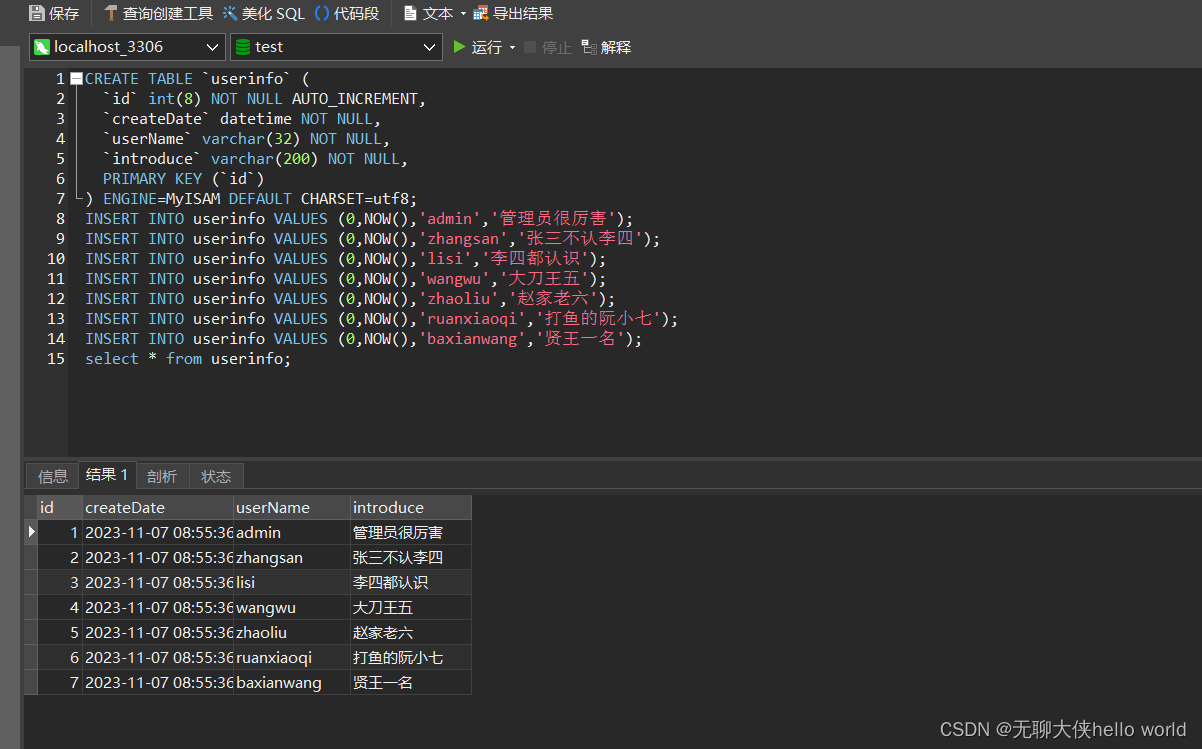
时间我没随机给,比较麻烦,自己改一下也行的哦。
8、创建测试类
包名:【com.item.demo】
类名:【Action】
package com.item.demo; import com.item.jdbc.FactoryDB; import java.sql.Connection; import java.sql.PreparedStatement; import java.sql.ResultSet; import java.sql.SQLException; /** * @author 为一道彩虹 */ public class Action { public static void main(String[] args) { Connection conn = FactoryDB.GetConnection(); PreparedStatement pre = null; ResultSet res = null; try { pre = conn.prepareStatement("select * from userinfo"); res = pre.executeQuery(); while (res.next()) { System.out.print("id:"+res.getInt(1)+"\t"); System.out.print("createDate:"+res.getTime(2)+"\t"); System.out.print("userName:"+res.getString(3)+"\t"); System.out.println("introduce:"+res.getString(4)); } } catch (SQLException e) { e.printStackTrace(); } finally { FactoryDB.Close(conn,pre,res); } } }- 1
- 2
- 3
- 4
- 5
- 6
- 7
- 8
- 9
- 10
- 11
- 12
- 13
- 14
- 15
- 16
- 17
- 18
- 19
- 20
- 21
- 22
- 23
- 24
- 25
- 26
- 27
- 28
- 29
- 30
- 31
- 32
- 33
- 34
- 35
- 36
- 37
- 38
- 39
- 40
- 41
- 42
- 43
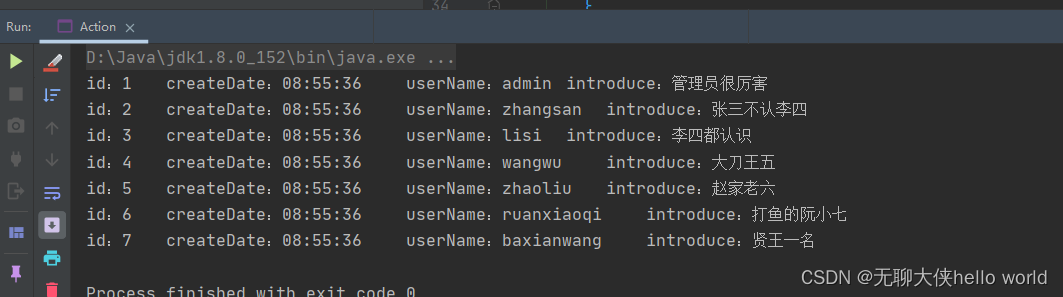
查询成功:
先赞后看,养成习惯!!!^ _ ^ ❤️ ❤️ ❤️
码字不易,大家的支持就是我的坚持下去的动力。点赞后不要忘了关注我哦! -
相关阅读:
适合学校或高校老师、学生学习用的网盘推荐
Docker基本操作
2.2 Linux系统的目录结构与文件类型
行变列,查找某一时刻附近记录
SQL优化策略
openharmony容器组件之Flex
学习 Java 的多线程开发
CPP emplace_bake 和 push_back 的相同和区别
python/pygame 挑战魂斗罗 笔记(三)
内网离线安装 Rancher 过程记录
- 原文地址:https://blog.csdn.net/qq_54693844/article/details/134259335
