-
【CSS】CSS基础知识扫盲
1、 什么是CSS?
CSS即层叠样式表 (Cascading Style Sheets).
CSS 能够对网页中元素位置的排版进行像素级精确控制, 实现美化页面的效果. 能够做到页面的样式和结构分离2、 CSS引入方式
CSS代码编写的时候有多种引入方式:
内部样式、外部样式、内联样式2.1 内部样式
写在 style 标签中. 嵌入到 html 内部.
理论上来说 style 放到 html 的哪里都行. 但是一般都是放到 head 标签中.
<style> div { font-size: 50px; color: green; } style>- 1
- 2
- 3
- 4
- 5
- 6

2.2 外部样式
实际开发中最常用的方式.
🚕1. 创建一个 css 文件.
🚕2. 使用 link 标签引入 csslink标签存在head标签中:
<link rel="stylesheet" href="hello.css">- 1
<div> hello div>- 1
- 2
- 3

2.3 内联样式
<div style="color:blue; font-size: 20px;">hellodiv>- 1

3、CSS选择器
选择器的功能:选中页面中指定的标签元素
3.1 标签选择器
使用标签名把页面中同名标签的元素都选中了
缺点:难以对某个元素进行个性化的定制<style> div { color: aqua; } style>- 1
- 2
- 3
- 4
- 5
<div>hellodiv> <div>worlddiv>- 1
- 2

3.2 类选择器
🚑1、差异化表示不同的标签
🚑2、可以让多个标签的都使用同一个标签<style> .allred { color: red; } .allgreen { color: green; } style>- 1
- 2
- 3
- 4
- 5
- 6
- 7
- 8
<div class="allred">hellodiv> <div class="allgreen">worlddiv>- 1
- 2

注意:
🚕1、类名用 . 开头的
🚕2、下方的标签使用 class 属性来调用
🚕3、一个类可以被多个标签使用, 一个标签也能使用多个类(多个类名要使用空格分割, 这种做法可以让代码更好复用)3.3 id选择器
<style> #a { color: brown; font-size: 30px; } #b { color: blueviolet; font-size: 30px; } style>- 1
- 2
- 3
- 4
- 5
- 6
- 7
- 8
- 9
- 10
<div id="a">hellodiv> <div id="b">worlddiv>- 1
- 2

注意:
🚓1、CSS 中使用 # 开头表示 id 选择器
🚓2、id 选择器的值和 html 中某个元素的 id 值相同
🚓3、html 的元素 id 不必带 #
🚓4、id 是唯一的, 不能被多个标签使用 (是和 类选择器 最大的区别)3.4 后代选择器
上面三个选择器都是基础的选择器,后代选择器则是“复合选择器”
后代选择器的效果就是把上面三种基础选择器,进行组合,同时能够体现出“标签的层次结构”
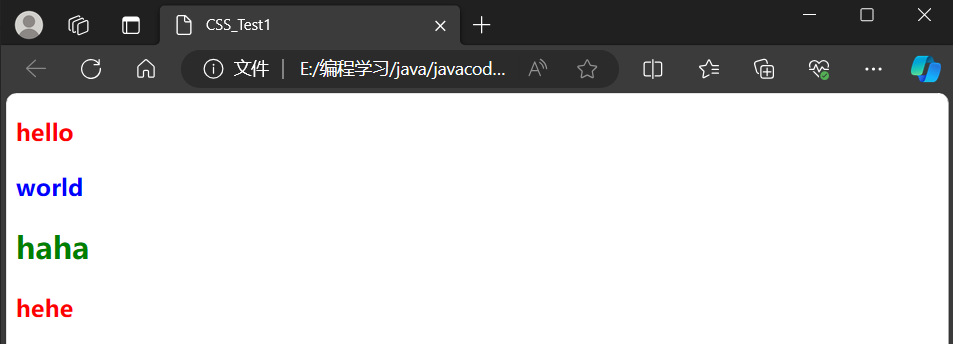
<style> .one h3 { color: red; font-size: 30; } .two h3 { color: blue; font-size: 30; } #three h2 { color: green; font-size: 30; } style>- 1
- 2
- 3
- 4
- 5
- 6
- 7
- 8
- 9
- 10
- 11
- 12
- 13
- 14
<div class="one"> <h3>helloh3> div> <div class="two"> <h3>worldh3> div> <div id="three" class="one"> <h2>hahah2> <h3>heheh3> div>- 1
- 2
- 3
- 4
- 5
- 6
- 7
- 8
- 9
- 10
- 11
- 12
4、CSS常见属性
4.1 字体相关
<style> .one { color: red; font-family: '宋体'; font-size: 100px; font-weight: 900; font-style: italic; } style>- 1
- 2
- 3
- 4
- 5
- 6
- 7
- 8
- 9
<div class="one"> hello div>- 1
- 2
- 3

4.2 文本相关
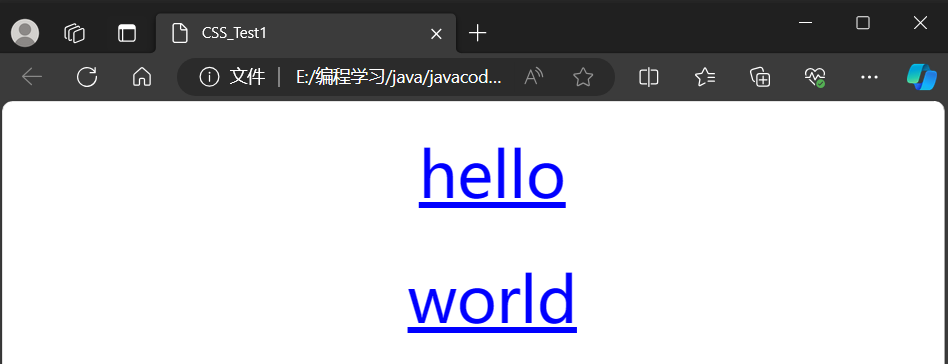
<style> .two { font-size: 50px; color: blue; /*文本颜色*/ text-align: center; /*文本对齐:左对齐(left)右对齐(right)居中(center)*/ text-decoration: underline; /*文本装饰 加下划线之类的*/ text-indent: 30px; /*文本缩进 首行缩进多大空间*/ line-height: 100px; /*行间距*/ } style>- 1
- 2
- 3
- 4
- 5
- 6
- 7
- 8
- 9
- 10
<div class="two"> hello div> <div class="two"> world div>- 1
- 2
- 3
- 4
- 5
- 6
颜色属性:
color 属性值的写法:
🚌1、预定义的颜色值(直接是单词)
🚌2、[最常用] 十六进制形式
🚌3、RGB 方式<style> .color { color: red; /* color: rgb(255, 0, 0); */ /* color: #ff0000; */ } style> <div class="color">hellodiv>- 1
- 2
- 3
- 4
- 5
- 6
- 7
- 8
- 9
- 10
- 11
4.3 背景相关
🚌
background-color设置背景颜色<style> .one { color: greenyellow; font-size: 100px; height: 300px; width: 300px; background-color: gray; } style>- 1
- 2
- 3
- 4
- 5
- 6
- 7
- 8
- 9
<div class="one">hellodiv>- 1

🚌background-image: url(...);设置背景图片<style> .one { background-image: url(ikun.png); font-size: 50px; color: rgb(0, 0, 0); height: 500px; width: 500px; background-color: gray; } style>- 1
- 2
- 3
- 4
- 5
- 6
- 7
- 8
- 9
- 10
<div class="one">ikundiv>- 1

默认背景图是“平铺”的,我们可以禁止平铺background-repeat:no-repeat;- 1
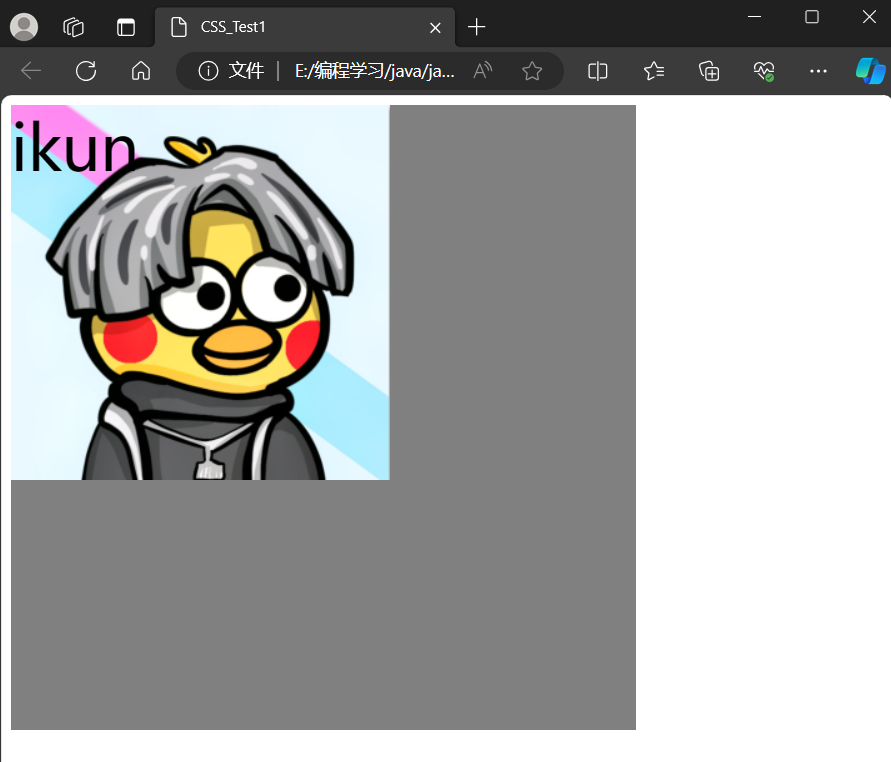
还可以通过background-position: center; 来调整图片位置
-
相关阅读:
python毕业设计项目源码选题(16)跳蚤市场二手物品交易系统毕业设计毕设作品开题报告开题答辩PPT
电商rpa是什么意思?跟电商rpi是一个意思吗?
TLS及反调试机制
SOLIDWORKS --流体仿真篇
双指针算法的实现
java面试题
GitHub详细教程
转载-Blazor Debugging Improvements in Rider 2021.2
[论文阅读] 颜色迁移-颜色空间的选择
分享如何通过股票交易行情数据接口获取日线行情
- 原文地址:https://blog.csdn.net/m0_68101404/article/details/134188364