-
OpenCV官方教程中文版 —— 模板匹配
OpenCV官方教程中文版 —— 模板匹配
前言
在本节我们要学习:
-
使用模板匹配在一幅图像中查找目标
-
函数:cv2.matchTemplate(),cv2.minMaxLoc()
一、原理
模板匹配是用来在一副大图中搜寻查找模版图像位置的方法。OpenCV 为我们提供了函数:cv2.matchTemplate()。和 2D 卷积一样,它也是用模板图像在输入图像(大图)上滑动,并在每一个位置对模板图像和与其对应的输入图像的子区域进行比较。OpenCV 提供了几种不同的比较方法(细节请看文档)。返回的结果是一个灰度图像,每一个像素值表示了此区域与模板的匹配程度。
如果输入图像的大小是(WxH),模板的大小是(wxh),输出的结果的大小就是(W-w+1,H-h+1)。当你得到这幅图之后,就可以使用函数cv2.minMaxLoc() 来找到其中的最小值和最大值的位置了。第一个值为矩形左上角的点(位置),(w,h)为 模板矩形的宽和高。这个矩形就是找到的模板区域了。
二、OpenCV 中的模板匹配
我们这里有一个例子:我们在梅西的照片中搜索梅西的面部。所以我们要制作下面这样一个模板:
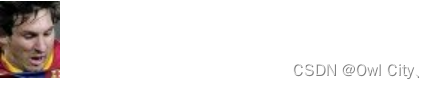
我们会尝试使用不同的比较方法,这样我们就可以比较一下它们的效果了。

# -*- coding: utf-8 -*- import cv2 from matplotlib import pyplot as plt img = cv2.imread('ball.png', 0) img2 = img.copy() template = cv2.imread('ball_face.png', 0) w, h = template.shape[::-1] # All the 6 methods for comparison in a list methods = ['cv2.TM_CCOEFF', 'cv2.TM_CCOEFF_NORMED', 'cv2.TM_CCORR', 'cv2.TM_CCORR_NORMED', 'cv2.TM_SQDIFF', 'cv2.TM_SQDIFF_NORMED'] for meth in methods: img = img2.copy() # exec 语句用来执行储存在字符串或文件中的 Python 语句。 # 例如,我们可以在运行时生成一个包含 Python 代码的字符串,然后使用 exec 语句执行这些语句。 # eval 语句用来计算存储在字符串中的有效 Python 表达式 method = eval(meth) # Apply template Matching res = cv2.matchTemplate(img, template, method) min_val, max_val, min_loc, max_loc = cv2.minMaxLoc(res) # 使用不同的比较方法,对结果的解释不同 # If the method is TM_SQDIFF or TM_SQDIFF_NORMED, take minimum if method in [cv2.TM_SQDIFF, cv2.TM_SQDIFF_NORMED]: top_left = min_loc else: top_left = max_loc bottom_right = (top_left[0] + w, top_left[1] + h) cv2.rectangle(img, top_left, bottom_right, 255, 2) plt.subplot(121), plt.imshow(res, cmap='gray') plt.title('Matching Result'), plt.xticks([]), plt.yticks([]) plt.subplot(122), plt.imshow(img, cmap='gray') plt.title('Detected Point'), plt.xticks([]), plt.yticks([]) plt.suptitle(meth) plt.tight_layout() plt.show()- 1
- 2
- 3
- 4
- 5
- 6
- 7
- 8
- 9
- 10
- 11
- 12
- 13
- 14
- 15
- 16
- 17
- 18
- 19
- 20
- 21
- 22
- 23
- 24
- 25
- 26
- 27
- 28
- 29
- 30
- 31
- 32
- 33
- 34
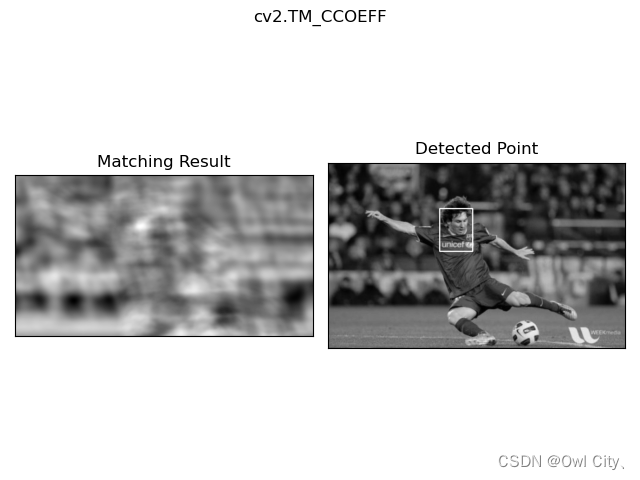
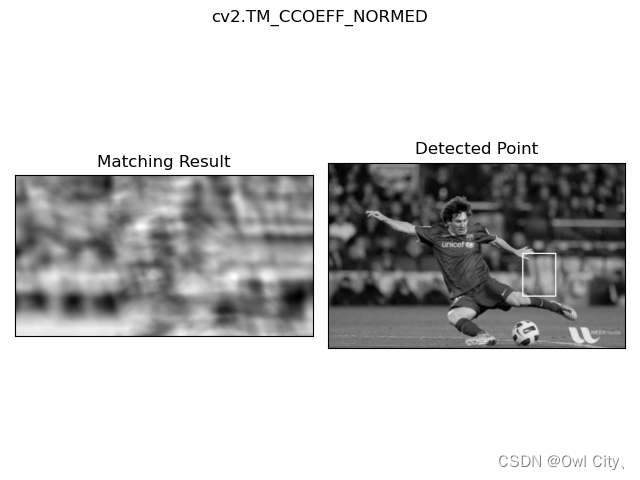
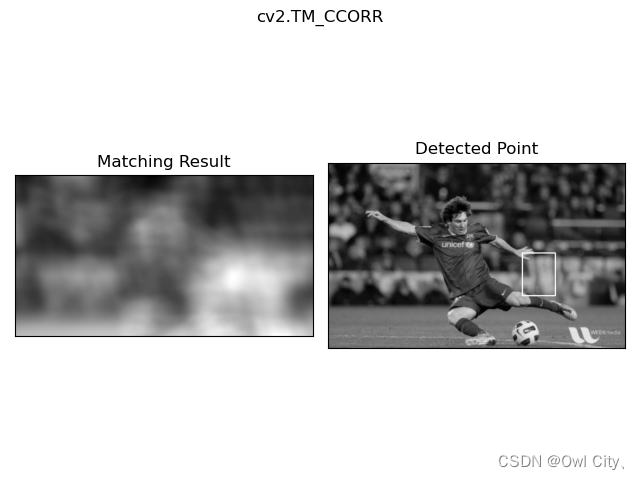
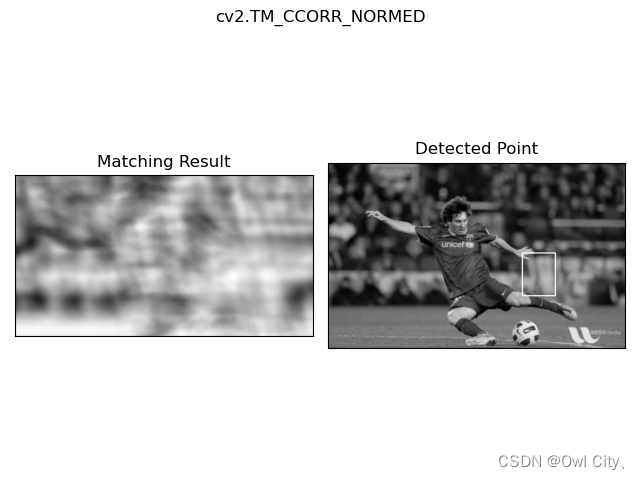
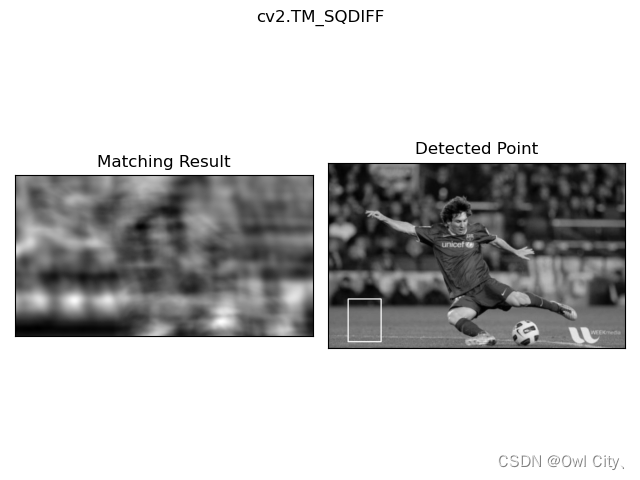
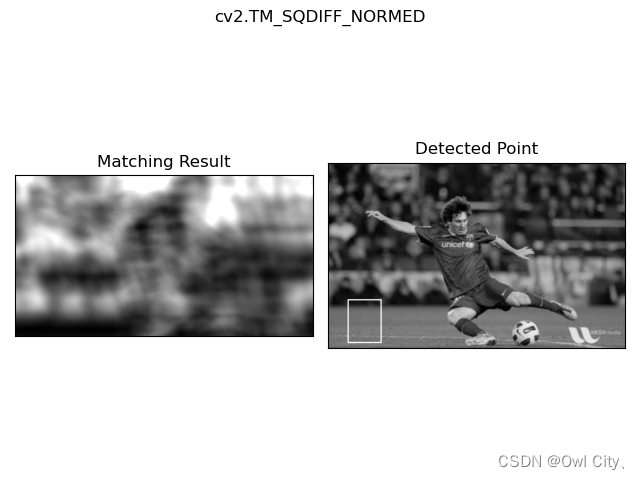
我们看到 cv2.TM_CCORR 和 cv2.TM_SQDIFF 的效果不想我们想的那么好。三、多对象的模板匹配
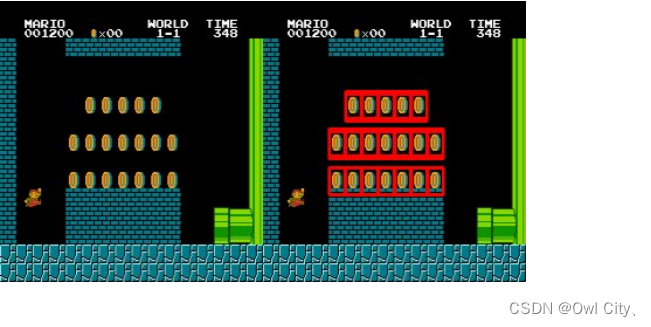
在前面的部分,我们在图片中搜素梅西的脸,而且梅西只在图片中出现了一次。假如你的目标对象只在图像中出现了很多次怎么办呢?函数cv.imMaxLoc() 只会给出最大值和最小值。此时,我们就要使用阈值了。在下面的例子中我们要经典游戏 Mario 的一张截屏图片中找到其中的硬币。
# -*- coding: utf-8 -*- import cv2 import numpy as np from matplotlib import pyplot as plt img_rgb = cv2.imread('mario.png') img_gray = cv2.cvtColor(img_rgb, cv2.COLOR_BGR2GRAY) template = cv2.imread('mario_coin.png',0) w, h = template.shape[::-1] res = cv2.matchTemplate(img_gray,template,cv2.TM_CCOEFF_NORMED) threshold = 0.8 #umpy.where(condition[, x, y]) #Return elements, either from x or y, depending on condition. #If only condition is given, return condition.nonzero(). loc = np.where( res >= threshold) for pt in zip(*loc[::-1]): cv2.rectangle(img_rgb, pt, (pt[0] + w, pt[1] + h), (0,0,255), 2) cv2.imwrite('res.png',img_rgb)- 1
- 2
- 3
- 4
- 5
- 6
- 7
- 8
- 9
- 10
- 11
- 12
- 13
- 14
- 15
- 16
- 17
结果:
-
-
相关阅读:
[CMake] CMake 基础命令
hid-ft260驱动学习笔记 5 - ft260_i2c_probe
React报错之Encountered two children with the same key
c++ web框架实现之静态反射实现
HTML CSS JS 通过键盘上下左右移动球体
ChunJun(OldNameIsFlinkX)
“轻松解决Linux应用程序无法访问的难题:关闭SELinux就对了!“
RPA-机器人流程自动化
基于SpringCloud微服务的Hdfs分布式大数据实现的企业网盘系统
springMVC 导出Excel ,并提供下载(处理日期格式问题)
- 原文地址:https://blog.csdn.net/weixin_42207434/article/details/134087604
