-
node 第十三天 express初见
- express概念
Fast, unopinionated, minimalist web framework for Node.js
快速、独立、极简的 Node.js Web 框架。- express相当于前端的jquery, 在不更改不侵入原生node的基础上封装了大量易用且实用的服务端api, express框架的封装原理就是前面第十天我们自己封装的简易服务器, 不过express做的抽象要比我们自己封装服务器多得多
- 使用 Express 应用生成器 这个可以比作做前端的项目初始化脚手架比如vue-cli vite
1. npm install -g express-generator 安装生成器 2. express --view=pug myapp 生成应用, 一些404页面, 静态资源目录帮我们做好了, 使用 handlebars 作为模板引擎, 关于handlebars其实是一个非常简单的模板引擎 感兴趣可以去查阅相关资料- 1
- 2
- 3
- 4
- 5
- 6
- 7
- 基础api介绍
//路径匹配 //1.匹配 /abcd app.use('/abcd', (req, res, next) => { console.log('/abcd'); next(); }); //2.匹配 /abcd /abd app.use('/abc?d', (req, res, next) => { console.log('/abc?d'); next(); }); //3.匹配 /abcd /abbcd /abbbbbbcd app.use('/ab+cd', (req, res, next) => { console.log('/ab+cd'); next(); }); //4.匹配 /abcd /abxcd /abxxxxxcd app.use('/ab*cd', (req, res, next) => { console.log('/ab*cd'); next(); }); //5.匹配 /abcd /ad app.use('/a(bc)?d', (req, res, next) => { console.log('/a(bc)?d'); next(); }); //6.正则匹配 /abc开头的路径 或 /xyz开头的路径 app.use(/\/abc|\/xyz/, (req, res, next) => { console.log('正则匹配'); next(); }); //7.数组匹配 /abc /xyz 开头的路径 app.use(['/abc', '/xyz'], (req, res, next) => { console.log('数组匹配'); next(); }); app.use(/.*/, (req, res, next) => { res.json({ over: true }); }); //一些输出 app.use('/login/:path/:name', (req, res, next) => { console.log(req.baseUrl, 'baseUrl'); console.log(req.body, 'body'); console.log(req.cookies, 'cookie'); console.log(req.fresh, '客户端是否有缓存'); console.log(req.hostname, 'client hostname'); console.log(req.ip, 'client ip'); console.log(req.method, 'method'); console.log(req.path, 'path'); console.log(req.params, 'params'); console.log(req.get('Content-Type'), 'header["content-type"]'); console.log(req.is('json') === 'json', 'req.header["content-type"] is json'); console.log('over ! ! !'); res.json({ msg: 'please login' }); next(); });- 1
- 2
- 3
- 4
- 5
- 6
- 7
- 8
- 9
- 10
- 11
- 12
- 13
- 14
- 15
- 16
- 17
- 18
- 19
- 20
- 21
- 22
- 23
- 24
- 25
- 26
- 27
- 28
- 29
- 30
- 31
- 32
- 33
- 34
- 35
- 36
- 37
- 38
- 39
- 40
- 41
- 42
- 43
- 44
- 45
- 46
- 47
- 48
- 49
- 50
- 51
- 52
- 53
- 54
- 55
- 56
- 57
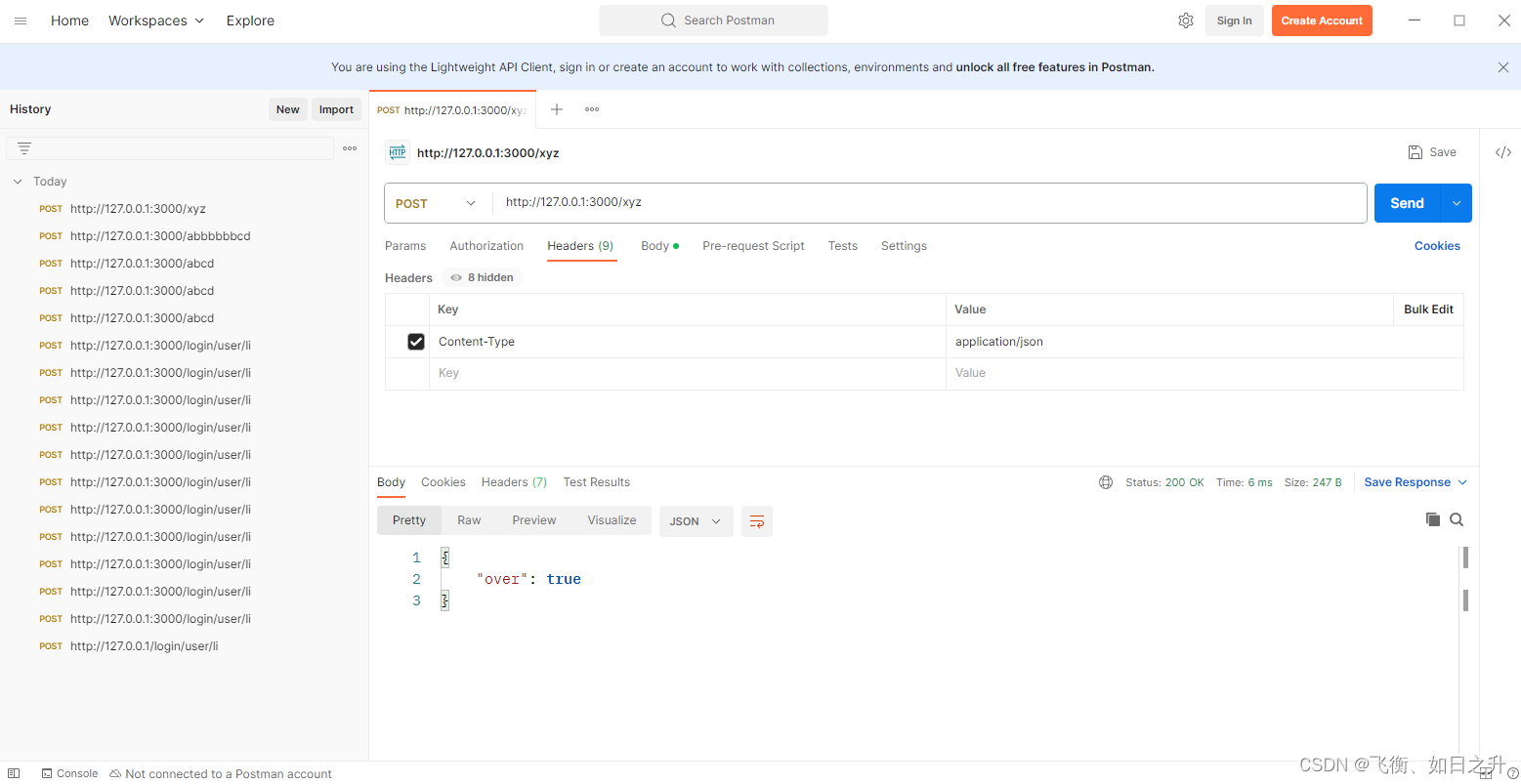
- 工欲善其事,必先利其器, 在调试服务器接口的时候可以使用postman等工具, 比在浏览器调试方便
虽然通篇说的后端都是web服务器, 但其实, 在http协议或者其它协议的前提下, 后端的接口不只是能够服务web, 还能服务app 嵌入式等
postman相比apipost更适合开发人员做一点简单的测试, 更轻量好用
界面如下, 开箱即用, 需要汉化可以去github上拿 连接
-
相关阅读:
Linux环境下安装jdk8
浅谈CVPR2022的几个研究热点
AQS面试题
制作一个简单HTML个人网页网页——人物介绍梵高(HTML+CSS)
Apk_动态调试方案
【老生谈算法】matlab实现图像阈值分割算法——图像阈值分割
cin处理用户异常输入
论文写作概述
QT网络协议知识体系(一)
UE5简化打包大小
- 原文地址:https://blog.csdn.net/weixin_43546457/article/details/134077517
