-
【vue2高德地图api】高德地图forEach批量添加marker点标记,点击获取item对象『全网最详细』【翻遍csdn总结】
系列文章目录
提示:写完文章后,目录可以自动生成,如何生成可参考右边的帮助文档
前言
不是之前的手机端项目系列,但是可以参考,以后肯定用得到!我的需求
getList获取数据,然后把经纬度,写入到页面中,点击marker标记 可以获得该项数据,例如name或者id之类的。
页面已经展示,只看加marker标记点,跳过一、二
一、展示地图
不会展示看过我前几期教程
我这里只贴代码data变量
data() { return { AMap: null, marker: null, list: [], ...- 1
- 2
- 3
- 4
- 5
- 6
methods方法
看过我前几期,可以一键赋值拿走
initMap() { AMapLoader.load({ key: this.mapJsKey, // 申请好的Web端开发者Key,首次调用 load 时必填 version: '1.4.0', // 指定要加载的 JSAPI 的版本,缺省时默认为 1.4.15 resizeEnable: true, // 定位到当前位置 plugins: [ 'AMap.ToolBar', //工具条 'AMap.Scale', ], // 需要使用的的插件列表,如比例尺'AMap.Scale'等 }) .then((AMap) => { this.AMap = AMap; this.map = new AMap.Map('Map', { viewMode: '3D', //是否为3D地图模式 zoom: 8, //初始化地图级别 // 3-18 }); this.map.addControl(new AMap.Scale()); // 比例尺 this.map.addControl(new AMap.ToolBar()); // 工具条 this.getList(); }) .catch((e) => { console.log(e); }); },- 1
- 2
- 3
- 4
- 5
- 6
- 7
- 8
- 9
- 10
- 11
- 12
- 13
- 14
- 15
- 16
- 17
- 18
- 19
- 20
- 21
- 22
- 23
- 24


二、getList获取列表数据
getList方法
获取你的列表,赋值,然后再执行setMarks方法
三、写入marker标记在页面中
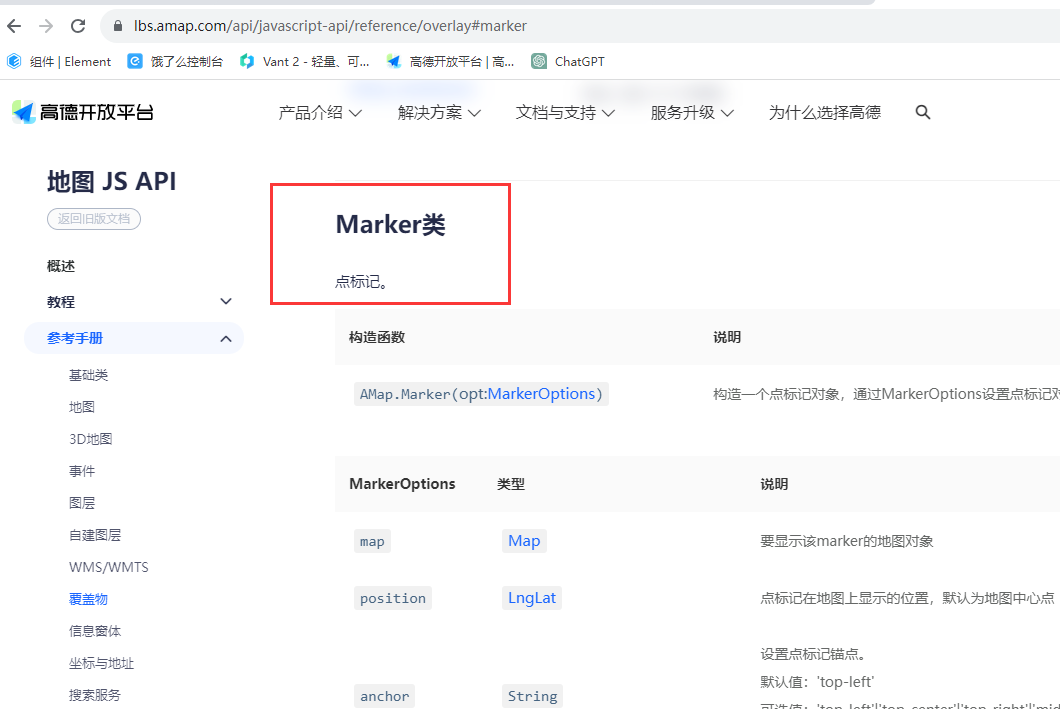
1、marker的官方文档
在文档中,高德地图api有提到一个参数
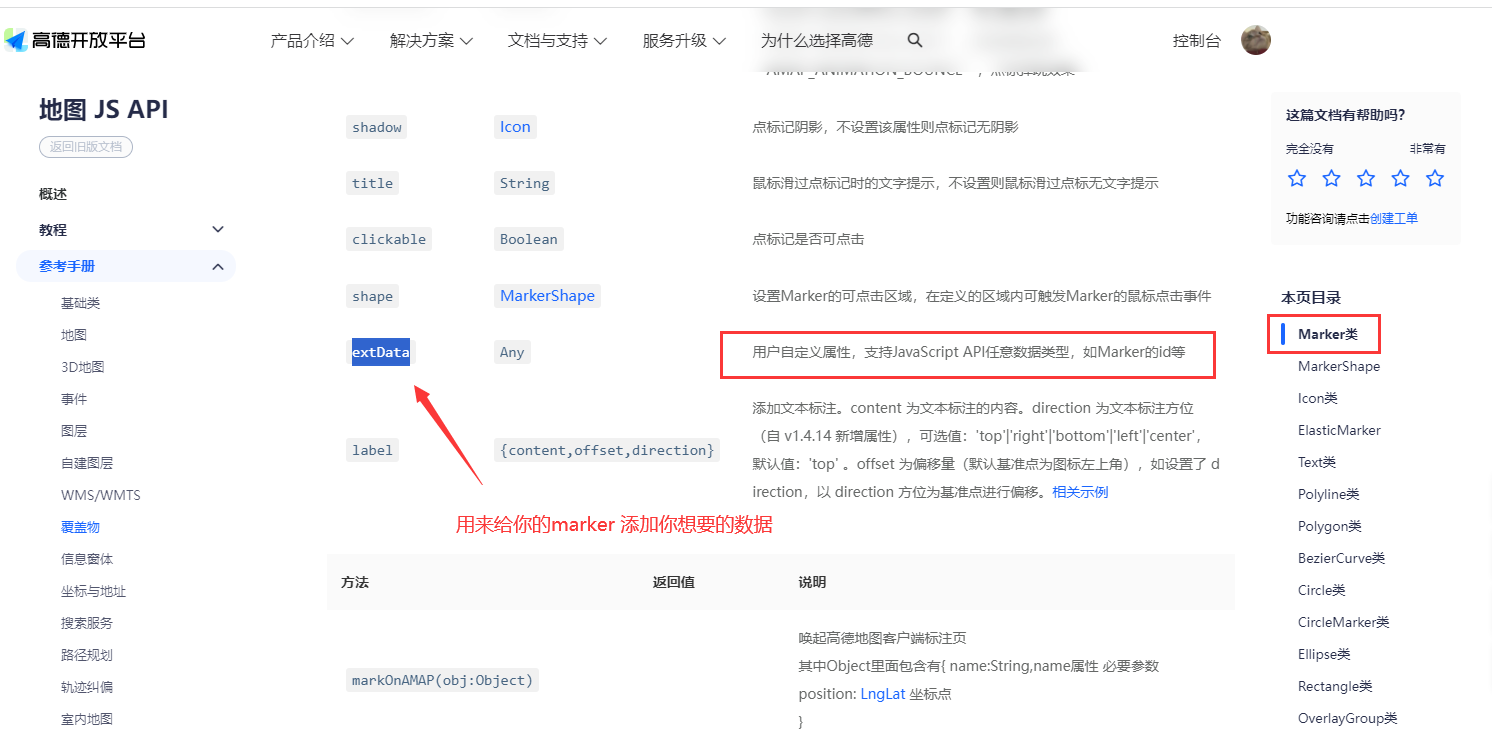
具体用法,看下面2、setMarks方法

setMarks() { this.list.forEach((item, index) => { let marker = new this.AMap.Marker({ // 经纬度对象,new AMap.LngLat(116.405467, 39.907761) // 也可以是经纬度构成的一维数组[116.39, 39.9] position: [item.longitude, item.latitude], title: 'aa', extData: { item }, // 写入你的item对象,必须要加{} label: '哈', }); this.map.add(marker); marker.on('click', (e) => { let item = e.target.getExtData().item; // 获取item , 这个getExtData()是AMap.Marker的扩展方法 console.log(item); console.log(e); }); }); },- 1
- 2
- 3
- 4
- 5
- 6
- 7
- 8
- 9
- 10
- 11
- 12
- 13
- 14
- 15
- 16
- 17
- 18
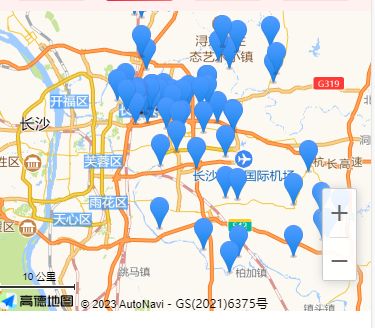
页面的点标记已经显示了
3 点击事件
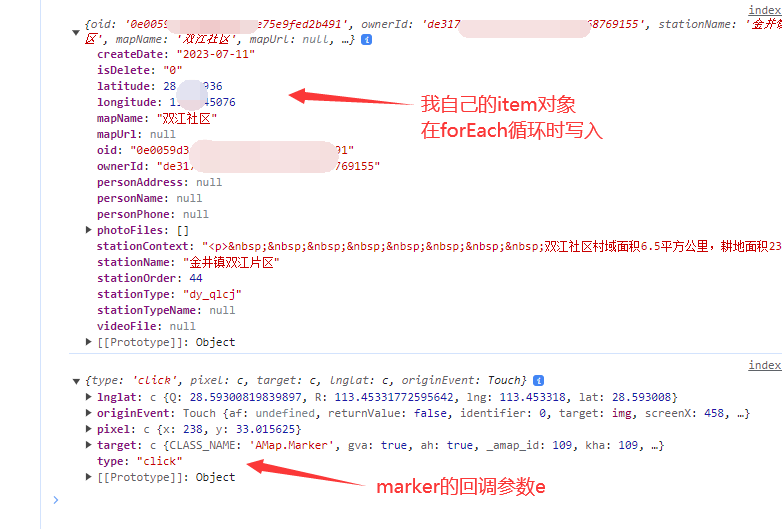
点击后,打印的item和e
4 学习心得
在高德地图api教程中,的确有说明
用户自定义属性extData参数用于 写入你自己想要的变量值,用于事件获取调用
let name='张三' let marker = new this.AMap.Marker({ position: [116.39, 39.9], extData: { name }, // 写入你的item对象 });- 1
- 2
- 3
- 4
- 5
然后在监听marker点击事件中,
marker.on('click', (e) => { let name = e.target.getExtData().name; console.log(name); // name=张三 })- 1
- 2
- 3
- 4
但是我翻了下高德地图的marker方法
- 它并没有相对应的案例
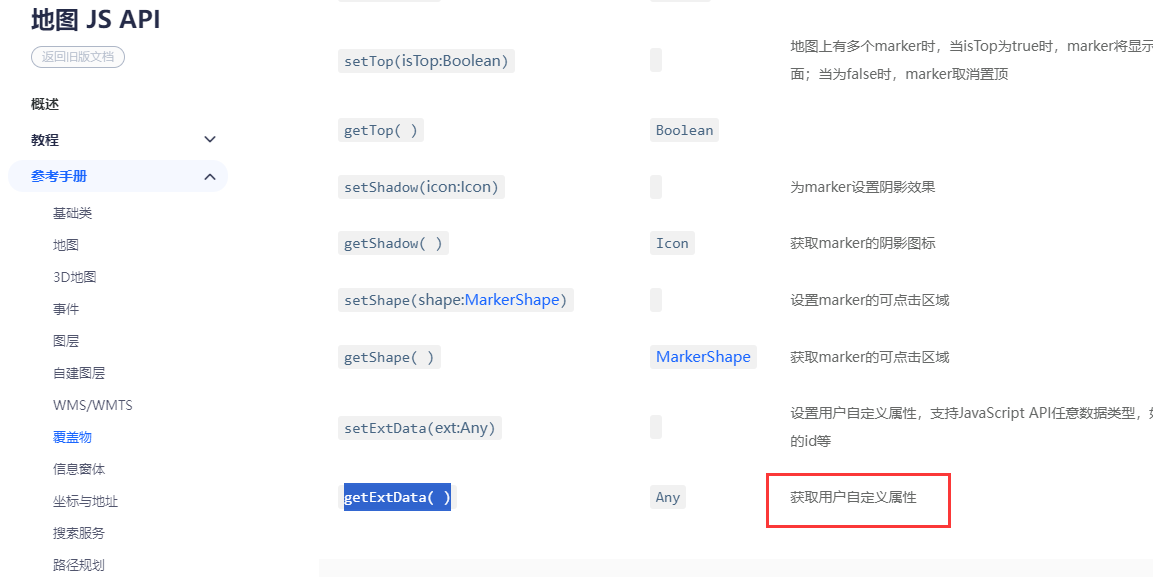
所以这个 getExtData 到底怎么用,查遍了百度也不知道咋用
而且这个target里面的内容,如下图,不是专精高德地图api,所以压根看不懂。

5、补充:让所有marker点展示在地图内自动缩放

参考文章【VUE】web高德地图海量点标记,全部居中显示在屏幕中方法
在forEach循环外面,获取经纬度数组。

let locationList = this.list.map((item) => { return { longitude: item.longitude, latitude: item.latitude, }; }); const sw = this.getSW(locationList); // 循环所有的点标记,返回最西南的一个经纬度 const ne = this.getNE(locationList); // 循环所有的点标记,返回最东北的一个经纬度 let mybounds = new this.AMap.Bounds(sw, ne); // sw, ne > [xxx,xxx], [xxx,xxx] this.map.setBounds(mybounds);- 1
- 2
- 3
- 4
- 5
- 6
- 7
- 8
- 9
- 10
- 获取东北角和西南角坐标方法,我把它封装了,挂载到main.js中,可以随时用
-
/** * 坐标集合的最西南角 * @param {*} list * list 是接口获取的点 的数组 */ export const getSW = (list) => { let south = null let west = null for (let item of list) { if ((west && item.longitude < west) || !west) { west = item.longitude - 0.7 } if ((south && item.latitude < south) || !south) { south = item.latitude - 0.7 } } return [west, south] } /** * 最东北角 * @param {*} list */ export const getNE = (list) => { let north = null let east = null for (let item of list) { if ((east && item.longitude > east) || !east) { east = item.longitude + 0.7 } if ((north && item.latitude > north) || !north) { north = item.latitude + 0.7 } } return [east, north] }- 1
- 2
- 3
- 4
- 5
- 6
- 7
- 8
- 9
- 10
- 11
- 12
- 13
- 14
- 15
- 16
- 17
- 18
- 19
- 20
- 21
- 22
- 23
- 24
- 25
- 26
- 27
- 28
- 29
- 30
- 31
- 32
- 33
- 34
- 35
- 36
官方示例中的setFitView()对AMap.Marker也可以生效,但对海量点标记 AMap.MassMarks 无效。
还有另一个方法,简单粗暴this.map.setFitView()- 1
总结
提示:这里对文章进行总结:重点
- extData:用来写入你需要的参数,用法
let item={ name:'张三', phone:'16666668888' } let marker = new this.AMap.Marker({ position: [116.39, 39.9], extData: { item }, // 写入你的item对象 }); this.map.add(marker);- 1
- 2
- 3
- 4
- 5
- 6
- 7
- 8
- 9
- getExtData:用来获取存入的参数
marker.on('click', (e) => { let item = e.target.getExtData().item; });- 1
- 2
- 3
-
相关阅读:
如何通过QQ进行手机号溯源
01_openstack概述
LambdaQueryWrapper使用 group分组、sum聚合函数 进行统计,并分页排序
Linux exec函数族
JC/T 2223-2014 室内装饰装修用木塑型材检测
C语言程序环境和预处理
带你初识JavaScript基础语法
sqlserver获取字符串倒数第二个字符
【无标题】
前端本地存储方案-localForage-vue3中使用
- 原文地址:https://blog.csdn.net/qq_51055690/article/details/134019246