-
【QT开发笔记-基础篇】| 第四章 事件QEvent | 4.9 右键菜单事件
本节对应的视频讲解:B_站_链_接
【QT开发笔记-基础篇】 第4章 事件 4.9 右键菜单事件
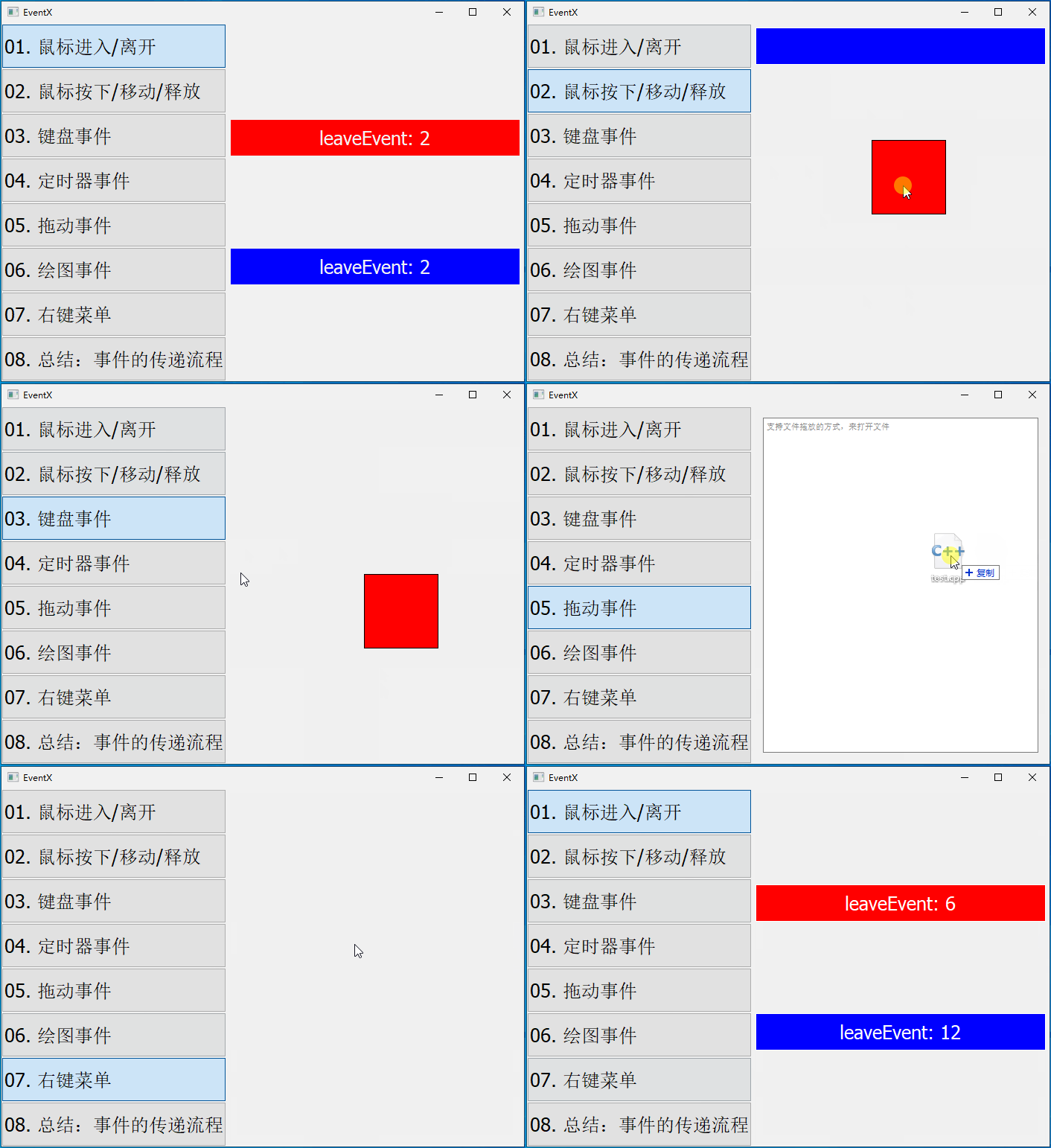
本章要实现的整体效果如下:
QEvent::ContextMenu
在窗口/控件上点击鼠标右键时,触发该事件,它对应的子类是
QContextMenuEvent
首先,在
context_widget.h中声明几个QAction、槽函数以及contextMenuEvent()函数:#include#include #include #include class ContextWidget : public QWidget { private slots: void slotAction(); protected: void contextMenuEvent(QContextMenuEvent* event); private: QAction* cut; QAction* copy; QAction* paste; QAction* toUpper; QAction* toLower; QAction* hide; }; - 1
- 2
- 3
- 4
- 5
- 6
- 7
- 8
- 9
- 10
- 11
- 12
- 13
- 14
- 15
- 16
- 17
- 18
- 19
- 20
- 21
- 22
然后,在
context_widget.cpp的构造中,创建QAction并关联槽函数:ContextWidget::ContextWidget(QWidget* parent) : QWidget{parent} { cut = new QAction("剪切(T)", this); copy = new QAction("复制(C)", this); paste = new QAction("粘贴(P)", this); toUpper = new QAction("转成大写(U)", this); toLower = new QAction("转成小写(L)", this); hide = new QAction("隐藏行", this); connect(cut, SIGNAL(triggered()), this, SLOT(slotAction())); connect(copy, SIGNAL(triggered()), this, SLOT(slotAction())); connect(paste, SIGNAL(triggered()), this, SLOT(slotAction())); connect(toUpper, SIGNAL(triggered()), this, SLOT(slotAction())); connect(toLower, SIGNAL(triggered()), this, SLOT(slotAction())); connect(hide, SIGNAL(triggered()), this, SLOT(slotAction())); }- 1
- 2
- 3
- 4
- 5
- 6
- 7
- 8
- 9
- 10
- 11
- 12
- 13
- 14
- 15
- 16
然后,实现槽函数:
void ContextWidget::slotAction() { QAction* act = (QAction*)(sender()); #if 0 if ( act == cut ) { qDebug() << "slot_cut"; } #endif qDebug() << act->text(); }- 1
- 2
- 3
- 4
- 5
- 6
- 7
- 8
- 9
- 10
- 11
- 12
这里使用
QObject类的sender()函数,返回发送该信号的对象
最后,实现
contextMenuEvent()函数:void ContextWidget::contextMenuEvent(QContextMenuEvent* event) { QMenu* menu = new QMenu(); menu->setFixedWidth(160); //菜单栏显示宽度 menu->addAction(cut); menu->addAction(copy); menu->addAction(paste); menu->addSeparator(); menu->addAction(toUpper); menu->addAction(toLower); menu->addSeparator(); menu->addAction(hide); menu->exec(event->globalPos()); delete menu; }- 1
- 2
- 3
- 4
- 5
- 6
- 7
- 8
- 9
- 10
- 11
- 12
- 13
- 14
- 15
- 16
- 17
- 18
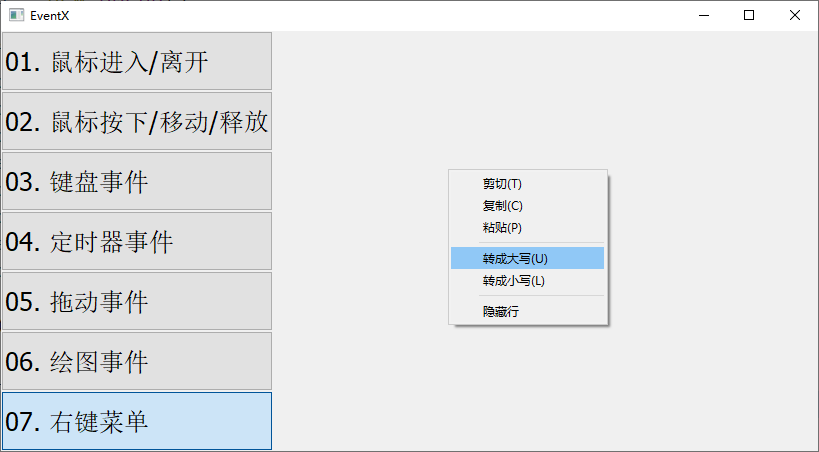
此时运行结果,就可以弹出菜单,并执行相对于菜单的功能(这里仅仅是打印菜单的文本):
-
相关阅读:
web前端网页设计作业—个人网页(游戏主题)(html+css+js)
跳跃游戏(动态规划)
EfficientDet论文讲解
修改hosts 不生效? 三种方法解决
RHCE8 资料整理(五)
分享three.js实现乐高小汽车
Java学习——泛型通配符
史上最短苹果发布会;三星、LG、高通联手进军 XR 市场丨 RTE 开发者日报 Vol.74
[ 常用工具篇 ] 安装 kali 并设置 root 密码
企业网络的设计与实施
- 原文地址:https://blog.csdn.net/bili_mingwang/article/details/133992184
