-
Docker笔记-docker搭建nginx及移植
从官网找到对应的镜像:
https://hub.docker.com/_/nginx/tags
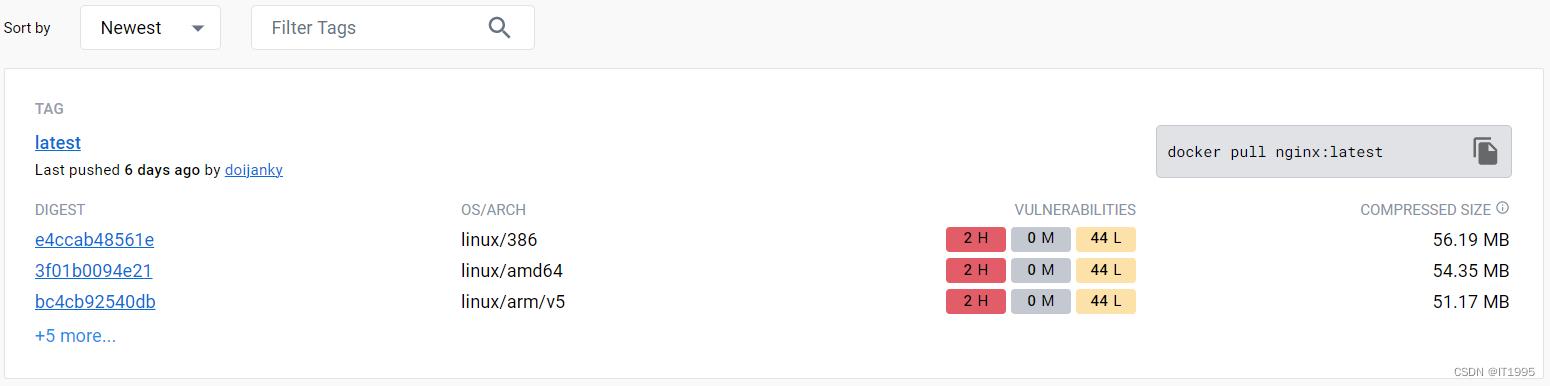
查看镜像
docker images
运行容器,然后将配置文件等拷贝到主机上:
docker run --name nginx -d nginx拷贝路径:
- docker cp nginx:/etc/nginx/nginx.conf /root/nginx/conf/nginx.conf
- docker cp nginx:/etc/nginx/conf.d /root/nginx/conf/conf.d
- docker cp nginx:/usr/share/nginx/html /root/nginx/
此时的逻辑:
让nginx容器读取主机上的配置文件,和对应的web路径,并且把log送到主机的log中。
所以现在修改nginx.conf。我添加了如下信息:
- server {
- listen 18888;
- server_name localhost;
- location / {
- root /usr/share/nginx/html/XXXX;
- }
- location /data{
- proxy_pass http://192.168.xx.xx:18088/;
- }
- error_page 500 502 503 504 /50x.html;
- location = /50x.html {
- root html;
- }
- }
注意,这里root /usr/share/nginx/html/XXXX;需要配置从容器里面的路径,后面运行时主机和容器路径会有映射。
proxy_pass http://192.168.xx.xx:18088/;可以直接这么写,运行时用host模式就可以了。
随后将nginx停掉:
- docker stop nginx
- docker rm nginx
重新启动
- docker run \
- --net=host \
- --name nginx \
- -v /root/nginx/conf/nginx.conf:/etc/nginx/nginx.conf \
- -v /root/nginx/conf/conf.d:/etc/nginx/conf.d \
- -v /root/nginx/log:/var/log/nginx \
- -v /root/nginx/html:/usr/share/nginx/html \
- -d nginx:latest
--net=host代表是host模式,就不用端口映射了。
-v就是路径映射,这里主机root里面的目录要提前准备好。
默认是桥接,就要端口映射命名是 -p 主机端口:镜像端口
下面说下移植,就比较简单了比如说将机器A的nginx镜像,放到机器B上跑
逻辑:
①机器A上镜像打包成tar;
docker save nginx > nginx.tar②将tar拷贝到机器B上;
docker load < nginx.tar③加载tar并运行。
- docker run \
- --net=host \
- --name nginx \
- -v /root/nginx/conf/nginx.conf:/etc/nginx/nginx.conf \
- -v /root/nginx/conf/conf.d:/etc/nginx/conf.d \
- -v /root/nginx/log:/var/log/nginx \
- -v /root/nginx/html:/usr/share/nginx/html \
- -d nginx:latest
-
相关阅读:
AcWing 3438. 数制转换
Mysql进阶1
番茄工作法,为何总不奏效
GUI编程--PyQt5--QLineEdit
第三章:人工智能深度学习教程-基础神经网络(第四节-从头开始的具有前向和反向传播的深度神经网络 – Python)
【关于QT相关问题==》win遇到运行生成软件时,“应用程序无法正常启动0xc000007b“,问题解放办法之一】
测试用例评审的旁观记录
【Redis】数据结构之dict
Android 进阶——系统启动之SystemServer创建并启动PackageManagerService服务(十一)
机器学习实战(01)-人工智能概要
- 原文地址:https://blog.csdn.net/qq78442761/article/details/133981343
