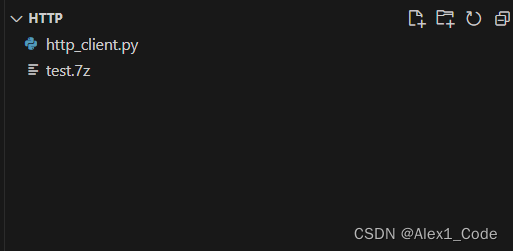
• http post协议发送本地压缩数据到服务器


    1.客户端程序

    import requests
    import os
    # 指定服务器的URL
    url = "http://192.168.1.9:8000/upload"
    
    # 压缩包文件路径
    folder_name = "upload"
    file_name = "test.7z"
    headers = {
        'Folder-Name': folder_name,
        'File-Name': file_name
    }
    # 发送POST请求,并将压缩包作为文件上传
    with open(file_name, 'rb') as file:
        response = requests.post(url, data=file,headers=headers)
    # 检查响应状态码
    if response.status_code == 200:
        print("文件上传成功!")
    else:
        print("文件上传失败!")
    os.system('pause')
    
    • 1
    • 2
    • 3
    • 4
    • 5
    • 6
    • 7
    • 8
    • 9
    • 10
    • 11
    • 12
    • 13
    • 14
    • 15
    • 16
    • 17
    • 18
    • 19
    • 20
    • 21

    在这里插入图片描述
    在这里插入图片描述

    2.服务端程序

    from http.server import BaseHTTPRequestHandler, HTTPServer
    import os
    # Define the request handler class
    class MyRequestHandler(BaseHTTPRequestHandler):
        def do_GET(self):
            # Send response status code
            self.send_response(200)
    
            # Send headers
            self.send_header('Content-type', 'text/html')
            self.end_headers()
            path = self.path
            if path == '/':
                response_content = b'Hello, world!'
            elif path == '/about':
                response_content = b'This is the about page.'
            else:
                response_content = b'Page not found.'
    
            # Send response content
            self.wfile.write(response_content)
        def do_POST(self):
            client_address = self.client_address[0]
            client_port = self.client_address[1]
    
            print("client from:{}:{}".format(client_address,client_port))
            path = self.path
            print(path)
            if path == '/upload':
    
                content_length = int(self.headers['Content-Length'])
                print(self.headers)
                filename = self.headers.get('File-Name')
                foldname = self.headers.get('Folder-Name')
                #print(filename)
                #print(foldname)
                # 如果目录不存在,创建目录
                os.makedirs(foldname, exist_ok=True)
                filename = os.path.join(foldname, filename)
                print(filename)
                # 读取请求体中的文件数据
                file_data = self.rfile.read(content_length)
                # # 保存文件
                with open(filename, 'wb') as file:
                    file.write(file_data)
                # 发送响应
                self.send_response(200)
                self.end_headers()
                self.wfile.write(b'File received and saved.')
            else:
                self.send_response(404)
                self.end_headers()
    # Specify the server address and port
    host = '192.168.1.9'
    port = 8000
    
    # Create an HTTP server instance
    server = HTTPServer((host, port), MyRequestHandler)
    print("Server started on {}:{}".format(host,port))
    
    # Start the server and keep it running until interrupted
    server.serve_forever()

    
    • 1
    • 2
    • 3
    • 4
    • 5
    • 6
    • 7
    • 8
    • 9
    • 10
    • 11
    • 12
    • 13
    • 14
    • 15
    • 16
    • 17
    • 18
    • 19
    • 20
    • 21
    • 22
    • 23
    • 24
    • 25
    • 26
    • 27
    • 28
    • 29
    • 30
    • 31
    • 32
    • 33
    • 34
    • 35
    • 36
    • 37
    • 38
    • 39
    • 40
    • 41
    • 42
    • 43
    • 44
    • 45
    • 46
    • 47
    • 48
    • 49
    • 50
    • 51
    • 52
    • 53
    • 54
    • 55
    • 56
    • 57
    • 58
    • 59
    • 60
    • 61
    • 62

    在这里插入图片描述
    在这里插入图片描述

  • 相关阅读:
    谈一谈AI对人工的取代
    ChatGPT实战100例 - (18) 用事件风暴玩转DDD
    7-39 最优合并问题——优先队列
    Kafka3.x核心速查手册二、客户端使用篇-2、分组消费机制
    【Rust—LeetCode题解】1408.数组中的字符串匹配
    【使用ImageFolder加载数据】
    TEMU平台要求电子产品提供的UL测试报告如何办理?
    葡萄糖-聚乙二醇-醛基/羟基 Glucose-PEG-CHO/OH
    【C语言】【百度笔试】写一个代码判断当前机器的字节序(大小端)
    spring常见问题汇总
  • 原文地址:https://blog.csdn.net/Wwc_code/article/details/133966973