-
【angular】实现简单的angular国际化(i18n)
目标
实现简单的angular国际化。本博客实现中文版和法语版。
将
Hello i18n!变为中文版:你好 i18n!或法语版:Bonjour l’i18n !。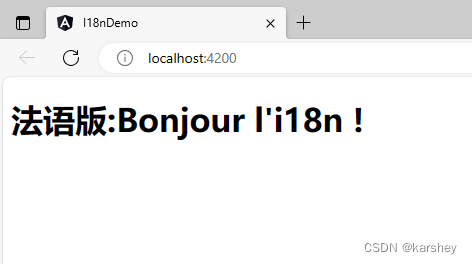
过程
创建一个项目:
ng new i18nDemo- 1
在集成终端中打开。
添加本地化包:
ng add @angular/localize- 1
在html中添加格式化标识:
<h1 i18n>Hello i18n!</h1>- 1
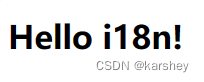
现在运行一下,页面是:
生成翻译模板语言包:ng extract-i18n --output-path src/locale- 1
生成了一个文件夹:
locale,里面有一个文件messages.xlf会把source里的内容翻译成target:

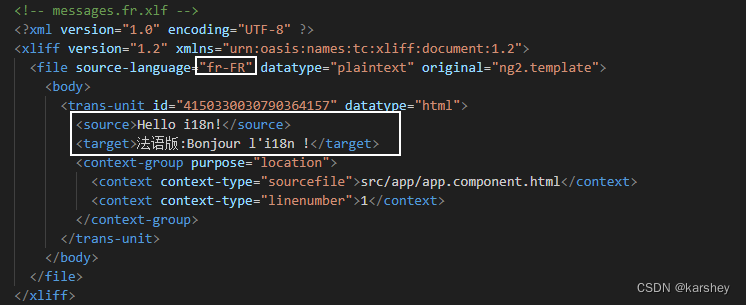
我们这里想有两种语言,法文和中文。因此:
为什么中文是zh-CN,法文是fr-FR,看这里:https://angular.cn/guide/i18n-common-locale-id
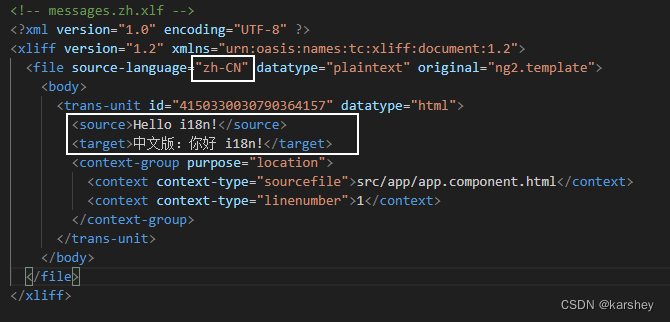
<xliff version="1.2" xmlns="urn:oasis:names:tc:xliff:document:1.2"> <file source-language="zh-CN" datatype="plaintext" original="ng2.template"> <body> <trans-unit id="4150330030790364157" datatype="html"> <source>Hello i18n!source> <target>中文版:你好 i18n!target> <context-group purpose="location"> <context context-type="sourcefile">src/app/app.component.htmlcontext> <context context-type="linenumber">1context> context-group> trans-unit> body> file> xliff>- 1
- 2
- 3
- 4
- 5
- 6
- 7
- 8
- 9
- 10
- 11
- 12
- 13
- 14
- 15
- 16
<xliff version="1.2" xmlns="urn:oasis:names:tc:xliff:document:1.2"> <file source-language="fr-FR" datatype="plaintext" original="ng2.template"> <body> <trans-unit id="4150330030790364157" datatype="html"> <source>Hello i18n!source> <target>法语版:Bonjour l'i18n !target> <context-group purpose="location"> <context context-type="sourcefile">src/app/app.component.htmlcontext> <context context-type="linenumber">1context> context-group> trans-unit> body> file> xliff>- 1
- 2
- 3
- 4
- 5
- 6
- 7
- 8
- 9
- 10
- 11
- 12
- 13
- 14
- 15
- 16
相关文档:https://angular.cn/guide/i18n-common-translation-files
接下来是配置
angular.json(根据文档)。
"i18n": { "sourceLocale": "en-US", "locales": { "fr": { "translation": "src/locale/messages.fr.xlf" }, "zh": { "translation": "src/locale/messages.zh.xlf" } } },- 1
- 2
- 3
- 4
- 5
- 6
- 7
- 8
- 9
- 10
- 11

"localize": true,- 1
配置完了。接下来从命令行构建:
ng build --localize- 1
然后再配置:
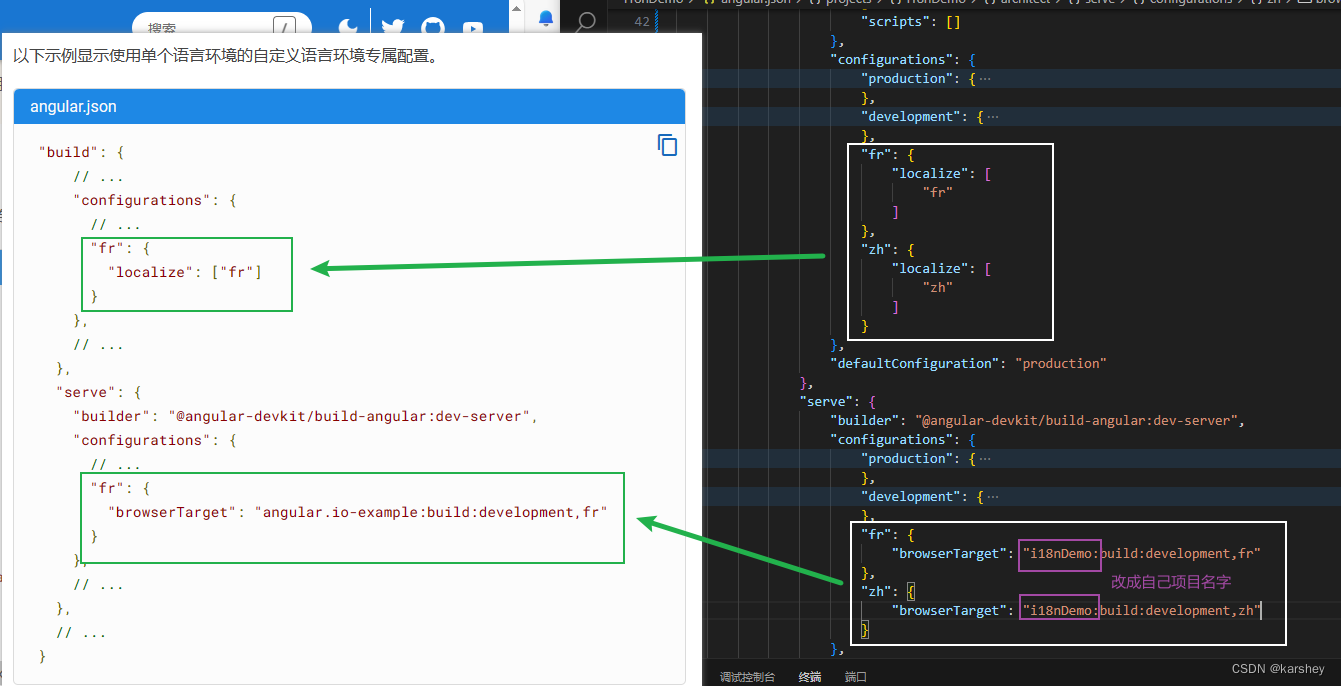
"build"->"configurations":"fr": { "localize": [ "fr" ] }, "zh": { "localize": [ "zh" ] }- 1
- 2
- 3
- 4
- 5
- 6
- 7
- 8
- 9
- 10
"serve"->"configurations":"fr": { "browserTarget": "i18nDemo:build:development,fr" }, "zh": { "browserTarget": "i18nDemo:build:development,zh" }- 1
- 2
- 3
- 4
- 5
- 6
运行
法语版:
ng serve --configuration=fr- 1
中文版:ng serve --configuration=zh- 1
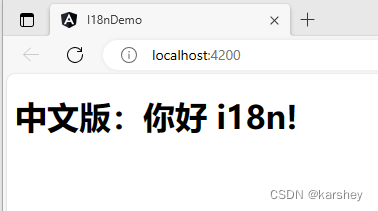
跟前面的xml文件一致。
ps:后面的生产构建
ng build --configuration=production,fr报错了,不知道怎么搞,等会了再来补充。在TS中国际化
参考:
angular6 使用信息提示框toast_angular4 消息提示框-CSDN博客
ngx-toastr - npm (npmjs.com)
https://angular.cn/guide/i18n-common-prepare语法:
在组件代码中,翻译源文本和元数据被反引号 (`) 字符包围。 使用 $localize 标记的消息字符串在代码中标记出要翻译的字符串。
$localize `string_to_translate`;- 1

参考
超详细的 Angular 国际化方案 - 掘金 (juejin.cn)
Angular使用内置i18n国际化配置Angular国际化_angular i18n-CSDN博客
angular 国际化 (i18n) - 简书 (jianshu.com)
Angular8升级至Angular13遇到的问题_package ‘@angular/core’ is not a dependency.-CSDN博客
angular6 使用信息提示框toast_angular4 消息提示框-CSDN博客
心得:新手入门,纯看官方文档感觉太抽象太难了,就结合其他博客进行理解。然后发现其他博客的一些配置已经被废弃了,然后又去看官方文档。这个过程中过滤掉很多看不懂的(…)信息,又总结了很多能看懂优质博客(!),慢慢就学会了!感谢所有写博客的人,救我一命。。
-
相关阅读:
灵性图书馆:好书推荐-《王阳明全集》
【寻路】超级简单的A星寻路算法实现
python 从一道作业题到制作一个图形界面的“诈金花”游戏
题目 1060: 二级C语言-同因查找
eventfd和__thread的应用
SAS学习3(对数据的简单处理、条件、循环语句、数组、datasets过程)
设计模式5、原型模式 Prototype
Java面试题 JVM 篇 Redis篇 Spring篇
分布式锁如何实现
【状语从句练习题】主将从现原则
- 原文地址:https://blog.csdn.net/karshey/article/details/133774499
