-
python 在window对exe、注册表、bat、系统服务操作等实例讲解
目录
前言:
正在做的项目已经在中后期,需要一些工具链来节省开发,用python脚本实现自动化工具。以一个我写的python脚本为例,供大家参考。接着要讲的python包含如下内容:调用exe运行程序、调用mis安装文件、和批处理文件,创建、开启、关闭window服务、设置系统变量等。这里就以我做的几个为例,安装Java jdk、redis等作为实例来讲解,以供大家参考。
1、python准备工作
下载python版本,下载页面:Python Releases for Windows | Python.org,具体怎么安装,请在网上搜索即可,安装python不是本文需要讲的重点。
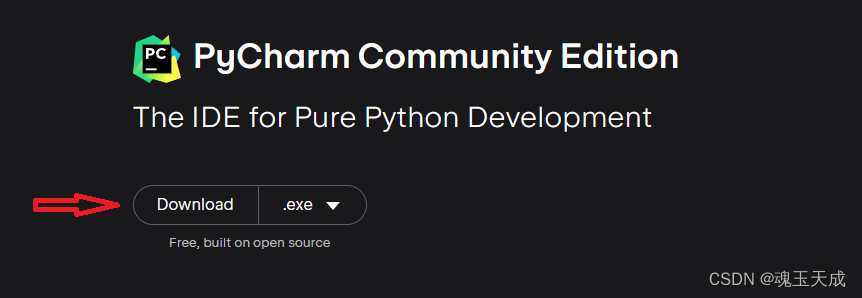
选定一个编辑器,当然你可以也不选择,用普通文本编辑或其他编辑器都可以,但是我喜欢用编辑器编辑python代码。我选定的ide是 Pycharm社区版本。
下载python社区版本
Download PyCharm: Python IDE for Professional Developers by JetBrains
具体操作实例
实例1:调用exe文件
调用exe可执行文件,需要引用subprocess库文件
import subprocess
python函数执行代码如下:
- def runExe(path):
- try:
- process = subprocess.Popen([path])
- # 等待程序结束,并获取程序的返回值
- stdout, stderr = process.communicate()
- # 判断程序是否正常结束
- if process.returncode == 0:
- print(f'运行' + path + '成功')
- return process.returncode
- else:
- return process.returncode
- except Exception as e:
- print(f'安装'+ path+'异常:'+str(e))
- return -1
在这里我们用到subprocess库运行exe文件;process.communicate()等待窗关闭,并执行接下来的代码
实例2:调用bat批处理文件
直接运行install_Redis.bat批处理文件
- # 安装redis
- def install_redis(curr_path):
- print('开始安装_redis')
- redis_path = curr_path + '\install\Redis-x64-5.0.14.1\install_Redis.bat'
- print('redis_path 路径' + redis_path)
- runBat('redis',redis_path)
这里把调用bat文件直接封装成一个函数,同样需要用到subprocess库,不过等待返回结果是:process.check_returncode()
- # 运行批处理,name,定义批处理的名称,批处理curr_path实际的完整路径
- def runBat(name, curr_path):
- print(name + ' 路径' + curr_path)
- try:
- process = subprocess.run([curr_path])
- # 等待程序结束,并获取程序的返回值
- process.check_returncode()
- print(process.stdout)
- # 判断程序是否正常结束
- if process.returncode == 0:
- print(f'运行完' + name)
- else:
- print(f'程序执行失败,返回值为 {process.returncode}')
- except Exception as e:
- print(f'运行bat文件%s,发生异常 %s' % (curr_path, str(e)))
实例3:调用mis安装文件
调用mis文件与调用exe文件他们同样需要使用subprocess库,但是有些许的不同,主要表现在subprocess.Popen的参数上和返回值上,具体看如下代码:
- # 安装mongodb
- def install_mongodb(curr_path):
- print(f'开始安装_mongodb')
- mongdb_path = curr_path + r'\install\mongodb-win32-x86_64-2012plus-4.2.17-signed.msi'
- print(f'mongdb_path 路径' + mongdb_path)
- try:
- process = subprocess.Popen(['msiexec', '/i', mongdb_path])
- # 等待程序结束,并获取程序的返回值
- while True:
- if process.poll() is not None:
- print(mongdb_path + ' 文件执行完毕')
- break;
- except Exception as e:
- print(f'安装mongodb 失败 %s ' % str(e))
这里subprocess.Popen用到参数数组['msiexec', '/i', mongdb_path]
实例4: 操作注册表
操作注册表我们需要引用的库为winreg
import winreg
实例代码如下:
- # 设置注册表信息
- def setWinregKey(regKey, path):
- print(f'创建 {regKey} 环境变量')
- # 打开注册表
- key = winreg.OpenKey(winreg.HKEY_CURRENT_USER, 'Environment', 0, winreg.KEY_ALL_ACCESS)
- # 添加环境变量
- winreg.SetValueEx(key, regKey, 0, winreg.REG_SZ, path)
- winreg.FlushKey(key)
- winreg.CloseKey(key)
实例5: window系统服务的操作
对于window服务,同样我们需要用到subprocess库,以我自己注册zookeeper服务为例
- # 安装 zookeeper,并启动zookeeper服务
- def install_zookeeper(curr_path):
- print(f'创建zookeeper环境变量')
- setWinregKey('ZOOKEEPER_HOME', curr_path + r'\install\zookeeper\apache-zookeeper-3.7.0-bin')
- setWinregKey('ZOOKEEPER_SERVICE', 'zookeeper_service')
- try:
- if service_exists('zookeeper_service'):
- cmdRun(['net', 'stop', 'zookeeper_service'])
- cmdRun(['sc', 'delete', 'zookeeper_service'])
- runBat('zookeeper', curr_path + r'\install\zookeeper' + r'\apache-zookeeper-3.7.0-bin\bin\Install.bat')
- cmdRun(['net', "start", 'zookeeper_service'])
- except Exception as e:
- print(u'%s' % (str(e)))
该函数功能是:判断zookeeper服务是否存在,如果存在,关闭并删除,并启动bat文件注册zookeeper服务,并启动zookeeper服务
自己定义的函数:
运行cmd单条命令函数processRun:
- # 执行cmd命令,如:开启服务 window服务net start zookeeper_service
- def cmdRun(args):
- try:
- ret = subprocess.run(args, check=True)
- # ret.returncode 返回int类型,0 则执行成功
- ret.check_returncode()
- print('ret.returncode: %d' % ret.returncode)
- print('ret.stdout: %s' % ret.stdout)
- except Exception as e:
- print(f'运行命令 %s 发生异常' % (str(e)))
判断服务是否存在函数:
通过sc query [service_name]命令查询服务器是否存在
- # 判断服务是否存在
- def service_exists(service_name):
- try:
- subprocess.check_output(['sc', 'query', service_name])
- return True
- except subprocess.CalledProcessError:
- return False
完整代码
最后这里给出完整代码供大家作个简单的参考,可能有些遗漏或有瑕疵的地方,这里主要是抛砖引玉。
- # -*- coding: utf-8 -*-
- # This is a sample Python script.
- # Press Shift+F10 to execute it or replace it with your code.
- # Press Double Shift to search everywhere for classes, files, tool windows, actions, and settings.
- # encoding=utf-8
- import os
- import subprocess
- import winreg
- # See PyCharm help at https://www.jetbrains.com/help/pycharm/
- # 获得当前路径
- def getCurrentDir():
- file_path = os.path.abspath(__file__)
- dir_path = os.path.dirname(file_path)
- return dir_path
- def installServer(name):
- # Use a breakpoint in the code line below to debug your script.
- print(f'Hi, {name}') # Press Ctrl+F8 to toggle the breakpoint.
- curr_path = getCurrentDir()
- print(getCurrentDir())
- # install_java_sdk(curr_path)
- # install_redis(curr_path)
- # install_mongodb(curr_path)
- install_zookeeper(curr_path)
- # install_idea(curr_path)
- def install_java_sdk(curr_path):
- print(f'开始安装java sdk')
- jdk = curr_path + r'\install\jdk-11.0.11_windows-x64_bin.exe'
- print(f'jdk 路径' + jdk)
- try:
- returnCode = runExe(jdk)
- # 判断程序是否正常结束
- if returnCode == 0:
- print(f'创建java sdk环境变量')
- # 打开注册表
- key = winreg.OpenKey(winreg.HKEY_CURRENT_USER, 'Environment', 0, winreg.KEY_ALL_ACCESS)
- # 添加环境变量
- winreg.SetValueEx(key, 'JAVA_HOME', 0, winreg.REG_SZ, 'C:\Program Files\Java\jdk-11.0.11')
- # 关闭注册表
- winreg.CloseKey(key)
- else:
- print(f'程序执行失败,返回值为')
- except Exception as e:
- print('安装java sdk 异常 %s 结束安装' % str(e))
- # 安装mongodb
- def install_mongodb(curr_path):
- print(f'开始安装_mongodb')
- mongdb_path = curr_path + r'\install\mongodb-win32-x86_64-2012plus-4.2.17-signed.msi'
- print(f'mongdb_path 路径' + mongdb_path)
- try:
- process = subprocess.Popen(['msiexec', '/i', mongdb_path])
- # 等待程序结束,并获取程序的返回值
- while True:
- if process.poll() is not None:
- print(mongdb_path + ' 文件执行完毕')
- break;
- except Exception as e:
- print(f'安装mongodb 失败 %s ' % str(e))
- # 安装redis
- def install_redis(curr_path):
- print('开始安装_redis')
- redis_path = curr_path + '\install\Redis-x64-5.0.14.1\install_Redis.bat'
- print('redis_path 路径' + redis_path)
- runBat('redis',redis_path)
- # 判断服务是否存在
- def service_exists(service_name):
- try:
- subprocess.check_output(['sc', 'query', service_name])
- return True
- except subprocess.CalledProcessError:
- return False
- # 安装 zookeeper,并启动zookeeper服务
- def install_zookeeper(curr_path):
- print(f'创建zookeeper环境变量')
- setWinregKey('ZOOKEEPER_HOME', curr_path + r'\install\zookeeper\apache-zookeeper-3.7.0-bin')
- setWinregKey('ZOOKEEPER_SERVICE', 'zookeeper_service')
- try:
- if service_exists('zookeeper_service'):
- cmdRun(['net', 'stop', 'zookeeper_service'])
- cmdRun(['sc', 'delete', 'zookeeper_service'])
- runBat('zookeeper', curr_path + r'\install\zookeeper' + r'\apache-zookeeper-3.7.0-bin\bin\Install.bat')
- cmdRun(['net', "start", 'zookeeper_service'])
- except Exception as e:
- print(u'%s' % (str(e)))
- def install_idea(curr_path):
- print(f'开始安装 idea')
- idea = curr_path + r'\install\ideaIU-2019.3.4\ideaIU-2019.3.4.exe'
- print(f'idea 路径' + idea)
- runExe(idea)
- # 执行cmd命令,如:开启服务 window服务net start zookeeper_service
- def cmdRun(args):
- try:
- ret = subprocess.run(args, check=True)
- # ret.returncode 返回int类型,0 则执行成功
- ret.check_returncode()
- print('ret.returncode: %d' % ret.returncode)
- print('ret.stdout: %s' % ret.stdout)
- except Exception as e:
- print(f'运行命令 %s 发生异常' % (str(e)))
- def runExe(path):
- try:
- process = subprocess.Popen([path])
- # 等待程序结束,并获取程序的返回值
- stdout, stderr = process.communicate()
- # 判断程序是否正常结束
- if process.returncode == 0:
- print(f'运行' + path + '成功')
- return process.returncode
- else:
- return process.returncode
- except Exception as e:
- print(f'安装'+ path+'异常:'+str(e))
- return -1
- # 设置注册表信息
- def setWinregKey(regKey, path):
- print(f'创建 {regKey} 环境变量')
- # 打开注册表
- key = winreg.OpenKey(winreg.HKEY_CURRENT_USER, 'Environment', 0, winreg.KEY_ALL_ACCESS)
- # 添加环境变量
- winreg.SetValueEx(key, regKey, 0, winreg.REG_SZ, path)
- winreg.FlushKey(key)
- winreg.CloseKey(key)
- # 运行批处理,name,定义批处理的名称,批处理curr_path实际的完整路径
- def runBat(name, curr_path):
- print(name + ' 路径' + curr_path)
- try:
- process = subprocess.run([curr_path])
- # 等待程序结束,并获取程序的返回值
- process.check_returncode()
- print(process.stdout)
- # 判断程序是否正常结束
- if process.returncode == 0:
- print(f'运行完' + name)
- else:
- print(f'程序执行失败,返回值为 {process.returncode}')
- except Exception as e:
- print(f'运行bat文件%s,发生异常 %s' % (curr_path, str(e)))
- # Press the green button in the gutter to run the script.
- if __name__ == '__main__':
- installServer('install')
-
相关阅读:
LeetCode每日一题(1540. Can Convert String in K Moves)
【Java 进阶篇】JDBC Statement:执行 SQL 语句的重要接口
EasyExcel的使用(包含动态表头)
创建一个GO模块
[Linux]线程同步
jQuery 的实现原理
【Gradle】四、使用Gradle创建SringBoot微服务项目
信息化与信息系统4
Beacon帧
免费分享一个springboot+vue学生选课管理系统,挺漂亮的
- 原文地址:https://blog.csdn.net/lejian/article/details/132909081