-
Python爬虫案例入门教程(纯小白向)——夜读书屋小说
Python爬虫案例——夜读书屋小说
前言
如果你是python小白并且对爬虫有着浓厚的兴趣,但是面对网上错综复杂的实战案例看也看不懂,那么你可以尝试阅读我的文章,我也是从零基础python开始学习爬虫,非常清楚在过程中所遇到的困难,如果觉得我的文章对你的成长有所帮助,可以点上关注❤❤❤,我们一起进步!
实战案例
我们今天所爬取的是一个小说网站,并且我们爬取的小说是南派三叔的藏海花(爬取的小说可以自行选择哈)
网站链接:https://www.yekan360.com/canghaihua/
我们的爬取目标是将这个网页里的全部章节爬取到我们的本地文件夹里,并且这次爬取我们将采用异步协程的方法来提高爬虫的效率
爬取前的准备
编译的环境是Pycharm,我们需要引入的头文件如下:
import requests import asyncio import aiohttp import aiofiles import os from lxml import etree- 1
- 2
- 3
- 4
- 5
- 6
如果你的Pycharm里没有安装aiohttp和aiofiles,那么可以参考一下Python中aiohttp和aiofiles模块的安装该篇文章
开始爬取
函数讲解
创建main()函数主入口
if __name__ == '__main__': main()- 1
- 2
定义main函数,再里面定义一个获取小说章节网站的函数,再将返回值放入href_list变量中,最后利用asyncio中的run函数来运行,具体详细代码下面讲解
def main(): href_list=get_chapter_url() asyncio.run(download(href_list))- 1
- 2
- 3
定义get_chapter_url函数,在内部使用request模块中的get函数来获取到网站的resp(该网站不需要引入headers和cookie就能访问),之后我们应用xpath模块来爬取到我们想要的内容,最后将所需内容返回。
页面源代码的抓取下文细说哇(大家不要着急❤)def get_chapter_url(): url="https://www.yekan360.com/canghaihua/" resp=requests.get(url).text.encode("utf-8") #print(resp) tree=etree.HTML(resp) href_list=tree.xpath("//div[@id='play_0']/ul/li[@class='line3']/a/@href") return href_list- 1
- 2
- 3
- 4
- 5
- 6
- 7
现在讲解在asyncio.run(download(href_list))中的download函数,其中download的前缀必须是async(将函数变为async对象,才能应用多任务),再应用for循环将href_list将href一一遍历出来,将拼接出完整的url,将url传入get_page_source函数(在下面讲解)来获取我们想要得到的信息,将每个获取网址内容的操作变为一个一个的任务,存放在我们所定义的tasks[ ]的列表中,再将tasks丢进asyncio.wait里让它们不断循环进行来大大提高效率
async def download(href_list): tasks=[] for href in href_list: url="http://yk360.kekikc.xyz/"+href t=asyncio.create_task(get_page_source(url)) tasks.append(t) await asyncio.wait(tasks)- 1
- 2
- 3
- 4
- 5
- 6
- 7
定义get_page_source函数来获取子页面里小说信息,我们运用aiohttp模块来对页面url的处理来获取信息,得到的信息同样可以用xpath来筛选获取。然后运用os模块创建文件,最后运用aiofiles模块将内容下载到所创建的文件夹中
async def get_page_source(url): while 1: try: async with aiohttp.ClientSession() as session: async with session.get(url) as resp: page_source=await resp.text() tree=etree.HTML(page_source) title="\n".join(tree.xpath("//div[@class='m-title col-md-12']/h1/text()")).replace("[]","") body="\n".join(tree.xpath("//div[@class='panel-body']//p/text()")).replace("\u3000","") if not os.path.exists("./藏海花"): os.mkdir("./藏海花") async with aiofiles.open(f"./藏海花/{title}.txt",mode="w",encoding="utf-8") as f: await f.write(body) break except: print("报错了,重试一下",url) print("下载完毕",url)- 1
- 2
- 3
- 4
- 5
- 6
- 7
- 8
- 9
- 10
- 11
- 12
- 13
- 14
- 15
- 16
- 17
网页源代码的解析
- 小说主页源代码解析

可以由图看出,该源代码对于小白来说算相当友好的,每个章节的url全部都整齐的排列出来,但是获取的url只是一部分,是需要拼接操作的。我们可以用tree.xpath(“//div[@id=‘play_0’]/ul/li[@class=‘line3’]/a/@href”),对div的id定位,再对ul的深入,最后对li中的a的属性获取即可
tree.xpath("//div[@id='play_0']/ul/li[@class='line3']/a/@href")- 1
- 章节页面源代码解析
由于页面源代码不好看清楚其中的嵌套结构,因此我们采用对页面的检查来对信息的抓取

由图可见,我们需要的标题信息是div中的class='m-title col-md-12’里的h1,而内容信息是在div中class='panel-body’里的p因此可以写出:
title="\n".join(tree.xpath("//div[@class='m-title col-md-12']/h1/text()")).replace("[]","") body="\n".join(tree.xpath("//div[@class='panel-body']//p/text()")).replace("\u3000","")- 1
- 2
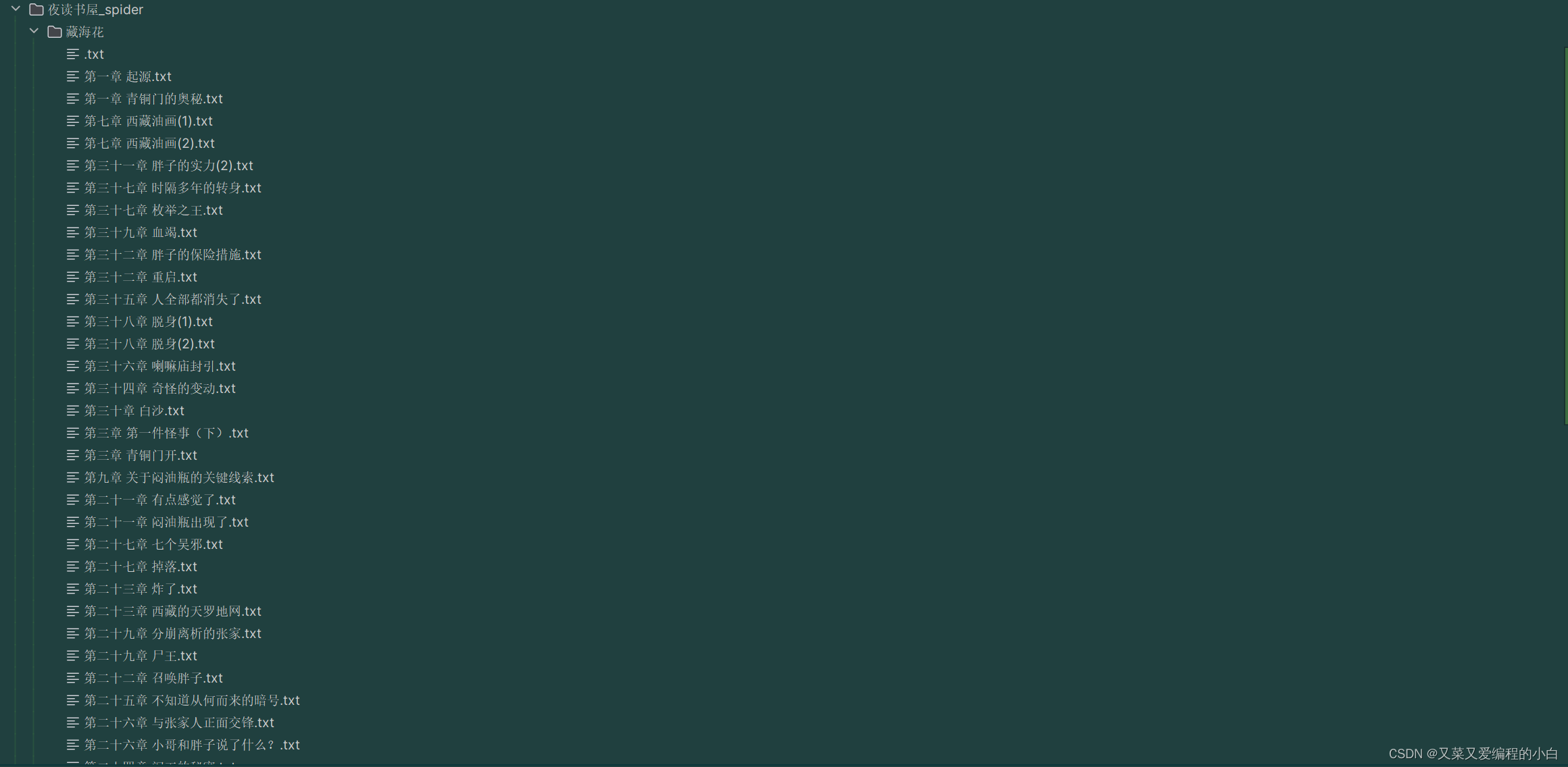
爬取结果呈现
所创建的文件夹是在该爬虫文件同一路径下

源代码
如果有同学实在不想自己书写,那么可以直接复制到自己的编译器(pycharm3.11)运行来体验一下爬虫的乐趣,但还是希望大家可以动手自己写一写来提高自己的能力
import requests import asyncio import aiohttp import aiofiles import os from lxml import etree async def get_page_source(url): while 1: try: async with aiohttp.ClientSession() as session: async with session.get(url) as resp: page_source=await resp.text() tree=etree.HTML(page_source) title="\n".join(tree.xpath("//div[@class='m-title col-md-12']/h1/text()")).replace("[]","") body="\n".join(tree.xpath("//div[@class='panel-body']//p/text()")).replace("\u3000","") if not os.path.exists("./藏海花"): os.mkdir("./藏海花") async with aiofiles.open(f"./藏海花/{title}.txt",mode="w",encoding="utf-8") as f: await f.write(body) break except: print("报错了,重试一下",url) print("下载完毕",url) async def download(href_list): tasks=[] for href in href_list: url="http://yk360.kekikc.xyz/"+href t=asyncio.create_task(get_page_source(url)) tasks.append(t) await asyncio.wait(tasks) def get_chapter_url(): url="https://www.yekan360.com/canghaihua/" resp=requests.get(url).text.encode("utf-8") #print(resp) tree=etree.HTML(resp) href_list=tree.xpath("//div[@id='play_0']/ul/li[@class='line3']/a/@href") return href_list def main(): href_list=get_chapter_url() asyncio.run(download(href_list)) if __name__ == '__main__': main()- 1
- 2
- 3
- 4
- 5
- 6
- 7
- 8
- 9
- 10
- 11
- 12
- 13
- 14
- 15
- 16
- 17
- 18
- 19
- 20
- 21
- 22
- 23
- 24
- 25
- 26
- 27
- 28
- 29
- 30
- 31
- 32
- 33
- 34
- 35
- 36
- 37
- 38
- 39
- 40
- 41
- 42
- 43
- 44
- 45
- 46
- 47
总结
本次的爬虫案例并没有特别的复杂,每个函数部分的逻辑也是非常的清晰的,大家完全可以自己写出来,同时文章中若有错误和不完善的地方,可以私信给我,因为作者本身也是个小白,望谅解(❁´◡`❁)。最后如果文章对你有所帮助,或者想要和作者一起成长,可以给我点个关注,我们一起进步!
-
相关阅读:
基于多通信半径与跳距加权优化的DV-HOP改进算法附matlab代码
LeetCode每日一题——2562. Find the Array Concatenation Value
Apache Druid数据查询套件详解计数、排名和分位数计算(送JSON-over-HTTP和SQL两种查询详解)
SpringBoot3 整合SpringSecurity
Thymeleaf
如何在Microsoft Exchange 2010中安装SSL证书
Python-Flask入门,静态文件、页面跳转、错误信息、动态网页模板
C++:面试二叉树的遍历
WPF基础的一些基本操作
REST-API 版本控制策略
- 原文地址:https://blog.csdn.net/Gaara01193/article/details/133514981
