-
Jetpack之Navigation的使用(一)
Jetpack之Navigation的使用
一.导入依赖库:
目前Android代码分为java编程语言跟Kotlin编程语言,下面是这两个版本的不同区别
kotlin版本
implementation 'androidx.navigation:navigation-fragment-ktx:2.7.2' implementation 'androidx.navigation:navigation-ui-ktx:2.7.2'- 1
- 2
java版本
implementation 'androidx.navigation:navigation-fragment:2.7.2' implementation 'androidx.navigation:navigation-ui:2.7.2'- 1
- 2
二.创建导航图( res/navigation/mobile_natigation.xml)
通过创建资源文件的方式,创建导航图资源.在android studio中,右键res目录,选择new
->Android Resource File-> 生产mobile_natigation.xml
<navigation xmlns:android="http://schemas.android.com/apk/res/android" xmlns:app="http://schemas.android.com/apk/res-auto" android:id="@+id/mobile_natigation"> navigation>- 1
- 2
- 3
- 4
- 5
- 6
三.注册NavHost(向Activity添加NavHost)
下面是添加NavHost的xml文件的相关例子
<androidx.fragment.app.FragmentContainerView android:id="@+id/nav_host_fragment" android:name="androidx.navigation.fragment.NavHostFragment" android:layout_width="0dp" android:layout_height="0dp" app:layout_constraintLeft_toLeftOf="parent" app:layout_constraintRight_toRightOf="parent" app:layout_constraintTop_toTopOf="parent" app:layout_constraintBottom_toBottomOf="parent" app:defaultNavHost="true" app:navGraph="@navigation/nav_graph" />- 1
- 2
- 3
- 4
- 5
- 6
- 7
- 8
- 9
- 10
- 11
- 12
- 控件必须是androidx.fragment.app.FragmentContainerView
- 控件的名字必须是androidx.navigation.fragment.NavHostFragment
- 需要添加app:navGraph属性,引用上一步骤创建的导航图
注意:app:navGraph是放在navigation-runtime中的资源中,通过工程中的ExternalLibraties中的androidx.navigation:navigation-runtime中的资源values.xml中定义的

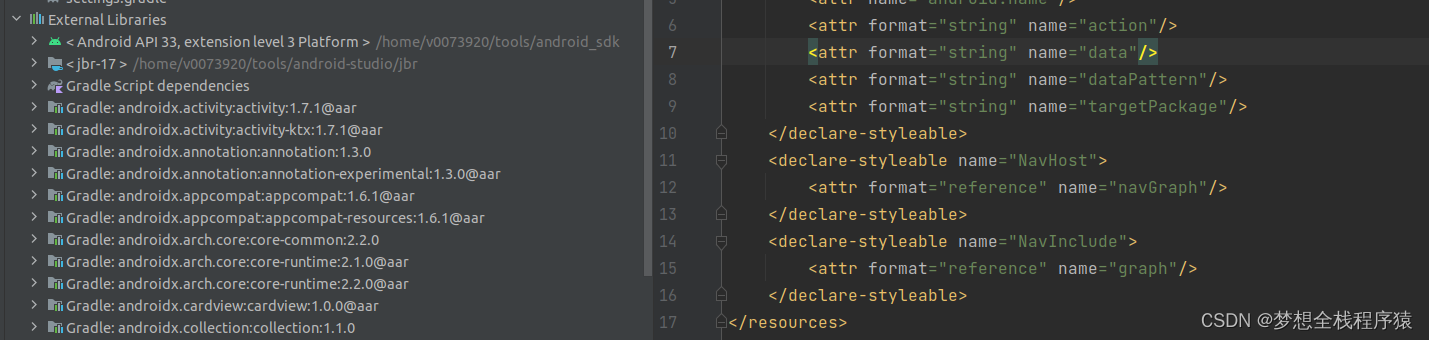

app:defaultNavHost="true"属性,是为了确保
NavHostFragment会拦截系统返回按钮,是放在navigation-fragment中的资源中,通过工程中的ExternalLibraties中的androidx.navigation:navigation-fragment中的资源values.xml中定义的
四.向导航图添加目的地
-
打开
res/navigation/mobile_navigation.xml,然后点击 Design 标签页。 -
点击 New Destination 图标,然后点击"Create new destination" 或者选择已经存在的Fragment
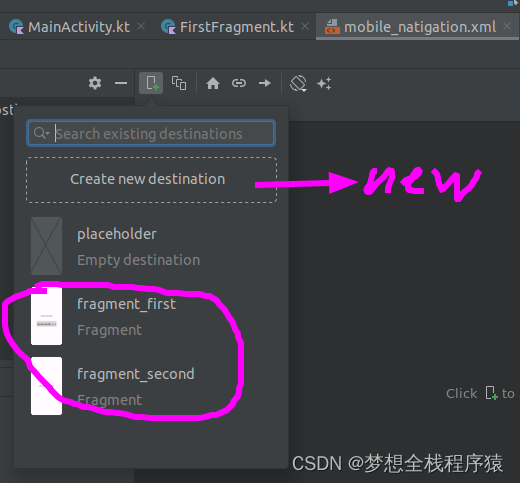
如下图所示,目前最简单的导航图如下面所示
<navigation xmlns:android="http://schemas.android.com/apk/res/android" xmlns:app="http://schemas.android.com/apk/res-auto" xmlns:tools="http://schemas.android.com/tools" android:id="@+id/mobile_natigation" app:startDestination="@id/first_dest"> <fragment android:id="@+id/first_dest" android:name="com.huahua.jetpack.navigation.demo.FirstFragment" android:label="first_title" tools:layout="@layout/fragment_first" > fragment> navigation>- 1
- 2
- 3
- 4
- 5
- 6
- 7
- 8
- 9
- 10
- 11
- 12
- 13
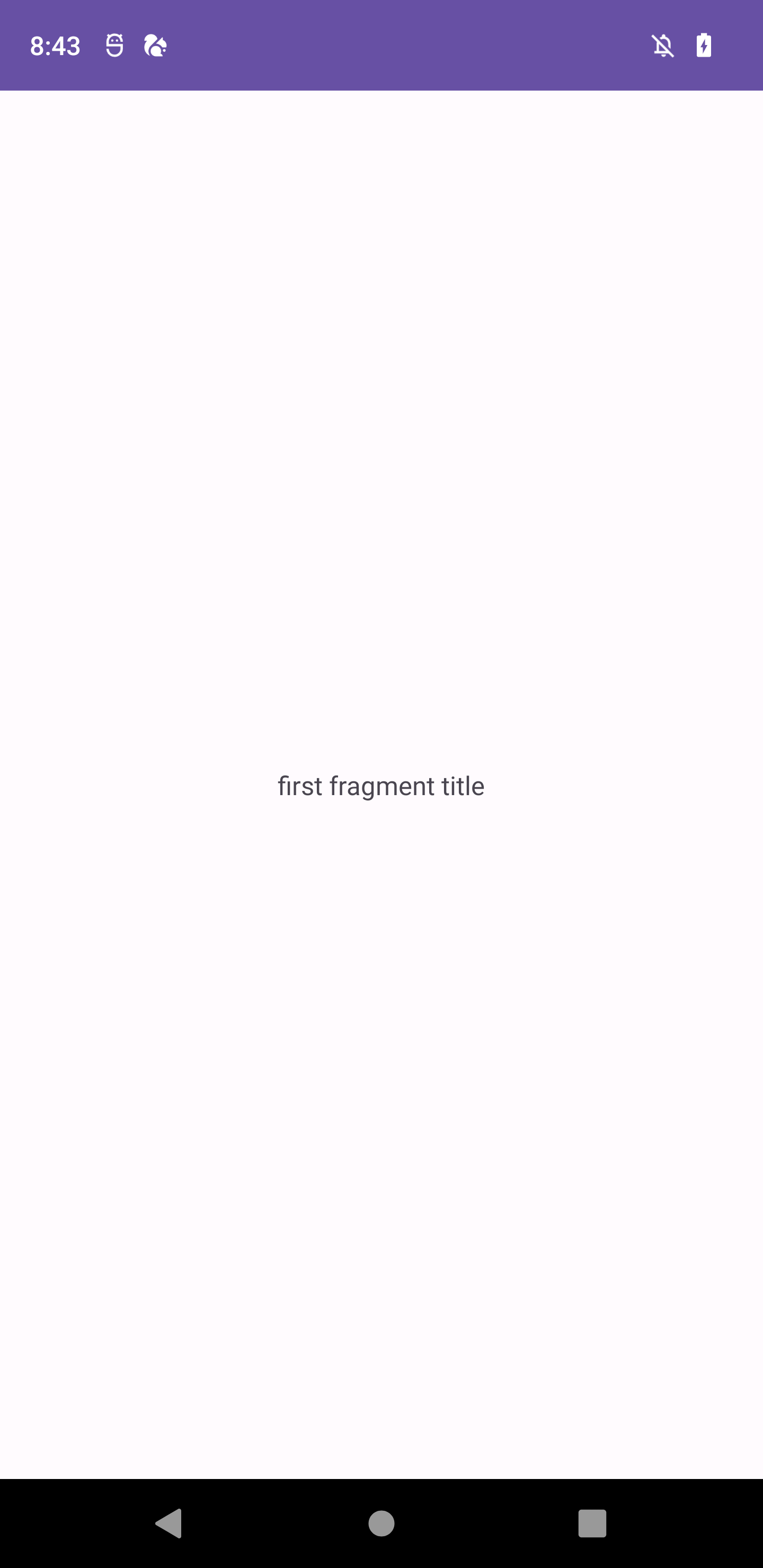
以上的步骤,Activity就能正确使用FirstFragment
-
相关阅读:
Mybatis中Resources和ClassLoaderWrapper
Spring Security - 如何修复 WebSecurityConfigurerAdapter 已弃用
读取MNIST文件图片进行上采样、下采样(图片放大两倍)
【音视频流媒体】WebRTC 直播超详细介绍
Token身份验证
3.4 封装性
数学建模学习笔记(3):灰色关联分析
EasyExcel 读取数据为null
cocos 之纹理格式和压缩纹理
Webpack 5 超详细解读(六)
- 原文地址:https://blog.csdn.net/g241893312/article/details/133121889