-
JavaWeb开发-06-SpringBootWeb-MySQL


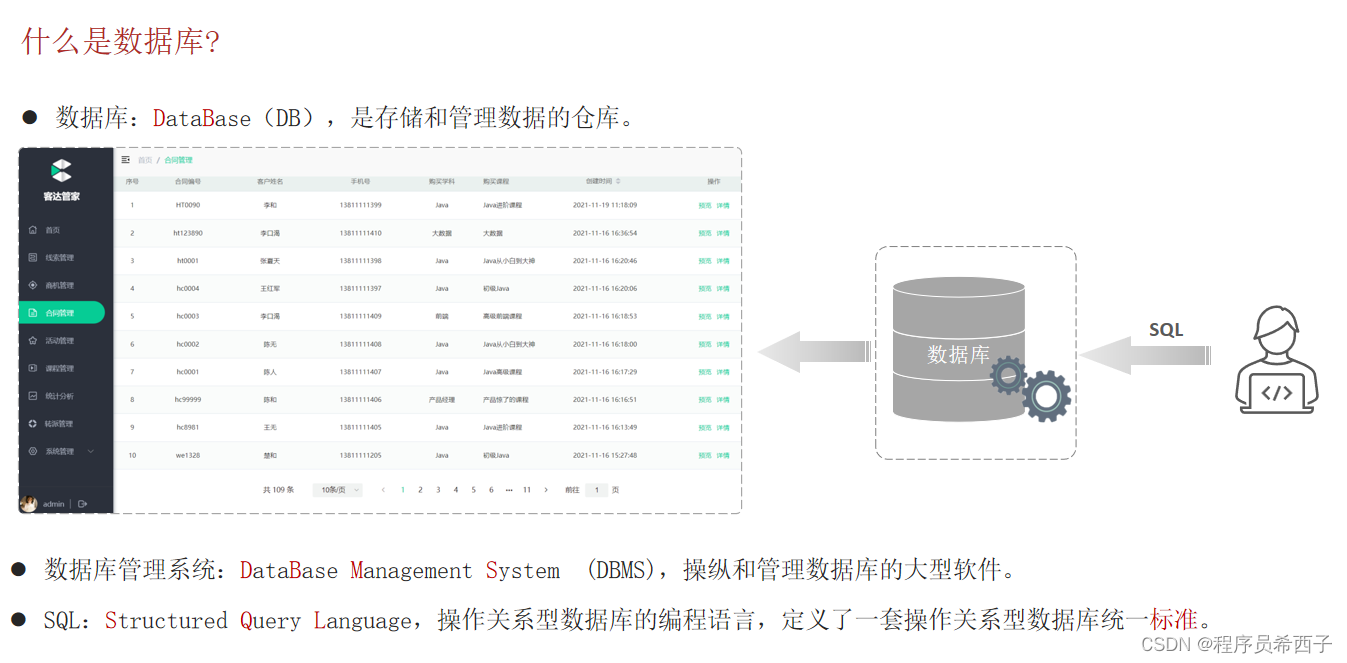


一.MySQL概述
1.安装、配置


官网下载地址:
 https://dev.mysql.com/downloads/mysql/


2.数据模型
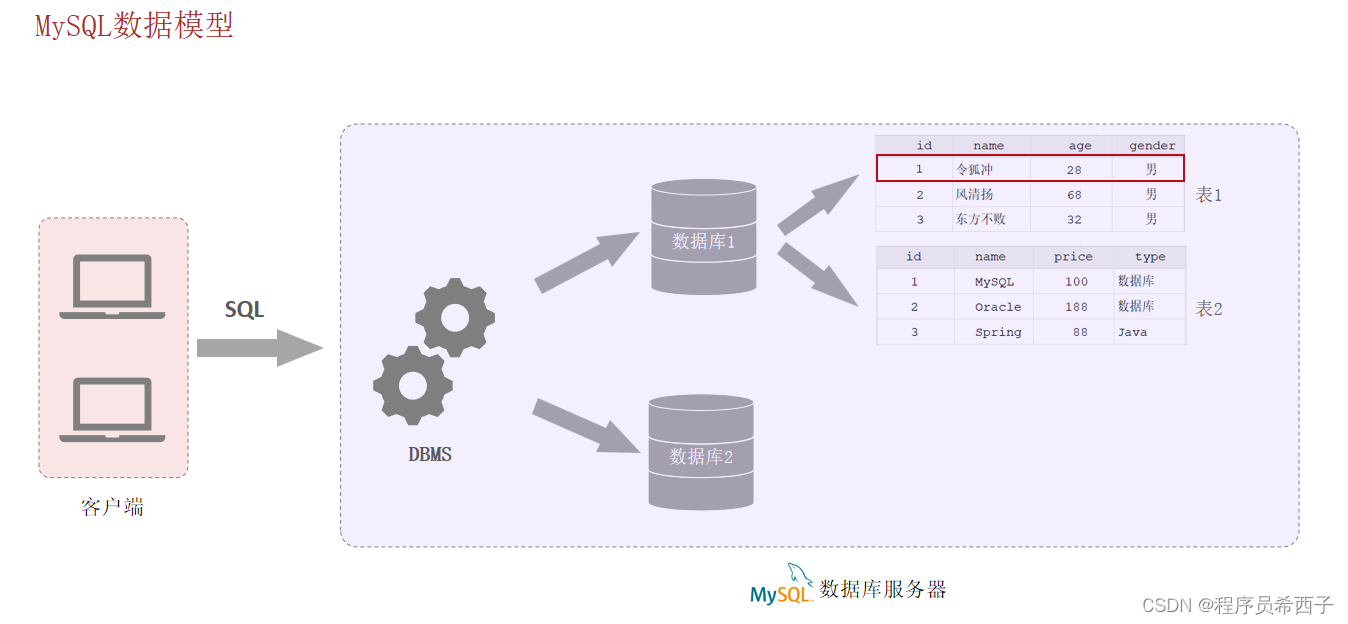
3.SQL简介


二.数据库设计-DDL


1.数据库


官网:
http:// https://www.jetbrains.com/zh-cn/datagrip/
2.表(创建、查询、修改、删除)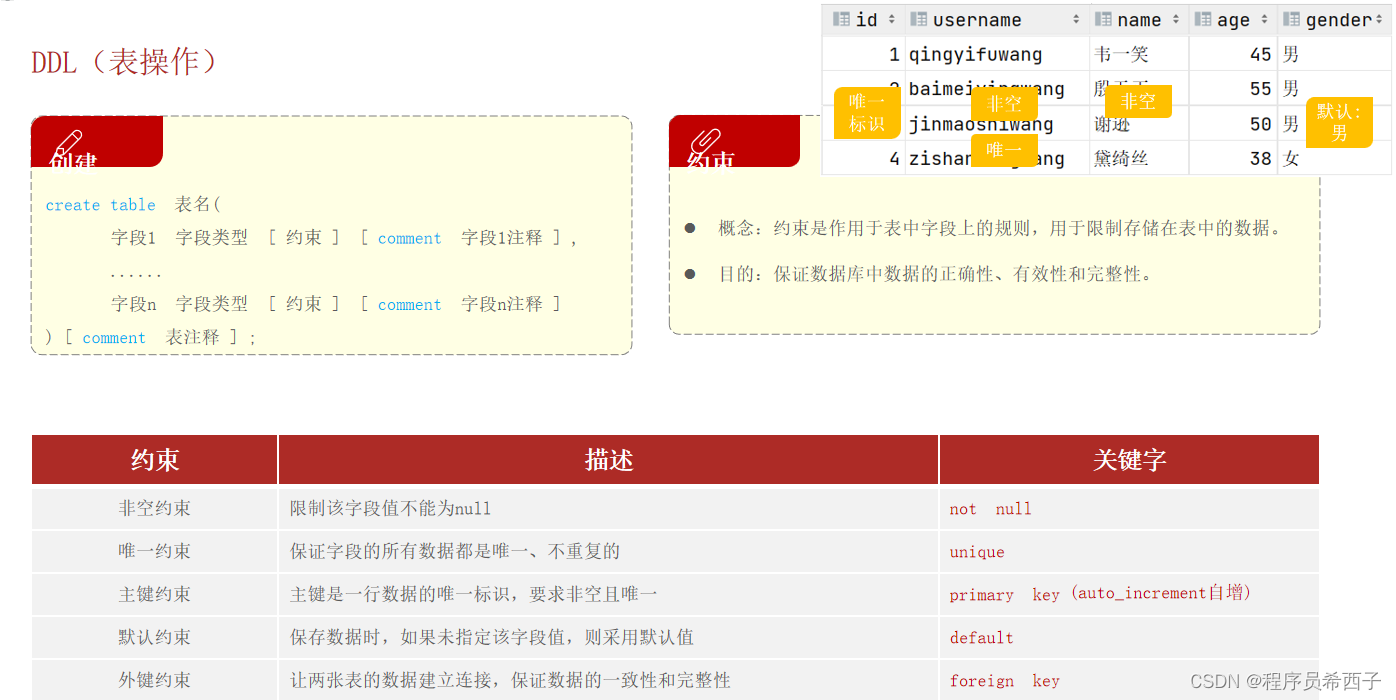
- # 查询所有数据库
- show databases;
- # 创建数据库
- create database db02;
- # 删除数据库
- drop database db02;
- # DDL : 表结构
- # 创建 : 基础语法
- -- auto_increment 自增
- create table tb_user(
- id int primary key auto_increment comment 'ID 唯一标识',
- username varchar(20) not null unique comment '用户名',
- name varchar(10) not null comment '姓名',
- age int comment '年龄',
- gander char(1) default '男' comment '性别'
- ) comment '用户表';


- -- DDL: 查看表结构
- -- 查看: 当前数据库下的表
- show tables;
- -- 查看: 查看指定表结构
- desc table_emp;
- -- 查看: 数据库的建表语句
- show create table table_emp;

- # DDl : 修改表结构
- # 修改 : 为表 tb_emp 添加字段 qq varchar(11)
- alter table table_emp add qq varchar(11) comment 'QQ';
- # 修改 : 修改 tb_emp 字段类型 qq varchar(13)
- alter table table_emp modify qq varchar(13) comment 'QQ';
- # 修改 : 修改 tb_emp 字段名 qq 为 qq_num varchar(13)
- alter table table_emp change qq qq_num varchar(13) comment 'QQ';
- # 修改 : 删除 tb_emp 的 qq 字段
- alter table table_emp drop qq_num;
- # 修改 : 将 tb_emp 表名修改为 emp
- rename table table_emp to emp;
- # 修改 : 将 emp 表名修改为 tb_emp
- rename table emp to table_emp;
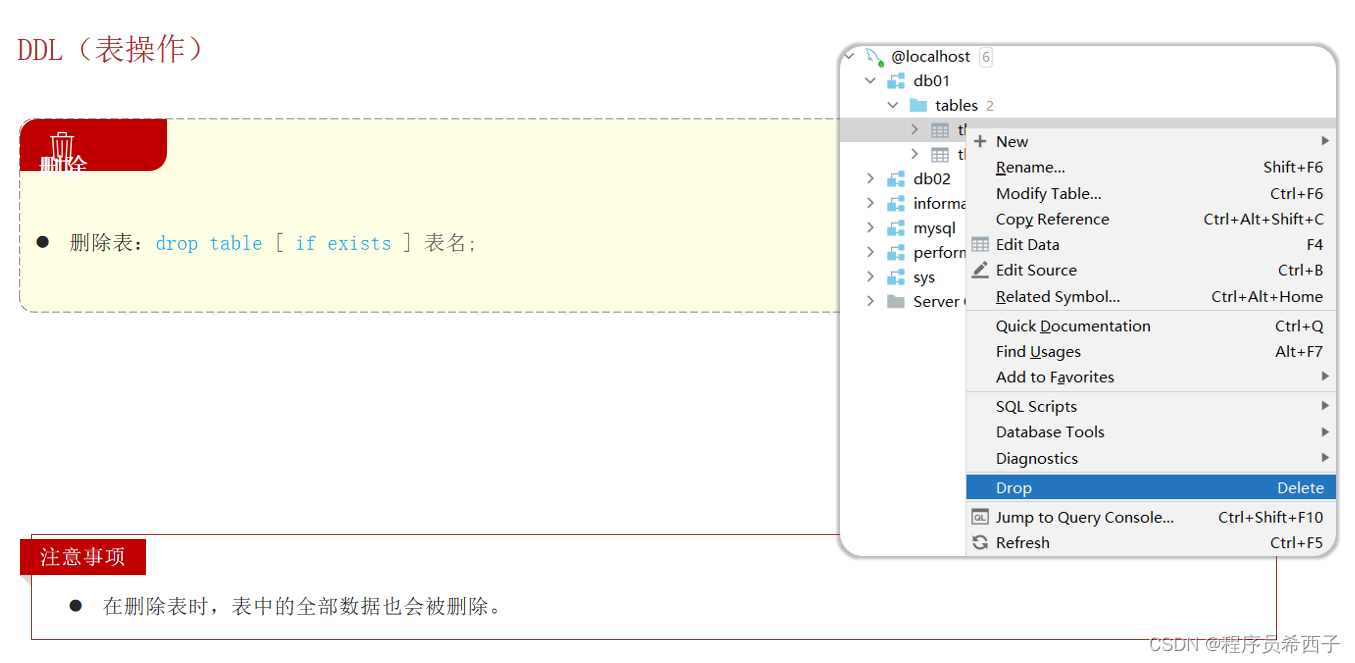
- -- DDL : 删除表结构
- -- 删除 : 删除 table_emp 表
- drop table if exists table_emp;
- -- 表备份
- -- auto-generated definition
- create table table_emp
- (
- id int auto_increment comment '主键ID' primary key,
- username varchar(20) not null comment '用户名',
- password varchar(32) default '123456' null comment '密码',
- name varchar(10) not null comment '姓名',
- gander tinyint unsigned not null comment '性别:1-男,2-女',
- image varchar(300) null comment '图像url',
- job tinyint unsigned null comment '职位:1 班主任, 2 讲师, 3 学工主管, 4 教研',
- entryDate date null comment '入职日期',
- create_time datetime not null comment '创建时间',
- update_time datetime not null comment '修改时间',
- qq_num varchar(13) null comment 'QQ',
- constraint table_emp_username_uindex
- unique (username)
- )
- comment '员工表';

三.数据库操作-DML
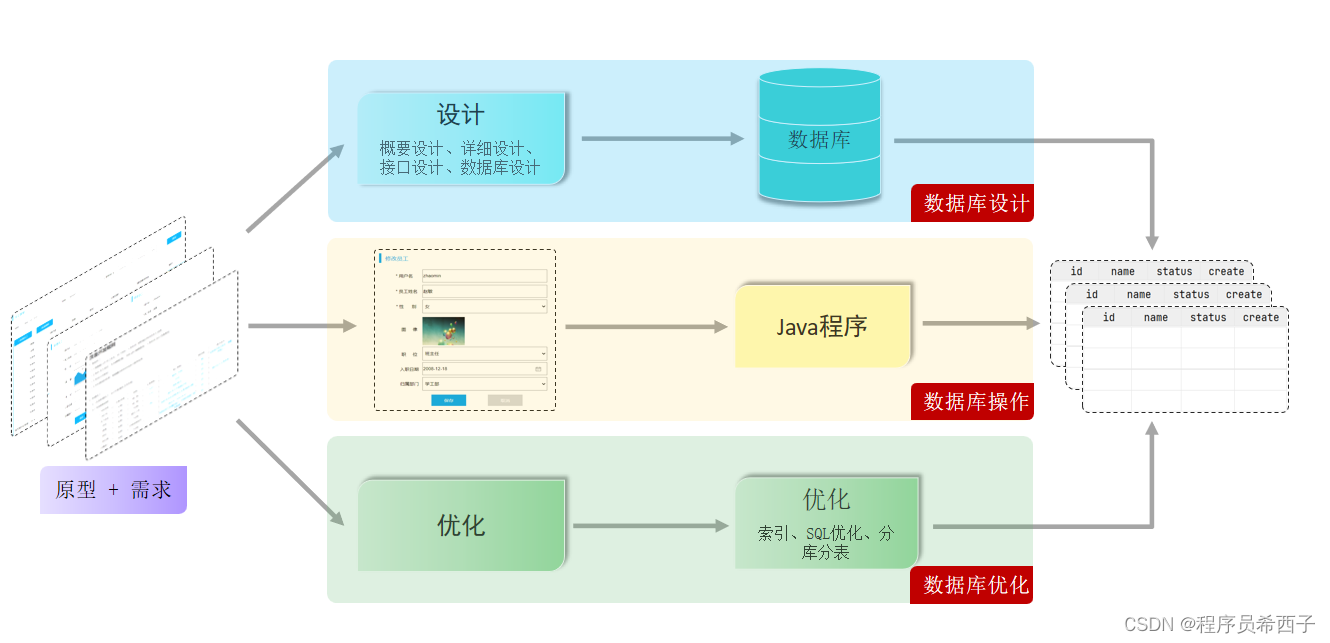


- -- DML : 数据操作语言
- -- DML : 插入数据 - insert
- -- 1.为 tb_emp 表的username, name, gander 字段插入值
- insert into tb_emp(username, name, gander, create_time, update_time) values ('ikun', '坤坤', '1', now(), now());
- -- 2.为 tb_emp 表的 所有字段插入新的值
- insert into tb_emp(id, username, password, name, gander, image, job, entryDate, create_time, update_time, qq_num)
- values (null, 'hei', '1234', '黑子', 2, '1.jpg', 1, now(), now(), now(), '1123456789');
- -- 简化
- insert into tb_emp values (null, 'ganMa', '12345', '黑子', 2, '1.jpg', 2, now(), now(), now(), '1123456780');
- -- 3.批量为 tb_emp 表的 username, name, gander 字段插入数据
- insert into tb_emp(username, name, gander, create_time, update_time) values ('xiaoMing', '小明', 2, now(), now()), ('xiaoHong', '小红', 2, now(), now());


- -- DML : 更新数据 - update
- -- 1.将 tb_emp 表的 ID 为 1 的员工姓名name 字段更新为 '张三'
- update tb_emp set name = '张三', update_time = now() where id = '1';
- -- 2.将 tb_emp 表的所有员工的入职日期跟新为 '2010-01-01'
- update tb_emp set entryDate = '2023-01-02', update_time = now() where 1 = 1;


- -- DML : 删除数据 - delete
- -- 1. 删除 tb_emp 表中 ID 为1的员工
- delete from tb_emp where id = '1';
- -- 2. 删除 tb_emp 表中的所有员工
- delete from tb_emp;


-
相关阅读:
用visual studio该安装哪个qt版本?
stable diffusion安装踩坑之clip安装、git报错
网络安全系列-四十一: arkime的docker-compose安装及可视化pcap文件示例
新员工webpack打包后上传服务器页面空白
2021.09青少年软件编程(Python)等级考试试卷(二级)
Hbase
数组补全(秋季每日一题 10)
r语言plot函数
Node.js【模块的加载机制、初识 Express、Express 路由】
[Python进阶] 操纵键盘:PyAutoGUI
- 原文地址:https://blog.csdn.net/wangjh11234/article/details/132993644
