-
Navicat连接mysql8.0:提示无法加载身份验证插件“caching_sha2_password”
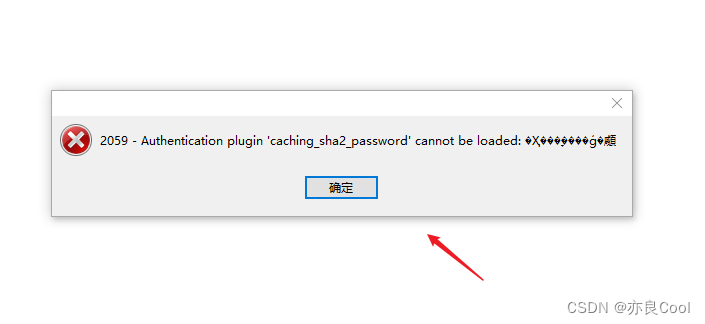
Navicat连接mysql时,提示:Unable to load authentication plugin ‘caching_sha2_password‘.
原因:mysql 8.0 默认使用 caching_sha2_password 身份验证机制。
D:\MySQL8.0\install\bin>mysql -uroot -p123456789 #登录 mysql: [Warning] Using a password on the command line interface can be insecure. Welcome to the MySQL monitor. Commands end with ; or \g. Your MySQL connection id is 22 Server version: 8.0.32 MySQL Community Server - GPL Copyright (c) 2000, 2023, Oracle and/or its affiliates. Oracle is a registered trademark of Oracle Corporation and/or its affiliates. Other names may be trademarks of their respective owners. Type 'help;' or '\h' for help. Type '\c' to clear the current input statement. mysql> use mysql Database changed mysql> select user,host,plugin,authentication_string from user; #查看用户信息- 1
- 2
- 3
- 4
- 5
- 6
- 7
- 8
- 9
- 10
- 11
- 12
- 13
- 14
- 15
- 16
- 17
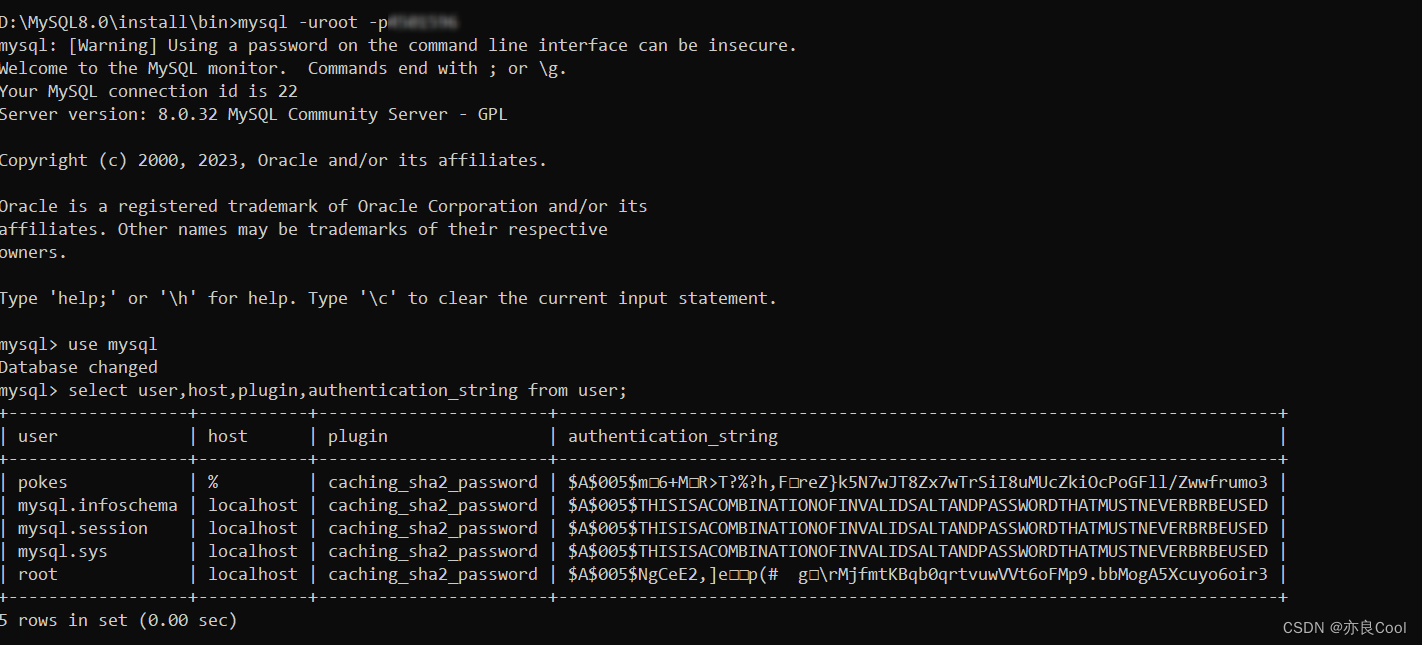
修改身份验证机制
ALTER USER 'root'@'localhost' IDENTIFIED WITH mysql_native_password BY '123456'; #修改身份验证机制- 1
更改过程:
mysql> mysql> ALTER USER 'root'@'localhost' IDENTIFIED WITH mysql_native_password BY '123456'; #修改身份验证机制 ERROR 1064 (42000): You have an error in your SQL syntax; check the manual that corresponds to your MySQL server version for the right syntax to use near 'mysql> ALTER USER 'root'@'localhost' IDENTIFIED WITH mysql_native_password BY '4' at line 1 mysql> ALTER USER 'root'@'localhost' IDENTIFIED WITH mysql_native_password BY '123456'; Query OK, 0 rows affected (0.07 sec) mysql> ALTER USER 'pokes'@'%' IDENTIFIED WITH mysql_native_password BY '123456'; #修改身份验证机制 Query OK, 0 rows affected (0.06 sec) mysql>- 1
- 2
- 3
- 4
- 5
- 6
- 7
- 8
- 9
MYSQL8.0开启远程链接
mysql -uroot -p123456 grant all privileges on *.* to 'root'@'%'identified by 'youpassword' with grant option; #开启远程访问 mysql> CREATE USER 'pokes'@'%' IDENTIFIED BY '123456'; #新建一个用户 mysql> GRANT ALL PRIVILEGES ON *.* TO 'pokes'@'%' WITH GRANT OPTION; #授权 mysql> FLUSH PRIVILEGES; #刷新- 1
- 2
- 3
- 4
- 5
D:\MySQL8.0\install\bin>mysql -uroot -p123456 mysql: [Warning] Using a password on the command line interface can be insecure. Welcome to the MySQL monitor. Commands end with ; or \g. Your MySQL connection id is 19 Server version: 8.0.32 MySQL Community Server - GPL Copyright (c) 2000, 2023, Oracle and/or its affiliates. Oracle is a registered trademark of Oracle Corporation and/or its affiliates. Other names may be trademarks of their respective owners. Type 'help;' or '\h' for help. Type '\c' to clear the current input statement. mysql> grant all privileges on *.* to 'root'@'%'identified by 'youpassword' with grant option; ERROR 1064 (42000): You have an error in your SQL syntax; check the manual that corresponds to your MySQL server version for the right syntax to use near 'identified by 'youpassword' with grant option' at line 1 mysql> CREATE USER 'pokes'@'%' IDENTIFIED BY '123456'; Query OK, 0 rows affected (0.63 sec) mysql> GRANT ALL PRIVILEGES ON *.* TO 'pokes'@'%' WITH GRANT OPTION; Query OK, 0 rows affected (0.06 sec) mysql> FLUSH PRIVILEGES; Query OK, 0 rows affected (0.08 sec) mysql>- 1
- 2
- 3
- 4
- 5
- 6
- 7
- 8
- 9
- 10
- 11
- 12
- 13
- 14
- 15
- 16
- 17
- 18
- 19
- 20
- 21
- 22
- 23
- 24
- 25
- 26
-
相关阅读:
pycharm remote host显示nothing to show
嵌入式 Linux 入门 环境篇(四、必备开发工具安装)
聊聊Maven的依赖传递、依赖管理、依赖作用域
【计算机视觉 | 语义分割】语义分割常用数据集及其介绍(三)
Windows10 MySQL(8.0.37)安装与配置
lua入门案例实战123DIY
新成员——红外空调控制器
python 之xml 使用原生xml.dom
R语言中不同类型的聚类方法比较
如何在Pacman (Arch Linux)中用Configuration设置HTTP?
- 原文地址:https://blog.csdn.net/annita2019/article/details/132736944