-
对象临时中间状态的条件竞争覆盖
Portswigger练兵场之条件竞争
🦄条件竞争之对象临时中间状态的条件竞争
Lab: Partial construction race conditions- 1
🚀实验前置必要知识点
某些框架尝试通过使用某种形式的请求锁定来防止意外的数据损坏。例如,PHP 的本机会话处理程序模块一次只处理每个会话的一个请求。
许多应用程序通过多个步骤创建对象,这可能会引入可利用对象的临时中间状态。
例如,注册新用户时,应用程序可能会在数据库中创建用户,并使用两个单独的
SQL语句设置其API密钥。这留下了一个用户存在的door,但其API密钥未初始化。框架通常允许您使用非标准语法传入数组和其他非字符串数据结构。例如,在 PHP 中:
param[]=foo相当于param = ['foo']param[]=foo¶m[]=bar相当于param = ['foo', 'bar']param[]相当于param = []
如果注册了账户之后,抢先在
SQL语句赋值之前发出身份验证🏆实验要求
本实验包含用户注册机制。争用条件使你能够绕过电子邮件验证,并使用不属于你的任意电子邮件地址进行注册。 要解决实验室问题,请利用此争用条件创建一个帐户,然后登录并删除用户carlos。- 1
- 2
- 3
⚡️渗透开始
- 访问对应靶场界面
https://portswigger.net/web-security/race-conditions/lab-race-conditions-partial-construction- 1
- 启动靶场
1. 站点分析
这是
SHOP类型的网站
可以查看文章信息、购买、登录、注册等功能点,根据提示我们来到注册功能点处

需要用户名、邮箱以及密码才可以注册,发现只能用推荐的邮箱注册

尝试注册账户为1,发现注册成功

再次注册1的账户发现无法注册
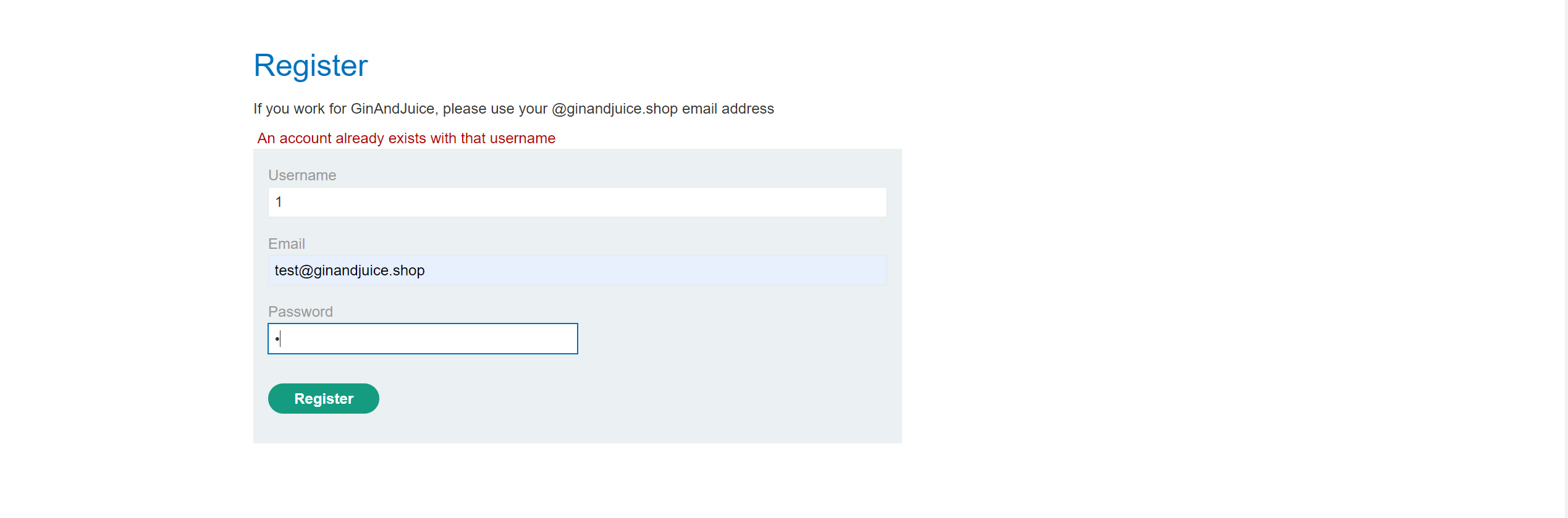
尝试注册账户2,用同样的邮箱发现注册成功,说明同样的邮箱可以注册复用
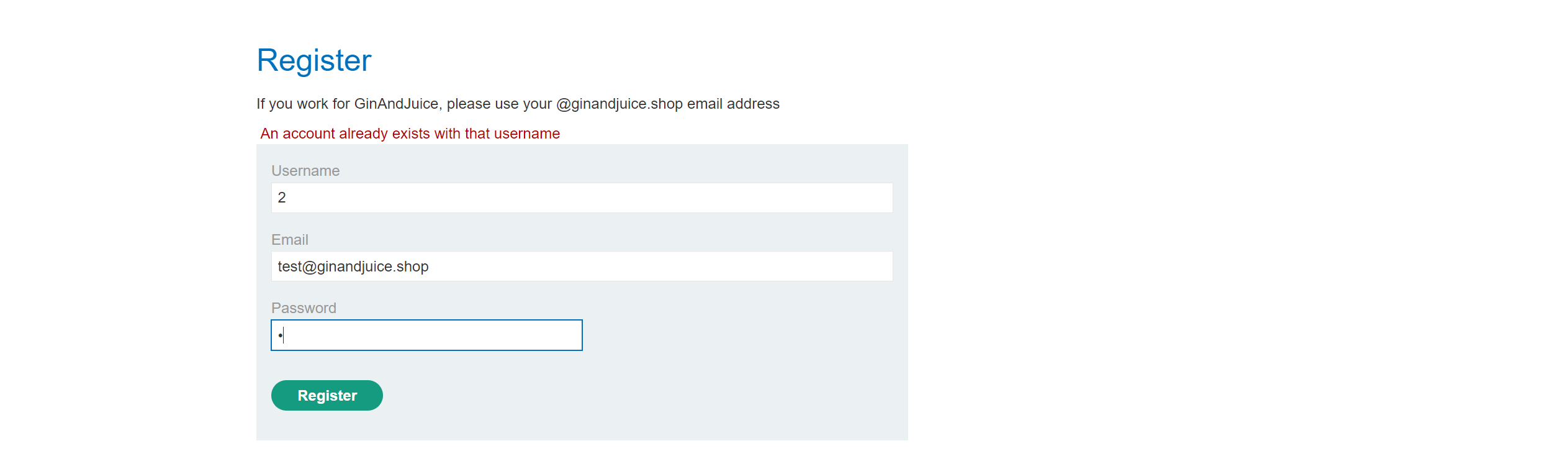
但是无法直接用账号密码进行登录,需要邮箱激活

在不清楚邮箱的情况下陷入了困局
2. 寻找可疑功能点(查看Burp历史记录进行分析)
正常的流程为
前端注册 → 后端发送邮件并在数据库中预注册用户的账户/密码信息 → 用户激活邮箱 → 后端分配权限给用户 → 用户可以正常访问注册发送数据包
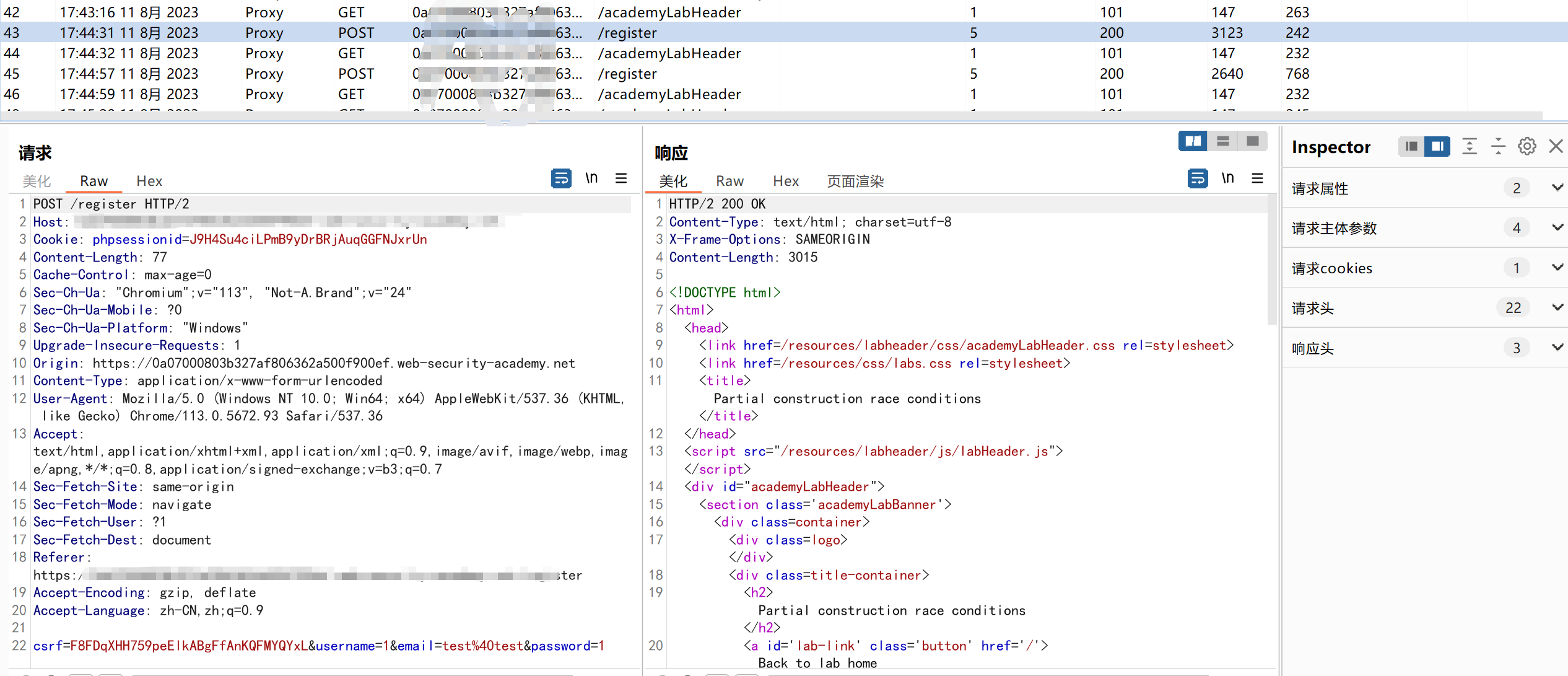
在此处条件竞争获取的账号也是没有权限的,毫无用处🤔
在翻阅的过程中发现了一处可疑的
js
const createRegistrationForm = () => { const form = document.getElementById('user-registration'); const usernameLabel = document.createElement('label'); usernameLabel.textContent = 'Username'; const usernameInput = document.createElement('input'); usernameInput.required = true; usernameInput.type = 'text'; usernameInput.name = 'username'; const emailLabel = document.createElement('label'); emailLabel.textContent = 'Email'; const emailInput = document.createElement('input'); emailInput.required = true; emailInput.type = 'email'; emailInput.name = 'email'; const passwordLabel = document.createElement('label'); passwordLabel.textContent = 'Password'; const passwordInput = document.createElement('input'); passwordInput.required = true; passwordInput.type = 'password'; passwordInput.name = 'password'; const button = document.createElement('button'); button.className = 'button'; button.type = 'submit'; button.textContent = 'Register'; form.appendChild(usernameLabel); form.appendChild(usernameInput); form.appendChild(emailLabel); form.appendChild(emailInput); form.appendChild(passwordLabel); form.appendChild(passwordInput); form.appendChild(button); } const confirmEmail = () => { const container = document.getElementsByClassName('confirmation')[0]; const parts = window.location.href.split("?"); const query = parts.length == 2 ? parts[1] : ""; const action = query.includes('token') ? query : ""; const form = document.createElement('form'); form.method = 'POST'; form.action = '/confirm?' + action; const button = document.createElement('button'); button.className = 'button'; button.type = 'submit'; button.textContent = 'Confirm'; form.appendChild(button); container.appendChild(form); }- 1
- 2
- 3
- 4
- 5
- 6
- 7
- 8
- 9
- 10
- 11
- 12
- 13
- 14
- 15
- 16
- 17
- 18
- 19
- 20
- 21
- 22
- 23
- 24
- 25
- 26
- 27
- 28
- 29
- 30
- 31
- 32
- 33
- 34
- 35
- 36
- 37
- 38
- 39
- 40
- 41
- 42
- 43
- 44
- 45
- 46
- 47
- 48
- 49
- 50
- 51
- 52
- 53
- 54
- 55
- 56
- 57
- 58
3. Js分析 | 对行为进行基准测试
从
json中命名大致了解- 函数
createRegistrationForm通过操作DOM创建注册表单 - 函数
confirmEmail用于创建确认电子邮件功能。
在确认电子邮件功能中 访问的是
POST请求的/confirm端点,拼接的参数是token该创建的表单会获取
token并确认提交4./confirm端点分析 | 对行为进行基准测试
token为空被禁止
token为1,证明验证了令牌为0不正确
如果是刚注册的用户通常为空,可以发现被禁止了,尝试数组没被禁止

5.完成实验 | 证明概念
当我注册账号之后,如果存在两句
SQL语句,我可不可以抢先在应用程序赋值token之前给予账号空的token,这样就可以绕过用户注册的邮箱验证机制构造创建用户的枚举,同时并发
token为空验证的条件竞争机制成功获取了用户
用户信息
a4016:111111
登录账号

打开管理面板删除用户后完成实验

-
相关阅读:
Java计算机毕业设计德云社票务系统源码+系统+数据库+lw文档
Qt教程3-Ubuntu(x86_64)上配置arm64(aarch64)交叉编译环境及QT编译arm64架构工程
Linux进程概念(上)
Java中的final关键字,你清楚吗?
vue高频面试题
新华三路由器+华为交换机,实现华为交换机指定端口访问外网
云原生时代开发提效神器-Nocalhost
浮点数计算精度问题decimal.js
条件覆盖:每个判定的每个条件应取到各种可能的值。 (包含语句覆盖,每个条件T、F各一次)
@Autowired 多个相同类型Bean的自动注入
- 原文地址:https://blog.csdn.net/qq_61812944/article/details/132746541