-
77 # koa 中间件的应用
调用
next()表示执行下一个中间件const Koa = require("koa"); const app = new Koa(); app.use(async (ctx, next) => { console.log(1); next(); console.log(2); }); app.use(async (ctx, next) => { console.log(3); next(); console.log(4); }); app.use(async (ctx, next) => { console.log(5); next(); console.log(6); }); app.listen(3000);- 1
- 2
- 3
- 4
- 5
- 6
- 7
- 8
- 9
- 10
- 11
- 12
- 13
- 14
- 15
- 16
- 17
- 18
- 19
- 20
- 21
- 22
- 23
洋葱模型:

输出:
135642

添加异步等待
const Koa = require("koa"); const app = new Koa(); const log = () => { return new Promise((resolve, reject) => { setTimeout(() => { console.log("kaimo313"); resolve(); }, 3000); }); }; app.use(async (ctx, next) => { console.log(1); next(); console.log(2); }); app.use(async (ctx, next) => { console.log(3); await log(); next(); console.log(4); }); app.use(async (ctx, next) => { console.log(5); next(); console.log(6); }); app.listen(3000);- 1
- 2
- 3
- 4
- 5
- 6
- 7
- 8
- 9
- 10
- 11
- 12
- 13
- 14
- 15
- 16
- 17
- 18
- 19
- 20
- 21
- 22
- 23
- 24
- 25
- 26
- 27
- 28
- 29
- 30
- 31
- 32
- 33
输出:
132 kaimo313 564
koa 中要求每个 next 方法前面都必须增加 await 否则不存在等待效果
const Koa = require("koa"); const app = new Koa(); const log = () => { return new Promise((resolve, reject) => { setTimeout(() => { console.log("kaimo313"); resolve(); }, 3000); }); }; app.use(async (ctx, next) => { console.log(1); next(); console.log(2); ctx.body = "hello 1"; }); app.use(async (ctx, next) => { console.log(3); await log(); ctx.body = "hello 2"; next(); console.log(4); }); app.use(async (ctx, next) => { console.log(5); ctx.body = "hello 3"; next(); console.log(6); }); app.listen(3000);- 1
- 2
- 3
- 4
- 5
- 6
- 7
- 8
- 9
- 10
- 11
- 12
- 13
- 14
- 15
- 16
- 17
- 18
- 19
- 20
- 21
- 22
- 23
- 24
- 25
- 26
- 27
- 28
- 29
- 30
- 31
- 32
- 33
- 34
- 35
- 36
会取中间件第一个执行完的结果
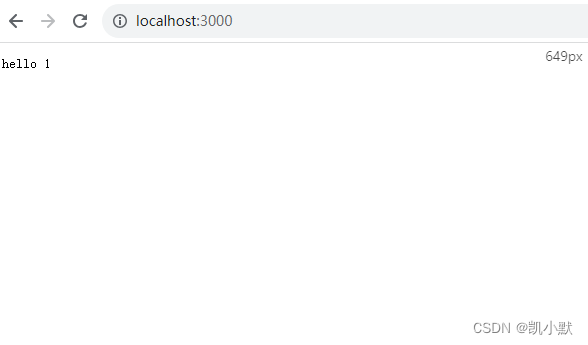
koa 的中间件原理:会将所有的中间件组合成一个大的 promise,当这个 promise 执行完毕后,会采用当前的
ctx.body进行结果的响应(next 前面必须要有 await 或者 return 否则执行顺序可能达不到预期)如果都是同步执行,加不加 await 都无所谓,由于不知道后续是否有异步逻辑,写的时候都要加上 await
next():
- 可以把多个模块通过 next 方法来链接起来
- 可以决定是否向下执行(可以用来实现后台的权限)
- 可以封装一些方法,在中间件中,封装向下执行
实现中间件计时器
const Koa = require("koa"); const app = new Koa(); const log = () => { return new Promise((resolve, reject) => { setTimeout(() => { console.log("kaimo313"); resolve(); }, 3000); }); }; app.use(async (ctx, next) => { console.time("kaimo"); await next(); ctx.body = "hello 1"; console.timeEnd("kaimo"); }); app.use(async (ctx, next) => { await log(); ctx.body = "hello 2"; return next(); }); app.use(async (ctx, next) => { ctx.body = "hello 3"; return next(); }); app.listen(3000);- 1
- 2
- 3
- 4
- 5
- 6
- 7
- 8
- 9
- 10
- 11
- 12
- 13
- 14
- 15
- 16
- 17
- 18
- 19
- 20
- 21
- 22
- 23
- 24
- 25
- 26
- 27
- 28
- 29
- 30
- 31
- 32

-
相关阅读:
平台接口建设规范
如何用jxTMS开发一个功能(二)
使用Django开发一款竞争对手产品监控系统
Python写API
linux常用命令(4):mkdir命令(创建目录)
在 Pisa-Proxy 中,如何利用 Rust 实现 MySQL 代理
读取s3图片并保存至excel
有 Docker 谁还在自己本地安装 Mysql ?
.NET Core 实现后台任务(定时任务)BackgroundService(二)
Syncfusion Essential StudioWPF的全面UI控件包
- 原文地址:https://blog.csdn.net/kaimo313/article/details/132698668
