-
【项目_03】日历的回显、搭建热门精选、下拉加载更多、搜索框搭建 | 基于Vue3全家桶
💭💭
✨: 日历的回显、搭建热门精选、下拉加载更多、搜索框搭建 | 旅途拾景
💟:东非不开森的主页
💜: 心若有所向往,何惧道阻且长💜💜
🌸: 如有错误或不足之处,希望可以指正,非常感谢😉
一、日历的搭建
1.1.基本搭建
- 我们先搭建出基本的框架
- 再使用vant组件库


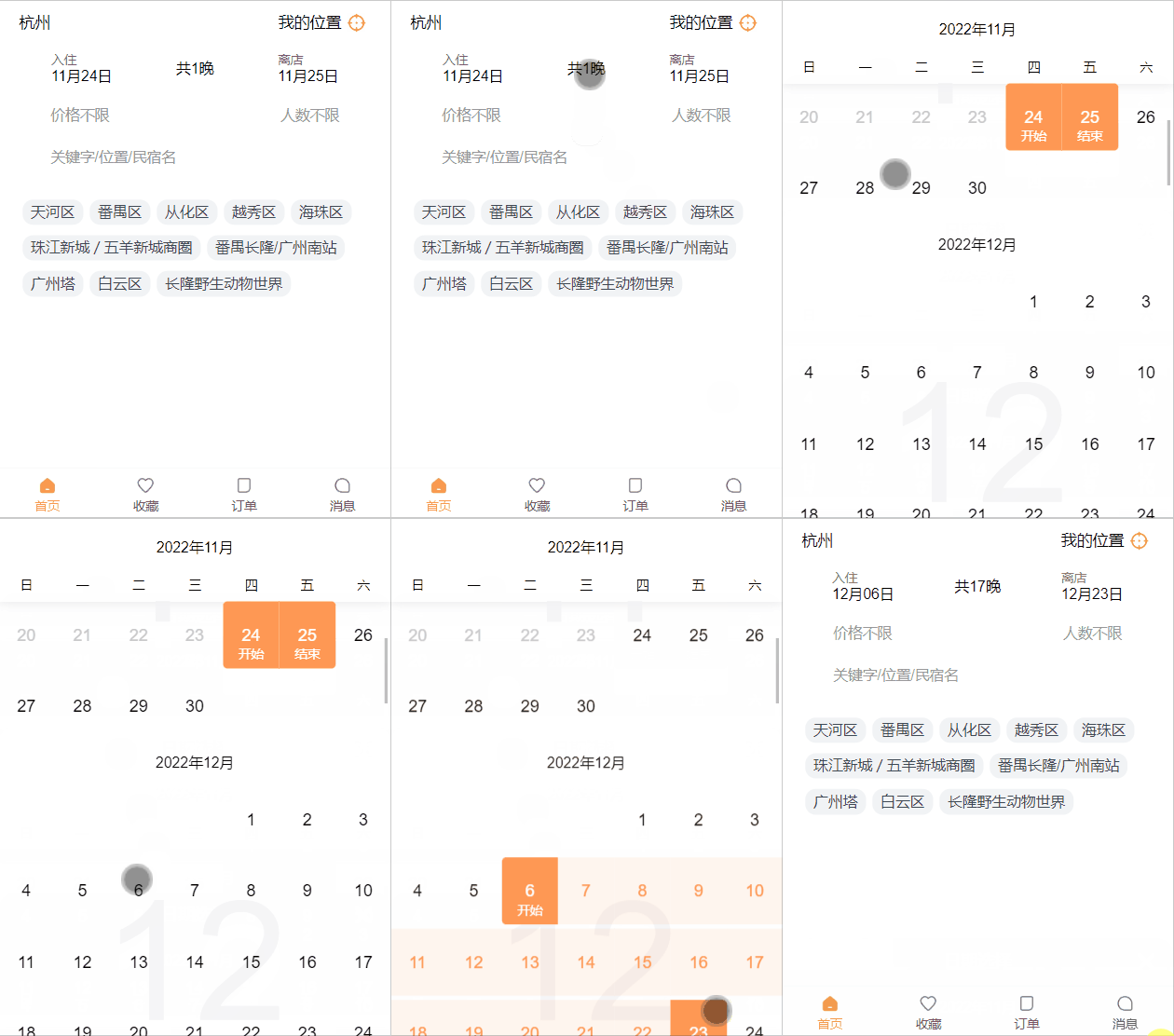
1.2.日期格式化处理及回显
- 然后就是对日期的格式化
- 这里我们可以使用dayjs
npm install dayjs- 1
然后封装个工具
- 包括日期格式化
- 计算天数
import dayjs from "dayjs"; export function formatMonthDay(date) { return dayjs(date).format("MM月DD日") } export function getDiffDays(startDate, endDate) { return dayjs(endDate).diff(startDate, "day") }- 1
- 2
- 3
- 4
- 5
- 6
- 7
- 8
- 9
- 对时间范围的处理

- 日历的回显(以正确的格式在页面显示)
还有天数的处理

二、热门城市展示
2.1.处理方式一
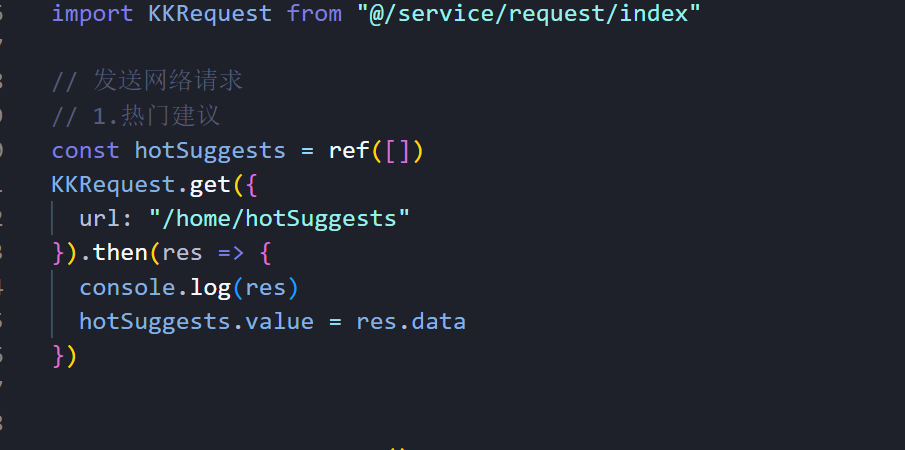
- 先发送网络请求
- 传递数据给子组件

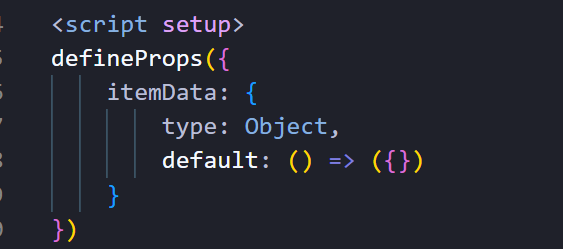
- v-bind绑定,用于传递数据,子组件用defineprops

- 数据渲染

css blablabla~2.2.处理方式二
- 在service的modules里面处理网络请求接口
- 用pinia共享数据


-
使用数据


-
调用网络请求

三、开始搜索搭建

跳转页面- 先添加路由
- 配置对应页面
- 跳转可以用query传递相应的参数


用$route来接收参数



四、搭建热门精选
4.1.数据分析
- 我们可以发现该数据分为两种,所以我们可以分为两个组件
- 用v-if v-else进行判断


4.2.数据获取及其处理
- 分页数据传递参数
- 传递参数

- 对数据进行追加,当本页数据加载完成后,加载下一页

- 使用数据

- 父子组件传递数据

4.3.使用数据搭建页面
- 类型为三的页面

效果图

- 类型为9的页面搭建


效果图

然后就是调css了
呜呜呜 慢慢调吧五、下拉加载更多
5.1.监听加载更多
- 因为是分页数据,所以我们需要监听下拉加载更多
- 我们要知道滚动的是元素,而不是窗口
- 所以我们需要算出窗口实际高度,
- 当滑到底的时候,就可以加载更多了
注:
- scrollHeight 元素内容的高度,包括溢出的不可见内容,滚动视口高度(也就是当前元素的真实高度)
- clientHeight 元素的像素高度,包含元素的高度+内边距,不包含水平滚动条,边框和外边距,可见区域高度
- scrollTop “元素中的内容”超出“元素上边界”的那部分的高度。滚动条顶部到浏览器顶部高度
当scrollTop + clientHeight >= scrollHeight的时候,就说明滑到底部了
此时发送网络请求,加载下一页数据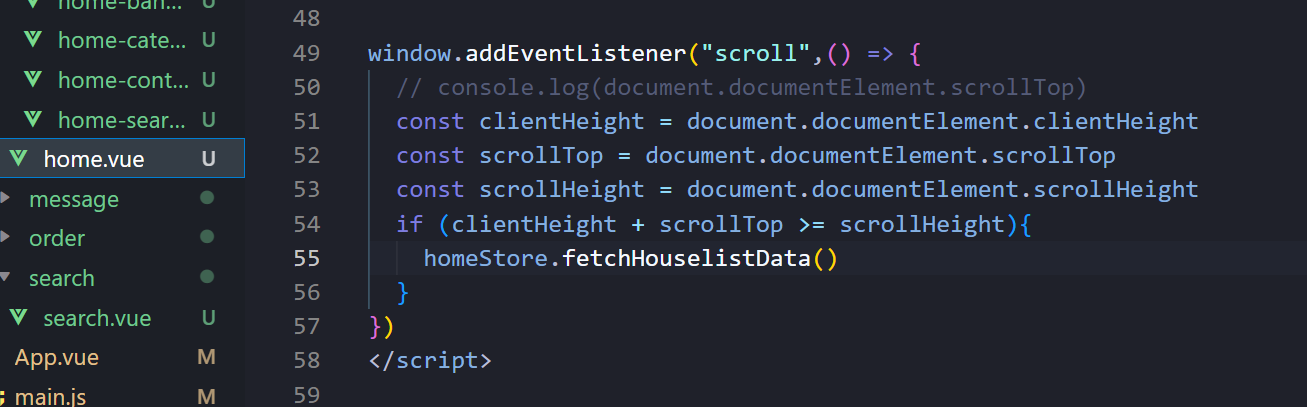
5.2.挂载监听,卸载时移除监听
- 用onMounted生命周期来挂载监听
- 用onUnmounted生命周期移除监听

5.3.抽取hooks,进行复用


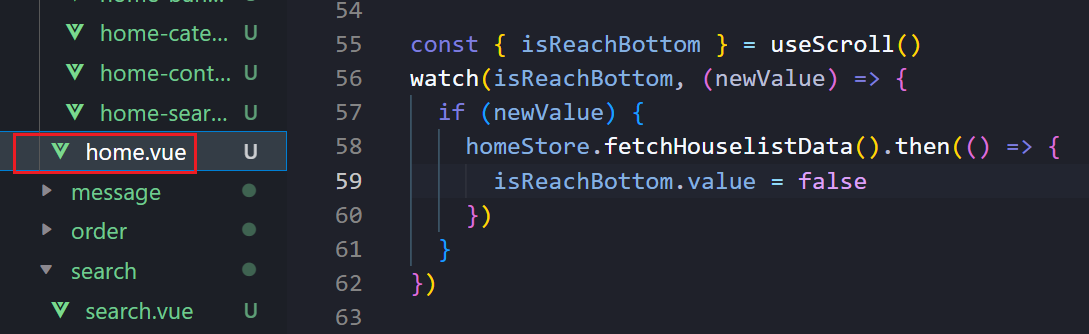
重点:
5.4. 如何监听页面的滚动?上拉加载更多、显示搜索框
- 上拉加载更多很可能多个组件都需要用到 所以对其进行
hooks的useScroll封装 用于方便使用- 获取客户端
scrollTop ``scrollHeight的高度 定义isReachBottom控制网络请求的再次的触发 - 当客户端的高度
+上滑的高度>=内容滑块总高度时 就说明已经滚动到底部了 就可再次请求数据 - 当然这里为了提升性能 可用节流函数
- 事件需要在声明周期
onMounted中进行(因为setup内部东西加载是处于(beforeCreate和create声明周期之间) 进行完成之后记得取消事件
- 获取客户端
import { onMounted, onUnmounted, ref } from "vue"; import { throttle } from "lodash"; export default function useScroll() { const isReachBottom = ref(false) const clientHeight = ref(0) const scrollTop = ref(0) const scrollHeight = ref(0) // 获取各种高度(客户端 上滑高度 滑块内容总高度) const scrollListenerHandler = throttle(() => { clientHeight.value = document.documentElement.clientHeight scrollTop.value = document.documentElement.scrollTop scrollHeight.value = document.documentElement.scrollHeight if (clientHeight.value + scrollTop.value >= scrollHeight.value) { // 滚动到底部触发 // console.log('gundao dibu l') isReachBottom.value = true } }, 150) // 监听事件 onMounted(() => { window.addEventListener('scroll', scrollListenerHandler) }) //移除事件 onUnmounted(() => { window.removeEventListener('scroll', scrollListenerHandler) }) return { isReachBottom, clientHeight, scrollTop, scrollHeight } }- 1
- 2
- 3
- 4
- 5
- 6
- 7
- 8
- 9
- 10
- 11
- 12
- 13
- 14
- 15
- 16
- 17
- 18
- 19
- 20
- 21
- 22
- 23
- 24
- 25
- 26
- 27
- 28
- 29
- 30
- 31
- 32
六、搜索框
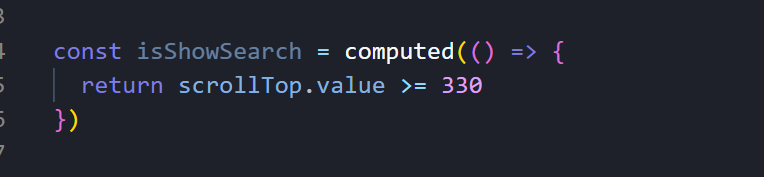
6.1.搜索框显示的控制
- 默认是false
- 当滑到一定高度的时候才会出现


- 监听也可以用computed
- 因为computed计算的数据返回的也是响应式的,就不用ref了
- 如果大于则为true
- 不满足就为false

定义的可响应式式数据,依赖于另一个可响应式数据,那么可以用计算属性computed
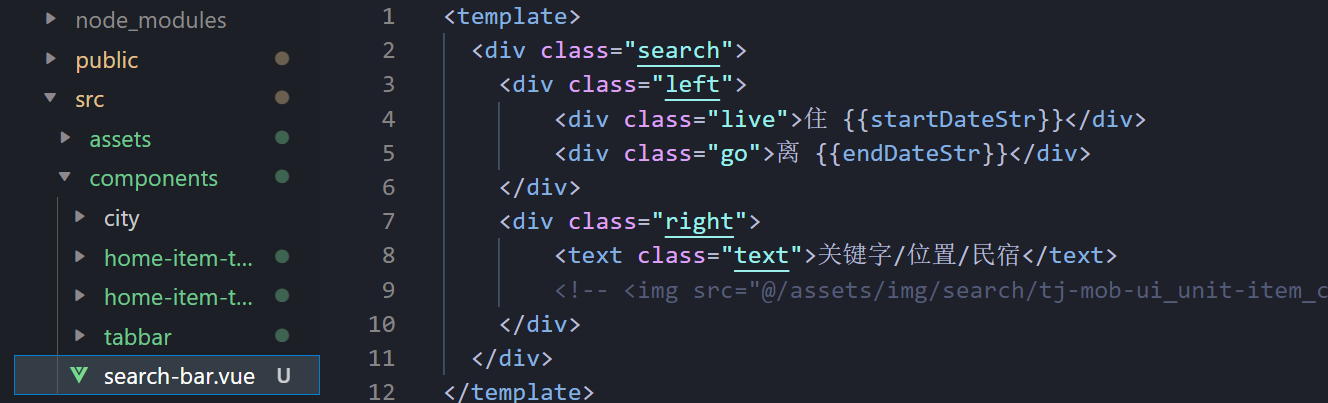
6.2.搜索框的实现
- 我们可以把它拆为一个组件
- 所要显示年月日我们可以给它写在store中,共享数据




-
相关阅读:
【Unity】2D角色跳跃控制器
用于非线性多载波卫星信道的多输入多输出符号速率信号数字预失真器DPD(Matlab代码实现)
计算机毕业论文java毕业设计成品源码网站strust2+hibernate网上银行系统[包运行成功]
CF-Letter Picking(区间dp+博弈论)
JavaScript中的map()和forEach()方法有什么区别?
如何在移动端猎豹浏览器中设置代理IP
Linux 部署Neo4j 并且创建自定义Service
在nodejs中实现实时通信的几种方式
二分图匹配(匈牙利算法 DFS 实现)
春风又绿江南岸,今天我还学Git
- 原文地址:https://blog.csdn.net/m0_62159662/article/details/128015641